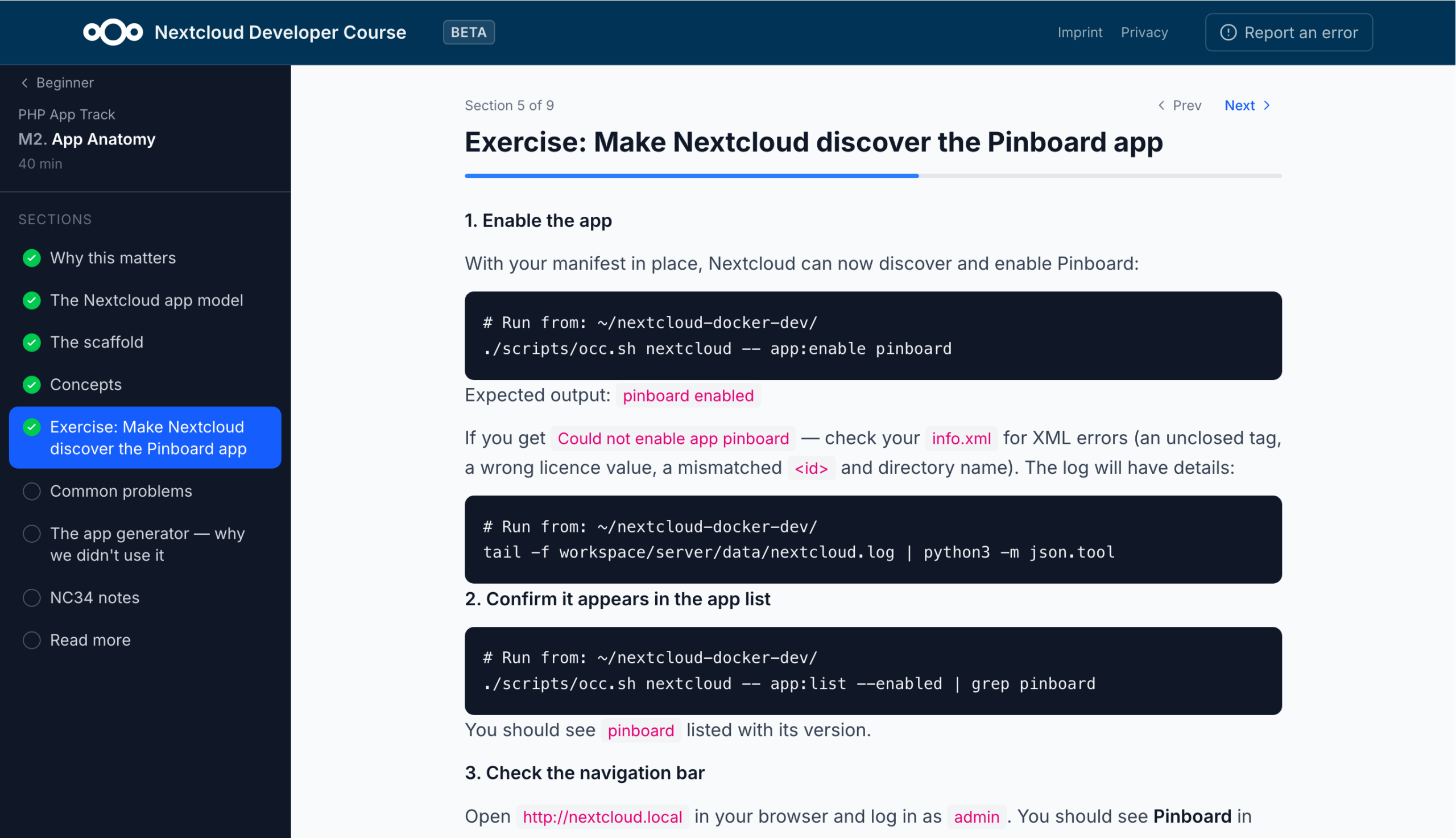
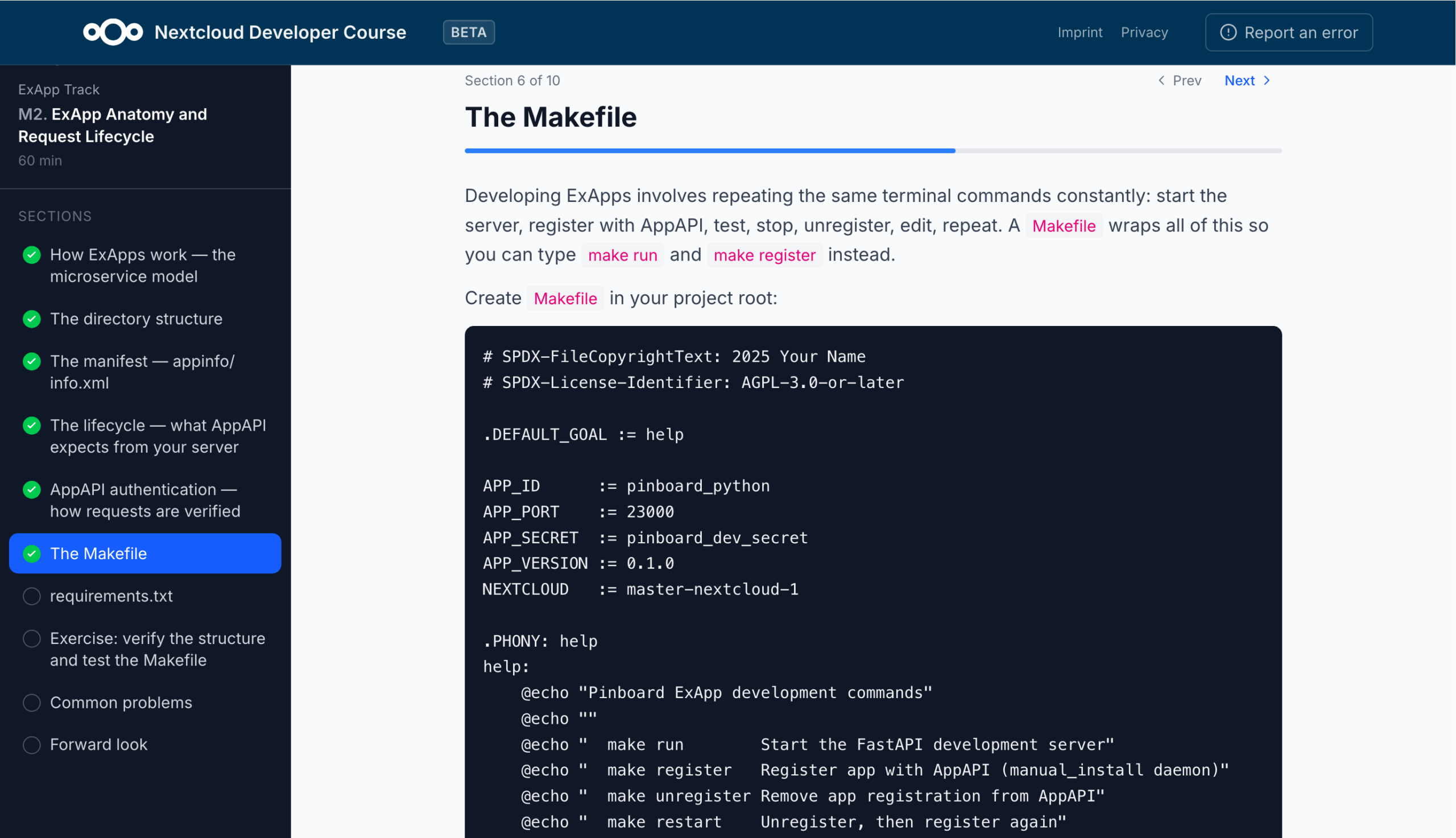
How do you get started building your first Nextcloud app? Our beginner’s guide is a valuable resource to better understand how Nextcloud works internally and which pitfalls you should avoid if you want to make sure your app doesn’t break when confronted with real-life use cases.
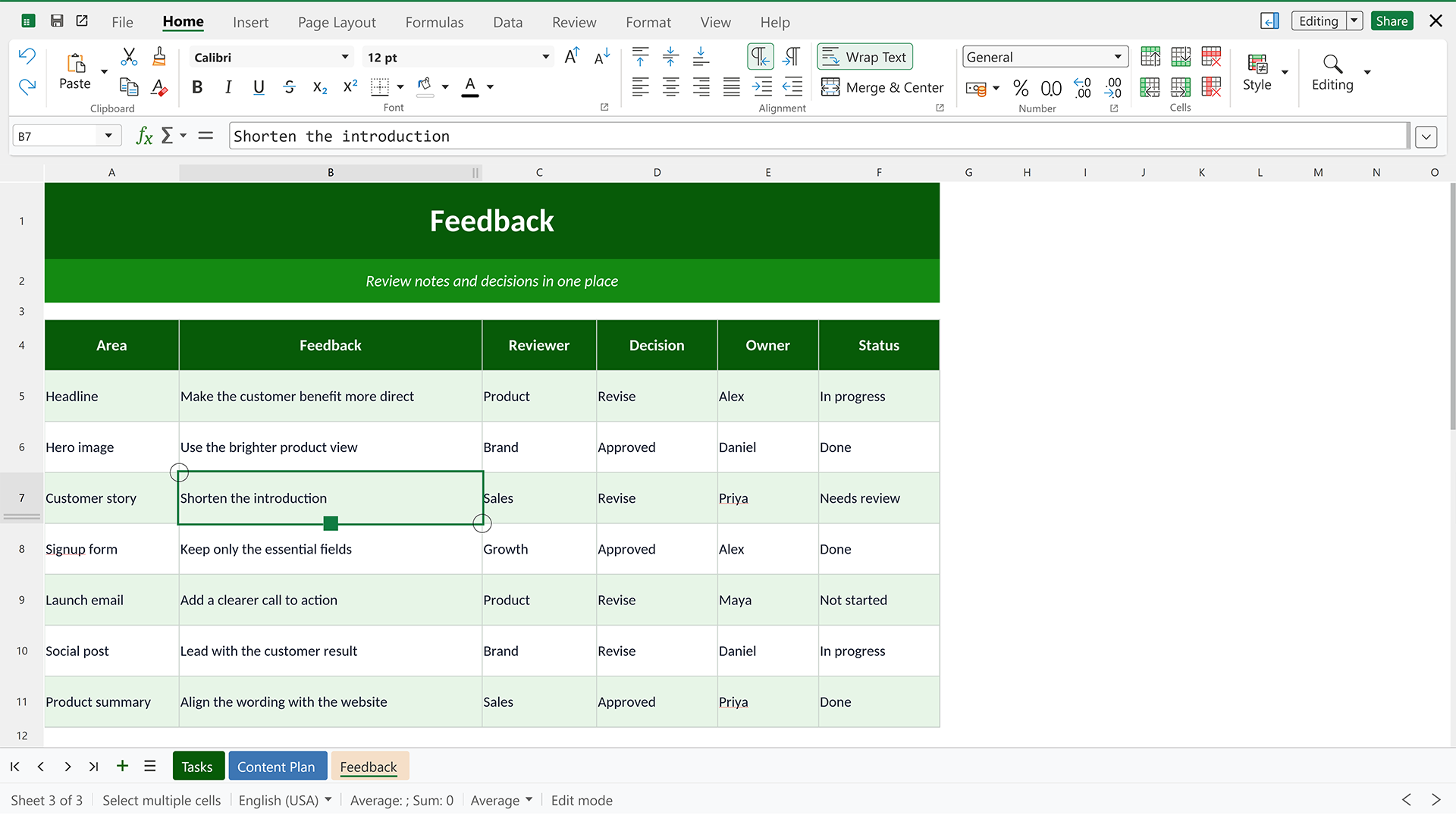
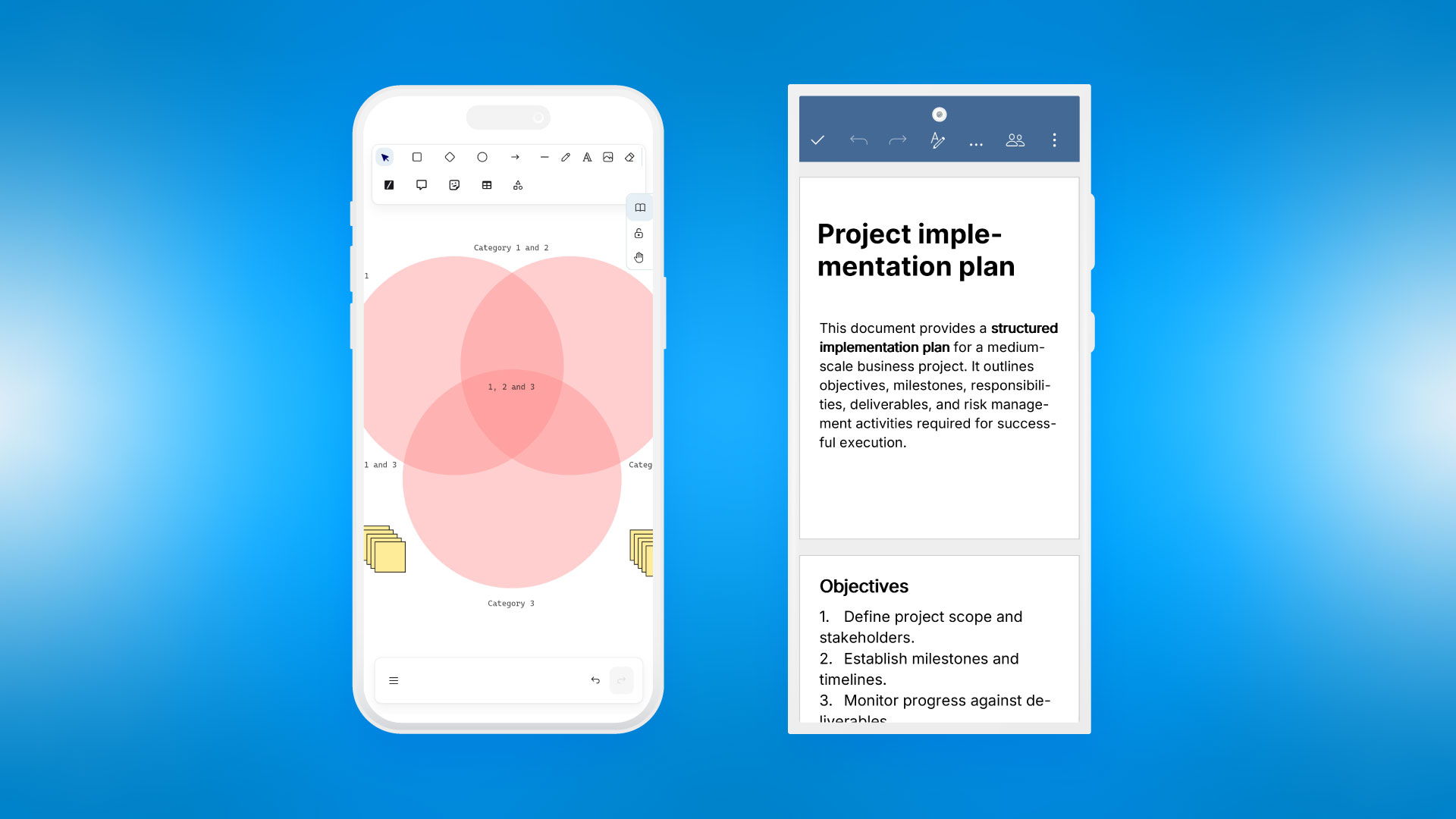
And now, there’s also Nextcloud Academy. Introduced as part of our Nextcloud Hub 26 Summer release, it contains hands-on courses for beginners as well as more experienced Nextcloud developers that take you from the basics all the way to a finished app and beyond.
There are two parallel tracks that build the same app with different architectures:
The PHP track for building a classic Nextcloud app running inside the server, using controllers, the OCP API, QBMapper, and migrations.
The ExApp track (using Python) for building an external app running as a separate Docker service through AppAPI, using FastAPI, nc_py_api, and its own SQLite/Postgres database.
From environment setup to finished Nextcloud app
The beginner modules require no prior knowledge. Before you start coding, you will be guided through setting up your development environment to make sure everything works as expected down the road.
From there you learn how a Nextcloud app is structured: the manifest that describes it, how requests are routed to your code, and how the app hooks into Nextcloud when it loads.
Next comes the backend, where you write your first endpoints and return data, followed by a database layer so data can be stored, read, and changed. The course then moves to the frontend. You set up a Vite and Vue build, then create the interface in three steps. It uses Nextcloud’s own Vue components, so the app looks and behaves like the rest of Nextcloud.
Finally, you’ll turn the working prototype into a real app. You’ll first make sure each user sees only their own data by identifying the current user and limiting every query to their data. Then you version, sign, and package the app and submit it to the Nextcloud App Store.
You can do all of this in PHP, as a traditional app inside Nextcloud, or in Python, as a separate service connected through AppAPI. The steps and the finished app are the same either way, but the Python route adds a bit more work on verifying incoming requests and deploying with Docker.
More learning tracks to come in the future
At the time of writing, the courses are still in beta. Only the beginner tracks are available, with the intermediate and advanced tracks coming soon. Feedback is very welcome, so if you notice a mistake of find something is unclear, please file an issue on GitHub.
Ready to get started? Then head over to https://nextcloud.com/academy to write your first lines of Nextcloud-native code!
To build a Nextcloud app that works with different databases, thousands of users, and unpredictable server configurations, it’s essential to understand why Nextcloud is built the way it is and where developers most often get tripped up when their code leaves their local test instance.
In this article, you’ll learn how a request actually moves through Nextcloud’s architecture, how apps are meant to talk to each other (and why they shouldn’t talk to each other directly), and where the line between public and private APIs really sits. You’ll understand how Nextcloud models and reacts to data like entities, migrations, and indices, and how the event system lets apps stay loosely coupled from one another. Finally, you’ll learn more about the mistakes that only show up at scale and what it takes to get an app certified and published to the Nextcloud App Store.
The most important thing to keep in mind: The most durable Nextcloud apps are the ones built with the platform’s structure in mind, not around it.
Nextcloud under the hood
There is some institutional knowledge that experienced Nextcloud developers take for granted and that can easily trip up newcomers. Here’s what you need to keep in mind before you start developing your first Nextcloud app.
How Nextcloud code actually runs
Before writing any code, it helps to know where the boundaries actually are, specifically what’s public and stable, what’s internal and liable to change without warning, and how core and shipped apps relate to one another.
Public vs. private APIs
Nextcloud draws a hard line between its public and private APIs. Core functionality sits behind interfaces, and developers are expected to code against those interfaces rather than concrete implementations. Importantly, the apps Nextcloud ships itself (e.g. Talk or Calendar) use the exact same public APIs that third-party developers have access to. There’s no special internal-only shortcut. If it works for Nextcloud’s own teams, it’s built on the same contract available to everyone else.
A key design principle is that apps don’t call each other’s code directly. Instead, they listen to events and react independently. This keeps apps from depending on one another being installed, which matters a lot in an ecosystem where users pick and choose which apps to enable.
Core vs. shipped apps
At the core level, Nextcloud provides the platform itself: authentication, file storage, sharing, database abstractions, and routing. On top of that, a set of apps ship alongside the server but live in their own repositories, such as DAV (the abstraction layer for WebDAV, the protocol Nextcloud uses to read and write files safely, even when multiple people touch the same file at once), CalDAV and CardDAV, which extend that same idea to calendars and contacts. Administrative features like the settings panel are also built as their own apps, giving every app (including third-party ones) a consistent way to plug into the settings UI or the left sidebar.
The contract between core and apps is called OCP (the public, stable API surface). Breaking changes to OCP are announced at least five versions ahead of time, so developers have plenty of warning before something they rely on changes. The Nextcloud developer manual is the canonical reference for what counts as public.
OCP vs. OC
Within that structure, it’s worth understanding the difference between OCP and OC.
OCP is the public, documented, stable interface, and therefore always the safe choice.
OC is internal, often legacy, code. Some very old hooks still only exist in OC, but using it should be the rare exception, not the rule.
To give a concrete example: OC\Files\Storage\Local used to be a valid way to create local storage, but Nextcloud abstracted the storage layer to support things like S3 buckets and external drives, introducing IStorage in its place. The old OC class was eventually removed entirely, and any app still using it broke. As a rule of thumb, if something isn’t documented in the developer manual, assume it can change without warning, and avoid using it if there’s any alternative.
The request lifecycle
Every request into Nextcloud follows the same path from the moment it hits the server to the moment a response goes back out. Knowing that path, along with where security checks slot into it, makes it much easier to see where your own code belongs.
From request to response
Understanding how a request actually moves through Nextcloud helps explain where code belongs.
An HTTP request first hits index.php, which routes it through routes.php to determine which controller method should handle it. From there, the controller calls a service, which in turn talks to a storage or database layer, before the response travels back up the same chain.
This layered structure (controller, service, mapper, entity) will be familiar to anyone who’s worked with an MVC-style framework. Controllers translate the HTTP call into method calls, services do the actual work of processing and collecting data, and the split keeps the codebase testable and organized by responsibility.
Where security checks happen
Security checks (authentication, CSRF token verification, and rate limiting) all happen before a controller method ever runs. Brute-force protection is the one exception: it happens within the controller itself, which matters if you want to throttle anonymous requests to a specific endpoint, such as a public share link.
Controller attributes
Modern Nextcloud apps use PHP 8 attributes (the #[...] syntax) to declare how a controller method should be treated. For example, marking a route as a public page, exempting it from CSRF checks, or configuring brute-force throttling with a named action. Older apps may still use the previous approach (PHPDoc comments like @PublicPage), which still works but is considered legacy. New apps should use attributes.
Some attributes commonly appear together. For example, PublicPage and NoCSRFRequired often pair up for routes like a public profile page, where there’s no form being submitted and therefore nothing to protect with a CSRF token. The full reference of available attributes lives in the controllers section of the developer manual.
Dependency injection
Nextcloud relies heavily on dependency injection to keep code flexible and testable. Understanding how it works also explains why controllers receive a bare user ID instead of a full user object.
Interfaces instead of concrete classes
Nextcloud wires up functionality through dependency injection. Instead of a class instantiating its own dependencies, a container resolves them based on the interface being requested. So rather than injecting a concrete LocalStorage class, an app injects IStorage, and the container resolves it to whatever storage backend the admin has actually configured, be it a local disk, S3, or anything else. This also means developers can write their own storage backend (however unconventional) by implementing the IStorage interface, and any code that works against that interface will work with it automatically.
Dependency injection also makes testing dramatically easier, since dependencies like IAppConfig or IUserConfig can be swapped for fakes or mocks in unit tests, without needing a real database.
The nullable user ID
One Nextcloud-specific quirk worth knowing: Rather than injecting a full user object, controllers often receive a nullable string $userId, resolved automatically from the login session. It’s nullable because an anonymous visitor to a public page won’t have one. Even on pages that require authentication, it’s still good defensive practice to check that the user ID is actually set.
The reason Nextcloud injects just the ID rather than the full user object is efficiency. Resolving a full user object requires a database read, while the ID alone (which is unique and permanent, and once set, can never be changed) is often enough to check access to a data resource without hitting the database at all.
Data and events in Nextcloud
Nextcloud models data through entities backed by database migrations, keeps that data fast to query with well-placed indices, and reacts to changes across the system through events and background jobs. Getting this wrong can result in a slow query that only appears at scale, a migration that locks up an upgrade for hours, or an app that breaks the moment a dependency changes.
Entities and type casting
Entities are how Nextcloud represents a database row in code, and getting their type handling right is what keeps an app behaving consistently across every database it might end up running on.
Auto-generated getters and setters
An entity in Nextcloud is a representation of a database row. Rather than writing boilerplate getters and setters by hand, Nextcloud generates them automatically based on PHPDoc comments on the entity’s properties (for example, a userId property produces getUserId() and setUserId() for free).
Developers can still override a generated method if they need custom processing, such as converting a raw date field before returning it. But the recommended approach is to only do this when genuine processing is happening, since overriding a getter to reshape a database value can introduce subtle bugs.
Type casting across databases
Type casting is the other key concept here, covered in the manual’s database access section.
Nextcloud supports four different databases (MariaDB, MySQL, Oracle, and PostgreSQL) and they don’t agree on how they represent values like booleans or timestamps. Some databases store booleans as a tiny integer (0 or 1) and hand that back as a raw integer rather than a boolean. Without explicit type casting on the entity, a boolean field can come back as a string like "0", which behaves unexpectedly in conditional logic. Casting a field to datetime similarly guarantees you get a proper date object back instead of a raw string, regardless of which database is running underneath.
Migrations
Changing a database schema safely, across every database Nextcloud supports and every possible upgrade path a user might be on, means following a specific process. This process is easy to get right in principle and expensive to get wrong in practice.
The three-step process
Database schema changes in Nextcloud follow a three-step migration process, conceptually similar to migrations in frameworks like Laravel’s Eloquent:
A pre-schema change runs before the migration is applied, and is the place for anything that needs to happen to existing data before a table changes.
A schema change is where tables get created or altered. This is the actual DDL step.
A post-schema change runs after the schema is in place, and is typically used for lighter data migrations, like populating a new column from existing data.
The performance caveat
There’s an important caveat: Migrations run during install or upgrade, so any post-schema-change step that touches a large amount of data can seriously slow down that process. In a real use case, a migration for Nextcloud’s system address book once took six to seven hours on a large instance, because the team’s own testing hadn’t been done against an instance with that much data. The lesson from this is that if a migration involves heavy data processing, you should queue it as a one-time background job instead of running it inline during the migration itself.
Indices
Choosing the right indices matters, and it’s easy to get wrong. Sometimes a team only realizes a table needed an index after the table already has a lot of data in it, at which point adding one can be expensive.
For brand-new tables or ones you can be confident will stay small, an index can be added directly in the schema-change step of a migration. But for existing tables that might already hold a significant amount of data, Nextcloud provides a safer mechanism: registering the index as a “missing index” via a listener. This surfaces a warning in the admin settings panel and can be applied through Nextcloud’s CLI tool (occ), letting an admin schedule the index creation during a planned maintenance window rather than forcing it to happen automatically.
Column data type matters too, since very long varchar columns are more expensive to index, and in MySQL specifically, columns longer than 4,096 characters can make an index counterproductive rather than helpful. For diagnosing slow queries in general, the database’s EXPLAIN command is a useful tool for seeing whether a query is actually using an available index or scanning a whole table.
The event system
Events are the mechanism behind the principle of not calling other apps’ code directly. They let an app react to what’s happening elsewhere in the system without ever depending on another app being installed.
How listeners work
Events are the backbone of app-to-app integration in Nextcloud and are documented in the manual’s events section.
Core fires events for common actions like files being created, modified, or deleted, or more generally, “nodes” (DAV’s term for either a file or a folder) being updated. An app that wants to react to file changes implements IEventListener and its handle method, checking early on whether the incoming event is actually the one it cares about (since many different events pass through the same listener mechanism), and can also inspect the data the event provides.
Custom events and loose coupling
Apps aren’t limited to reacting to core events. They can also define and fire their own custom events, which other apps can then listen to.
This is what allows an app like Files Reminders to have no hard dependency on the Files app itself. It simply listens for file-related events and reacts to them, without knowing anything about how the Files app actually works internally. That means the app keeps working even if the Files app is refactored, or even if it isn’t installed at all. In the latter case, the event won’t fire, but nothing will break.
Background jobs
Not all work belongs in the request/response cycle. Background jobs let an app offload slow or non-urgent tasks, but using them well means understanding how (and how reliably) they actually get triggered.
Triggering mechanisms
Background jobs exist to move slow, expensive work (anything that loops over a large file tree, processes a lot of data, or syncs from an external source, like Nextcloud’s calendar subscription sync) out of the normal request/response cycle. A background job extends TimeJob, receives an injected ITimeFactory (a testable wrapper around PHP’s native time functions), and defines an interval, down to as little as one minute.
Whether that interval is actually respected in practice depends on how the instance is configured. Nextcloud supports three ways of triggering scheduled jobs: system cron, webcron, and AJAX.
AJAX-based triggering (often used by smaller community instances that don’t want to set up a system cron job) only runs queued jobs when an AJAX call happens to come in, with no guarantee of timing. Even with proper cron configured, larger instances sometimes run it every 15 minutes rather than the common 5-minute default, so background jobs shouldn’t be written with an assumption of precise timing.
Maintenance windows
Nextcloud also supports a maintenance window, which an admin can configure to indicate when the server has lower load. Background jobs can be marked as “time insensitive,” meaning they’ll preferentially run during that window. This is appropriate for something like a calendar sync where updating overnight is perfectly fine. Jobs marked as time-sensitive ignore the maintenance window and simply run on their configured interval instead.
Before you publish your Nextcloud app
Knowing how the Nextcloud platform works is only half the job. The app also needs to survive contact with real-world usage and clear the concrete steps needed to get certified and published to the Nextcloud App Store.
What trips Nextcloud developers up at scale
Code that works fine in testing can fail badly once it hits real-world data volumes, because most developers test with small datasets.
Large file trees
A few hundred files or folders load fine. A hundred thousand will take real time. The fix is to use folder search with a limit and offset rather than pulling an entire tree, and to push full traversals into a background job.
Looping over many users
This is fine for a handful of users, but potentially very slow for thousands.
Oracle’s query limits
Oracle doesn’t allow more than 1,000 items in an IN clause. Apps that are only tested against MariaDB or SQLite won’t hit this and won’t error until someone deploys the same app against an Oracle-backed instance, where it then fails. Nextcloud’s own code handles this by chunking IN queries into batches of 1,000.
Version support
It’s tempting to just bump the maximum supported version and move on, but it’s worth actually testing against the current and previous major versions of Nextcloud.
N+1 queries
Rather than querying for each item individually (fetching 44 participants in a Talk room one at a time, for example), batch the lookup into a single IN query. This keeps the number of database round-trips from scaling linearly with the number of users, files, or other items involved.
Getting into the Nextcloud App Store
Once your Nextcloud app is ready, getting it in front of users means passing through a certification process. Knowing the most common ways submissions get rejected can save a lot of back and forth.
The certification process
Publishing an app involves a few concrete checks. The app’s info.xml file is validated, the app itself must be cryptographically signed, and a release tarball is uploaded. To get a signing certificate, developers submit a request through the nextcloud/app-certificate-requests repository, which typically takes two to four days to process.
Common submission failures
A certificate whose common name (CN) doesn’t match the app ID declared in info.xml.
An invalid archive structure. The tarball must contain exactly one top-level folder, named after the app ID (which itself can’t exceed 512 characters).
Signature verification failures caused by editing files after signing the package. All changes need to be finished before the signing step.
An invalid category. Apps must fit into one of a fixed, limited set of categories.
For learning by example, it’s recommended to read real, shipped Nextcloud apps. Files Reminders is small and demonstrates good patterns cleanly. Talk and Calendar are larger and show how those patterns hold up at scale. Talk in particular is noteworthy for its event handling and its signaling backend, which has to coordinate real-time behavior across desktop, web, Android, and iOS clients simultaneously.
Conclusion
Dependency injection, event listeners, and database migrations are all well-established patterns. In isolation, none of this is complicated.
What trips developers up is assuming a shortcut is harmless. But skipping the public API for something more direct, having one app quietly depend on another’s internals, or running a heavy migration inline instead of queuing it as a background job can cause problems at scale.
Building a Nextcloud app that holds up in real use cases comes down to one simple idea: Build with the platform’s structure, not around it.
Looking for hands-on, project-based courses for developers building on Nextcloud? Check out Nextcloud Academy. It features several tracks teaching you how to build Nextcloud apps using PHP or Python, whatever you’re more comfortable with.
Not if you want a native Nextcloud look and feel. Nextcloud Vue (https://github.com/nextcloud-libraries/nextcloud-vue) provides a set of finished UI components matching the platform’s own design, and a separate package handles CSRF token management automatically, so you don’t need to build that yourself.
Yes. Alpha, beta, and release-candidate versions are fully supported. Just include a suffix like “-alpha.1” in the version number within “info.xml” and follow the normal release process. If you’re using GitHub’s release automation to build the tarball, marking it as a pre-release is how Nextcloud distinguishes it from a stable release internally.
Not currently. There’s no dedicated 2FA option for the developer side of apps.nextcloud.com today, though it could see support down the line.
Yes, through ExApps (https://docs.nextcloud.com/server/stable/developer_manual/exapp_development/Introduction.html). ExApps let you write a Nextcloud app’s backend in other languages like Python or Rust while still optionally using the same Vue frontend components. Nextcloud itself uses this pattern for workloads that need real concurrency or async processing, which plain PHP struggles with. For example, the UI for Nextcloud Assistant runs as a normal PHP app, but the actual task processing runs in an ExApp and communicates back via an API once finished, keeping heavy work off the main PHP process.
Technically, yes. Nextcloud’s own antivirus app does exactly this. But it comes with a serious caveat: Giving users any path to execute arbitrary shell commands is a security risk that needs careful handling. Admins retain the ability to configure or restrict this kind of behavior.
Unlikely, and usually unnecessary. Core apps are reserved for functionality essential to a baseline usable experience, like Settings or DAV. For anything more specialized, building an independent app, forking an existing one, or contributing directly gives admins more choice than folding everything into core.
We are happy to announce the winners of the fist edition of the Nextcloud Community Awards! Our jury selected three winners nominated by our community for outstanding and unique contributions to the Nextcloud universe. We have presented the winners at the award ceremony at the Nextcloud Community Conference 2026.
About Nextcloud Community Awards
The Nextcloud Community Awards are a new recognition initiative launched as part of Nextcloud’s 10th anniversary in 2026 to celebrate the people who have made outstanding contributions to our community and ecosystem. Rather than being an industry award or public competition, the awards are intended as a heartfelt recognition of the individuals and teams who have helped shape the Nextcloud ecosystem through collaboration, innovation, and community engagement.
Nextcloud community members submitted nominations in three categories: Best Non-technical Contribution, Hidden Gem, and Side Quest. Our jury carefully reviewed the nominations based on criteria defined for each category. You can read more about the categories in the Nextcloud Community Awards announcement blog.
The jury consisted of Frank Karlitschek (founder and CEO of Nextcloud), Anna Larch (Developer Relations), and Jos Poortvliet (co-founder and VP Communications).
Meet the winners of the Nextcloud Community Awards in 2026
1. Best Non-technical Contribution: Romy Schneider
Open source is about people sharing knowledge, exchanging experiences, and building solutions together. In the true spirit of open source, Romy has built a community structure around the ver.diAktiv!Cloud, a Nextcloud-based collaborative system for volunteers in a department of Germany’s second largest trade union. In her approach, the focus was not on the technology, but on the people using it.
Romy developed an interactive, gamified learning journey for thousands of volunteers using ver.diAktiv!Cloud, enabling them to learn how to use Nextcloud and how to pass knowledge and experience to others, creating a decentralized, peer-to-peer system for support and collaboration.
I was very lucky to be one of the people who could help build the structure around it. To connect the dots, create a learning environment, and make it easier for people to become confident and independent at using Nextcloud.
Romy Schneider
Digital Collaboration & Enablement Expert at OpenSource Praxis-Lab
2. Hidden Gem: Benedikt Schächner
The lesser-known Nextcloud Social app brings decentralized social networking directly into Nextcloud by implementing ActivityPub and connecting a Nextcloud instance to the Fediverse, basically turning Nextcloud itself into a lightweight federated social server. Sadly, the app has not been properly maintained for a long time, until Benedikt took over its development and single-handedly revived Nextcloud Social. A young developer under the age of 18, he cleaned the code base, made the app stable and compatible, and added new features and improvements based on his own ideas.
For the past few years, however, the app has largely stopped working. Right now, there’s going to be a major overhaul. Most of its current code has already been reworked and brought back to life. Today, you can install the app from the App Store and connect with other Mastodon or Fediverse instances from all over the world.
Benedikt Schächner
Student at König-Karlmann-Gymnasium Altötting
3. Side Quest: Marcel Klehr
Many people move to Nextcloud driven by a desire to escape the “walled gardens” of Big Tech. However, bookmarks are one of the toughest parts of browser lock-in. In the Side Quest nomination, the award goes to Marcel Klehr, a developer who has created and maintained floccus, a free and open source bookmark management app that is uncompromising in privacy, for 10 years. Practically, as long as Nextcloud exists.
As the original nomination text said (and we couldn’t have put it better), “In an era where our digital lives are fragmented across multiple browsers and devices, the ability to maintain a unified, private, and self-hosted library of bookmarks is more than just a convenience. It is a matter of digital sovereignty.”
I’ve been working on floccus for 10 years now, and it’s a project that is very dear to my heart. So it means a lot to me to receive this recognition today. Thank you for everybody supporting me and all the people all over the world who use floccus and help make it better.
Marcel Klehr
Software Engineer at Nextcloud
Beginning of a new tradition
We want to thank our community for all the nominations submitted in each of the categories. Our jury’s task to pick the winners has not been easy. With so many exciting projects and contributions submitted, we are certain the Nextcloud Community Awards should become a good tradition of ours. We are looking forward to recognizing more outstanding contributions in the coming years!
The Nextcloud Community Conference 2026 is almost here! On September 19th and 20th, we’ll gather at CIC Berlin for a jam-packed weekend of collaboration, learning, and connections. Long-time contributors, open source enthusiasts, or anyone simply curious about the community — everyone is welcome! This guide is designed to help you get ready.
Lanyards: For sustainability purposes, we always ask that attendees who have come before to bring their own lanyard. If you don’t have one, don’t worry! We’ll have plenty of extra lanyards and badges for you to wear.
Nextcloud t-shirt: If you have a Nextcloud t-shirt, please bring it and wear it! Again, don’t worry if you don’t have a t-shirt yet. Extra shirts will be available for you.
Headphones: There will be some free time and quiet areas to work, so be sure to bring your own ear buds or headphones if you need them in order to get in the zone.
Laptop (+ charger): There won’t be any laptops available to rent or to borrow from the venue, so please bring your own if you want to use one.
Event venue
The conference takes place at CIC Berlin, a fun and vibrant co-working space near Görlitzer Park in Kreuzberg, Berlin.
Since 1999, CIC has worked with entrepreneurs, companies, institutions, and public partners to build places and systems that help ideas make it out of the room and into the world. They have campuses across across North America, Europe, and Asia.
Tip: Check out the floorplan to familiarize yourself with the space before you arrive.
Before arrival, please have your ticket or ticket confirmation ready which you should have received per email.
Once you’ve entered the building, you will be greeted at our registration desk where you will check in, receive a badge and lanyard (if you didn’t bring your own), a Nextcloud t-shirt and a tote bag, and have a chance to ask any questions you might have.
Photos & privacy
We’ll have photographers onsite to capture the fun moments and energy throughout the conference.
If you don’t want to be photographed, stop by the registration desk to get a privacy sticker for your badge.
Accessibility & inclusion
We want everyone to feel welcome and supported.
The venue is wheelchair accessible.
If you require assistance, reach out to the event team ahead of time or during the event.
Our goal is to create a safe, inclusive space for everyone.
Sustainability
Nextcloud is committed to sustainable, responsible practices. Therefore, we will recycle all we can and try to avoid waste.
If possible, we ask you to bring your old lanyard and/or Nextloud t-shirt from a previous event to help our cause.
You can also watch the presentation of Nextcloud Hub 26 Summer on PeerTube.
Teaming up to create a workspace that works for you
Our mission at Nextcloud is to make collaboration software that is easy to navigate, fun to use and helps people working efficiently and intuitively.
We believe that trust and control are what good tools are built on. The highest level of this is possible, in our opinion, only through open source, and that means creating things together, out in the open. Co-creation is not just for infrastructure projects like Linux and Kubernetes, but also for end-user software like Nextcloud.
“What kind of control is that, when everything is decentralized?” you may ask.
We build Nextcloud in collaboration with our community, partners, and customers. This gives us diversity, transparency, and autonomy that Big Tech could never promise. At the same time, our open standards bring us unified, interoperable and reliable tools. This is how we reach our end goal: a great product for everyday use.
Now, we can’t wait to present our latest release, Nextcloud Hub 26 Summer.
What you see in this release is the result of months of close collaboration with our community and our partners. Whether it’s features shaped together with organizations like Dataport and SURF, or code contributed by individual developers in the community, our ecosystem isn’t just giving feedback, it’s actively building the product with us. That’s exactly what we set out to make possible.
Anna Larch
Developer Relations
What’s new in Nextcloud Hub 26 Summer
Get a glimpse of the new features:
Refined design and optimized performance
Your team’s own space with Nextcloud Teams app
More ways to manage data in Nextcloud Tables
Channels, announcements, and classified conversations in Nextcloud Talk
Comments and footnotes in Nextcloud Text
Nextcloud Assistant: skills, OCR, and split-second performance
A new take on Nextcloud Photos
Nextcloud Office for desktop
Showing the power of community, ecosystem and ISVs
Read on for a detailed rundown of all the key improvements.
Kudos to our community for this release
Nextcloud is a community thing. The way it works is defined by how people use it and what they expect from it. We have worked on our apps with thousands of passionate contributors for over 10 years. Many features we show today are contributed by developers outside of the Nextcloud company, most are translated and tested through the community’s efforts. Here’s a big thank you to everyone who made Nextcloud Hub 26 Summer possible!
Kudos to everyone who contributed to Nextcloud Hub 26 Summer!
allotropia
AndiMb
andremadstop331
aSoftwareByDesignRepository
baimard
callmemagnus
chenasraf
CollaboraOnline
csoc-de
david-brauer
DeBaschdi
Dennis-Otto
devnoname120
digital-blueprint
ebfming
Edukonline
eLearning-BS23
eneiluj
ernolf
ethernet-zero
Euro-Office
H2CK
John-ccsengrs
kimusan
luisfacarmo
marius-wieschollek
martinhammer
megamaced
MuhammedKpln
nc-music
nickv-nextcloud
njordium
NK-IT-CLOUD
OliverParoczai
olvid-io
otherworld-dev
pbek
poulou0
powerflo
raudius
relisiuol
sashd3
SchreinereiReinhardt
shellmann
simo-bimo
solracsf
stjosh
SUNET
theCalcaholic
theo-langstraat
thomasleuthold
thrillfall
WARP-LAB
westberliner
wilkis3
Xefir
yardinternet
zomtec2311
zorn-v
1ale
37-b-j
abitlea
acknar
aequivalent2
ahad07-telco
ailkiv
aktasfatih
alencristen
alessiodipretoro
a-missaoui
anakin78z
andimb
andreasbohl
andreasschwan-simo
andrewjneumann
andrey18106
antoinetran
antonwe
aquananu
arnowelzel
aronovgj
arundne
asoftwarebydesignrepository
asyntai
au2mater
axdeontour
bacaloo
bahman026
bakiburakogun
beleon
benstonezhang
biguenique
binsky08
biowilli
bkmgit
brlin-tw
bvdbos
bygadd
callmemagnus
canisdata
chadek
chanha0406
chartman123
chefboyrdave21
chrissi0285
chrissooo
christianlupus
cloudsliberty
coliff
cpcmisha
cuppett
curbengh
dagyu
dartcafe
datenangebot
david-development
davidprojekt
debaschdi
dec0de
default50
delasous
dennis-otto
derstephan
deschoene
devnoname120
dexxes
dispather
dj-key
dpfpic
dtump
ebfming
edukonline
el-choco
enoch85
enriquepablo
eric-wien
ernolf
falghamdi125
fancycode
fefaine
fin-c
foolfitz
franc00018
freundschaft
fs00
gabryk91
gadeynebram
ghost
grotax
happyfeet01
henmohr
hiobjan
hoshinolina
ibnesina1907
ishizakahiroshi
j0wi
jafetlch
jakoblell
jannikbx
javimurcia
jbrunner
jerome-herbinet
jim-daf
jmartel-olvid
joeldj-nl
john-ccsengrs
jonathantreffler
josefbehr
joshtrichards
jrehkemper
jrvidal
jsk1004ha
jul13579
karolisdailidonis
kevgathuku
kferrone
khnjrdm
kimusan
kinakomochi-0315
koc
kreotropic
ktec-jp
lamanese
lamotech
larson40
lennart441
lennart-pingpong
lightshadow02
likehopper
logarex
lonode
luisfacarmo
luminaappsdev
luneth
madbob
manuelbernalcarvajal
maqsudmallick
martin-rueegg
matsaur
max65482
maxwhipw
megamaced
michelleantunes
mickenordin
migrationviking
mimoho
mkultrausa
mosi-kha
moskvin
mrx8086
muhammedkpln
mvanhorn
mwest2020
nabim777
ndo84bw
nemphys
neronguyen
nfebe
nihlus
n-iv
nsrfth
oboeglen
oe79
olddude2
otherwisegg
pagaille
pallavibakale
pascalkienast
paulijar
paulkiddle
pavlinchen
ph1txd
powersurge
pq2
printminion-co
promasu
pzipp
qtld88
r0073rr0r
raimund-schluessler
rakekniven
rasmussw
redblom
rentnerkev
ricgrangeia
rikdekker
riyad-bs23
rizlas
rjzondervan
rkstraessler
robertlmann02
robertsmits
roboman124
rogreat
roshan931
roszakos
sadeqrouhani
saficeylan
saithej2k
samuelspagl
sanzakicesarr
sapslaj
schbenedikt
schreinereireinhardt
schulm
shapeshifter499
sim6
skynetindia
smarinier
smillerdev
soerennb
solerotg
solracsf
somaz94
somebodyisnobody
stediefan
stefan-niedermann
stephan1827
stephan-lefty
steven-mpawulo
street1983nk
studio255
sturlan
surinder-tsys
svihra
swaan
synetix-code
t3cneo
taiebot
tareko
thecalcaholic
themasix
theoholl
theolallement
theo-langstraat
theovil1
theunderdev
thirumani-vihaan
thomas-git
timar
tintou
tireur2cables
tomek2k1
urbantechio
vaenda
vaibhav8a
vauvenal5
vladopol
vmiklos
weltmaister
wenigdigital
whollaus
wilcolouwerse
winterrific
wofferl
wolfravenous
wonx
wrenix
xhon-pelushi
yan12125
yard-mschwartz
zakariahogeschoolr
zoey2936
zomtec2311
zzfqwq
_RM
_Xnder1
3dartal
4slam
6ab310a0b7a6002defc1
A13X
Abhijeet-035
abz
ACAPax
adamnc
AdaWanheda
adelaar
adil_j
adminsmith
adriansev
adrizi
agnez
Agrarvolution
ahlund
Aires_Junior
ajax
al-smithers
AlainWolf
alanon.sr3
alauzon
AlbertSnows
Aleksandr_Kurochkin
AleksCee
Alessandro_B
alexanderdd
alexhell
alexschabel-mv
alfa_bg
alimmroth
Altahrim
Althif
Alyosha
AMenge
Anaphory
andersasplund
Andi29
Andre123
AndreaCapezza
Andrej_Znidaric
Andrew_Przygoda
AndyXheli
Anna
anon2
anon85251929
anon93987652
Antoine_Iresa
apastuszak
ApolloS1
Ar3dhel
arepim
ariaie_boy
Arkevorkhat
arter
artfulrobot
artlog1
arzhost
Asar_Saleem
Ascendor
aschrage
aser1408
ashonegraalvm
avidmar
awelzel
AZeroEight
Baggypants
Balujuhu
bargib
bassmannate
bb77
beedaddy
BEmain
BenBenna
Benjamin_Maier
bennet.joussen
BentiGorlich
bentpurist
Bernd_Meyer
Bernie_O
bertroj
biguenique
Billiaz
BillTNZ
bk1285
blinkystar
blizzz
bly
bmyr
bnavigator
bnjmns
Boblebad
Bodenseematze
Boldos
botmaker
Boxie
Brasil_X
brozkeff
Bruellberg
brunozh
bubi
bugsyb
bynio
c-oolt
callmemagnus
callumgare
Calyopea
camila
Captain86
carlschwan
castillo92
cbcoutinho
cbenoist
ccurley
cdhermann
celinej
Cfc_Ccc
cgrauer
charlotte1981
Chartman123
chris_he
chrissi55
christianlupus
chu_viet_hung
Cisco30
ckujau
clippy
CMigliorini
cnbeers
codeling
CoffeeHT
Coldspot22
computeraerger
ConnorY
Core
Cosmo.k
CPCMiguelTorres
cr9cA
Crashandy
crazytok
Cris70
csplkr
Cuello
cyb3rx
cybermaus
cyril_dufrechou
D.A.Y
DaddyWarlock
Dalos
daMarc
danger89
danher
dannyh73
DanScharon
dant123
danubis
Dardaran
Dario_Gallibariggio
Dark_Corner
DarkSteve
David_Skelton
davide
davidrei
davodego
Dayspring
dbielz
DBZ
DeBaschdi
deblan
DecaTec
Deepsmistry
DeirdreYoung
Denis_Grante
Dennis1993
DennisAdler
denNorske
derJabok
destripador
devcyber
dge
dhojnik
dianavi
Didier_Montbroussous
Didier91
Die_s_man
digitaleBrigade.58
DinizBortolotto
DirkGoetze
DirkV
DirtFrog
dius
divvet
dnikkel
doctore74
DoingBobThings
Domdom
dominique.o
donty
Doppellhelix
dosudo
DragonFlayer
DragonQ
drankinatty
Dreamdancer100
drehpunkt
DreiBaer
drgremi
duco
DustBunnyAnna
Dzrenner
E_D_V
e-raser
E1000
eardrum_espresso
edgarjrg
edisondotme
eduhst
edward
Eifelkuno
elgringo
Elleven
elvisman113
EmericLee
Emmanuel-L
encryptedgiraffe
engmex
Ernie95
ernolf
erseco
eska
essubknarf
estupendo
etiennecarichon
evaarties
evandrofisico
evernoob
exaveal
FabianH
FabianKIX
Falkitop
Fantu
fazer227
fdec
federatedcarly
FelipeF
feltron
ferhat
fermat2a
Feverin
fileman.exe
Filipe
filipsen
Finski
FischerICT
flatterrich
FlorianDE
florom
Floydpeace
Flynn84
flypenguin
foggy
fonsgottlieb
fonsmans
Forest.328
Forestspants
Formenpark
foundasys
FPTMVO
Francois_V
frank_gayer
FrankBuhse
Fred-DTV
fred-gb
Fred2
FreddyS
FredericDomke
frederick
FredP
freps
FrViPofm
fsouyri
fventura
Gabriel_Golshirazian
gabsamw
game_54
garydale
GCsFfoz5
geargineer
Gee858eeG
GentleRV
geolrud
geoW
GernotS
ggyimesi
giantkin
Gibibit
gigabotan
Git-Hub-u-s-e-r
Githopp192
godfuture
goldfingers
golg3
grafsimeon
grahamian
grauzone
GreenFox
grepler
Grunthos
guitch
gusto
guy123
gvde
hacesoft
haederli
hagenson
Han
handmade5303
hap
harihegen
hayvan96
helpmenc
Henndi
Herbert-1120
HeribertB
Herrick_P
HeXor
hirschnase
hminden08-netizen
hnacho
hoiba
holck
honduken
hsjoos
hweihwang
Icemine
ikkeT
Immo_J
InactiveImmortal
indevd
indygo
Infernales
iniliner
inkasso
it-hecker
iva.horn
Ivan_Lam
j-ed
JABAHOSTING
jaceee
Jacob_Rodas
James_M
JamesCRocks
Janneman100
JanNi
jaycedk
jbelbaz
JDV97
Jeff_Nichols
jeffcourteau
jenseitz
JeromeSi
jesperbean
Jessie.Turner61
jhoc2000
jimid83
JimmyKater
jknockaert
jlgarnier
Jm56Z
jmit
jo55
Joeschi
John2
JoKo
jonworth
JosetteL72
josiahbecker
JpCloudRen
jtr
Juan_Trujillo
juliechaumard
Julos
Juno
jvalenti
jvantslot
kaisa-pg
Kalin_Bogatzevski
Kanitfastan
karlemilnikka
KarlS
Katzenklo
keithzg
kemsd
kennyboy55
KenQB
Kerasit
Keysox
keyzox
kimh
kittonian
kjathome
KlausB
knedlyk
knot-split
knuthwien
Kolkman
krenet
ktec
Kupers
lada04
Lameur
LangelandSolutions
Lars_M
larsb
LeoM
lerk
LibertyTalk
Lifestile_Fun
lightweight
lmsoren
lobianco
LogsCon
lolowattrelos
LoVo
LucMeister
lugau45
LuigiT
Luke_Bower
m0nn3
Ma_Ka
Maaz
mabod
macker002
maikarl
Majd_Kz
Mallefix
manfred
Manfred_Tomanik
maniejv
mantamani
manu.p
Manuel1948
Marc_P3
MarcAntipodes
marcelklehr
marcobena
Marianne_van_Harten
Marisa
MarkoAmb
Markus84
MarkusBerger
markusd112
markuseicher
markxx
martin.p
MartinO
martonlente
marv_n
Masin_Al-Dujaili
Massager
mathew0406
mathologist
Matt_Eastwood
matt4
MatthiasJ
mattmart3
max-nextcloud
MaximeV
mbeyermann
mdw
Med_Gh
megaport
MegaV0lt
mejo
memamo
merlin1de
Mesman-S
mgomez
mhengst
mic2025
Michael-Perron
MichaelFliegner
MichaelJ_McCarn
Michaelmonney
Midyr
MiK2026
MikeWilliams
mindmaster
misterhur
mitchk
Miyamoto
mklemme
ml167
Modestas_LT
modslv
Moghain
Mohsin_Nisar
monpinero
mopperle
Mornsgrans
Mosfet
Moto
mppcon
Mr_J
mr.newlove
mrcrossii
mritzmann
mrtreg
msg_01
Muhammad_Al-Hiyari
Musher
mwildam
mystichussar
nad
narF
nathan_foster
ncuserm
nekromonitor
nemprinter
neter
neufeind
NextCees
nibuk05
nickvergessen
NickYatsenko
nico.tuerk
Nicolas_Bastien
NicolasGlatz
Nikita_Kothari
nite_route
NoelleOL
nofferel
nomad
Nora
nubro01
NullPointerException
Ocres1
odhiambo
Odir_Ferreira_Neto
Oleg_Ruzhinskiy
Oliver_Marshall
OliWei
OlliM14
OmeLuuk
Omiatern
OnLyMaGiK
opajanvv
Orima
Otigh1943
pablobasito
paeddi
Paka
Patosal
PatriceLep
PaulBoudreau
paulkleesangel
PaulV
ped60
penflame
penfold
PerianKew
pete.dawgg
peterbatah
peterporta
peterVoisin
Petzz
Pfanni
phik
Phill44
PIAX
piegro
piemaker
Piero
pippin
pobihi
pONd74
pooh22
powerflo
pra
prince99
przemhb
pso
puntereiner
putt1ck
pwo
rafalhycko
raghnarok
raid1
Raimund
Rainer_K
raiuns
Rajstopy
rakekniven
Ralf-I
ralfi
Ramy-acs
Ratio42
RayCulp
Rbruce259
realaaa
Rello
remkodb
RGaskin
Rhys_Jones
Ricardo_Ferreira
rich0
RichardKnott
RikD
RiSK
rkok
roadrunner51
Rob_Kalmeijer
Rob-S
Robert_Brady
robert55
roberting
robertlmann02
Robsteady
Roccia_Blu
RolandKwee
rolando
RolfBly
rolli
romana_oliver
rombola
rosey12
Round_About_WEB
RSKSOFFICIAL
rsuinux
Rudd-O
Rueberk
rugbista3140
ruppscloudadmin
rusdav
Ryan_P
RynHong
S_Schnitzer
S1lent_Azrael
saettel.beifuss0
sam412
sambilanet
SamKook
Sand_Frog
Sanook
SarenT
sawo
scgf
Schamschula
schoetju
SchreinereiReinhardt
schymans
sciurius
scott-nj
scubamuc
seal82
Sebastian_Franke
sei77
seindal
selfhostr
senseless
SeRiusMe
SGebauer
sgofferj
sgw
shakaujdp
Sharky21
Shnoulle
ShosMeister
shumak
silverdr
Silvernerd1
Simon_Meyer
simon_seimeialab
Sinister_Crayon
SkyBlueHH
smarinier
smokingwheels
softworks
Soko
SoluceTechnologies
Sophie_the_desperate
spaceshooter
spyro
sroot
Stanload
stargate
stefan-niedermann
stevens_pete
sthaydn
stoneubi
Stooovie
Stopbit
street1983nk
stripTM
SuKi
Sumi
sunbeam60
sunshine
SuperCowProducts
suppss
susnux
sustainjane
suther
sven1234
SysKeeper
system
szaimen
t0mcat
taker88
TamerTemel
tbetz42
tchara
te-online
Terkosh
TessyPowder
tflidd
tgeller
theking2
TheWojtek
Thomas_Jakob
ThomasG8235
ThomasKujawa
ticolotoqui
tim11
timewind
TimLoes
Timotee
tme
tmx
TobiasEigen
tomes
tomise
tonyarnold99
tonycastiglia
Toysman
tozi97
Trabanom
Trebacz
Tribalcan2
trilbytim
tritor
tugwab
TuotHash
TurabG
TurboC
turok0000
tuxfanmatze
ubik85
udo.dawid
Umberto_Gigli
unforseen_consequenc
Uturn
Uwe-K
UweB
UweHabel
V_loves_DigiIndep
valeriop
Valinwolf
vawaver
verstaerkermusic
veryCrunchy
Victor_Alan
Videothek
viktoriyanavrotskaya
vincen
vincentkoevoets
vjanuario
vkimball
vnagornyy
vrau
vsuess
warethis-dev
WarpinWolf
wdburgdorf
willemb2
Wilsong
wimpunk
wintifrosch
wirklichrainerzufall
WittyUsername
wockensolle
Woggner
Wolfgang_Bolz
Wolfgang_Ponesch
wolfravenous
woodworm11
wouterve
wwe
wzbfyb
Xavier_Rival
Xhesike
Xylerfox
yannick_berges
Yosyp
youR.Fate
YurkshireLad
Zerouk
zohaib09
zomtec2311
zonebattler
abcmen
ahjdp
a.ilkiv.ye
aindriu80
alexgabilondo
alpaslan.cakici
amgat
AndiBing
AndyScherzinger
angry.storm1157
antreesy.web
ariselseng
artnay
ashed
Atari1144
ayeteere
b2clerck
baimard
bargib
binsky08
bjorni
bkyceh
boterbloem5
brlin.ossii
bubu
butterflyoffire_temp
cabaseira
CaféTango
castillo92
ceessterk
cesarjcb
colvera
communiacoop
DandelionSprout
david.wagener
debekom
derbuzzemann
deszyandex.ru
devi69
dfkdream
diamond_gr
dkochetkov
doc_nl
dworak_of_sky
DWXXX
Edgarsons
ElNounch
ericg
exdeon
fabio.iacovino93
Fantu
fbausch_t
flaviove
fredrikc
Gerardo_Sobarzo
gkavrecic
Gloryandel
guibao65908
HackingAllYT
henrique.mohr
hglee
hyperdolphins
iametza
ikunya
Ivansss
Jeann
JNishihata
joeldj
jonatan.nyberg
jon.mjellekas
Jérôme_HERBINET
jvdhelder
kamenkolev
KanKan_JPN
kayazeren
kent.holtshouser
Khurshidboy
kshimohata.stylez
kunny
Kwentin
l27001
lj.pinho
lliureTIC
lubos_kolouch
ludvikhobza
magdeflow
Mahdi856
mamartins
MarinoFaggiana
MART3N
MartinBonde
MasamitsuEndo
Masterplatine
mathias234
mbouzada
mca.probesys
Mer0me
meskobalazs
mhamini340
mirzaaghazadeh
MisigaroN
m.mansour.tawfik
Modestas_CreekPathAdvisors
mohamed.elkhouga
MosabAlHobaishi
mystikal91
ncmonteiro
nickvergessen
nvdael
nvl.5386
oleksa
on9686
outatime
parsim
pavelb
pavuucek
peter021
Phonebook3599
pieterj
pikerez
Pinkbyte
pm2000
rakekniven
remyj38
rikd
rikosh
ringe
romein
rutgerk
s8321414
sahriyazsidsakib
saman749
sebaskemal
sebastiaanveld
Siggi0904
Simonth
sjg2203
Soko
ssecherre
StefInP
stijn.jonkers
svetlemodry
tablebird
TessyPowder
the.igorr
ThibautPlg
timewind
tlend
tobiasKaminsky
Tokipulan
transifex-bot
tratoma
TreeCube
TUCAOEVER
tvlahovski
valentinaolivotto
vawaver
vinimoz
vitormattos
vladopol
vojta_o
wesley.schaft
william.meauzoone
wojciech.anuszczyk
xdelatour
yeager
yijiun
yogawilanda
yohan.harroch
yw_ly
zerodogg
zone110
Unified under one design
Good usability means making things intuitive, so people don’t have to think too much about how things work. Things should be easy to find, interactions should behave the way you expect, and the interface should help you understand where you are. Let’s begin with design.
We have reworked the search experience to help you find what you are looking for across Nextcloud.
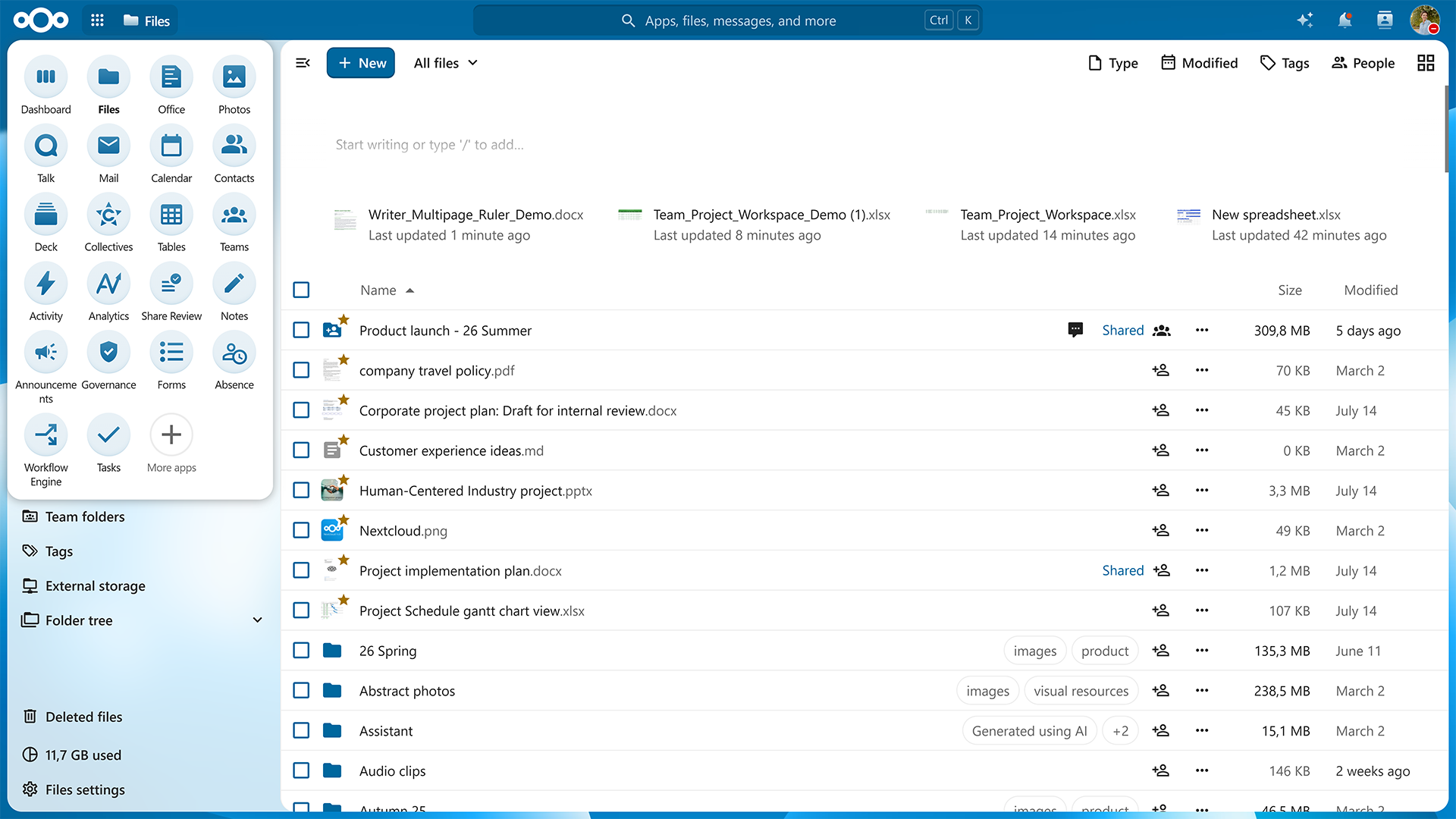
In the app menu, updated icons make apps easier to recognize, the sorting is more intuitive, and opening the apps menu by hovering the cursor makes navigation quicker.
We added animations throughout the interface so menus, navigation, and interactions feel more fluid and easier to follow, with reduced-motion preferences in mind.
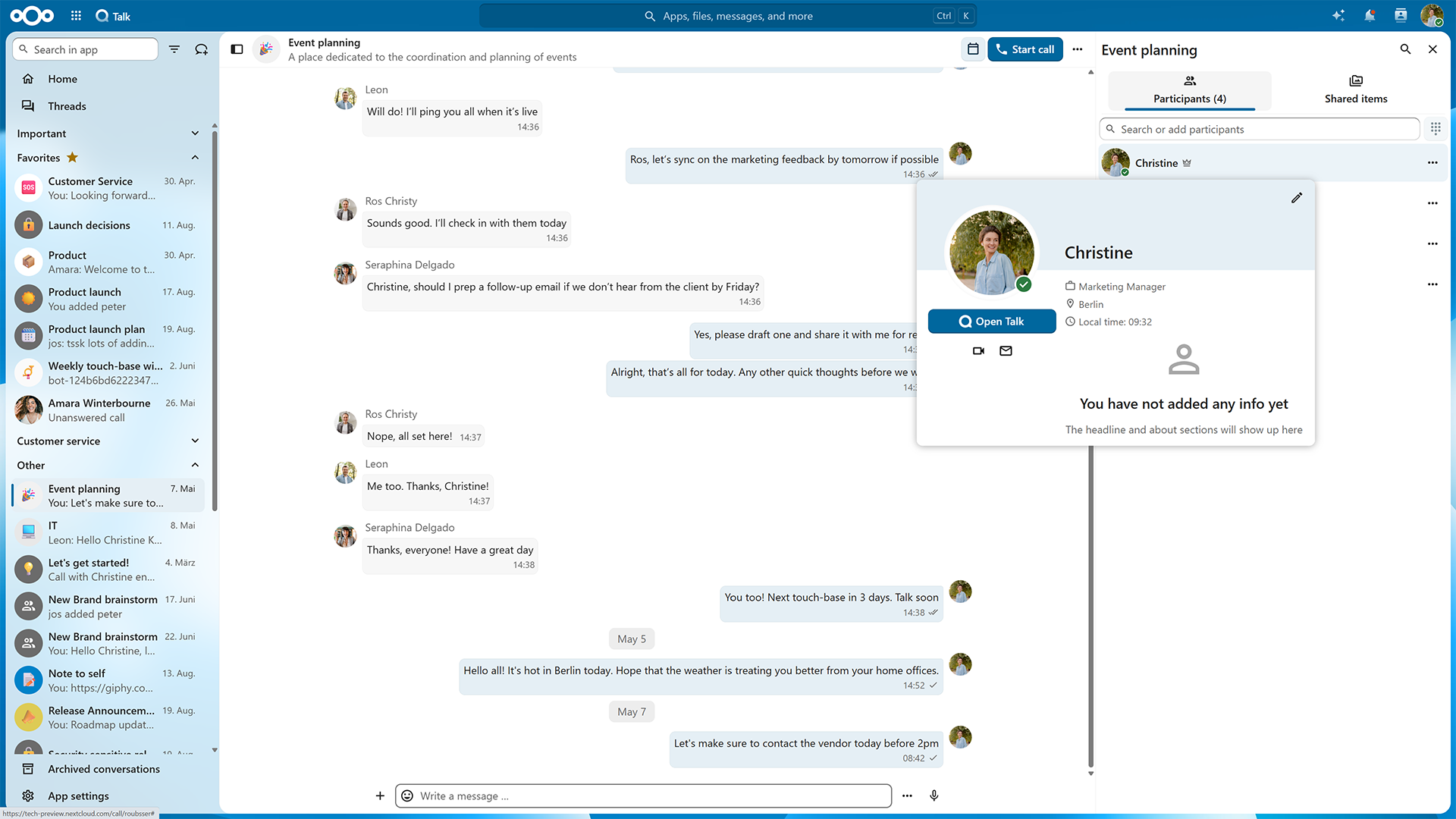
And we are adding more context: hover over someone’s avatar and see useful information about your colleague.
Your team’s own space: NextcloudTeams
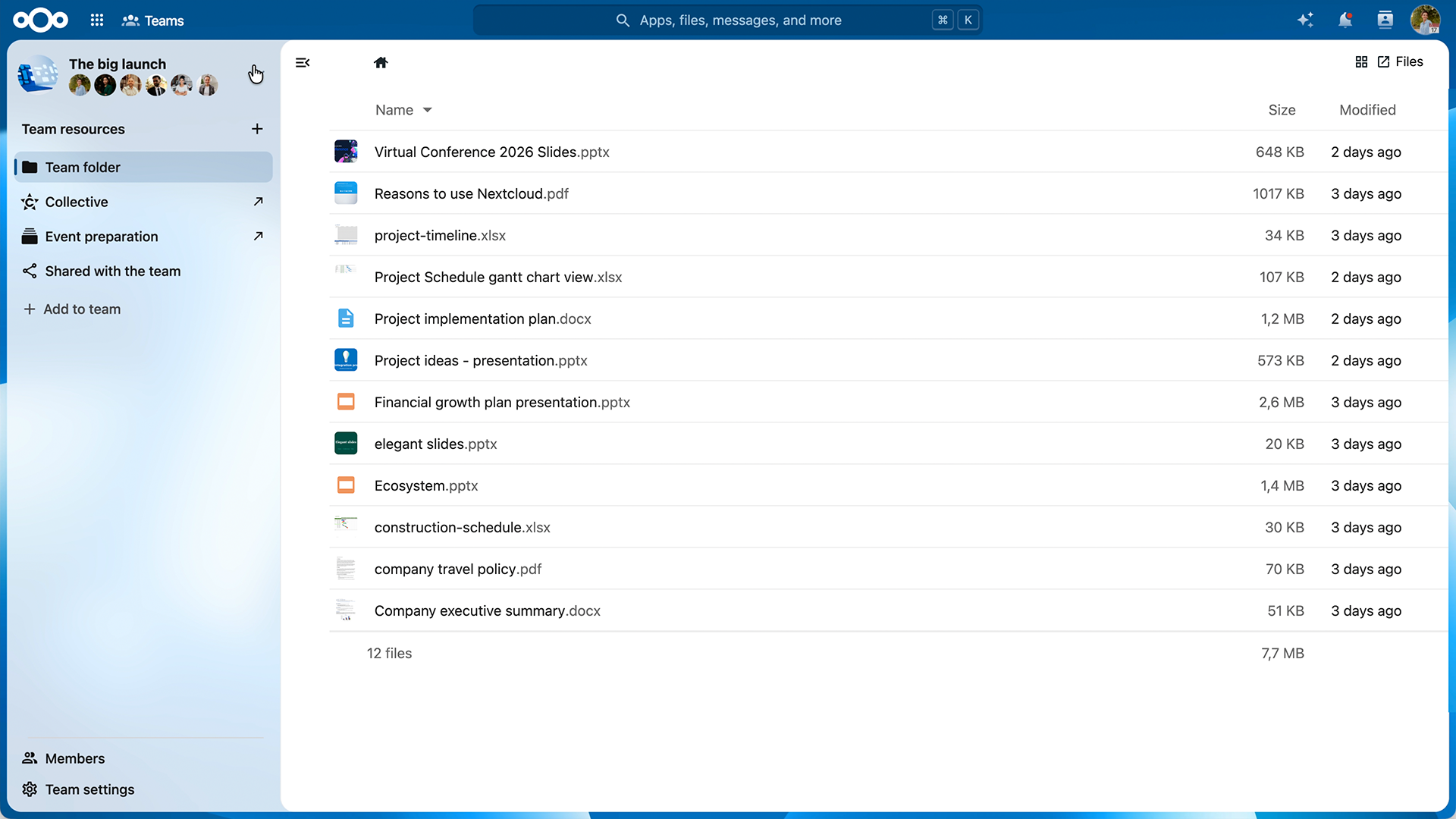
Nextcloud Teams connects people working together with the resources they need. Before, your teams lived in Nextcloud Contacts. Now, every team has a workspace for themselves inside Nextcloud Hub, with its own page, own storage, resources, and integrated workflows across all your apps.
New interface for Nextcloud Teams
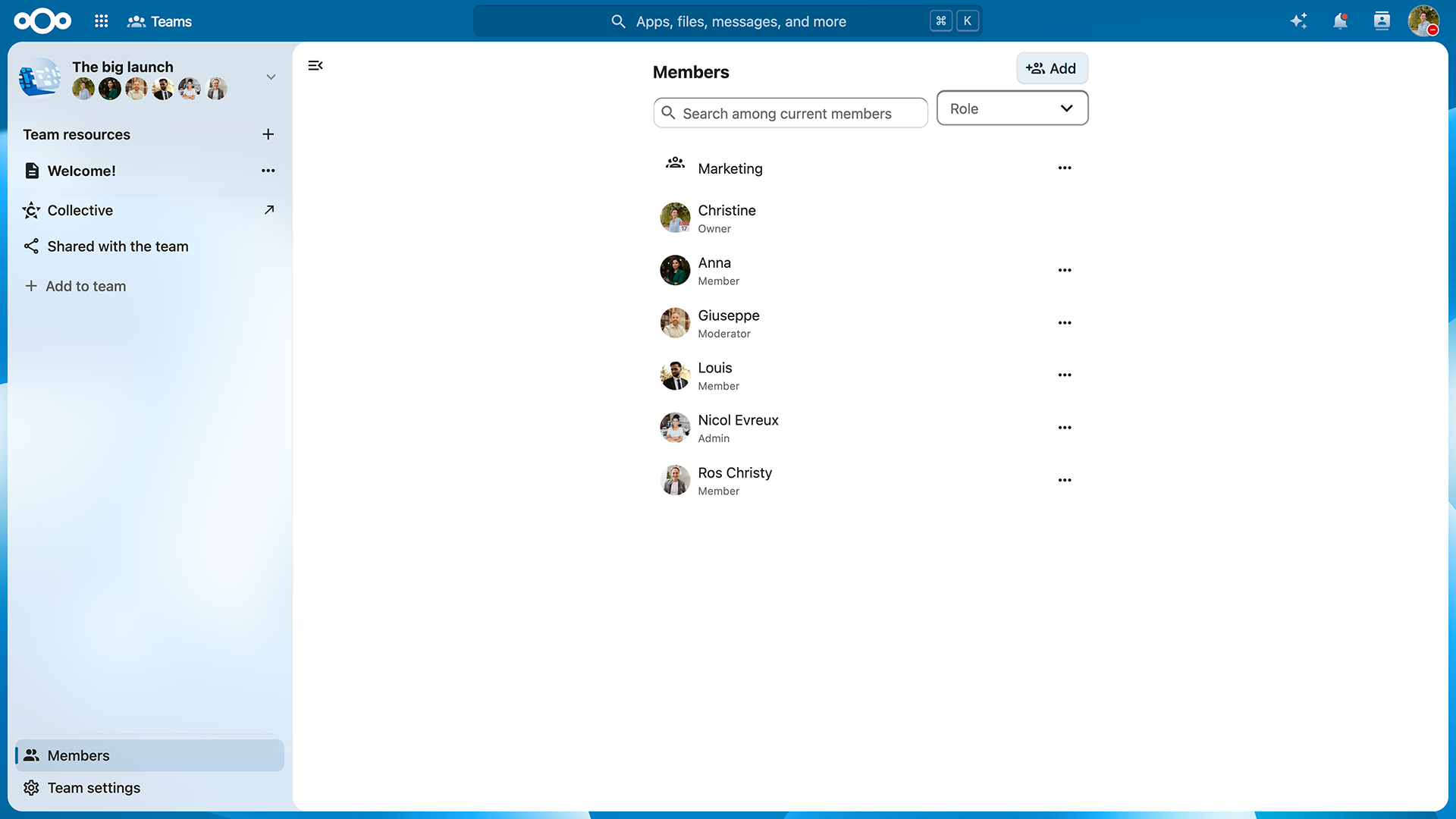
With the new app for Nextcloud Teams, it’s now easy to create, find, and manage teams directly. You can now find its icon via app menu. The app gives you an overview of all teams in your Nextcloud.
One team, one workspace
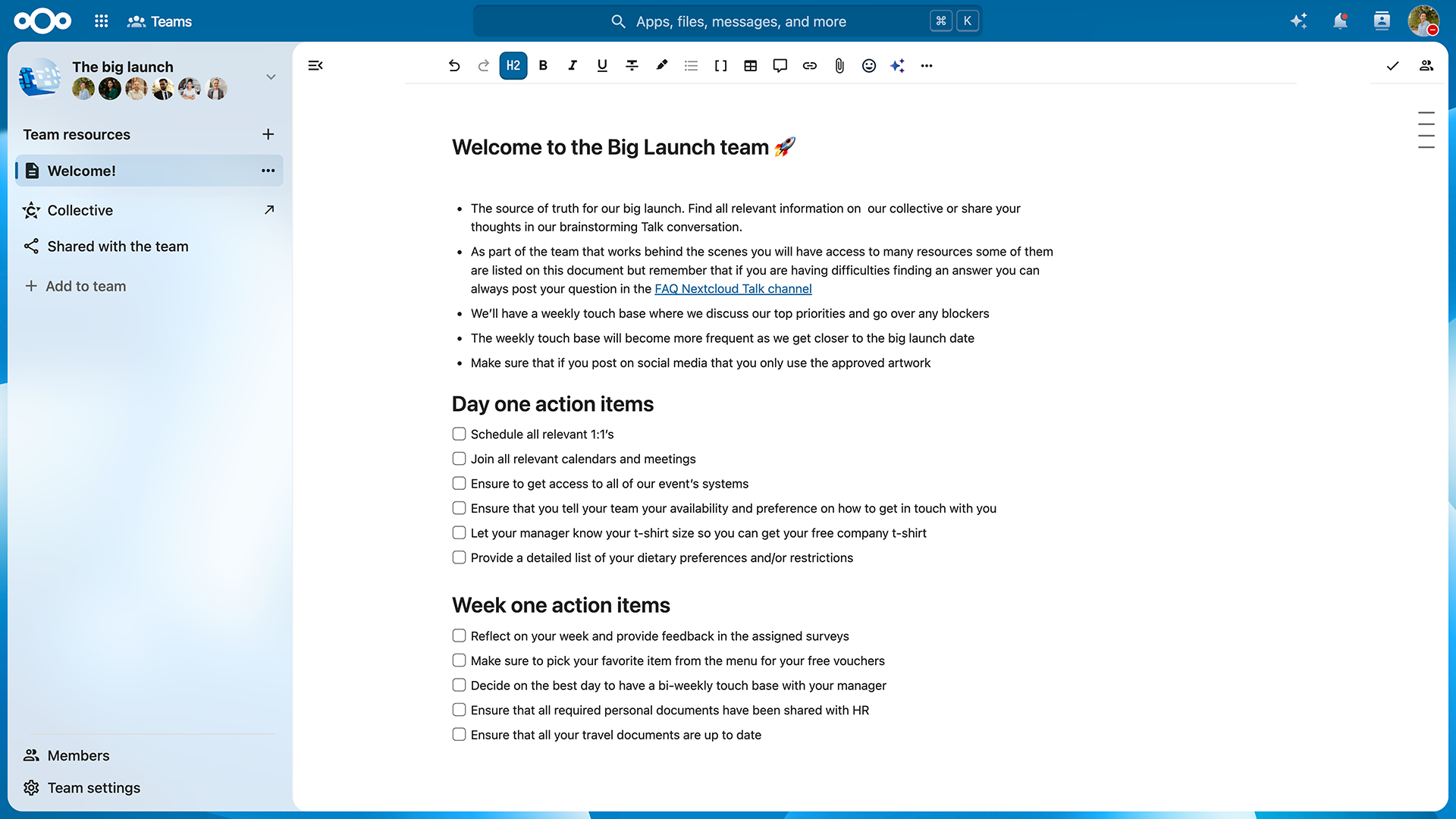
Before, a team was only a group of people. Now, Nextcloud automatically creates a space for every new team. Each team has its own home section which connects files, tasks, knowledge and other resources the team works on.
Team ownership
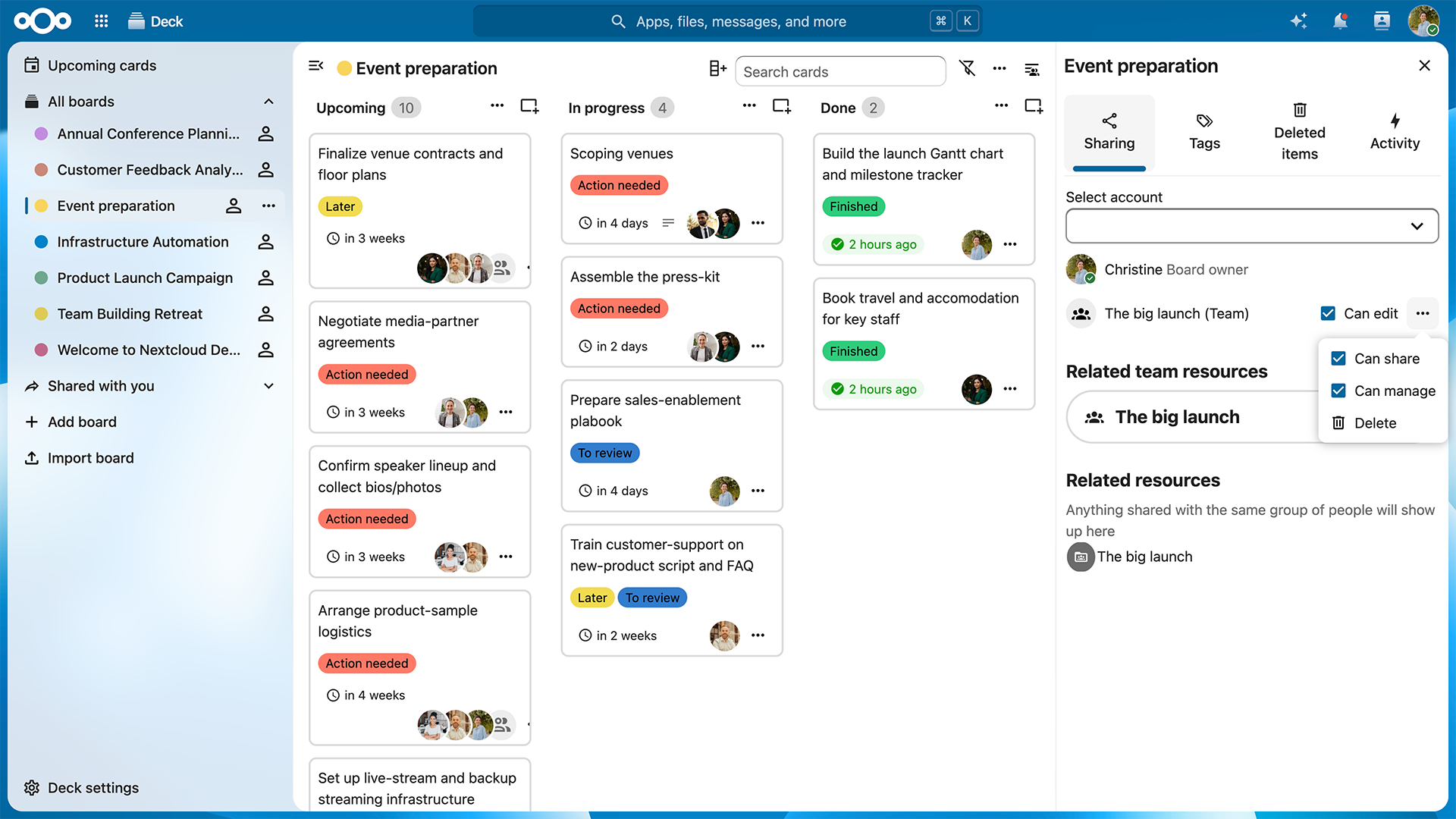
When team resources belong to the team, your project can stay dynamic without dependencies. In addition to team folders, we are introducing team ownership in Nextcloud Hub apps, starting with Nextcloud Collectives and Nextcloud Deck boards. Now, boards created by the team are owned by the team, not just the creator. It’s just a start — we will gradually introduce team ownership in more applications.
The level of autonomy you need
Nextcloud Teams is a tool to give different teams and projects healthy autonomy. Admins can control the extent of this autonomy by configuring the storage quota for new teams and getting an overview of all teams and their storage usage. The admin setting improvements are expected in the next minor release.
Created together with Dataport
We build our ecosystem together with our community, partners, and organizations using Nextcloud. Based on real-life use cases from Dataport, Nextcloud Teams is a great example of such collaboration.
Productivity apps for connected workflows
Nextcloud Productivity apps, including Nextcloud Text, Collectives, Notes, and Deck, share a markdown editor at their core. Integrated across Nextcloud Hub, they connect workflows and make teamwork frictionless.
With Nextcloud Hub 26 Summer, we add some frequently requested features to Nextcloud Productivity apps, as well as many community contributions.
Inline comments and footnotes in Nextcloud Text
First, we give a collaboration upgrade to Nextcloud Text with inline comments. You can add comments to an anchor point, reply, and edit them.
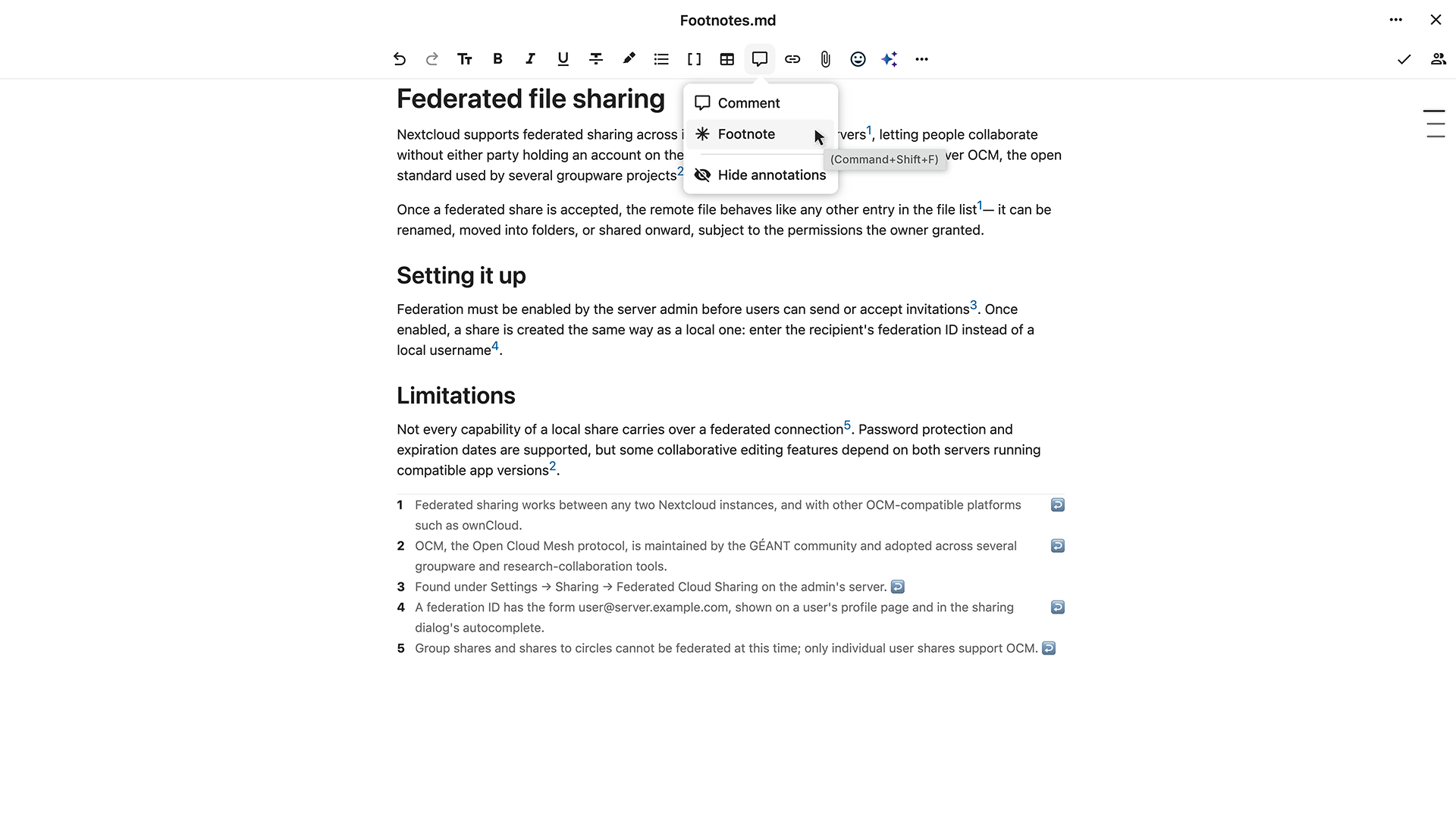
We also added references and footnotes, so you can cite information sources anywhere in the text. Once you add a reference, a corresponding footnote appears in the footer.
Markdown file versioning
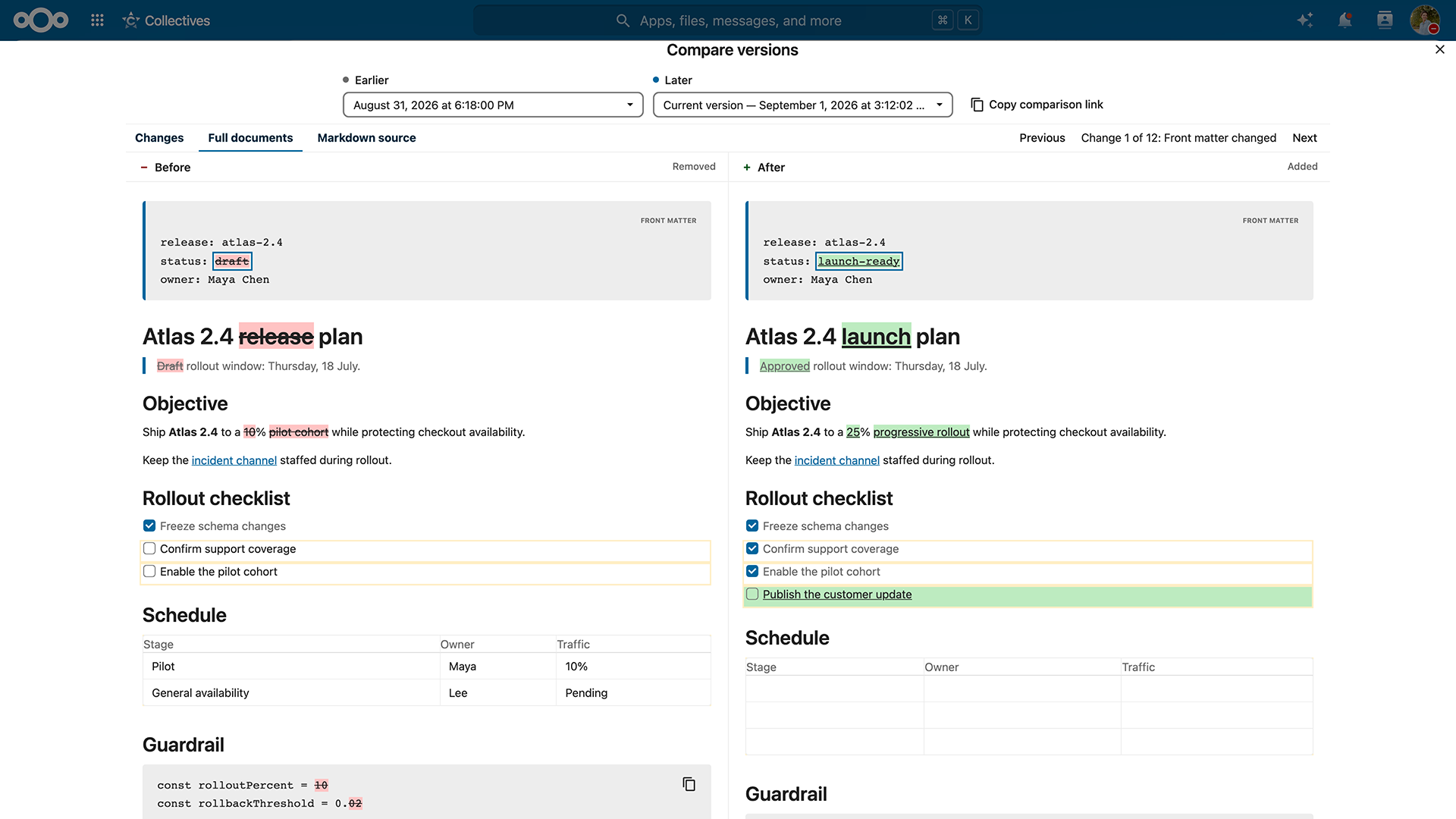
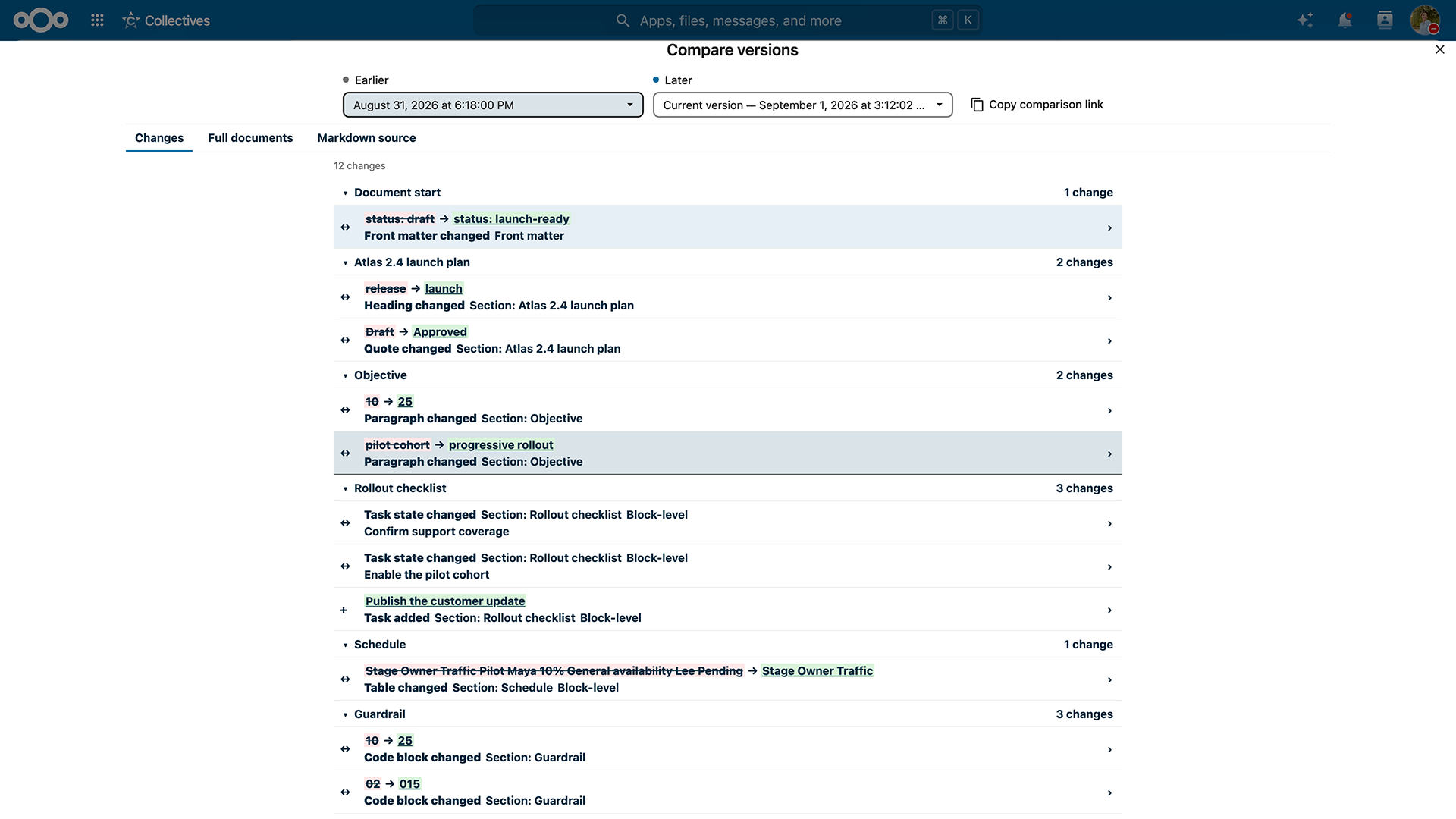
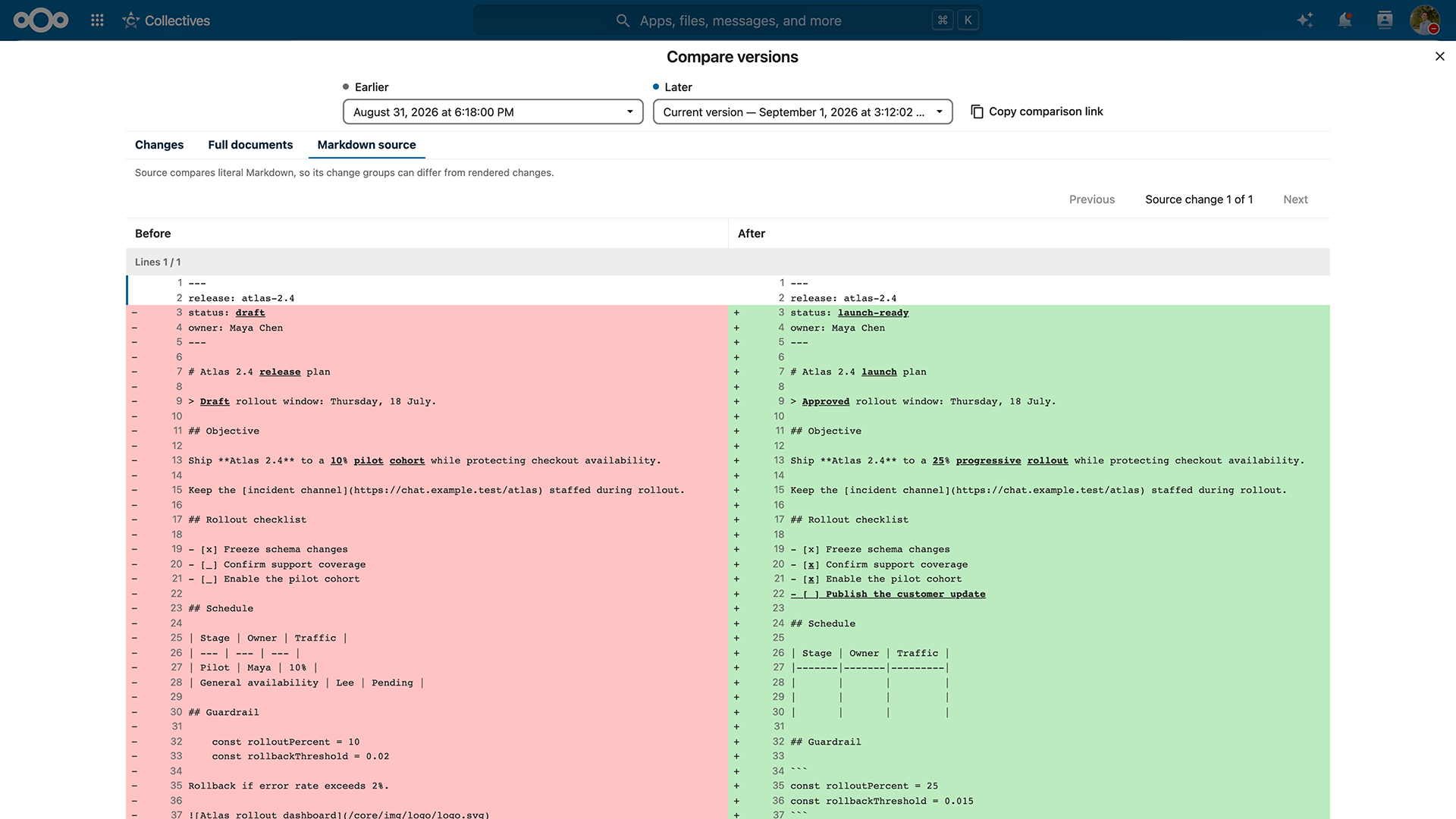
You can see what exactly changed in the document since the previous version instead of comparing files manually. Three comparison modes let you compare changes, full documents, or markdown source.
Zen mode, version history and templates in Notes
With the latest community contribution, note-taking gets clean canvas for complete focus. Enable Zen mode in Notes to disable the UI of the app except for your working area.
What’s more, the Notes app now supports:
Start faster with ready-made templates when creating a new note
Get a quick overview of your note, including reading time, storage location, and category
Keep track of changes with version history available directly in the sidebar
Flow state: automation with Nextcloud Flow & Tables
Nextcloud Flow automation tools connect apps and resources across Nextcloud Hub to enable automations in everyday workflows, from simple routine tasks to large data structuring and business process automation.
Nextcloud Tables, one of the components of Nextcloud Flow, helps you manage structured data with ease. In Nextcloud Hub 26 Summer, we’ve made working with your data even easier and more powerful.
Relational columns
Relational columns connect data across Tables, allowing you to link data in cells from multiple other tables.
Imagine a procurement team running multiple tables with supplier data: purchase orders, contracts, records. Once a contact changes for a supplier, they need to update it in every table. Relational column solves this: you link it to one source table, and content gets updated automatically when you change it at the source.
Table structure export
You can export the structure of your tables, including columns, views, or even table-based apps, and import them into another table without changing its data. For example, this lets you test new table structures and apply them to tables already in use.
Created together with Schleswig-Holstein
Schleswig-Holstein has been using Nextcloud Tables to set up specialized workflows within its administration. Learning from their experience, we’ve improved the app to make structuring data even easier and more convenient. The new relational columns feature is one example of this.
Notifications and automation with Nextcloud Flow
We introduced notifications to help you always stay up to date with new data in your tables.
Another important update is column aliases: they make automations with Nextcloud Flow’s Windmill app easier to set up, by using aliases instead of IDs to identify columns in the back-end.
Budibase integration
You can now integrate the Budibase workflow engine with Nextcloud to automate actions based on events in your Nextcloud Hub and manage your webhooks via user-friendly interface. Connect Budibase using the Orchestration Gateway app in the app store.
Nextcloud Assistant and AI Agents: improved memory, performance and input
Nextcloud Assistant is the first open source AI assistant that keeps your data yours. Available through its own chat interface and via specialized features across apps, it’s there to automate content creation, search and contextual tasks and get more done with AI agent tools. And most importantly, it’s sovereign AI in your control, fully optional and hosted where you choose.
With Nextcloud Hub 26 Summer, Nextcloud Assistant matures in the areas of performance, input sources and memory, evolving into a reliable day-to-day work assistant.
More ways to give input: OCR and improved audio tools
Images can speak a great deal, can’t they? Drop an image into the chat and ask questions about it or translate the text, while the OCR tool effectively extracts text from photos, for example documents, receipts and even hand-written notes.
More commands are supported for audio files too. When you upload a recording, it can generate subtitles and break the transcript into readable paragraphs instead of plain text.
Improved memory, skills and new agent abilities
With new on-demand memories, the Nextcloud Assistant agent retains what you told it across conversations.
Taking it one step further, you can create a skill to teach it multi-step procedures and then apply them with a single phrase the next time. For example, “meeting prep” or “release notes formatting”.
We also added more AI agents, in apps like Nextcloud Mail, Deck, Talk, and Tables, giving it reach across your whole workspace. It can even search the web and read articles for you. For supported models, you can also assess the Assistant’s reasoning, to judge whether the result is well-founded enough for you.
Finally, you can now schedule tasks: let the Assistant compile and send a recurring briefing message at 8 AM while you finish your coffee.
Now even snappier
It feels faster, with a more responsive streaming that shows responses as they generate and no more interface delay with Notify_push.
And it is faster, with batch processing of tasks, faster Context Chat cleanup (from 200 seconds to milliseconds), support for better default models like Qwen 3.5 and Gemma 4, and a revamped Recognize app that supports more powerful modern models.
Collaborating at scale with Nextcloud Groupware
Nextcloud Groupware manages calendar, contacts, and email for any team. A small startup or an enterprise with thousands of users, everyone collaborates without giving up speed or control.
As your team grows, your calendar gets busy. And that’s exactly what we’ve been working toward with Nextcloud Hub 26 Summer.
Busy with meetings? Try the new room finder in Nextcloud Calendar
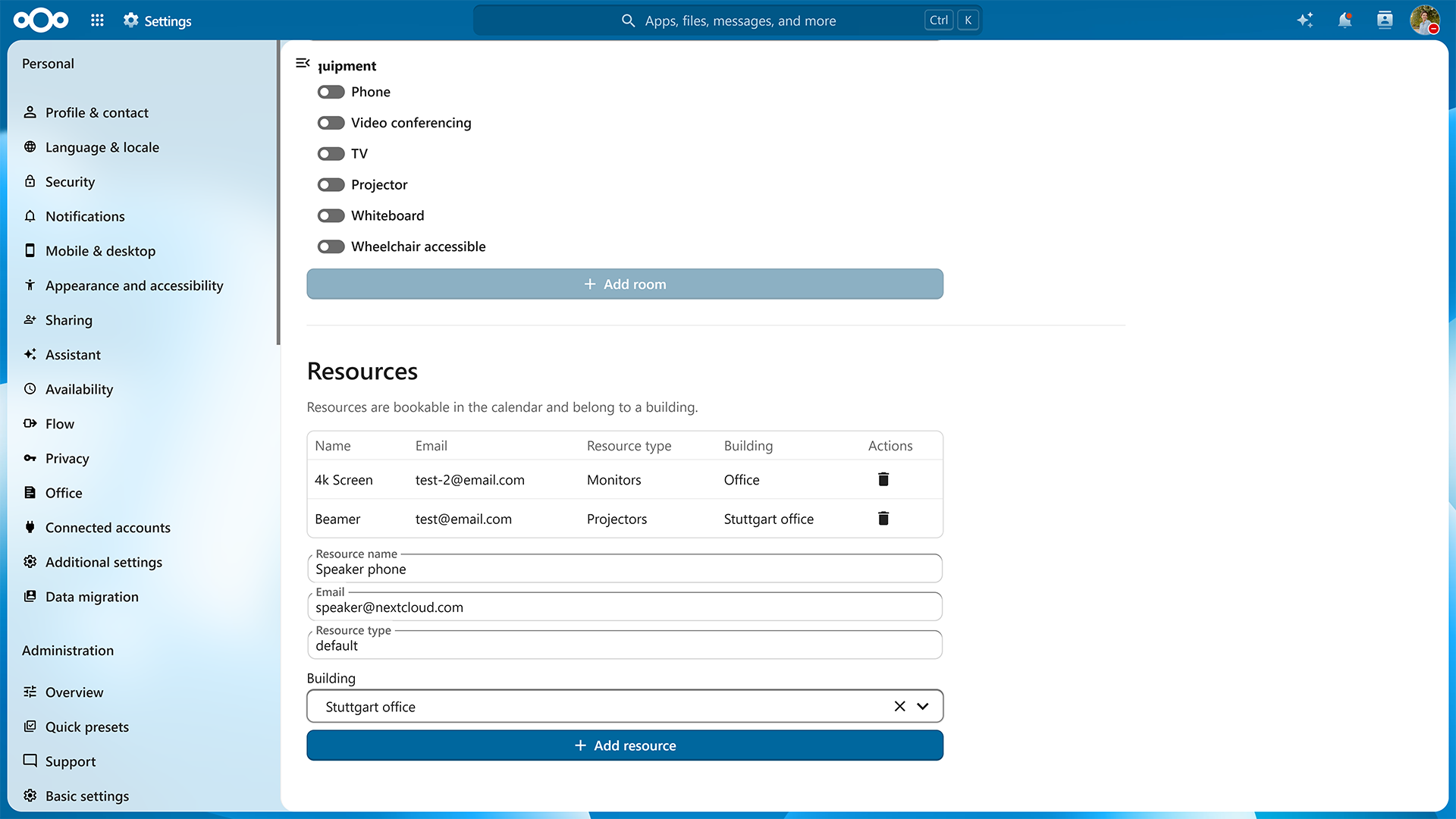
With the new room finder, browse the available rooms and resources for your events. Free/busy information immediately shows what is actually available for the desired time slot.
And there’s another great contribution by our community: Admins can now manage available rooms and resources via web-based administration interface.
Created together with SURF
The browsable room finder was developed by SURF, one of the organizations using Nextcloud in a large academic environment.
Nextcloud Mail app, elevated by community
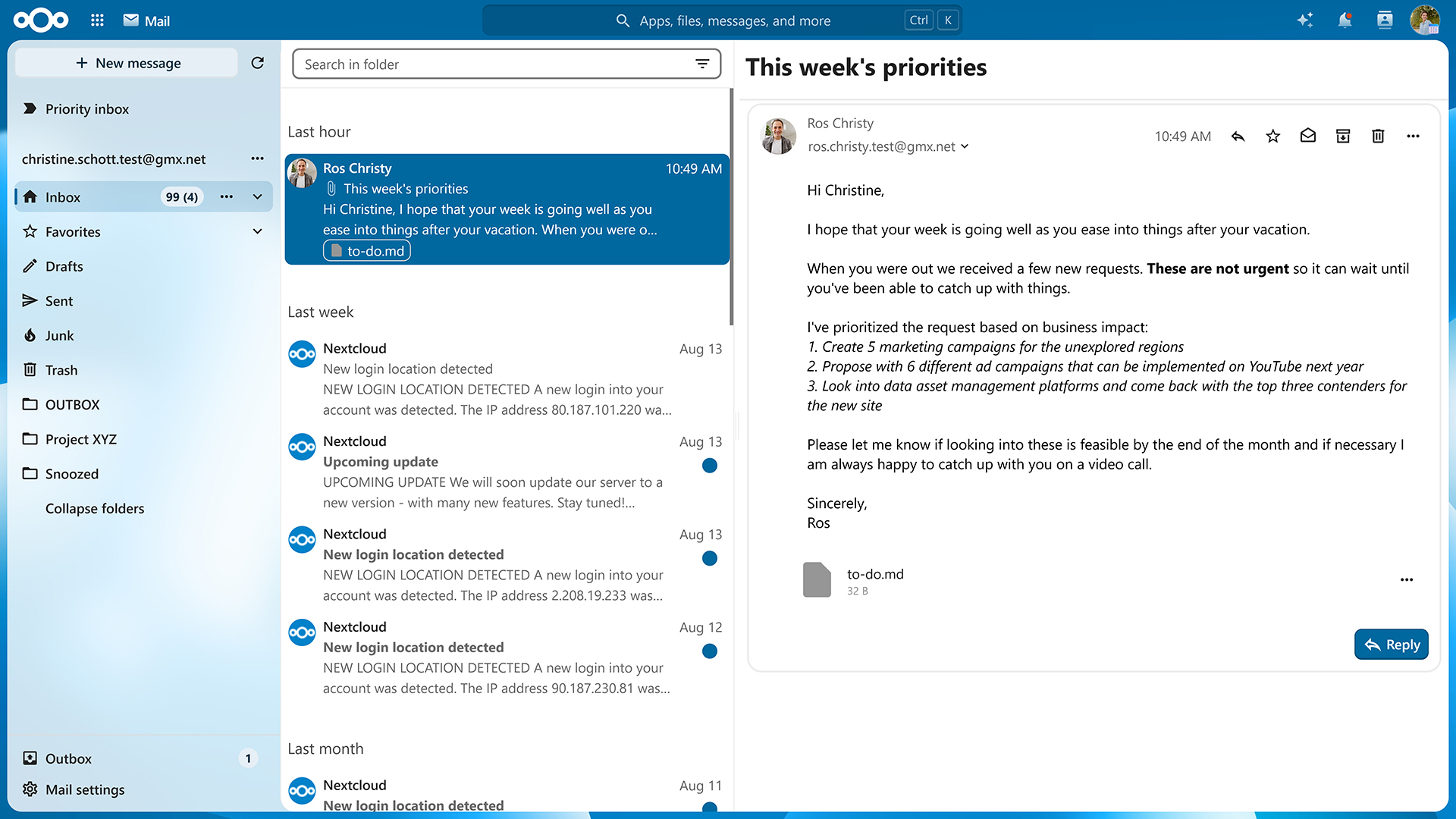
Nextcloud Groupware is one of the clearest examples of the ecosystem at work. For example, many improvements in Nextcloud Mail come from community contributions. These include email management features like Sieve email forwarding and disabling automatic ‘Mark as Read’.
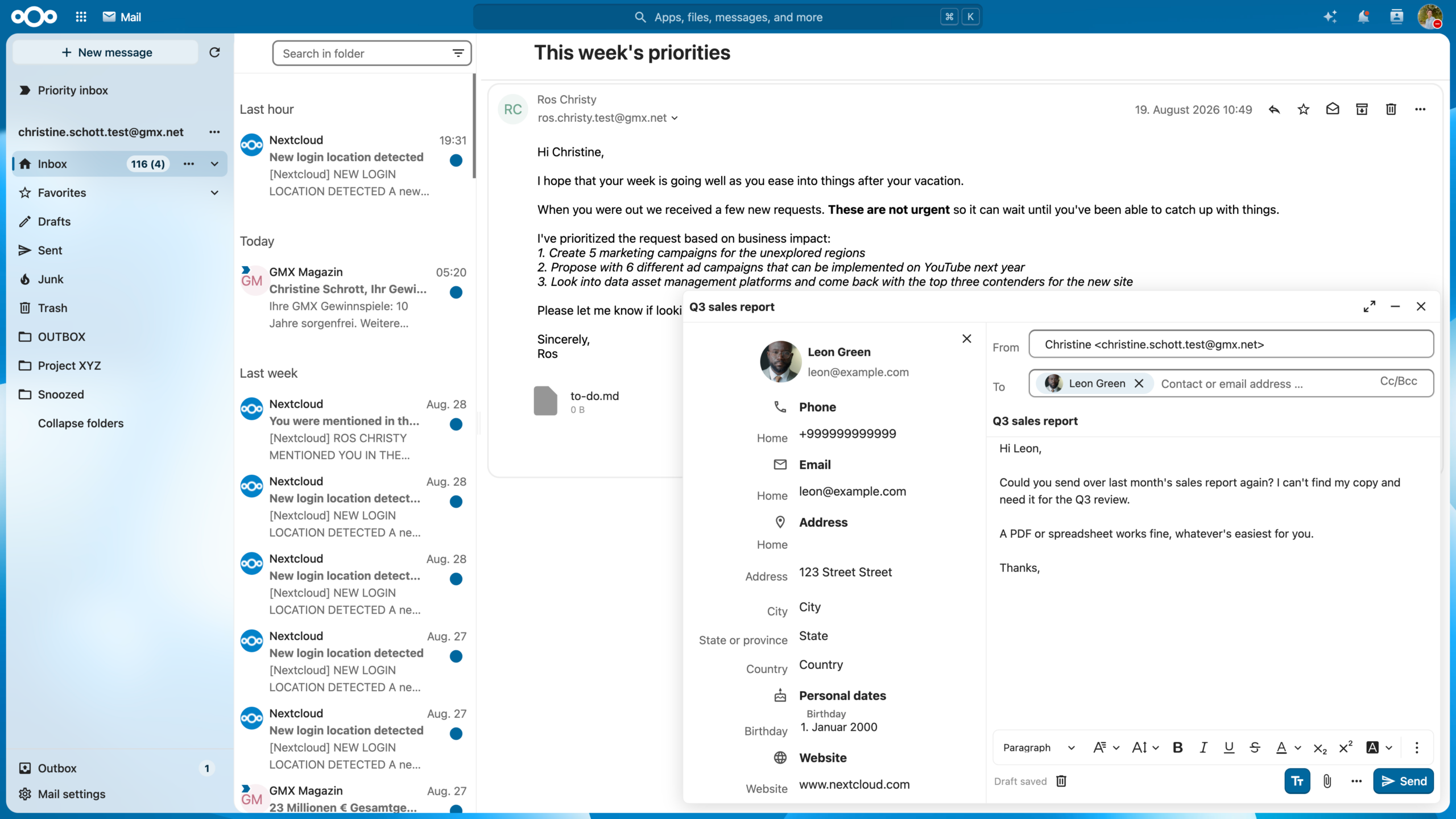
There are improvements around mail composer as well, like previewing attachments, adding headings via shortcut, and the floating composer interface. The latter lets you edit emails while browsing through your mailbox.
Ultimate compliance with Nextcloud Governance
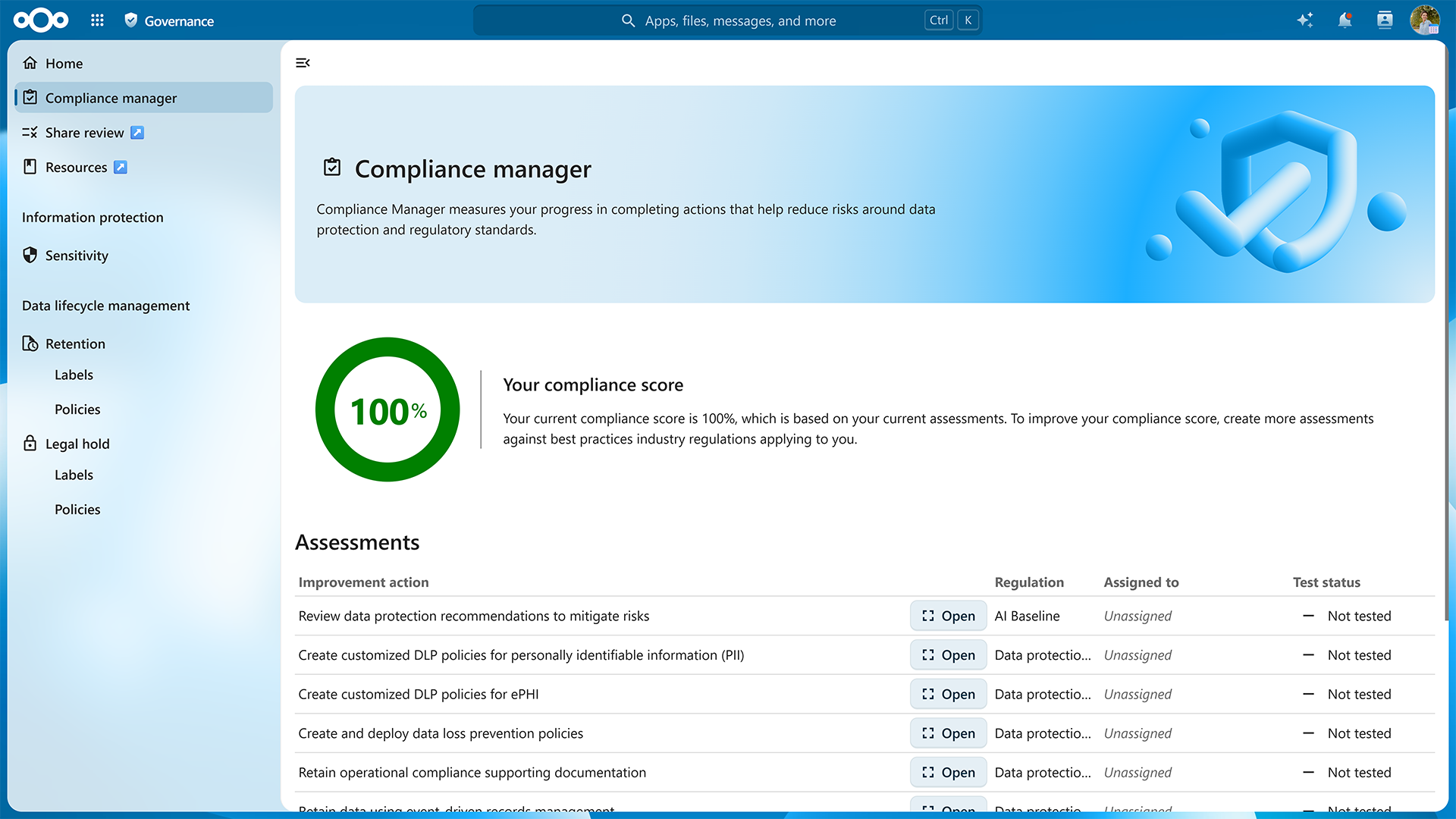
For some organizations, compliance has become a complex workflow. Nextcloud Governance is a new enterprise-focused add-on for formal compliance requirements, currently available in early access. Because those requirements are so specific, we are developing it based on feedback from organizations who deal with them in practice.
Nextcloud Governance was released earlier this year. The application is a compliance platform, designed for large organizations, offering:
Governance dashboard: give your compliance team visibility across governance areas and assign remediation tasks when something needs attention.
Sensitivity labels: classify data and apply different rules depending on how sensitive that information is.
Retention policies: define how long data needs to remain available and when it should be deleted.
Legal hold: freeze specific files when they need to be preserved for an investigation or legal case.
Share auditing: identify shares that may conflict with an organization’s compliance rules.
The upcoming release, coming with Nextcloud Enterprise, will lay a basis for bringing Governance capabilities to other applications in Nextcloud, as well as eDiscovery features.
Join the live demo of Nextcloud Hub 26 Summer
Join our webinar on September 30 to get an exclusive look at the new release and ask your strategic and technical questions in a live Q&A session.
Secret or public? New conversations in Nextcloud Talk
Nextcloud Talk is a privacy-focused chat and videoconferencing platform that gives you complete control over your communication. Nextcloud Hub 26 Summer delivers highly anticipated features like “Classified” conversations and team announcements.
Classified conversations, for privacy by default
Some conversations are buzzing public chats, and some contain information that should stay within a clearly defined group. The new “Classified” conversation preset lets you apply extra security to such conversations:
Disabled public links and guests
Restricted message forwarding, recordings and SIP, and protected media previews
Enforced “Sensitive” conversation status
Expiration enabled by default for messages and conversations
Channels and Announcements, for things that go public
Want to share updates with a broad audience? Use Channels in Nextcloud Talk. In a channel, moderators can publish posts, while subscribers can only read and react to messages without filling the channel with discussions. Calls are disabled and participant list is only available to moderators. Channels are discoverable to everyone in Nextcloud, and you can invite guests too.
Using another new conversation preset called Announcements, you can inform the whole team about important updates. Announcements have a fixed audience: nobody can join or leave on their own. And like in Channels, calls are disabled and participant lists are not displayed. Announcement channels are not discoverable.
What else is new in Nextcloud Talk? Enjoy improved navigation, a refreshed message and call experience, easier file sharing for collaboration, global message search, and more.
New in Activity
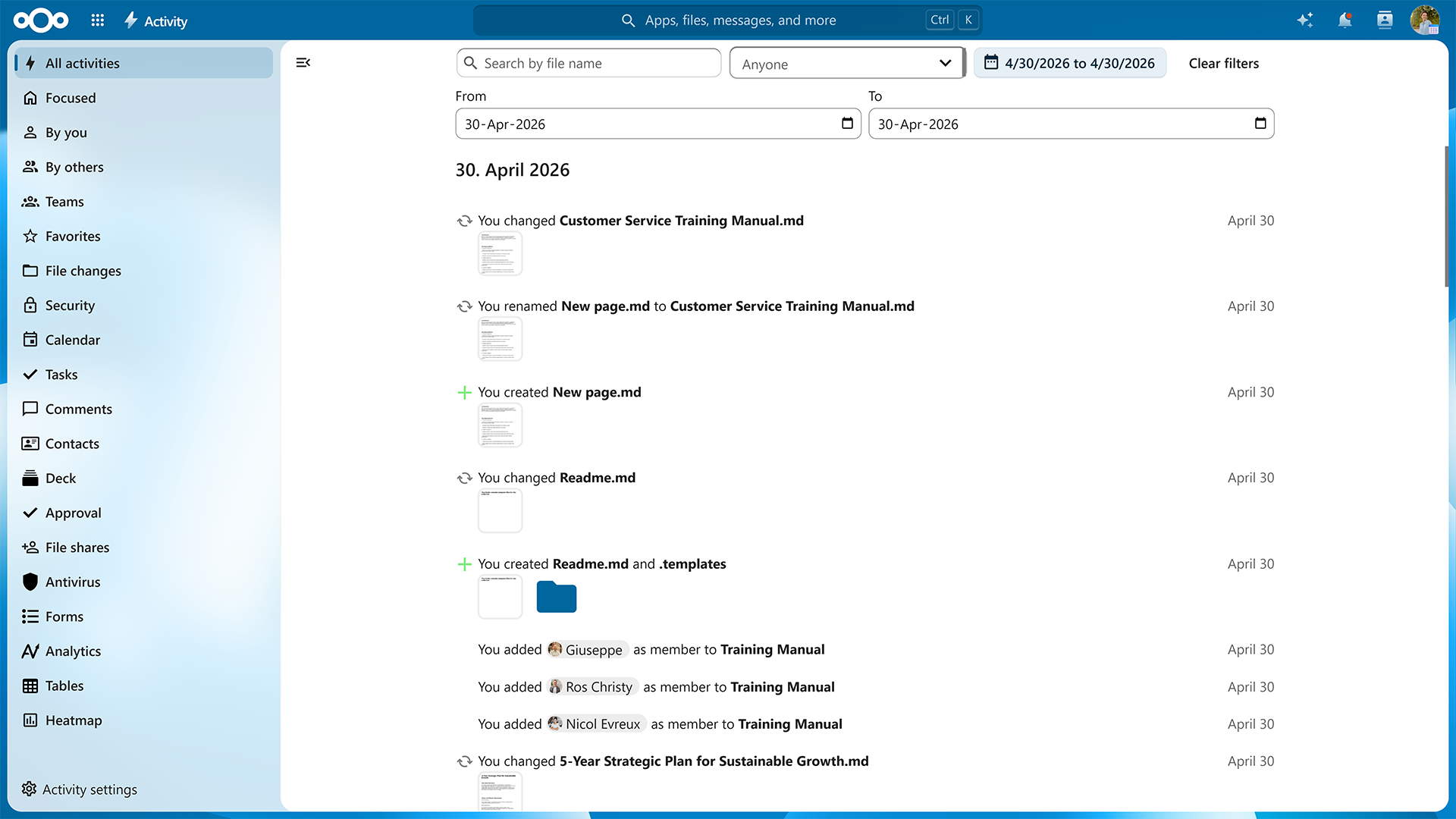
Many all-system apps got improvements too. The Activity app receives a heatmap view, faster performance and better search with date range and account filters.
A new take on Nextcloud Photos, unified sharing and more
Nextcloud Files is the backbone of Nextcloud Hub, a whole ecosystem of apps. But it’s more than just file syncing, storage, and sharing. This time, we’re giving your personal media hub, Nextcloud Photos, a major redesign.
A new take on Nextcloud Photos
Of course, we’re talking about the all-new look and feel of your Nextcloud Photos app.
The photo library has been redesigned, with a more flexible grid, adjustable density and smoother loading.
Search has been improved, you can explore photos on the map, and “Trip Memories” feature automatically group pictures from the same journey.
Talking about trips, how about taking a trip down memory lane? There’s a new slideshow mode and a year recap that brings together memories from across the year. And if the date or location of a photo is wrong, you can correct them without modifying the original file.
Videos get more attention too. Hovering over a video can show a preview before you open it. Optionally, your videos can be transcoded for smoother viewing in the browser.
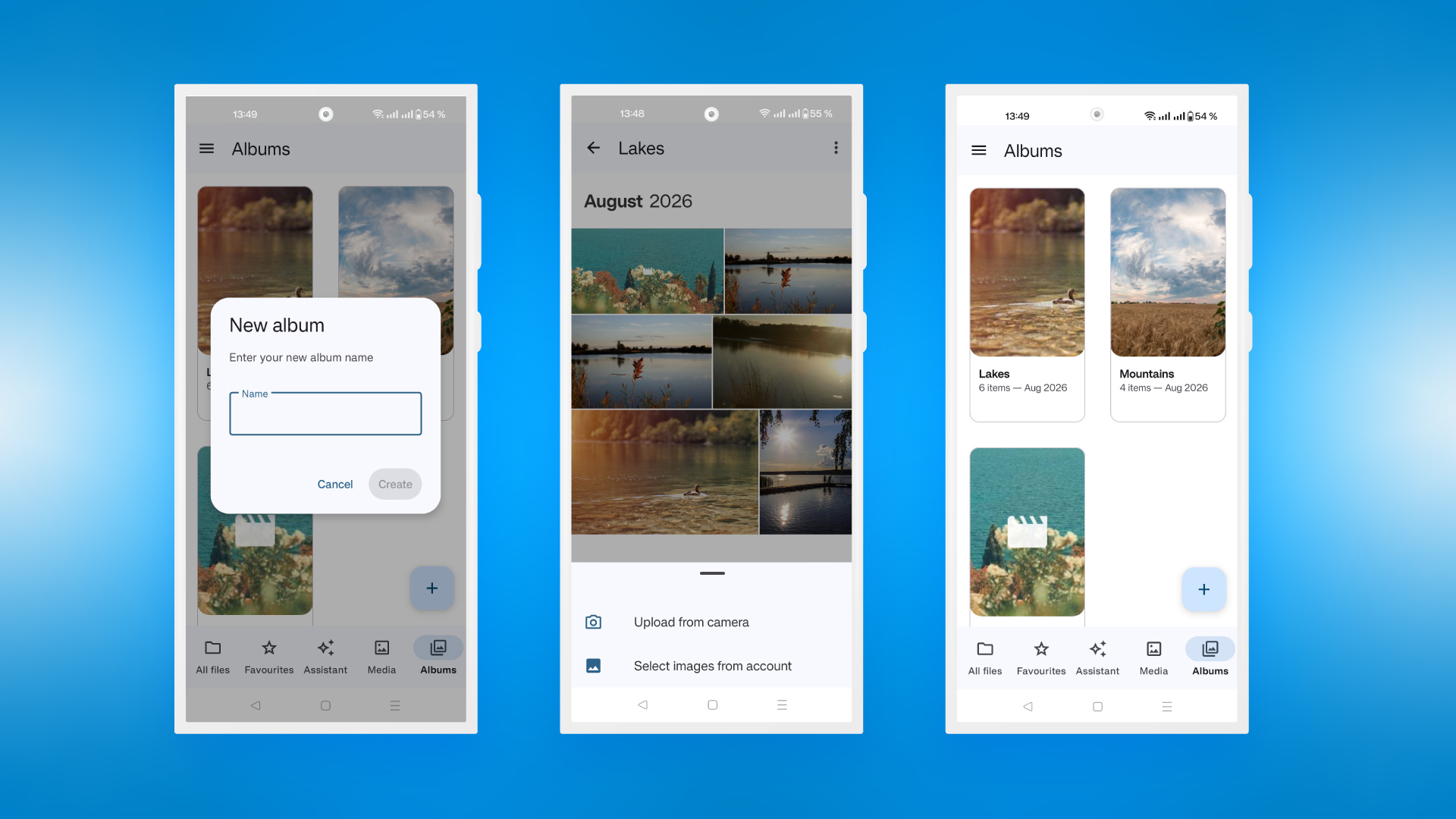
Media albums on mobile
Your photo library is now closer with albums supported in mobile apps. Add, rename and delete photo albums, work with local files and media hosted on your Nextcloud.
These features were built by a team of developers from Deutsche Telekom based on requirements for their MagentaCloud product, in close collaboration with our mobile client team. This is another prime example of European IT industry partners working together to bring stronger, sovereign IT products to customers.
This is not only limited to the consumer MagentaCloud product. Enterprise customers benefit from this close collaboration through the MagentaBusiness Cloud offering.
In our mobile apps, we also improved and simplified the “Add new” menu and added “Sync all” option for folders that lets you sync all the included subfolders.
Unified sharing across apps and devices
We are bringing one sharing system to all apps, beginning with the sharing dialog in the Nextcloud Files sidebar. Unified sharing makes the experience smooth and simple when you share items in Nextcloud, and makes sharing more secure too. This change won’t affect legacy shares.
One-time passwords for file shares
You can enable one-time passwords (OTP) for accessing file shares, to additionally authenticate people with access. The API it comes with allows adding custom providers like text message or other channels, besides the default email OTP option. OTP settings are configurable for additional cryptographic security.
Created together with Sendent
The OTP feature is a great example of collaboration with our ecosystem: it has been created together with our ISV partner Sendent and community developers.
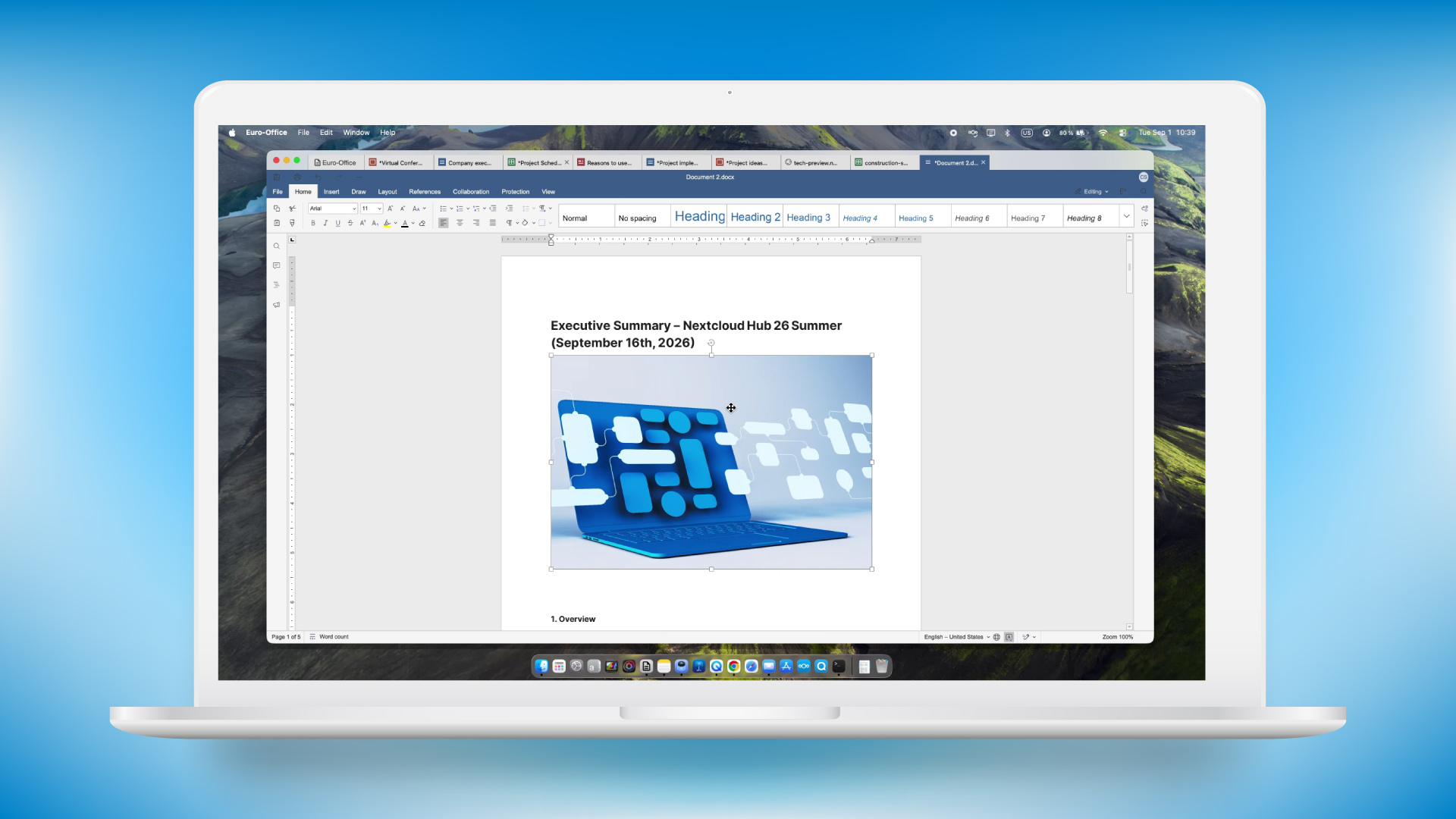
Nextcloud Office app is now powered by Euro-Office, while you can integrate Collabora and other suites to work with your files in Nextcloud Hub. Both suites receive significant improvements with Nextcloud Hub 26 Summer.
Euro-Office desktop client: Nextcloud Office comes to desktop
Nextcloud Office, powered by Euro-Office, receive its own desktop client.
The app is available for Windows x64/arm64, Linux x64/arm64, and macOS arm64. Use the client to edit your files locally and save the changes back to the server or your machine. Use local fonts and settings, and, of course, maximum security.
The new Euro-Office desktop client brings collaborative editing to the desktop. Connect it to your Nextcloud and open a file from within the client. Others can now join your editing session seamlessly, working together from either their own desktop client, or from the browser.
Europe needs a reliable and independent office solution that can compete with established providers on equal terms. This has been our goal ever since we co-initiated the Euro Office Initiative. For an alternative office solution to be successful, it must work in day-to-day working life and be just as easy to use as existing solutions. The new desktop client for Euro-Office is the next logical step in this process.
Patrick Schaudel
Chief Product Officer SMB Solutions at IONOS
The Euro-Office desktop editors will be available for download in the coming weeks.
Collabora Online integration: level-up in usability and utility
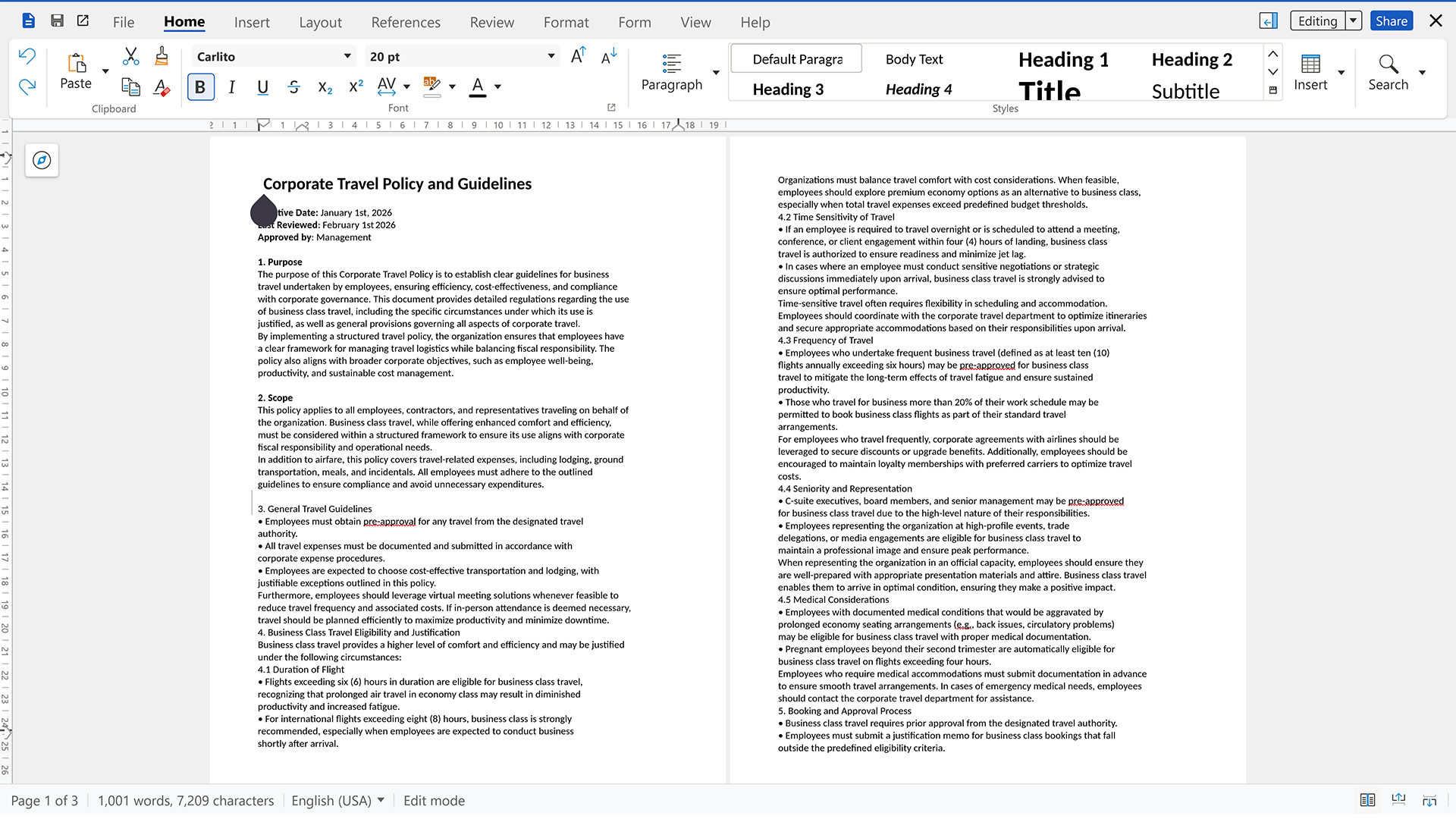
Collabora Online integration receives improved AI tools, updates in Writer, Impress and Calc, and further advanced commenting features.
New AI-powered features: Tone of voice, presentation generator, text to emoji
AI sidebar now features tone of voice picker that supports custom tones. You can also convert text to emojis, generate presentations with pre-approved outline, generate images, and use a wider range of models.
Improved slide navigation
Slide sections are easier to manage, including collapsing and expanding, renaming and an ability to drag’n’drop slides into sections. Additionally, you get a redesigned slide sorter and slide index numbers next to previews.
Even better comments
You can now anchor comments where you need, use comments and notes in spreadsheets, and include comments in PDF export.
Improved usability in Writer
The document editor, Writer, now features multi-page view available via View tab, a reworked ruler (with indent markers, value tooltip, tab stop hints), and a “Clone formatting” toggle.
Calc: Solver, sheet tab colors, recalculation
You can now access the equation solver directly from the notebook toolbar, so you can quickly solve equations involving multiple unknown variables without navigating through other menus. You can color-code sheet tabs for easier navigation. Use keyboard commands: F9 to recalculate, Enter for “Clone formatting” toggle, Ctrl+autofill to copy.
All apps in the suite receives multiple usability improvements and optimized UX.
Euro-Office and Whiteboard on mobile
Nextcloud app now supports opening your files in Euro-Office-powered Nextcloud Office editor. Supported on both iOS and Android, it lets you edit and collaborate on documents, spreadsheets and presentations.
Now you can also edit your whiteboards with a mobile version of Whiteboard built in.
Well-kept, as always
The most important part of our work is making existing apps smoother, cleaner and better performing at bigger scales. Despite dropping many features all around as work tools evolve, we still invest most of our effort in fixing bugs and papercuts, improving stability and performance. This time, over 97% of our PRs account for this maintenance effort.
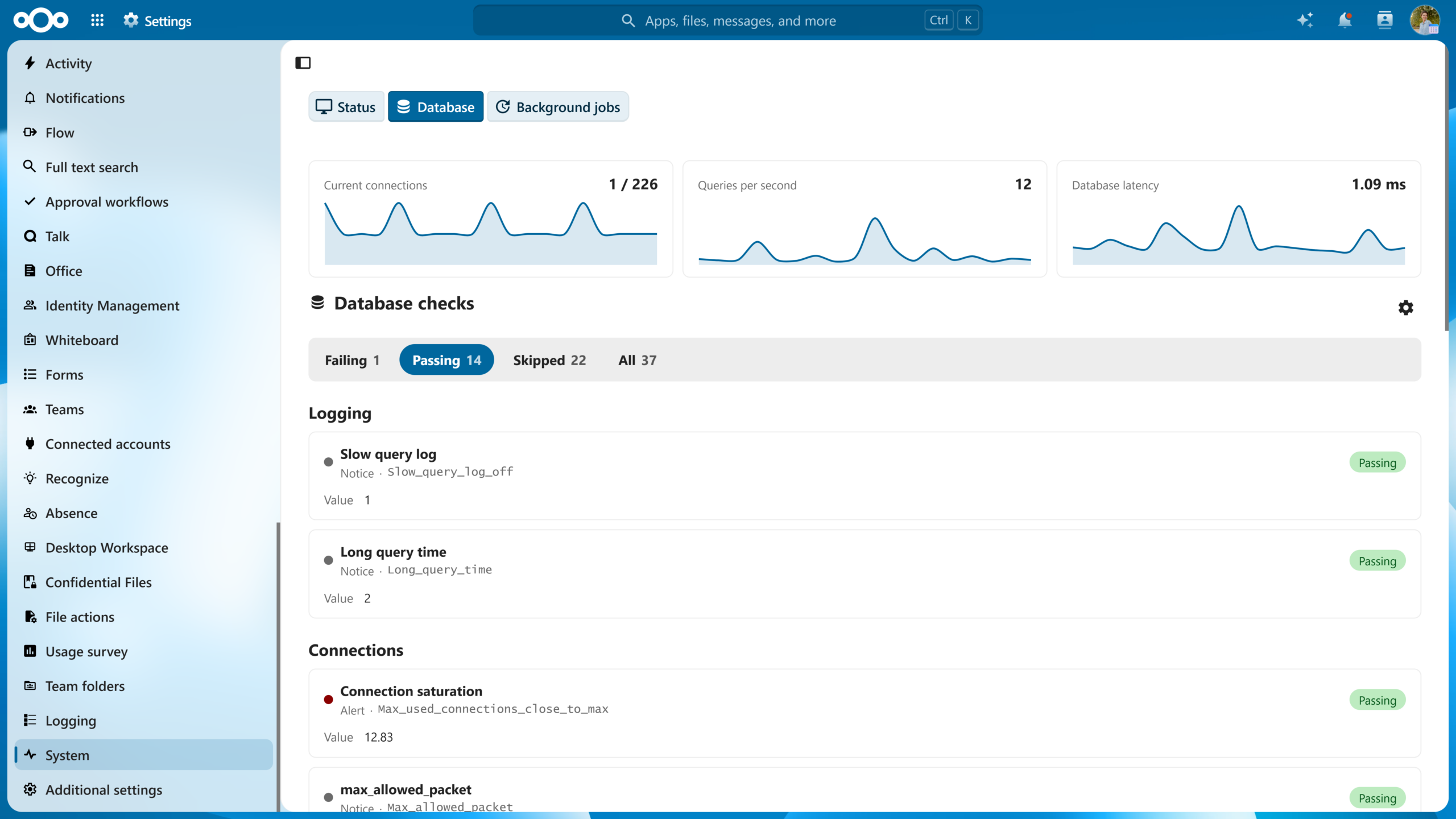
Speaking of performance, a great deal of code is dedicated to making Nextcloud Hub faster and smoother. It now loads faster, thanks to service-worker caching for indexed reads and pre-warmed preview caches. The search is faster too: we added new database indexes for indexed search and general performance. More apps are migrated to Vue3 frontend framework. Nextcloud Talk’s High Performance Backend can now handle 1,000+ user calls.
Consider this an invitation to take the new Nextcloud Hub for a speedy spin!
New apps and integrations
New: Budibase
Integration of the Budibase workflow automation engine.
New: Grist
Integration of a modern relational spreadsheet that combines the flexibility of a spreadsheet with the robustness of a database.
Updated: Google Photos
Google integration app now features an ability to import photos from Google Photos.
Updated: Zulip
Zulip integration app update that enables dashboard widget showing recent or unread Zulip messages.
Featured new community apps
New community apps worth checking from DB Doctor to fix your setup to absence tracker and an alternative Nextcloud app for macOS.
Cirruscope
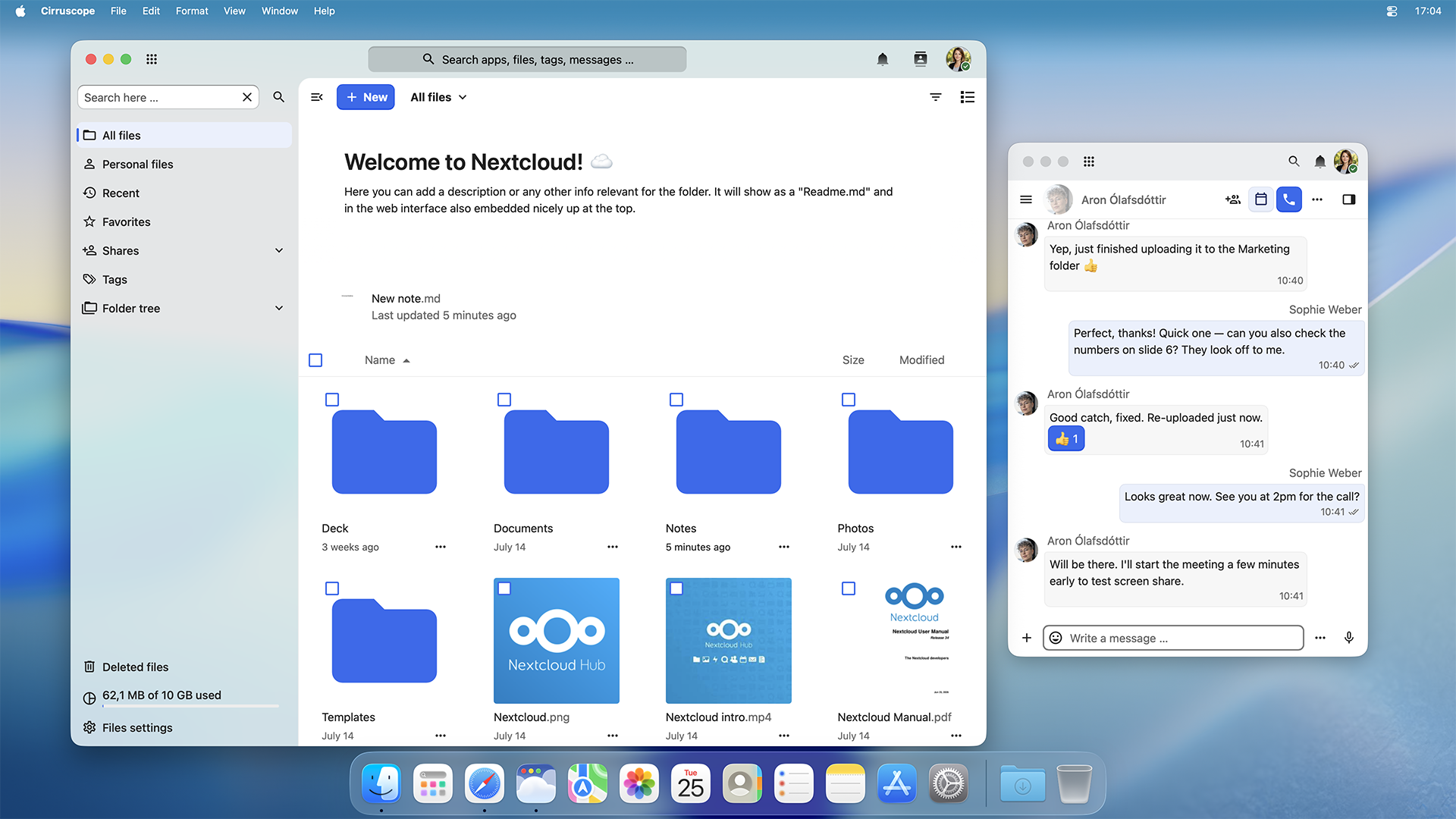
A lightweight native macOS app for your Nextcloud. It supports Mission Control and Stage Manager, shares notifications via your Notification Center and integrates Spotlight to search anything in Nextcloud.
Nextcloud Hub 26 Summer is a result of learning, and perfecting what we have already built over past 10 years: the world’s leading open source workspace. Influenced by how thousands of people in governments, universities, businesses and communities use it every day. Now, we want you on board.
*The Nextcloud Enterprise version of Nextcloud Hub 26 Summer will become available soon, once we successfully run the additional testing and complete certification.
Once the update is available, Nextcloud AIO users can upgrade to Nextcloud Hub 26 Summer directly from the Nextcloud AIO interface with a button.
Explore all Nextcloud Hub 26 Summer features
Nextcloud Files
One-time passwords
Nextcloud Governance: Share review now supports OCC
Nextcloud Photos: timeline scrubber
Nextcloud Photos: timeline scrubber
Nextcloud Photos: EXIF editor
Nextcloud Photos: photo actions menu
Nextcloud Photos: favourite pop
Nextcloud Photos: selection ripple
Nextcloud Photos: shimmer
Nextcloud Photos: illustrations
Nextcloud Photos: animated counters
Nextcloud Photos: album hero
Nextcloud Photos: year recap
Nextcloud Photos: EXIF overlay
Nextcloud Photos: search
Nextcloud Photos: trip memories
Nextcloud Photos: map
Nextcloud Photos: slideshow
Nextcloud Photos: long-press selection
Nextcloud Photos: justified grid
Nextcloud Photos: density toggle
Nextcloud Photos: blurhash crossfade
Nextcloud Talk
Sharing files as editable
Preserving conversations by limiting actions to owners
Improved call UI
Image compression option during upload
Better view of messages with multiple attachments
Conversation tags on mobile clients
Improved app navigation
Global message search in app navigation
Classified conversation preset
Announcement and Channel presets
New dashboard visuals
Nextcloud Mail
Shortcut to set new server password
Option to not insert separator before email signature
Sieve email forwarding
Arbitrary font size support in signatures/emails
Headings in mail composer via keyboard shortcut
Warning when sending email with no direct recipients
LDAP attributes in mail provisioning
AI Act improvements
Floating editor for Mail
Migration of mail text processing to task processing
Direct link to emails
Option to disable marking opened emails as read automatically
Save draft via keyboard shortcut in Mail
Unified Nextcloud Mail attachment picker
Saving email to Nextcloud Files
Option to disable automatic “Mark as read”
Filtering for folders in mailbox picker
Ignoring “No reply” and mailing lists for autoresponder
Nextcloud Calendar
Calendar client-side event filter in app navigation
Accessibility improvements
Automatic check for room availability in event editor
Calendar resource management Web UI
Browsable rooms with filters
Nextcloud Office
Euro-Office: Desktop client builds
Collabora: AI sidebar improvements
Collabora: slide sections
Collabora: New slide sorter
Collabora: comment improvements
Collabora: Writer: Multi Page View (View tab)
Collabora: Writer: reworked ruler
Collabora: Writer: clone formatting toggle
Collabora: Writer: Boundaries toggle
Collabora:Writer: table size controls
Collabora: Writer: Showing formatting marks and showing comments wen reloading
Collabora: Writer: Find and Replace from the Navigator search bar
Collabora: Calc: Text to Column
Collabora: Calc: Solver in the notebookbar
Collabora: Calc: per-sheet tab colours
Collabora: Calc: Duplicate Sheet in the sheet context menu
Collabora: Calc: sheet protection with new lock icons
Collabora: Calc: another user’s name shown on their cell cursor
Collabora: Calc: the autofilter popup
Collabora: Calc: recalculate on F9
Collabora: Calc: a validation failure is a snackbar
Collabora: Calc: scroll bar railway across frozen panes, sparklines, and the PCA dialog
Collabora: accessibility improvements
Nextcloud Notes
Details tab in the sidebar
File versions in the sidebar
Template support
Zen mode
Vue3 migration
Nextcloud Text
Footnotes
Inline Comments
Vue3 migration
Nextcloud Deck
Team ownership of boards
Vue3 Migration
Nextcloud Collectives
Notifications for the members of a collective
Simplified navigation
Nextcloud Tables
API structure improvement
Federated sharing
Notifications
Relational columns
Vue3 migration
Export/import structure
Nextcloud Whiteboard
Whiteboard on mobile
Vue3 migration
Nextcloud clients
Mobile: tag support
Mobile: Whiteboard
Mobile: Richdocuments via DirectEditing
Mobile: redesigned “Add new” menu
Mobile: EuroOffice support
Mobile: Nextcloud Governance support
Mobile: Unified sharing support
Mobile: Albums
Mobile: Media player enhancement
Mobile: “Free up space” feature
Mobile (Android): Recursive sync for folders
Mobile (Android): “Force upload/sync’ button for automatic uploads
AI and Nextcloud Assistant
Streaming support in the chat UI
Generating subtitles from audio
Live update of task statuses
Model reasoning display
Background task scheduling
Speedup of task result fetching with Notify_push
New default models in on-premise LLM runner app
Auto-improvement of image generation prompts
Improved transcripts
New context agent tools for Nextcloud Mail, Deck, Talk, Tables and web fetching
On-premise OCR
OCR+Translation in one go
Audio-To-audio translation
Context agent on-demand memories
Context agent support for Skill files
File attachments in chat messages
Revamped Recognize app
Batch processing for LLM2
Task position in the queue
Nextcloud ecosystem and integrations
DB doctor app
Absence app
Grist integration app
Budibase integration (Orchestration Gateway)
Photo import from Google Photos
Dashboard widget for Zulip integration
IDP and Nextcloud Teams
Improved validation of IP in limit_login_to_ip
Add admin endpoints to automatically manage Teams
Adminstration of Teams via an external SCIM and OIDC service
Setting to manage the truncation of activity report e-mails
The Nextcloud Community Conference is a great place to meet people interested in Nextcloud, open source, coding and privacy. Besides expanding your circle, it’s also an opportunity to learn. Luckily, Nextclouders are eager to share their knowledge through practical workshops. Here’s all you need to know about them.
About workshop sessions at the Nextcloud Community Conference 2026
The workshops take place during afternoon breakout tracks on day 1 and 2, in the second half of the day. You can find the confirmed sessions below and start planning your visit. To find the time and room for each workshop, check our agenda.
To help you find relevant workshops easier, we labeled the sessions by target audience:
Developers
Home users
First-time contributors
Keep in mind that we are still updating our agenda. Make sure to check the final program again at the event to plan smart.
September 19, Saturday:
Setting up Nextcloud in Kubernetes for a home lab
For whom: Home users, Developers
Host: Johan Prinsloo, Sales Engineer (Nextcloud)
From the host:
In this 30min workshop, I will walk you through a real, running, two-node home cluster on top of proxmox: Nextcloud reachable from the public internet via Cloudflare and a Pangolin tunnel on a small GCP VM (no exposed home IP) with single-sign-on via Keycloak, a private Harbor container registry, shared PostgreSQL, Longhorn replicated storage and centralized metrics and logs in Grafana. It’s a guided screenshot tour of a working setup: the choices, the gotchas, and what I’d do differently.
Solo doesn’t win: A workshop on getting your friends & family off Big Tech
For whom: Home users
Host: Henry Fisher, founder (TechLore)
From the host:
You’ve done the hard work. You locked down your accounts, migrated to a nearly fully open-source stack, and swore off every major big tech company. But your mom still backs up her (and your!) photos to Google, and your best friend still texts you over plain SMS without a second thought.
How can we sustainably recruit people in our lives to stronger, open source tools? How can we make privacy & digital sovereignty a social aspect that extends beyond the self?
Henry Fisher from Techlore has spent over a decade figuring out what actually gets people, including the non-technical people you love, to begin to change their habits. He’s hosting this collaborative workshop where everyone is welcome to bring their tips & experiences, so we can all walk away more empowered to bring our loved ones along.
Join the Nextcloud forums and contribute
For whom: Home users, First-time contributors
Host: Mark Ziegler, Portfolio manager
From the host:
The Nextcloud forums have many visitors. They ask for help or want to exchange ideas. We want to show how easy it is to share your knowledge with others and the good feeling of helping someone as a valuable contribution to the community. The forum crew is available for questions and answers. Everyone is welcome.
How to translate Nextcloud in any language
For whom: Home users, First-time contributors
Host: Mark Ziegler, translation community coordinator
From the host:
Workshop content:
How Nextcloud is translated
How to register at Transifex
How to join the Nextcloud community at Transifex
How to start
Grab your laptop and in 30 minutes you’ll be part of the translation community.
Develop your first ExApp for Nextcloud
For whom: Developers, First-time contributors
Host: Edward Ly, Software Engineer (Nextcloud)
From the host:
Do you want to develop a Nextcloud app, but you don’t have any experience with PHP? To reach the wider developer community and expand the possibilities of what Nextcloud apps can do, Nextcloud has introduced AppAPI, a new app ecosystem from which you can build an External App (“ExApp” for short) in your favorite programming language! Join our hands-on workshop, where we will explain what AppAPI and ExApps are, as well as demonstrate how you can get started developing your first Nextcloud ExApp.
Cancel registration into design workshop registry? [OK] [Cancel]
For whom: Developers
Host: Laura Kramolis, UI/UX Designer (Nextcloud)
From the host:
People want to get stuff done but are being overwhelmed and distracted by software. It’s an injustice on brain capacity that can’t be tolerated. Topics we will cover:
In this hands-on workshop, participants will explore how to use Nextcloud’s Task Processing API to integrate artificial intelligence capabilities into their Nextcloud applications.
Setting up a Nextcloud developer instance with Nextcloud Docker Dev
For whom: Developers, First-time contributors
Host: Anna Larch, Developer Relations (Nextcloud)
From the host:
A practical, hands-on session where you will learn how to set up a developer instance for Nextcloud using the Nextcloud Docker Dev image. In addition, you’re going to learn about some of its ready-to-use features: We will check out the pre-packed scripts that are included in the repo, spin up stable versions, make self-signed SSL certificates work, set up federated instances, and dig into debugging with the container.
Nextcloud is about you, not about the rest
For whom: Home users, First-time contributors
Host: Andrei Barburas (Barburas)
From the host:
Nextcloud gives you the primitives, CalDAV, CardDAV, and WebDAV, while AI closes the gap between “I have an idea” and “I shipped it,” even when you’re not a full-time developer. I’ll show Vinci, a personal CRM I built that layers relationship tracking (interaction logs, notes, birthday reminders) on top of your existing Android contacts, synced via Nextcloud and DAVx5; no new silo, no new account. Built almost entirely with AI assistance. The point: Nextcloud’s openness plus AI mean “I don’t know how to build that” isn’t a real blocker anymore.
What else is waiting for you at the Nextcloud Community Conference 2026?
Still deciding whether you belong at the Nextcloud Community Conference? We say yes!
The program is full of activities for everyone. Take a seat at the main stage for a keynote by Nextcloud founder Frank Karlitschek, talks by invited speakers like Paula Grzegorzewska, an exclusive live Nextcloud Podcast recording, panel discussions and roundtables. Hear lightning talks from Nextcloud contributors and app developers. Meet new people during breaks and stay for the party on Saturday evening. And a lot more. Browse the full program and register!
And once the event is over, don’t hurry back home just yet. If you are a member of the Nextcloud contributing community, we invite you to stay for the Contributor Week on September 21–25 to hang out, hack, and join developer sprints.
See you soon?
Join us at the Nextcloud Community Conference!
The Nextcloud Community Conference 2026 takes place September 19–20 at the CIC Berlin. You can also stay with us for the Contributor Week from September 21–25 at the same location. Visit the event page to learn more details.

 Connexion