❌

Vue lecture

Il y a de nouveaux articles disponibles, cliquez pour rafraîchir la page.

STUDY: Qualcomm’s 18‑core Snapdragon X2 outperforms Intel on CPU, AI, battery, and price

Last month, Windows Central exclusively covered a Signal65 report that showed Qualcomm's flagship Snapdragon X2 Elite Extreme outperforming Intel and AMD in a premium laptop showdown.

Now, a new follow-up study by Signal65 just published suggests the more important story may involve the version most people are likely to buy (Qualcomm’s Extreme chip is basically in one laptop, albeit an awesome one).

The independent testing firm's latest research examined the standard 18-core Snapdragon X2 Elite X2E-88-100 in Lenovo's Slim 7x, comparing it against Intel's Core Ultra X7 358H inside Dell's banger XPS 14 and AMD's Ryzen AI 7 445 in Lenovo's Yoga 7a 14.

This time, the focus shifted from large 16-inch flagship laptops to the increasingly important premium 14-inch category, where thermal constraints, battery life, and efficiency matter just as much as peak performance.

The most consistent finding in the data is that the Snapdragon system does not need to be set to a higher power profile to reach its top-tier performance, while the x86 systems do.

Signal65 Report

Luckily for Qualcomm, which commissioned the study, the results largely mirror the earlier Extreme-chip study. Qualcomm's platform led in CPU performance, AI workloads, productivity, and most battery-focused tests while also coming in significantly below the price of the Intel system evaluated.
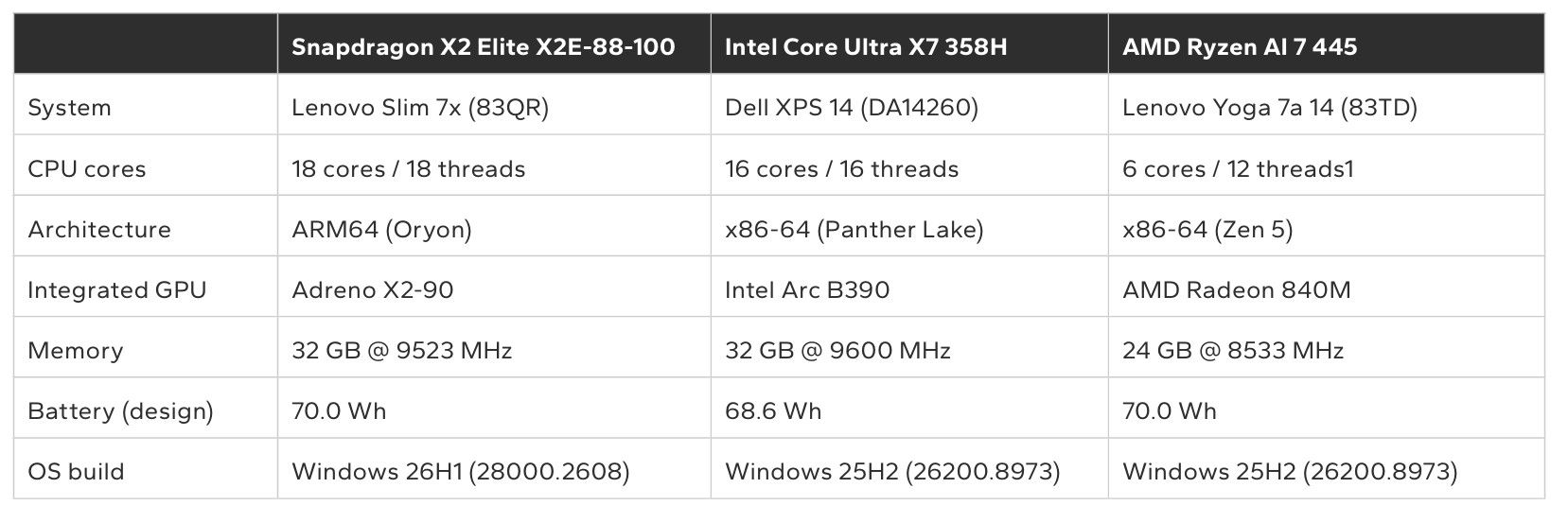
Table comparing specifications of Lenovo Slim 7x, Dell XPS 14, and Lenovo Yoga 7a 14 laptops powered by Snapdragon, Intel Core Ultra, and AMD Ryzen processors.

Comparing specifications of Lenovo Slim 7x, Dell XPS 14, and Lenovo Yoga 7a 14 laptops powered by Snapdragon, Intel Core Ultra, and AMD Ryzen processors. (Image credit: Signal65)

However, that does not mean Qualcomm won everything. Intel continues to hold meaningful advantages in graphics performance (exemplified to perfection in MSI’s latest handheld gaming PC), and the XPS 14 remains one of the most premium Windows laptops available today. Still, the latest findings strengthen the argument that Snapdragon's lead is no longer limited to a halo product, nor a quirk of its Extreme chip.

Let's dive into the numbers, and then break down what it really means, as there is some nuance here.

Strong CPU results, even without the flagship chip
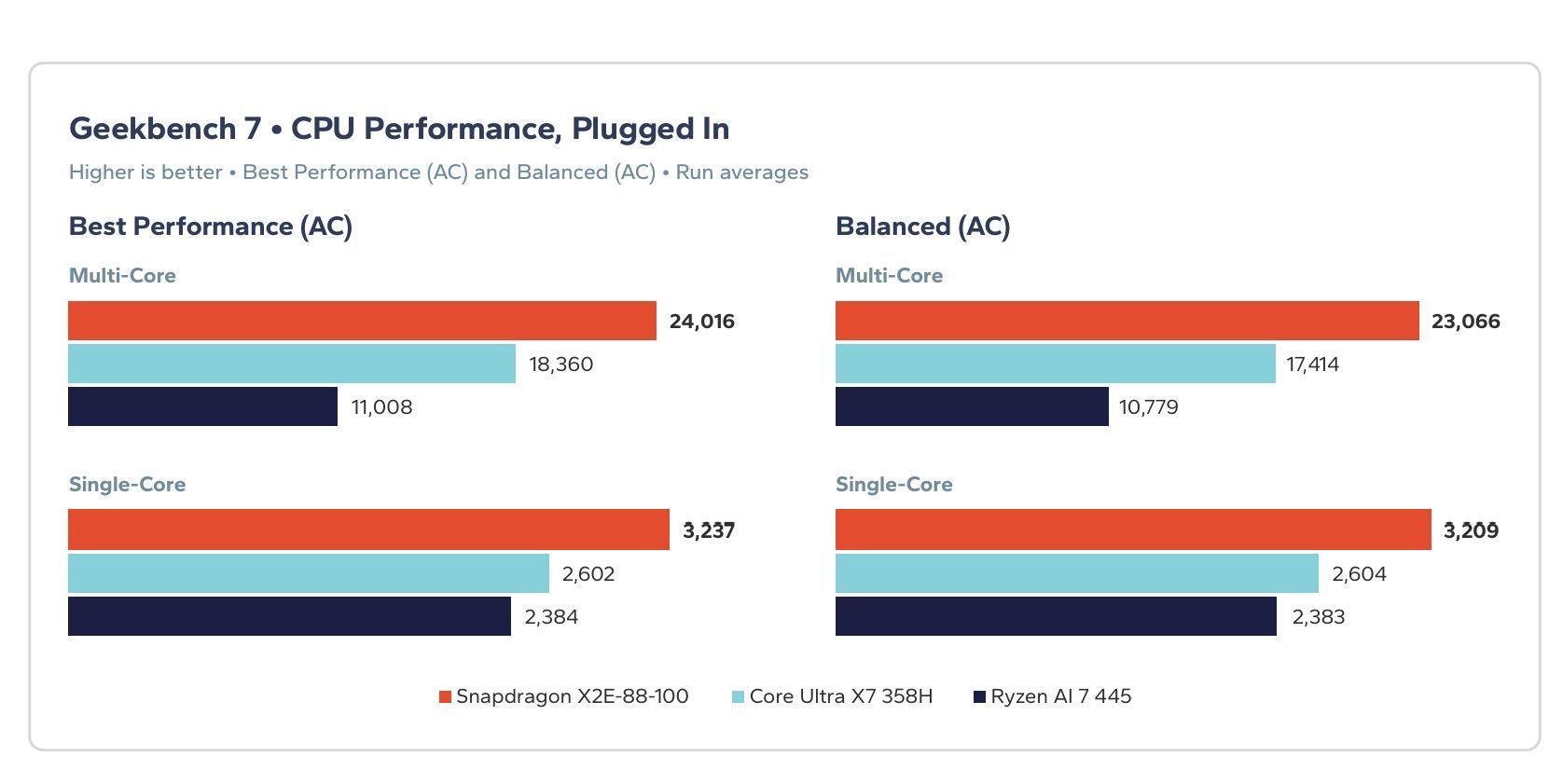
Bar chart comparing plugged-in Geekbench 7 single-core and multi-core CPU scores for Snapdragon X2E-88-100, Core Ultra X7 358H, and Ryzen AI 7 445.

Bar chart comparing plugged-in Geekbench 7 single-core and multi-core CPU scores for Snapdragon X2E-88-100, Core Ultra X7 358H, and Ryzen AI 7 445. (Image credit: Signal65)

In Geekbench 7, the Snapdragon-powered Lenovo Slim 7x posted a multi-core score of 24,016, compared to 18,360 for the Intel-powered XPS 14. Single-core performance also favored Qualcomm, with a score of 3,237 against Intel's 2,602.

According to Signal65, that translates into leads of 31% and 24%, respectively, favoring Qualcomm.

Those numbers are especially notable because they are not solely the result of having more CPU cores. While Qualcomm's 18-core design certainly helps in heavily threaded workloads, the single-core advantage points to meaningful architectural gains from the second-generation Oryon design as well.
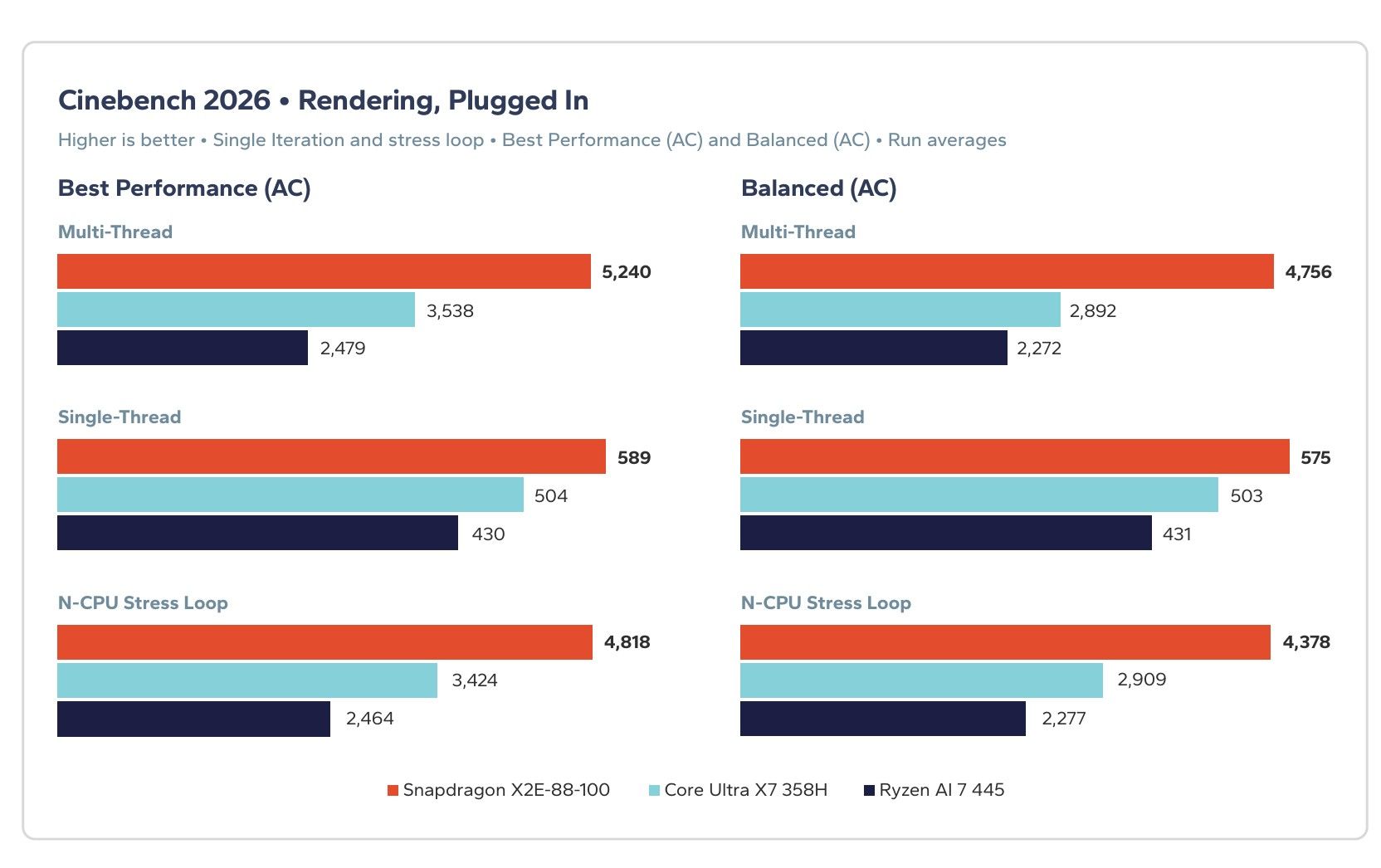
Bar chart comparing plugged-in Cinebench 2026 rendering scores for Snapdragon X2E-88-100, Core Ultra X7 358H, and Ryzen AI 7 445 across multi and single-thread tests.

Cinebench 2026 rendering scores for Snapdragon X2E-88-100, Core Ultra X7 358H, and Ryzen AI 7 445 across multi and single-thread tests. (Image credit: Signal65)

The company also maintained substantial leads in Cinebench 2026 rendering tests and across Microsoft's Office applications as measured by UL Procyon. In the productivity benchmark, Snapdragon led Intel by 10% in Best Performance mode and retained a smaller advantage in the default Balanced profile.

For buyers who spend most of their day in Word, Outlook, PowerPoint, Edge, and Teams, those productivity-oriented results may matter more than synthetic benchmark scores.

Qualcomm's AI advantage continues
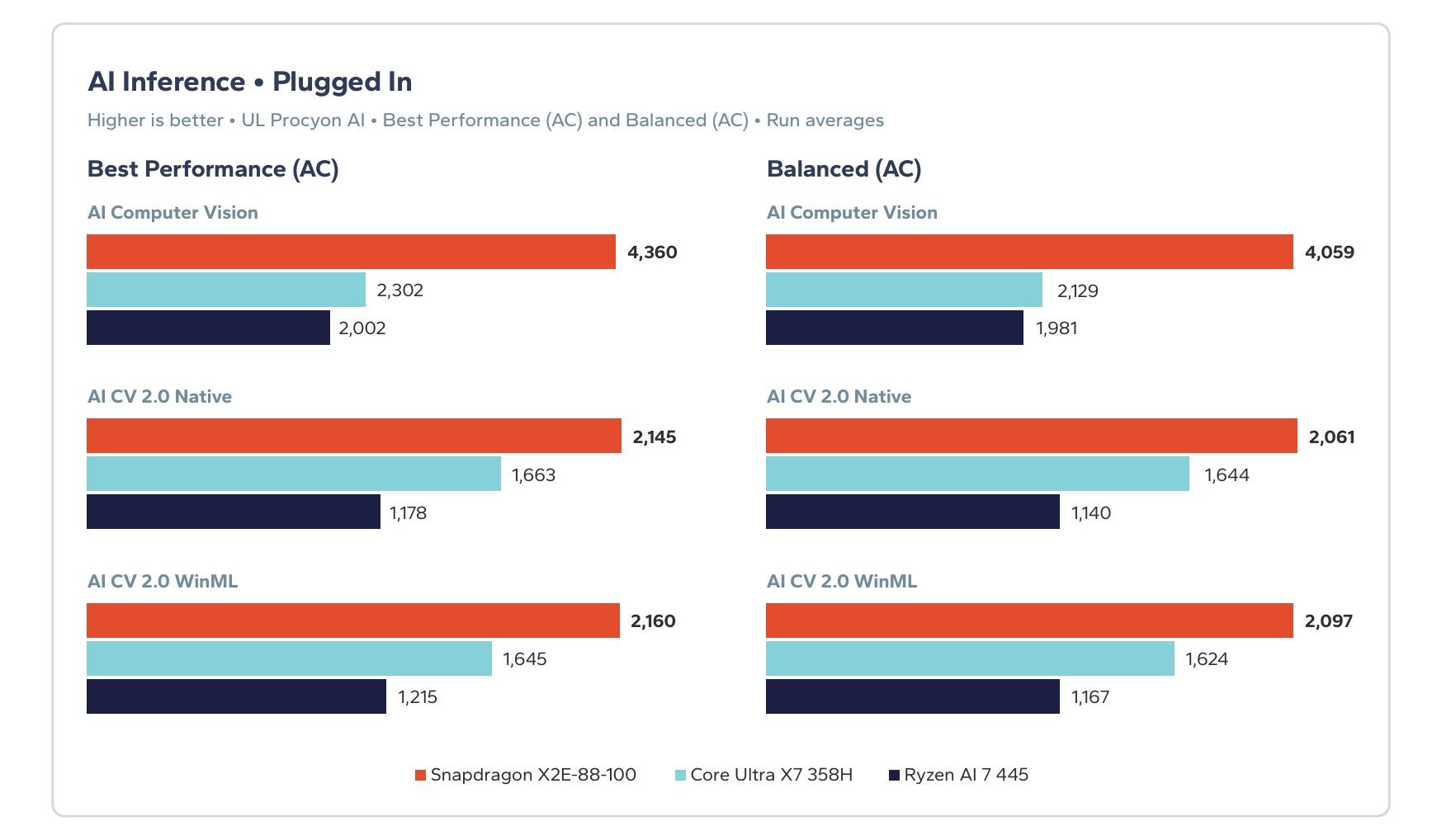
Bar chart comparing plugged-in AI inference scores for Snapdragon X2E-88-100, Core Ultra X7 358H, and Ryzen AI 7 445 under Best Performance and Balanced modes.

Comparing plugged-in AI inference scores for Snapdragon X2E-88-100, Core Ultra X7 358H, and Ryzen AI 7 445 under Best Performance and Balanced modes. (Image credit: Signal65)

AI remains one of Qualcomm's strongest categories.

In UL Procyon AI Computer Vision, the Snapdragon system scored 4,360 compared to Intel's 2,302. Even in the newer AI CV 2.0 WinML benchmark, which routes through Microsoft's Windows ML framework rather than a vendor-specific path, Qualcomm maintained a lead of roughly 31% over Intel.

That distinction is important because it better reflects the way many Windows AI experiences are expected to work going forward. Basically, a benchmark that favors proprietary software optimizations is useful, but a benchmark that preserves the advantage through a common Windows layer is arguably more relevant.

Battery performance remains a major story
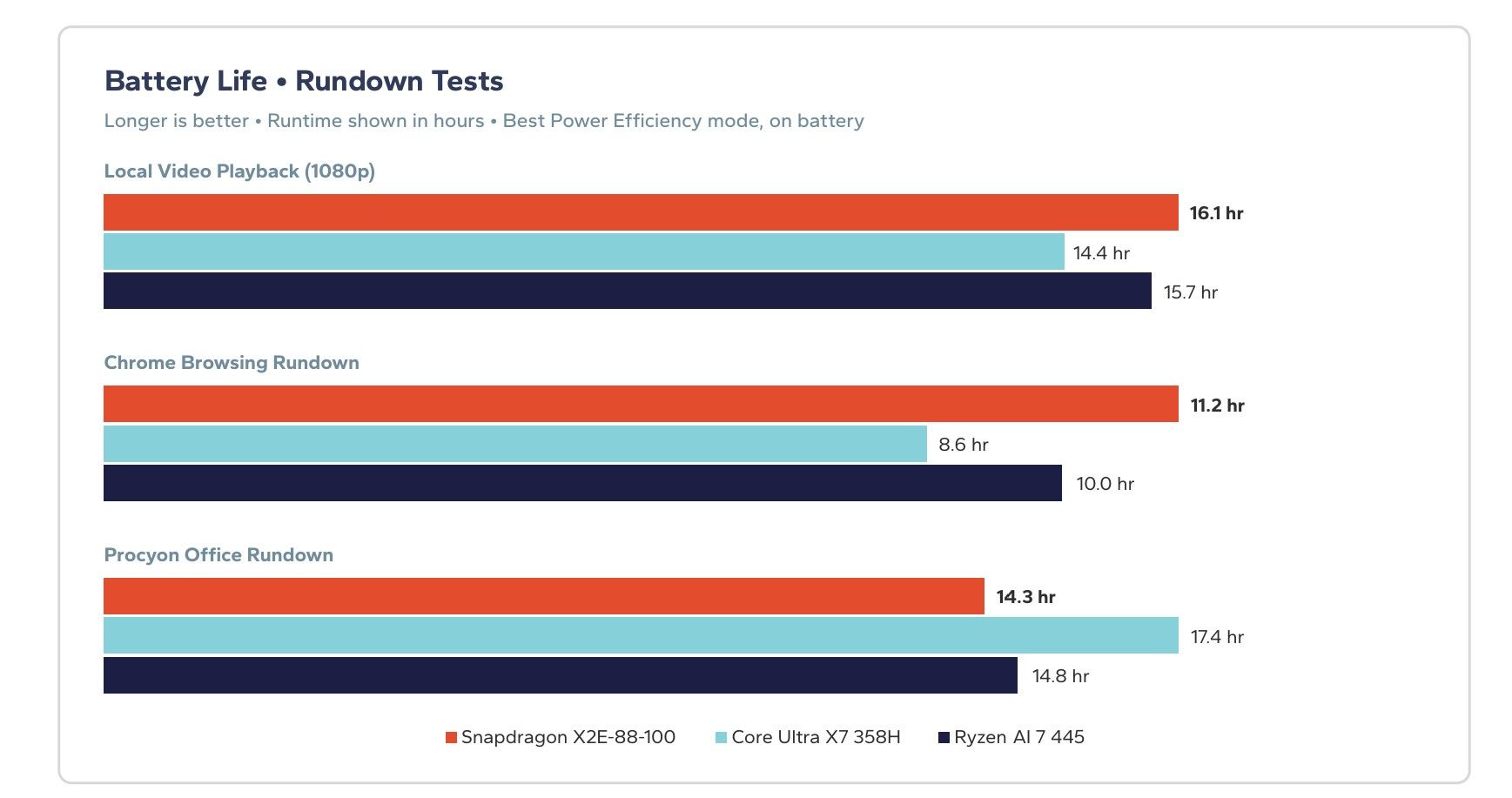
Bar chart comparing battery runtime in hours for Snapdragon X2E-88-100, Core Ultra X7 358H, and Ryzen AI 7 445 in video playback, web browsing, and office tasks.

Battery runtime in hours for Snapdragon X2E-88-100, Core Ultra X7 358H, and Ryzen AI 7 445 in video playback, web browsing, and office tasks. (Image credit: Signal65)

One of the headline findings from the earlier Snapdragon X2 Elite Extreme study was that Qualcomm gave up remarkably little performance when running unplugged. Qualcomm has been touting this advantage since the first gen of Snapdragon X.

The trend continues here.

Across six benchmarks, the Snapdragon system retained an average of 97% of its plugged-in Balanced-mode performance. Intel retained 95%, while the AMD system retained 74%. According to Signal65, the Snapdragon-powered laptop led every CPU, productivity, and AI benchmark tested on battery.

Critically, we must remember that OEMs, especially on Intel and AMD systems, have leverage on AC/DC performance choices, meaning a company like Lenovo could have its AMD system perform worse on battery ... in order to get better battery life. Companies do this to find what they think is a balance for their intended customer, even if the explanation is opaque.

I wrote about this AMD-throttling issue back in 2021, because I found it frustrating, deceptive, and disappointing. Not much has changed in 2026, apparently.
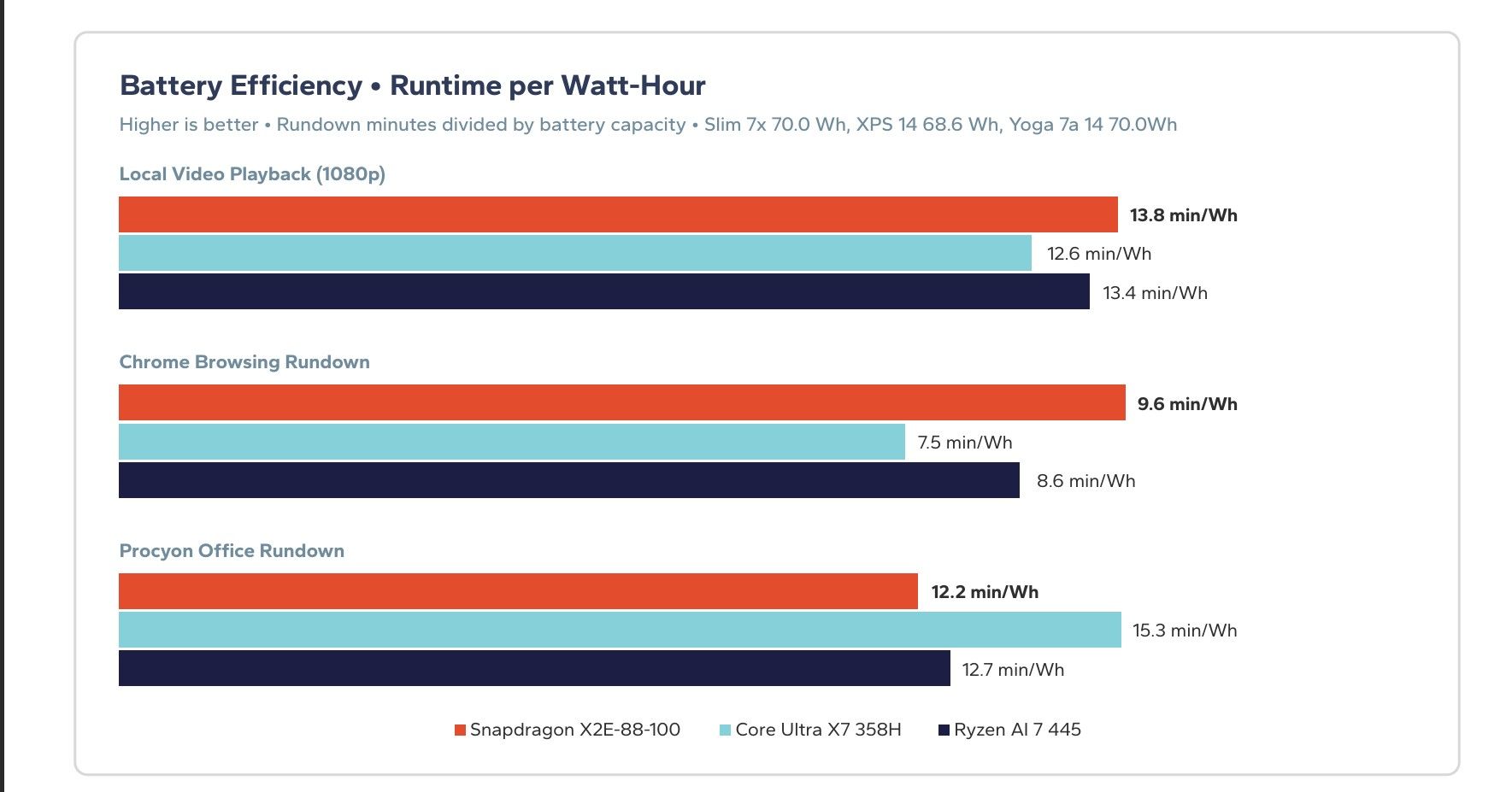
Bar chart showing battery efficiency in min/Wh for Snapdragon X2E-88-100, Core Ultra X7 358H, and Ryzen AI 7 445 across video, Chrome, and Office tests.

Battery efficiency in min/Wh for Snapdragon X2E-88-100, Core Ultra X7 358H, and Ryzen AI 7 445 across video, Chrome, and Office tests. (Image credit: Signal65)

The battery life data was also favorable for Qualcomm, particularly because the three laptops used nearly identical battery capacities.

The Slim 7x (Qualcomm) lasted 16.1 hours in local video playback compared to 14.4 hours for the XPS 14 (Intel). In a Chrome browsing rundown, the Snapdragon laptop reached 11.2 hours versus 8.6 hours for Intel's machine.

There was one significant exception. Intel won the sustained Procyon Office battery test, posting 17.4 hours compared to Qualcomm's 14.3 hours. Signal65 argues that Snapdragon completed more work during that test, making the outcome more nuanced than a simple battery-life loss, but the result remains one of Intel's clearest victories in the report.

The XPS 14 deserves context
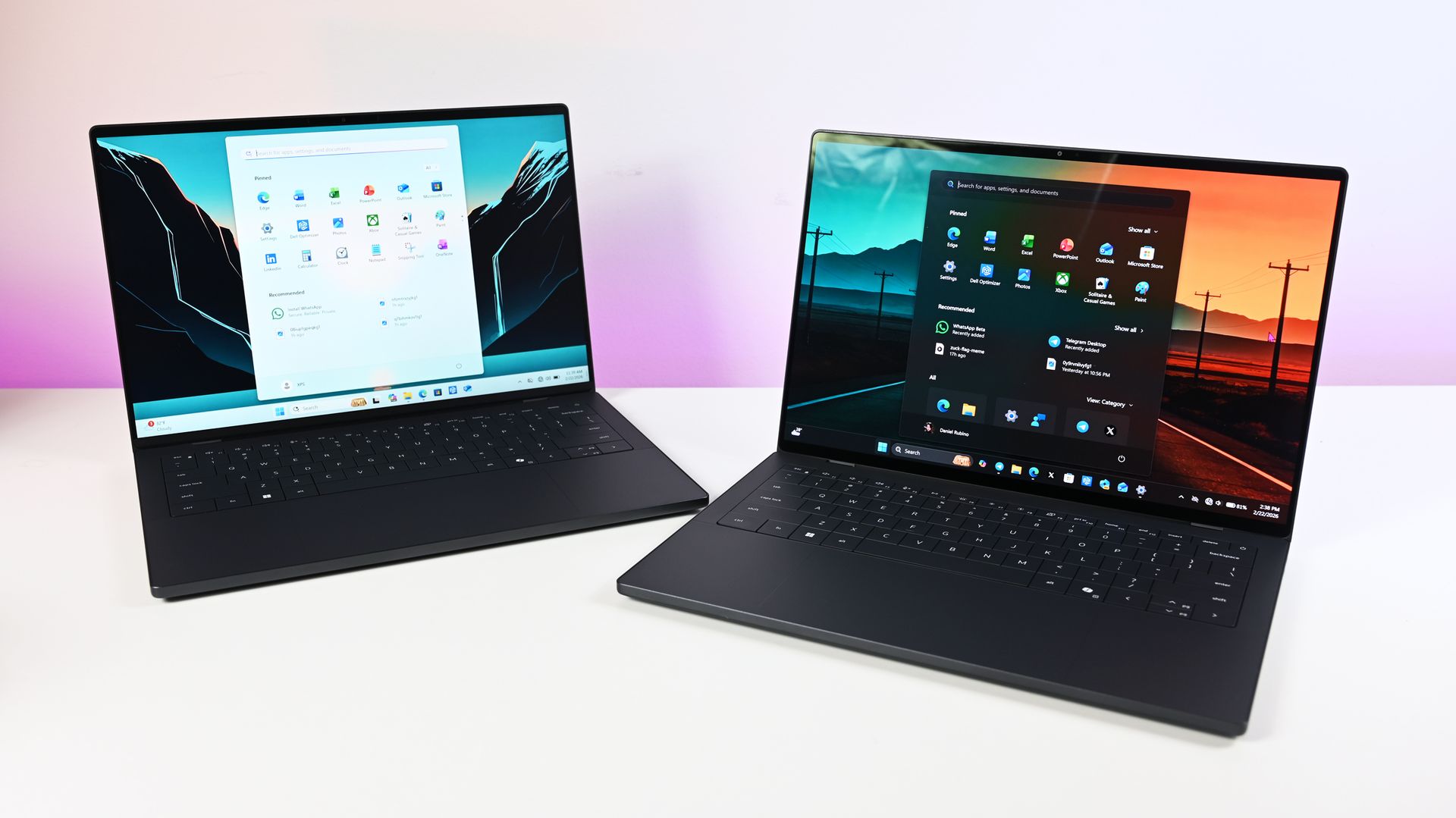
Two dark gray Dell XPS 14 laptops placed side by side on a white desk, one set to light mode and the other displaying a dark mode interface.

Dell's famed premium XPS 14 (2026) models. (Image credit: Daniel Rubino)

This is where I think the conversation becomes more interesting than benchmark charts.

The Snapdragon machine tested was a $1,999 Lenovo Slim 7x. The Intel competitor was a $2,749 Dell XPS 14. That $750 difference looms over nearly every chart in the report.

At the same time, it is difficult to discuss the XPS 14 purely as a processor comparison.

Dell's laptop is widely regarded as one of the most premium Windows notebooks on the market, with exceptional build quality, materials, industrial design, and one of the best displays available in the category. The Signal65 report acknowledges that these are comparisons of complete retail systems rather than isolated silicon measurements.
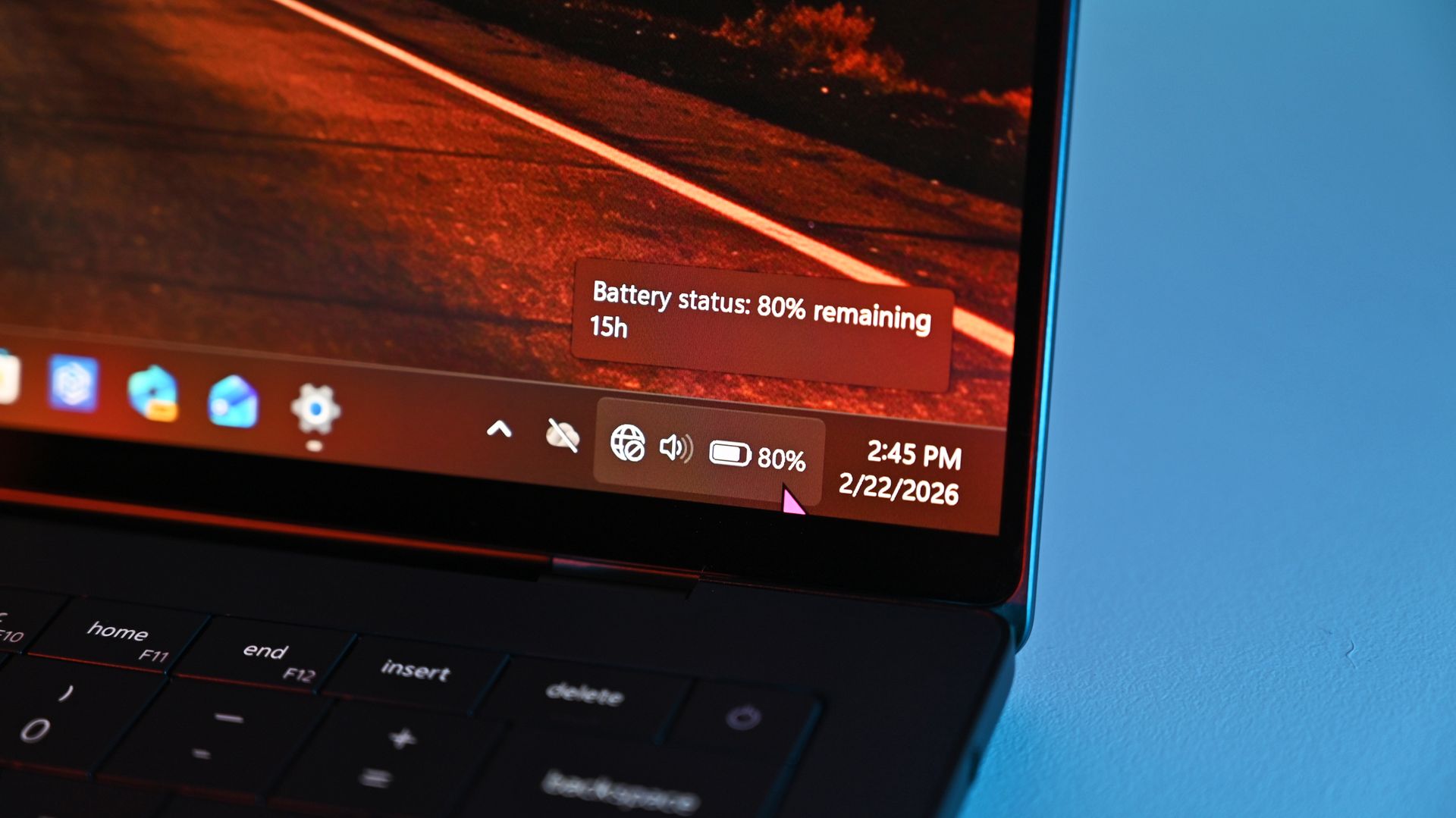
Close-up of a Windows taskbar on a Dell XPS 14 screen displaying a battery status pop-up showing 80% remaining with an estimated 15 hours of battery life.

Dell XPS 14 screen displaying a battery status pop-up showing 80% remaining with an estimated 15 hours of battery life. (Image credit: Daniel Rubino)

That matters because buyers are not choosing between just processors. They are choosing between laptops, aka the full package.

The display difference is particularly worth mentioning. Signal65 did not evaluate screen quality, but Dell's OLED-equipped XPS 14 has generally been considered one of the standout displays in the Windows ecosystem. Some buyers may reasonably decide that premium construction, display quality, and graphics performance justify paying more.

Others may look at a $750 premium and conclude that Intel's advantages are simply not large enough, which is fair, too. After all, we reviewed the Yoga Slim 7x back in May and gave it very high marks.

It's also worth pointing out that Dell's display is a VRR 120Hz at 2880 x 1800, while the Slim 7x is just 1920 x 1200 at 60Hz (both are OLED). Anyone worth their salt in comparing laptops and battery life knows the display is, by far, the number one draw on power, so while I do believe Qualcomm's chip here is better, a pinch of salt is needed for battery life results.

Intel still has a meaningful win: GPU
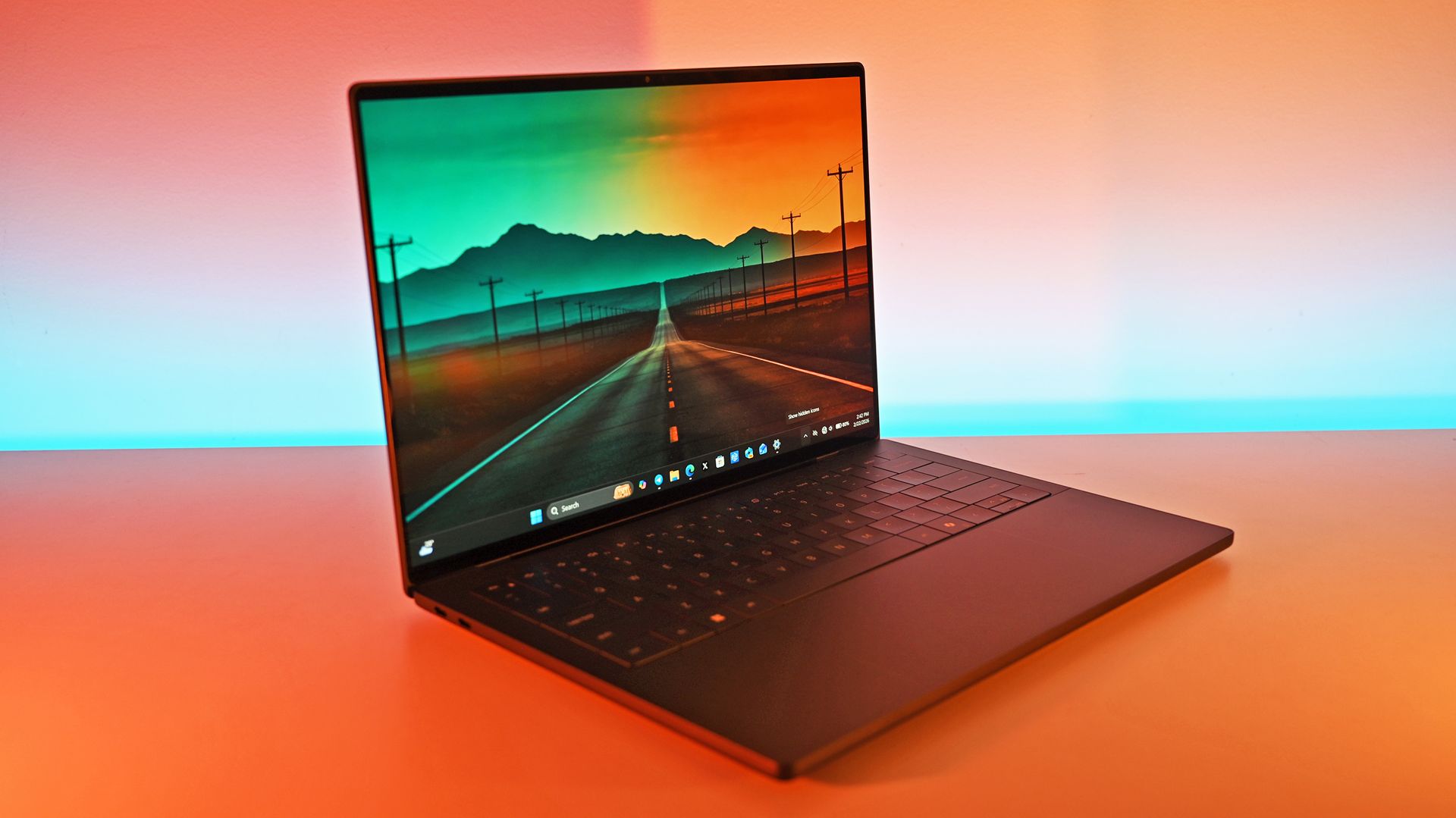
A dark gray Dell XPS 14 laptop open on a table showing a wallpaper of an open road stretching toward mountains, illuminated by ambient warm light.

Dell's XPS 14 with Intel has a powerful Arc B390. (Image credit: Daniel Rubino)

The strongest argument for Intel remains graphics, something the company has been working very hard at in recent years.

In 3DMark Steel Nomad Light, Intel's Arc B390 outperformed Qualcomm's Adreno X2-90 GPU by roughly 23% in both DirectX 12 and Vulkan testing. That's the same GPU powering the beastly MSI Claw 8 EX AI+ gaming handheld, which crushes AMD in the same space.

The practical consequence is that the Intel system's wins require the user to be plugged in and to have selected the right mode, while the Snapdragon system's wins do not.

Signal65 Report

For users who prioritize integrated graphics performance, gaming, or creative workloads that benefit from stronger GPU hardware, Intel still has a compelling case.

That advantage becomes harder to defend when price enters the discussion, which is why Signal65 ultimately concludes that Snapdragon delivers better performance per dollar across the tested systems. According to the study, Qualcomm's laptop delivered roughly 2.15 times Intel's value when normalized across selected CPU, rendering, and AI benchmarks.

Final thoughts
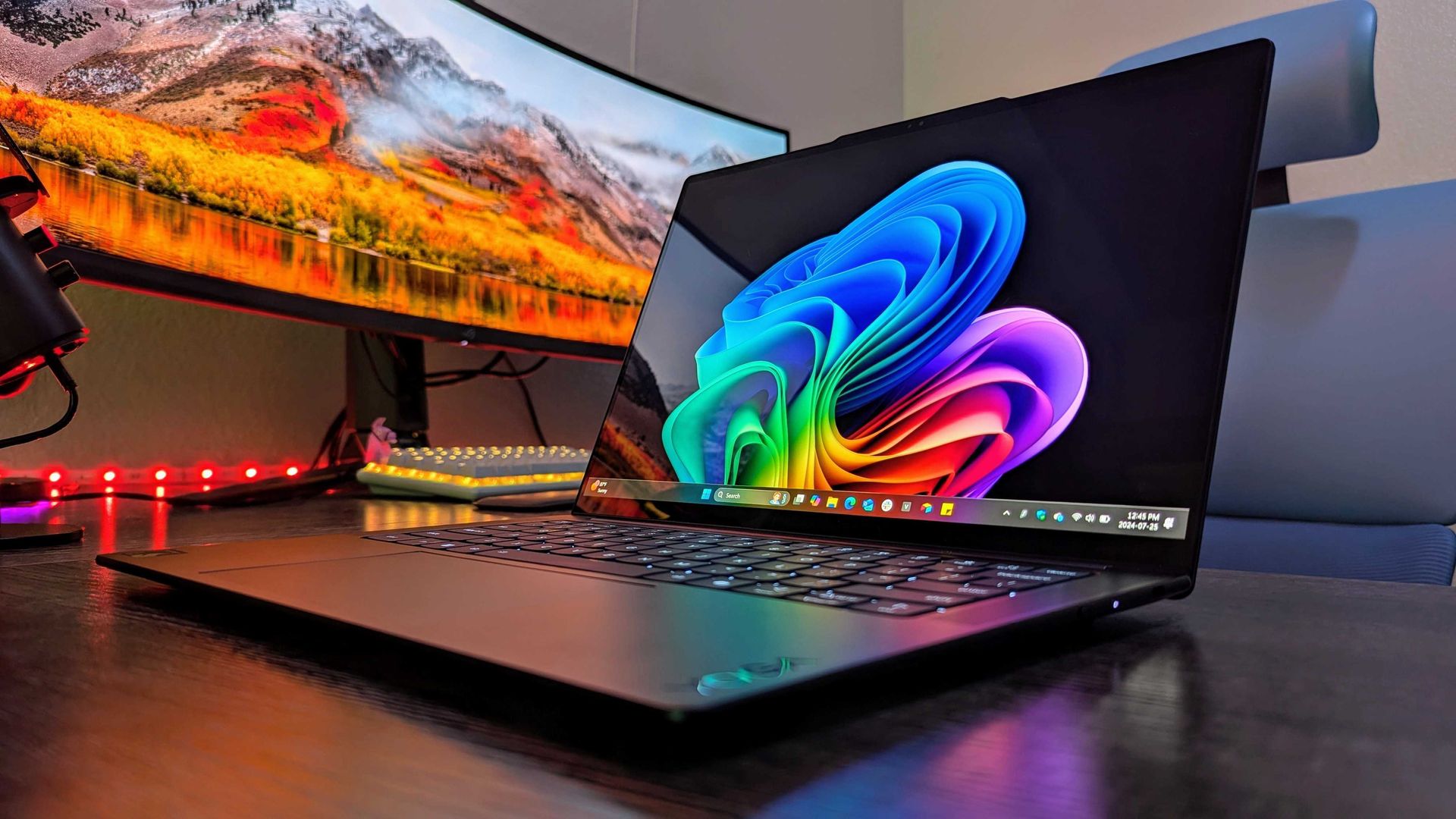
Image of the Lenovo Yoga Slim 7x (Gen 9).

Lenovo Yoga Slim 7x (Gen 9) with Qualcomm Snapdragon X2 Elite processor. (Image credit: Windows Central | Zachary Boddy)

As with the previous report, this study was commissioned by Qualcomm, a fact readers should keep in mind. Signal65 remains an independent testing organization, but commissioned research naturally benefits from additional scrutiny.

Even with that caveat, the broader pattern is becoming difficult to ignore. I also trust the results.

The earlier Snapdragon X2 Elite Extreme report established that Qualcomm's flagship laptop chip could outperform competing Intel and AMD systems. This latest study suggests those advantages extend well beyond the top, hard-to-find SKU.

That may be the more consequential finding.

Flagship products are important for headlines, but the laptops that shape a market tend to be the mainstream premium systems people actually purchase. If Qualcomm can deliver strong CPU performance, class-leading AI results, competitive battery life, and lower pricing with a standard 18-core Snapdragon X2 Elite, the company has moved beyond proving a point and started building a sustainable competitive position in the Windows laptop market.
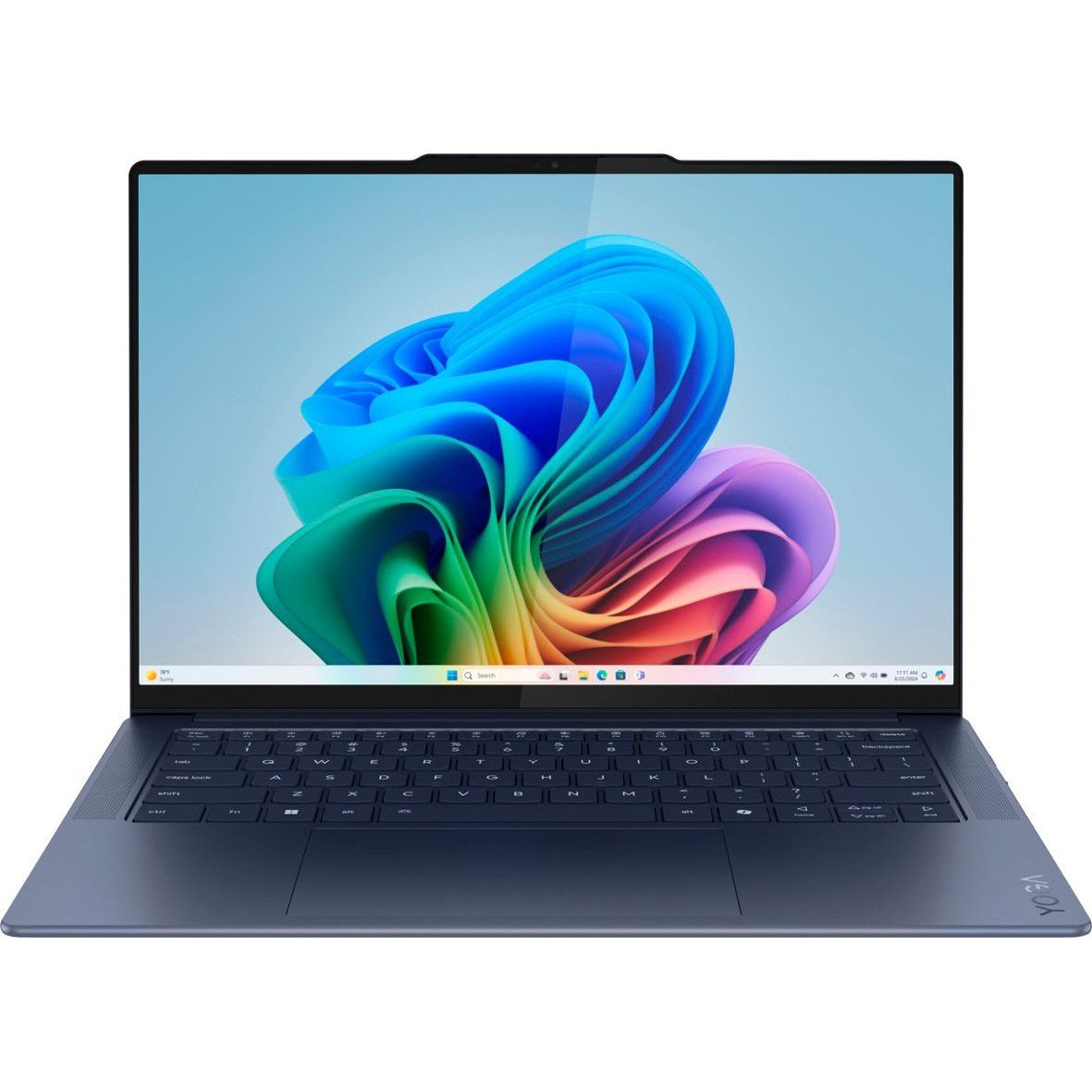
Lenovo Slim 7x

Lenovo's Slim 7x with Qualcomm Snapdragon X2 Elite. (Image credit: Lenovo)

From my experience with both systems, I prefer Qualcomm since they usually run cooler and quieter, and my overall Windows 11 experience feels faster and smoother. That said, I have to admit Intel’s Core Ultra 3 series has really closed the gap — they’re genuinely impressive chips.

If anything, the bigger subtext with this story is just how far AMD has fallen out of this space. We recently covered how no modern Surface PCs opt for AMD, and it's not because of "not enough product" as Microsoft claims. It's because Microsoft knows they're not as good as what Intel and Qualcomm offer, full stop.

The bigger takeaway from these results is not that Qualcomm won another benchmark comparison. It's that Qualcomm appears to have successfully scaled its advantages beyond a halo product. Intel now faces a more difficult reality: competing not only against Snapdragon's fastest chip, but against the one that is likely to ship in far more laptops.

Click to join us on r/WindowsCentral

Join us on Reddit at r/WindowsCentral to share your insights and discuss our latest news, reviews, and more.
Hands-on: Panasonic’s TOUGHBOOKs are becoming the AI nerve center for frontline operations

Panasonic's TOUGHBOOK lineup turns 30 this year (see my earlier coverage of the new TOUGHBOOK 55), and after attending the company's product briefing in a very rainy New York City, I'm convinced the future of rugged computing isn't just about surviving drops, rain, and extreme temperatures.

It's about becoming the intelligent edge computer that sits at the center of everything.

That might sound like marketing fluff until you see the demos. One station showed a military drone feeding reconnaissance data back to a TOUGHBOOK for local analysis. Another demonstrated how police fleets can connect vehicle diagnostics directly into a TOUGHBOOK-based management system, allowing departments to track everything from VINs and odometer readings to fuel levels, fault codes, and maintenance schedules.

In other words, Panasonic's new TOUGHBOOK 34 and TOUGHBOOK G3 are increasingly becoming mission-critical data hubs for the people who protect, rescue, repair, and support the rest of us.

And yes, they're still absurdly rugged.

Thirty years later, the mission remains the same

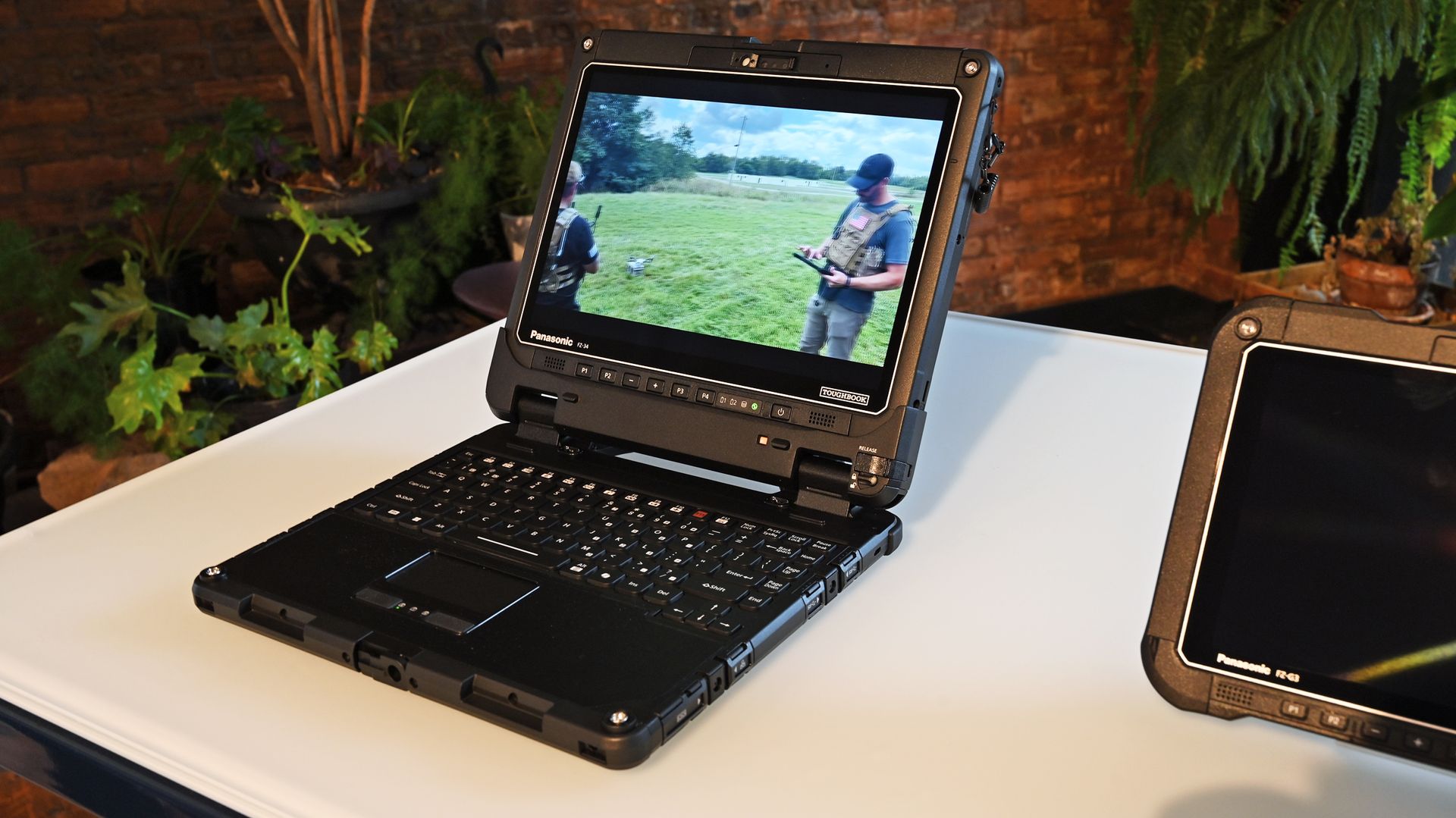
Open Panasonic TOUGHBOOK 34 laptop on a table playing video footage of drone operators outdoors.

Panasonic TOUGHBOOK 34 laptop on a table playing video footage of drone operators. (Image credit: Daniel Rubino)

One theme came up repeatedly throughout Panasonic's presentation: purpose-built computing.

As Panasonic executives noted, their customers aren't buying laptops to answer email from a coffee shop. These systems are deployed in police cruisers, ambulances, utility trucks, military vehicles, warehouses, disaster zones, and industrial sites where failure is not an option.

As Panasonic put it during the briefing, "our devices are purpose-built," adding that workers are often operating in "extreme heat, extreme cold, vibration, water, dust" and environments where "lives are on the line."

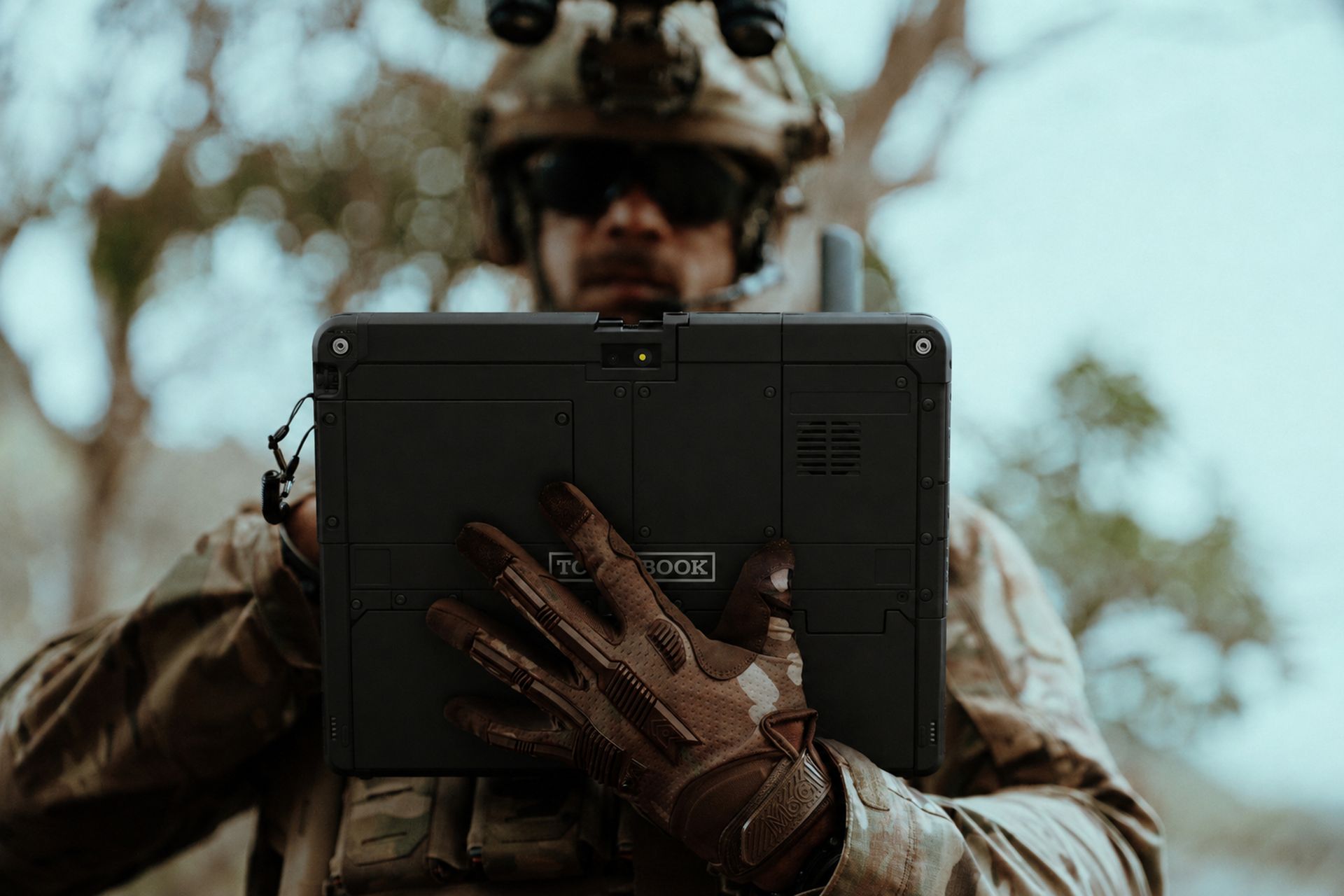
A soldier in tactical gear and gloves is holding the back of a rugged Panasonic TOUGHBOOK 34 tablet outdoors.

A soldier in tactical gear and gloves holding the back of the Panasonic TOUGHBOOK 34 tablet. (Image credit: Panasonic TOUGHBOOK)

That philosophy has helped TOUGHBOOK carve out a niche that practically nobody else occupies.

While consumer laptops compete over OLED displays and thinness, Panasonic spends its time figuring out how to keep a device communicating over private 5G networks during storm response operations.

Meet the TOUGHBOOK 34 and TOUGHBOOK G3

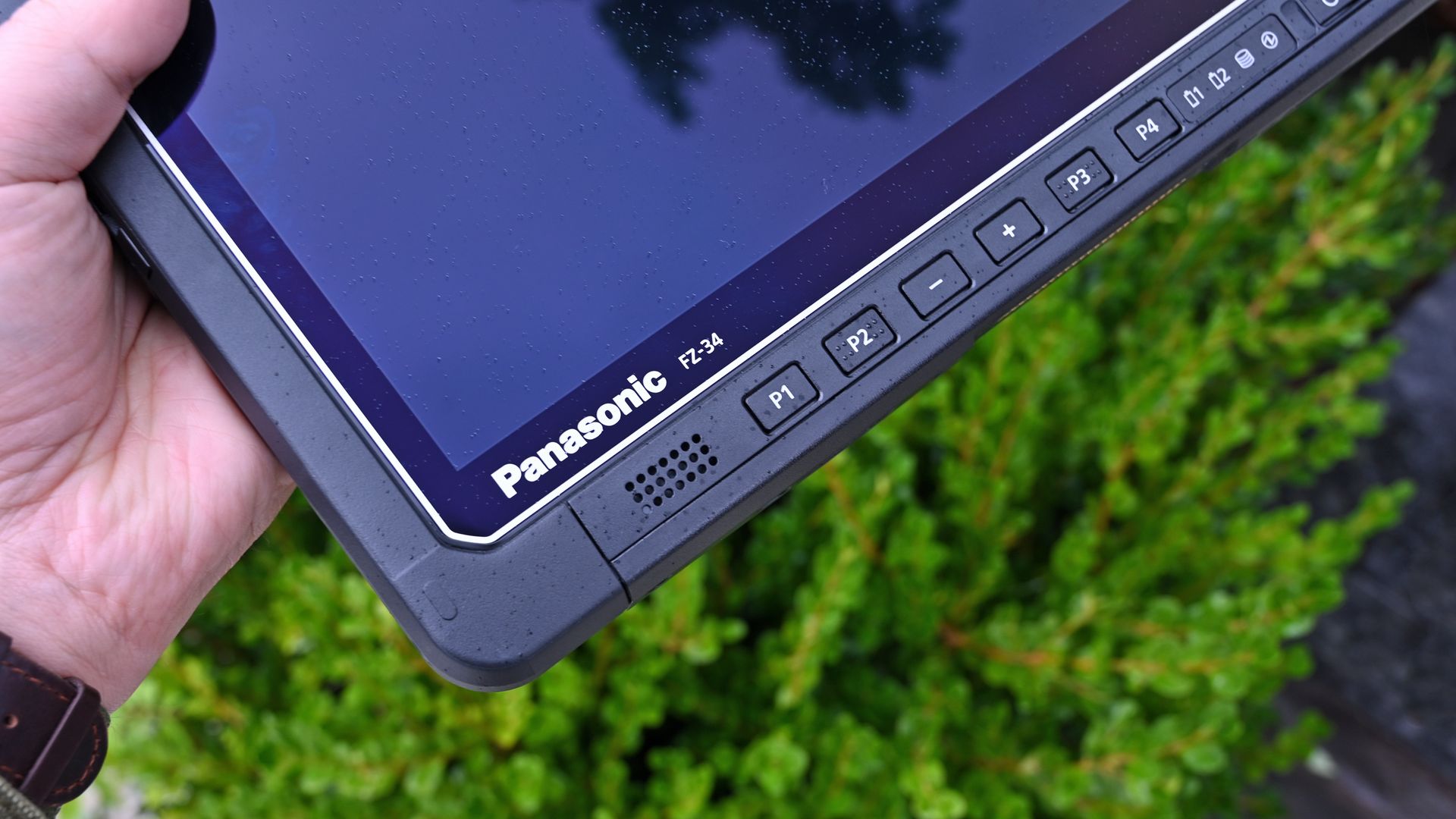
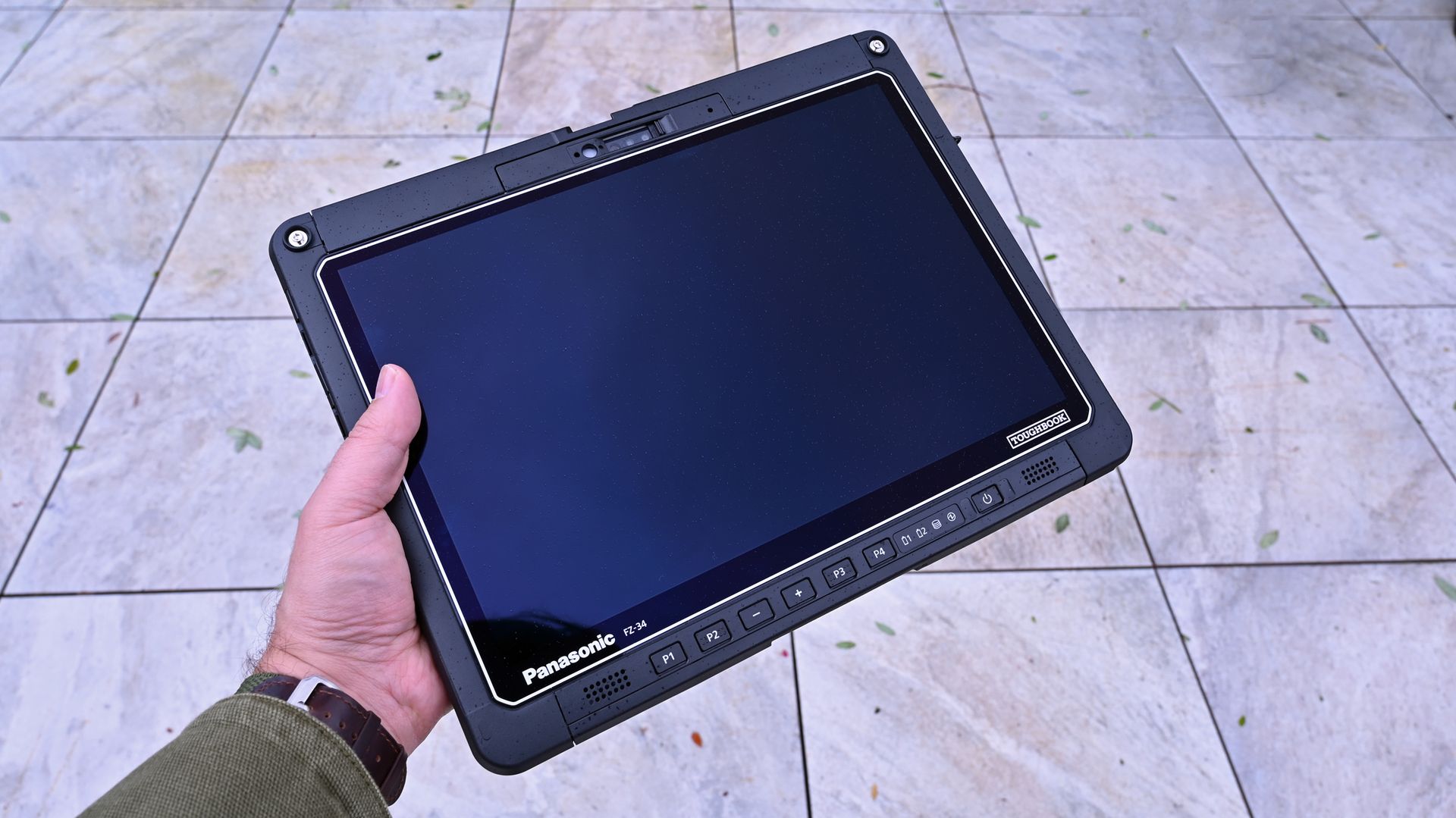
A hand holding a Panasonic TOUGHBOOK FZ-34 tablet outdoors, showing its black screen and front control buttons.

Panasonic TOUGHBOOK FZ-34 Windows 11 tablet, showing its black screen and front control buttons. (Image credit: Daniel Rubino)

This launch introduces two new fully rugged 2-in-1 systems.

The TOUGHBOOK 34 serves as the successor to the long-running TOUGHBOOK 33 that I've reviewed, while the TOUGHBOOK G3 replaces the TOUGHBOOK G2 that I also previously reviewed and described as one of the most modular and rugged PCs on the market.

According to Mike Smola, Senior Director of Product Management at Panasonic Connect North America:

"No two workers, no two vehicles, and no two workflows are exactly alike. Some jobs call for a larger product with more workspace and more versatility."

That's really the story here.

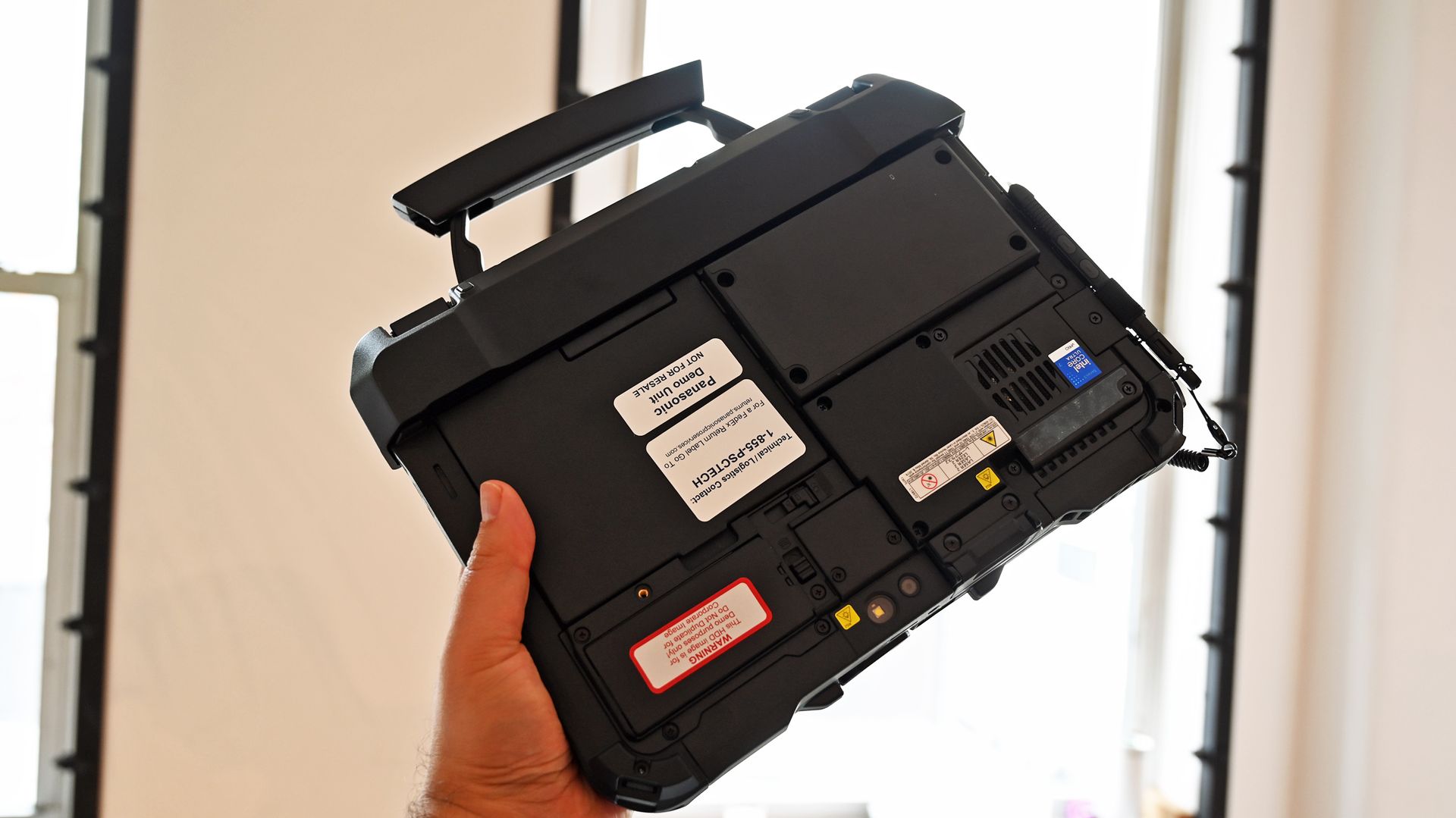
A person holding a rugged Panasonic TOUGHBOOK G3 by its top carrying handle, showing the back chassis and component labels.

The smaller TOUGHBOOK G3 with keyboard attachment has the familar built in handle for easy carrying. (Image credit: Daniel Rubino)

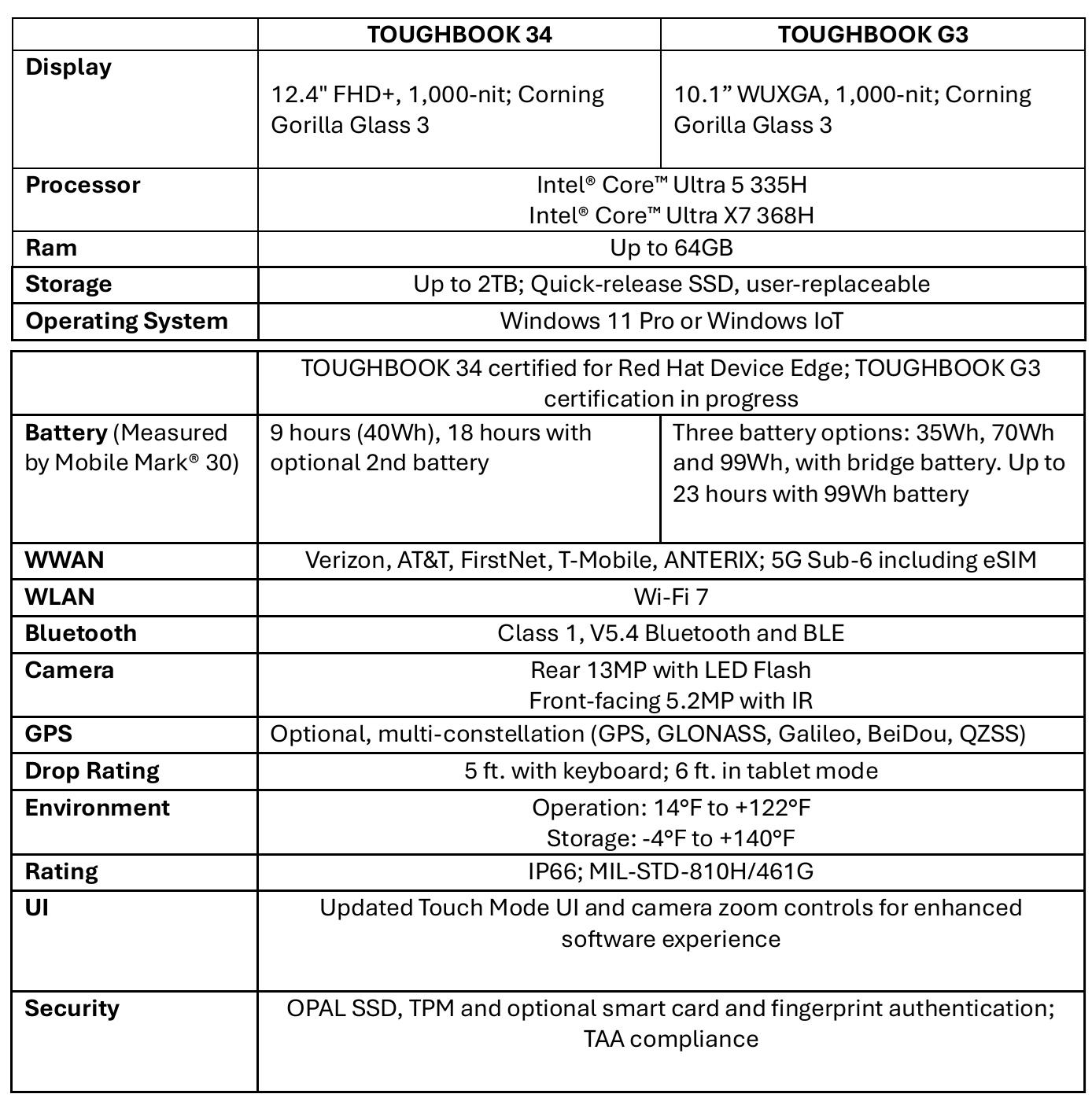
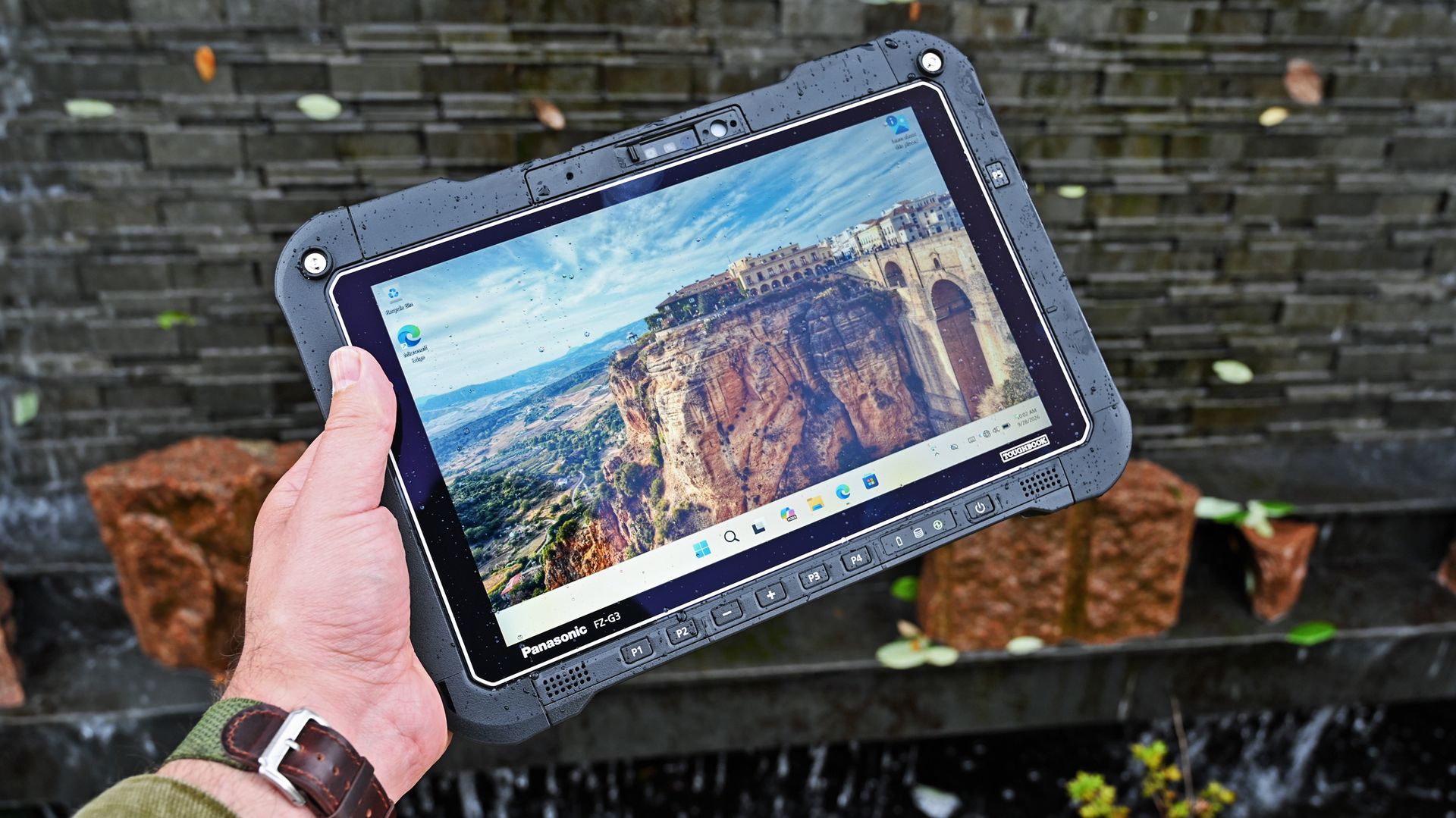
The TOUGHBOOK 34 features a larger 12.4-inch display and is designed for users who spend significant time in vehicles, command centers, or managing information-dense workflows. The G3 uses a more compact 10.1-inch form factor that's easier to carry into the field.

As one Panasonic executive explained during the public safety discussion:

"Fire and EMS leverage both sizes: the larger TOUGHBOOK 34 for in-vehicle CAD and command control, and the compact G3 in the back of ambulances for patient care."

The biggest upgrade is AI

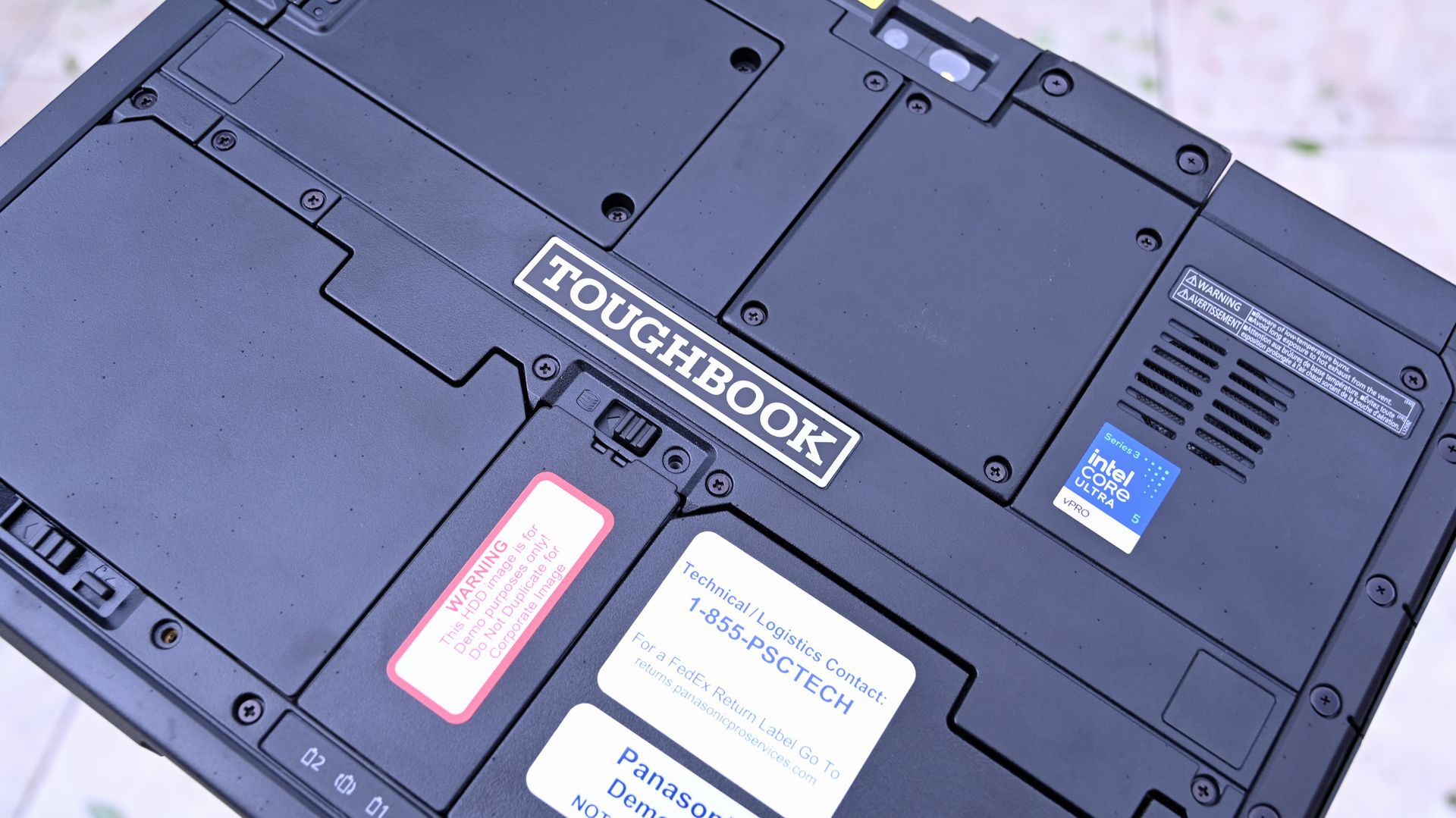
Rear chassis of a Panasonic TOUGHBOOK 34 displaying modular latches, TOUGHBOOK logo, and Intel Core Ultra 5 sticker.

The latest TOUGHBOOKs feature Intel's 3rd-gen Core Ultra series processors with built-in NPUs for local AI processing. (Image credit: Daniel Rubino)

The headline feature across both devices is the move to Intel's latest Core Ultra platform.

Both systems now offer Intel Core Ultra 5 335H and Ultra X7 368H processors complete with onboard NPUs and AI acceleration capabilities. Panasonic is increasingly positioning these devices as AI-ready edge computers capable of processing information locally without relying on cloud connectivity.

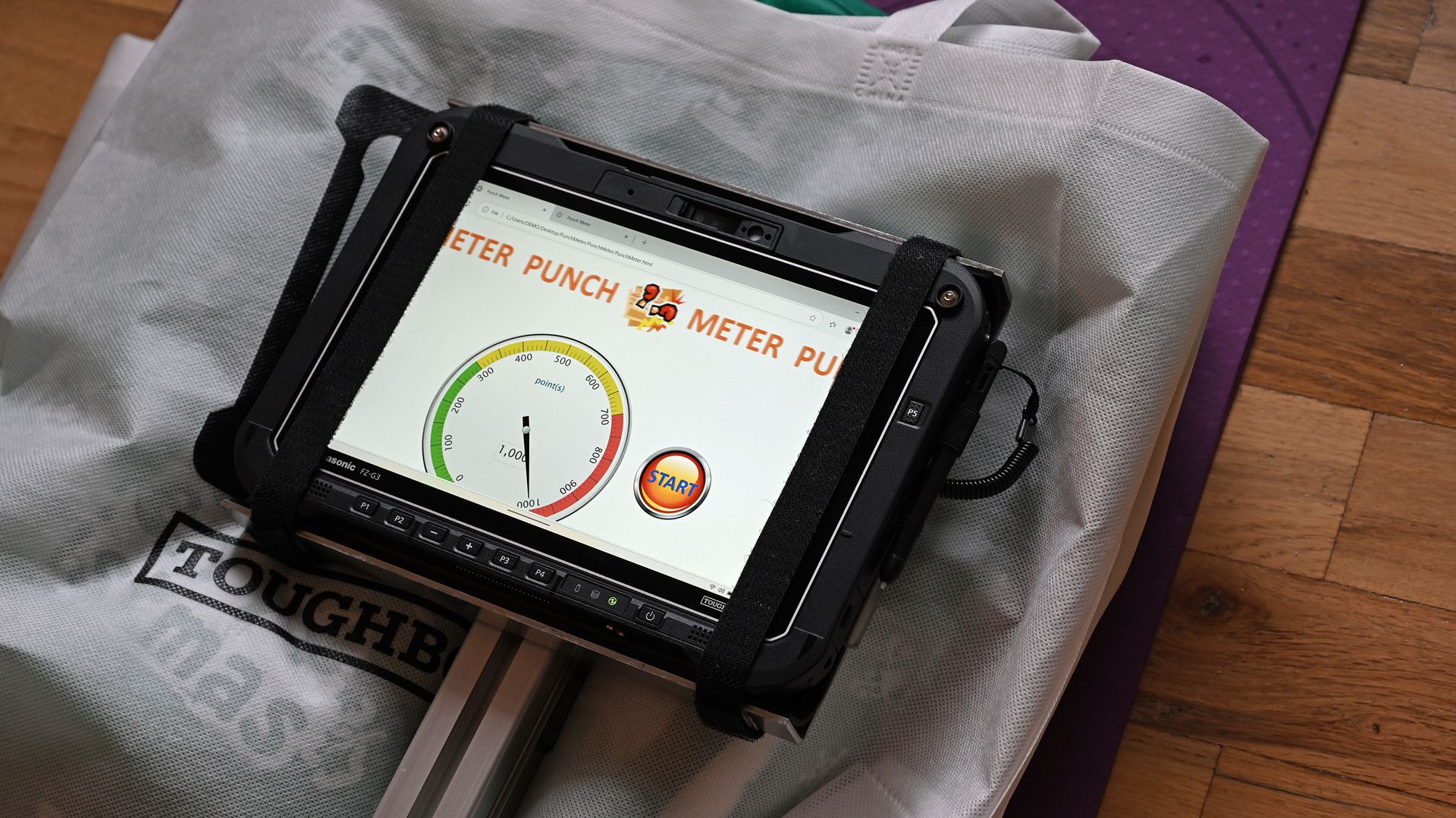
A Panasonic TOUGHBOOK G3 tablet secured in a corner-strap harness, showing a punch meter app on the touchscreen.

Panasonic had a punch-test demo set up where you could punch a TOUGHBOOK as hard as you could, which was quite entertaining. (Image credit: Daniel Rubino)

That matters more than you might think.

During the federal customer panel, Panasonic highlighted a scenario that's becoming increasingly common in military and government environments.

As Panasonic's federal team explained:

"Deployed military personnel aboard ships or in tactical environments often operate without network connectivity due to operational security." AI-capable processing on TOUGHBOOK devices allows personnel to perform tactical, medical, and technical searches without depending on a remote connection."

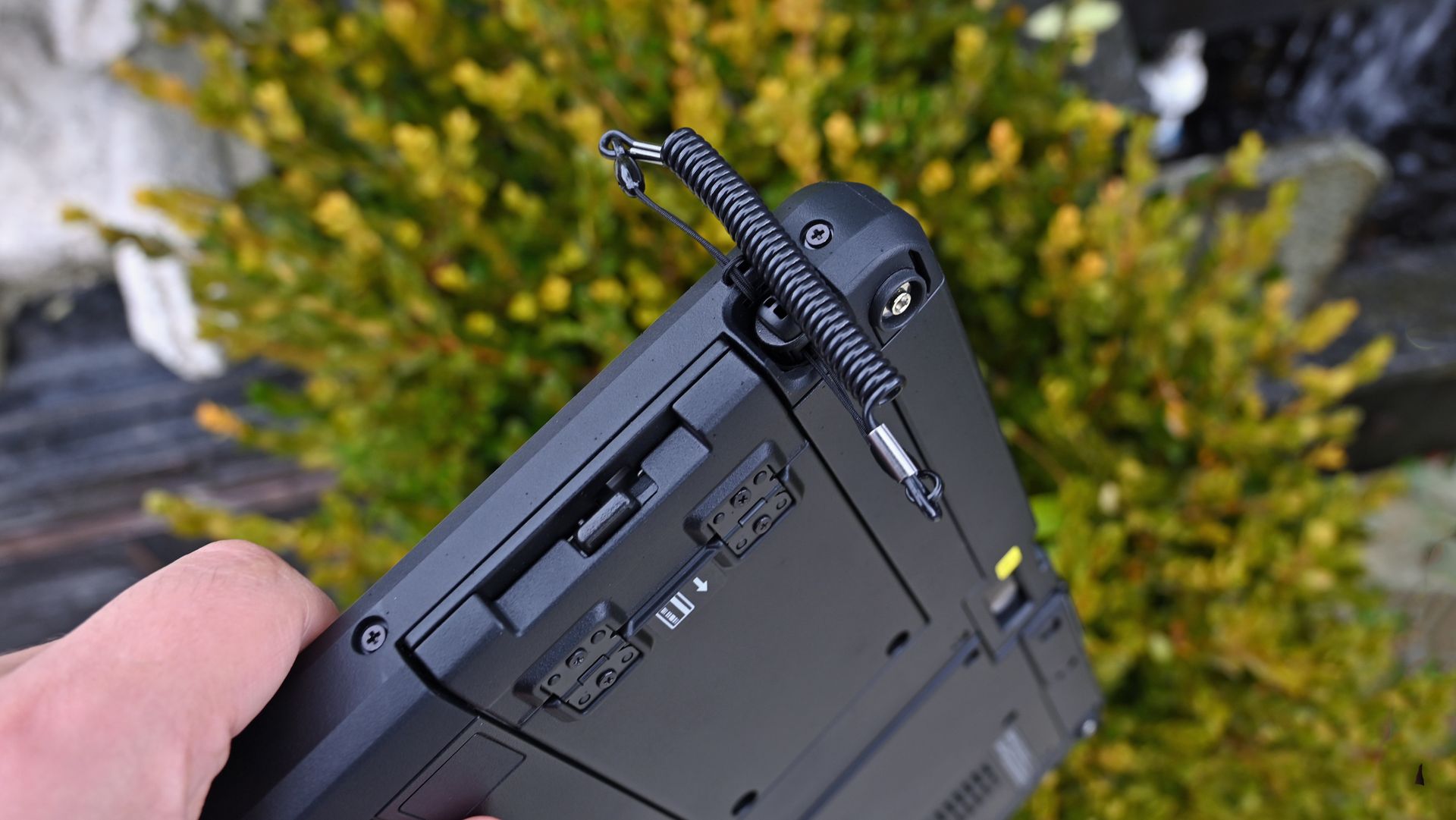
Close-up of the upper rugged chassis of a Panasonic TOUGHBOOK 34 showing an attached coiled stylus tether.

Close-up of the upper rugged chassis of a Panasonic TOUGHBOOK 34 showing an attached coiled stylus tether with a built-in pen. (Image credit: Daniel Rubino)

For most consumers, AI means generating images or summarizing documents. But for military users, it can mean analyzing information locally while disconnected from networks entirely.

That's a very different use case.

From military drones to local AI analysis

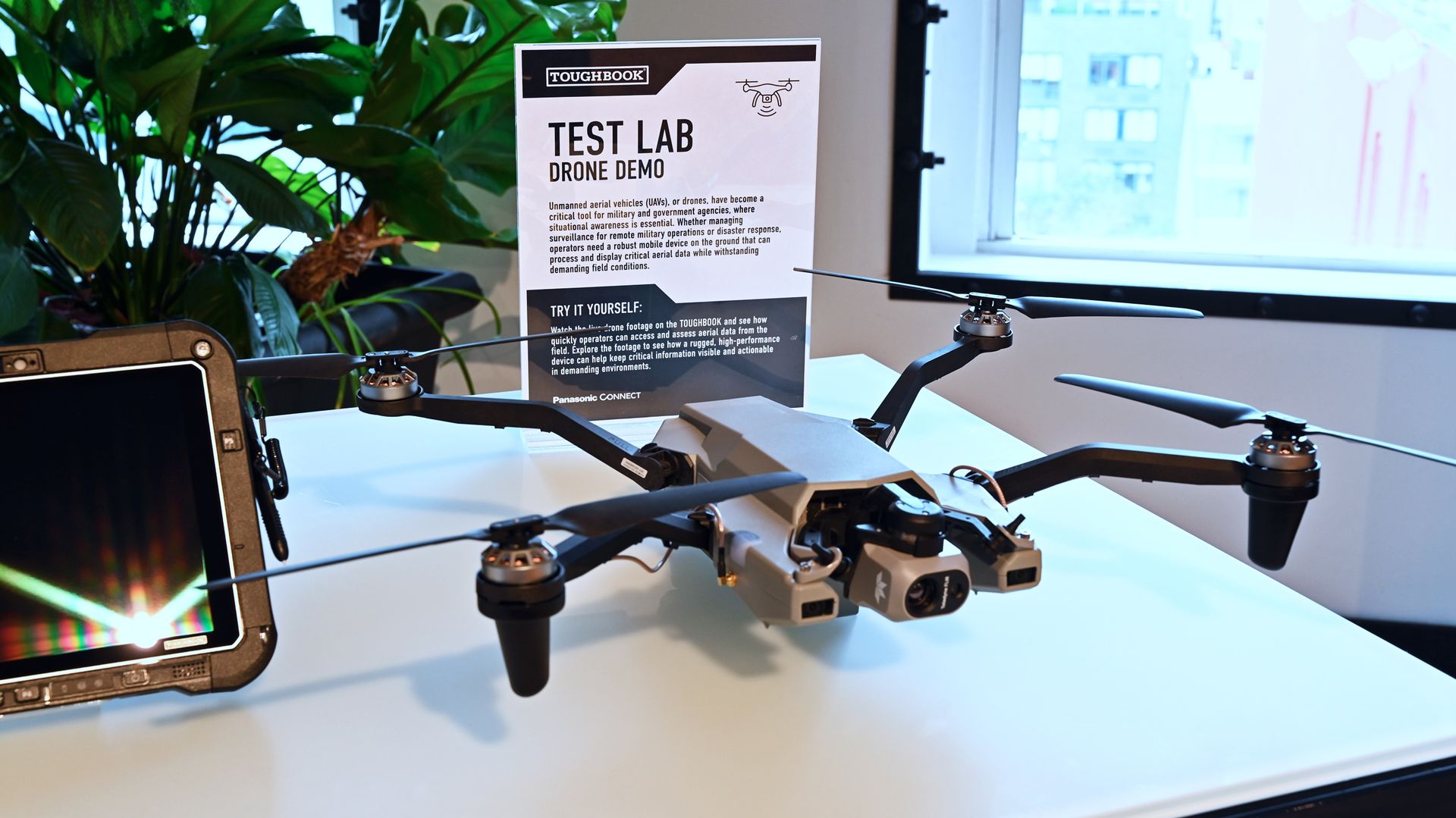
A gray quadcopter drone on a desk next to a

The Teledyne FLIR ION-series tactical reconnaissance drones are often used by military with the Panasonic TOUGHBOOK range. (Image credit: Daniel Rubino)

The most interesting demonstration I saw involved a tactical drone setup.

Panasonic demonstrated how rugged computing platforms can work alongside systems such as the Teledyne FLIR ION-series tactical reconnaissance drones that are commonly used by military, government, and emergency-response organizations.

While separate physical controls handle flight operations, the TOUGHBOOK effectively becomes the intelligence terminal. Drone imagery and reconnaissance data can be brought onto the device, recorded, analyzed, and processed locally using onboard computing resources.

I didn't watch the drone take flight during the event, but seeing Panasonic position the TOUGHBOOK as the AI-capable analysis point for tactical aerial systems offered a very real glimpse into how these machines are used beyond traditional laptop duties.

That use case also aligns with Panasonic's announcement that both devices support unmanned systems control and UAV ground-control applications in federal environments

TOUGHBOOKs are becoming smarter police tools, too

An informational display sign reading

(Image credit: Daniel Rubino)

The police vehicle demonstration may have been even more compelling.

Rather than focusing on dispatch software alone, Panasonic showed how TOUGHBOOK systems can act as fleet intelligence platforms.

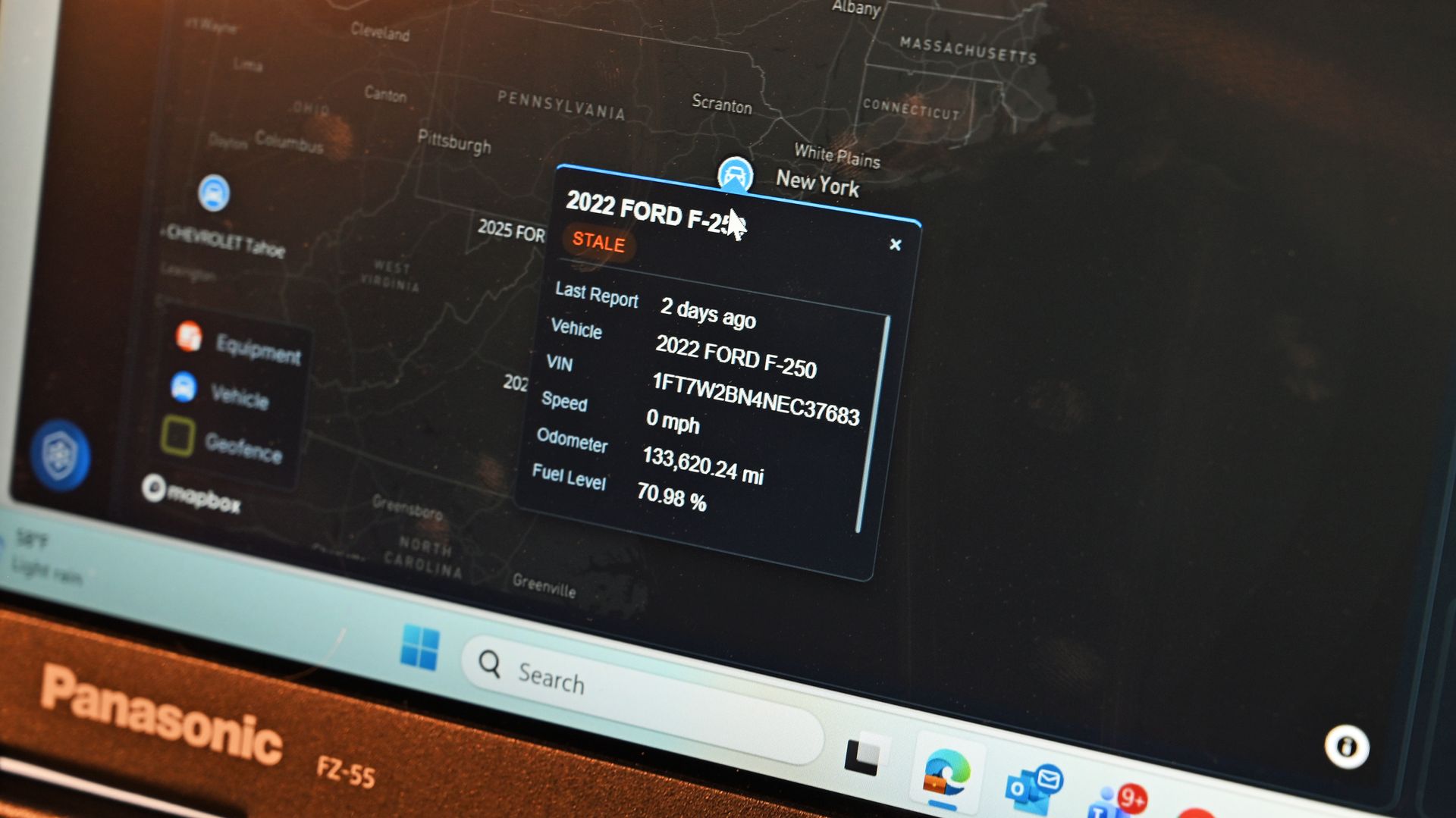
Through Panasonic's TOUGHCommand ecosystem, agencies can connect vehicle systems and pull operational data directly into the computer. Information such as vehicle identification, odometer readings, fuel levels, speed data, maintenance information, and diagnostic information can all be surfaced through a centralized dashboard.

Close-up of a Panasonic FZ-55 display running fleet intelligence software, showing map tracking data for a Ford F-250.

Close-up of a Panasonic FZ-55 display running fleet intelligence software, showing map tracking data for a Ford F-250. (Image credit: Daniel Rubino)

The really interesting layer sits on top of that data.

Panasonic's new Command Intelligence features allow IT teams and fleet managers to query those systems using AI and natural-language questions rather than digging through massive databases manually.

That turns the TOUGHBOOK into something closer to a command-and-control platform, instead of just a rugged laptop.

For organizations managing hundreds or thousands of vehicles, that could be a substantial value-add beyond the hardware itself.

The modularity advantage nobody else offers

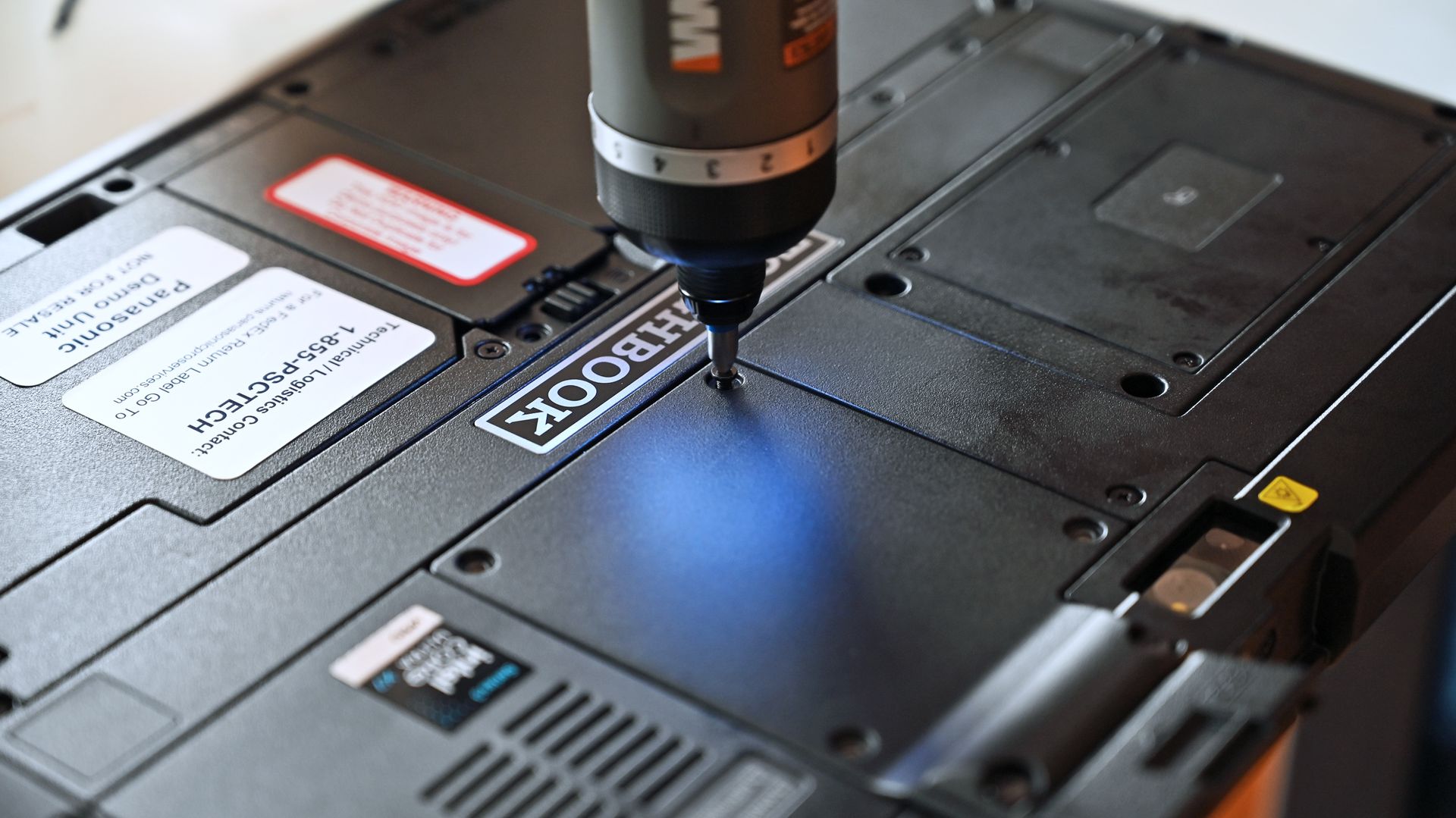
An electric screwdriver tightening a screw into a modular expansion panel on the back of a black Panasonic TOUGHBOOK G3 tablet.

An electric screwdriver tightening a screw into a modular expansion panel on the back of a black Panasonic TOUGHBOOK G3 tablet. (Image credit: Daniel Rubino)

Having reviewed the G2 and covered Panasonic's rugged lineup for years, the thing that continues to impress me isn't the drop testing or waterproofing.

It's the modularity.

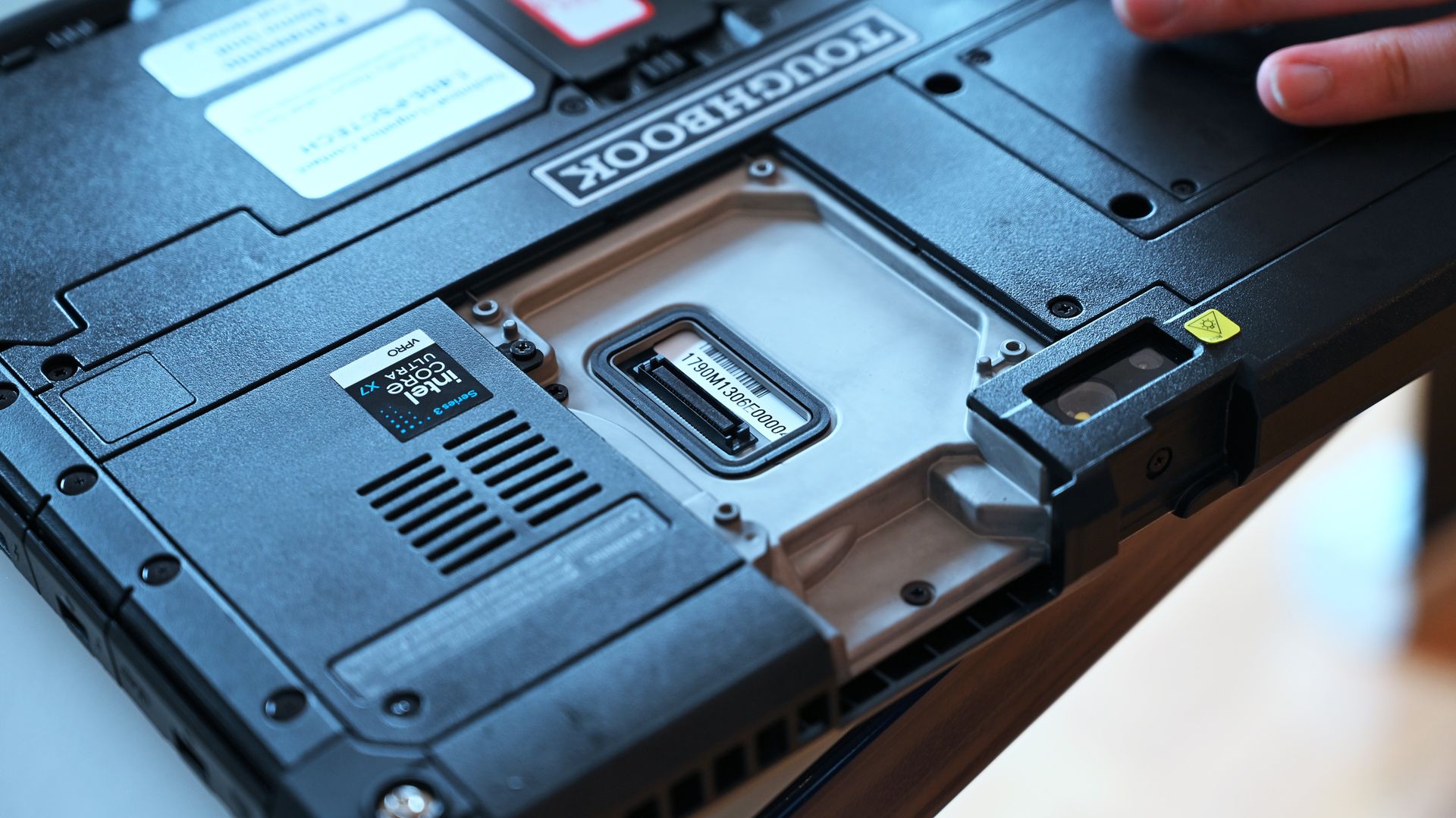
The TOUGHBOOK 34 and G3 both feature Panasonic's xPAK ecosystem, allowing users to swap hardware modules as needs change. Options include barcode scanners, additional USB ports, serial ports, smart card readers, fingerprint readers, networking hardware, and more.

Panasonic's goal is simple: one device should adapt to many jobs.

Close-up of the rear panel of a rugged Panasonic TOUGHBOOK G3, displaying expansion ports, cooling vents, an Intel Core Ultra sticker, and serial tag.

Close-up of the rear panel of a rugged Panasonic TOUGHBOOK G3, displaying opened xPAK expansion port, cooling vents, an Intel Core Ultra sticker, and serial tag. (Image credit: Daniel Rubino)

A warehouse worker can add scanning capabilities. A utility technician can prioritize GPS and connectivity. An automotive technician can add legacy ports for vehicle diagnostics.

Instead of replacing the entire computer when requirements evolve, customers can reconfigure it. More importantly, this can be done locally without sending out the TOUGHBOOK back to Panasonic to be reconfigured. Not only is that time-consuming, but if the PC is used by the government and it has sensitive data on the drives, it limits who can even touch that laptop.

That's a surprisingly rare concept in modern computing.

Better displays, stronger connectivity, longer life

Close-up of the lower bezel on a Panasonic TOUGHBOOK FZ-34 tablet, featuring hardware function buttons (P1-P4) and speaker.

Close-up of the lower bezel on a Panasonic TOUGHBOOK FZ-34 tablet, featuring hardware function buttons (P1-P4) and speaker. (Image credit: Daniel Rubino)

The hardware itself receives meaningful updates, too.

For the TOUGHBOOK 34, Panasonic increased the screen size from 12 inches to 12.4 inches while moving to a 3:2 aspect ratio that's better suited to productivity work. Executives noted that the revised resolution and scaling choices allow users to view more information with less scrolling.

A specification table comparing features of the Panasonic TOUGHBOOK 34 and TOUGHBOOK G3, including display, processor, battery life, ratings, and security.

(Image credit: Panasonic TOUGHBOOK)

The G3 retains its 10.1-inch format but benefits from updated display tuning, 2-to-1000-nit brightness control, and improved readability for outdoor work.

Panasonic also highlighted a new glove and rain touch experience on the TOUGHBOOK 34.

As the company explained:

"You don't want the end user to take off gloves to touch the screen." Users can switch between glove and standard touch modes using programmable controls.

I actually tried this myself, and while it's still a bit clunky to operate a touchscreen with heavy gloves on, it can be done through this technology.

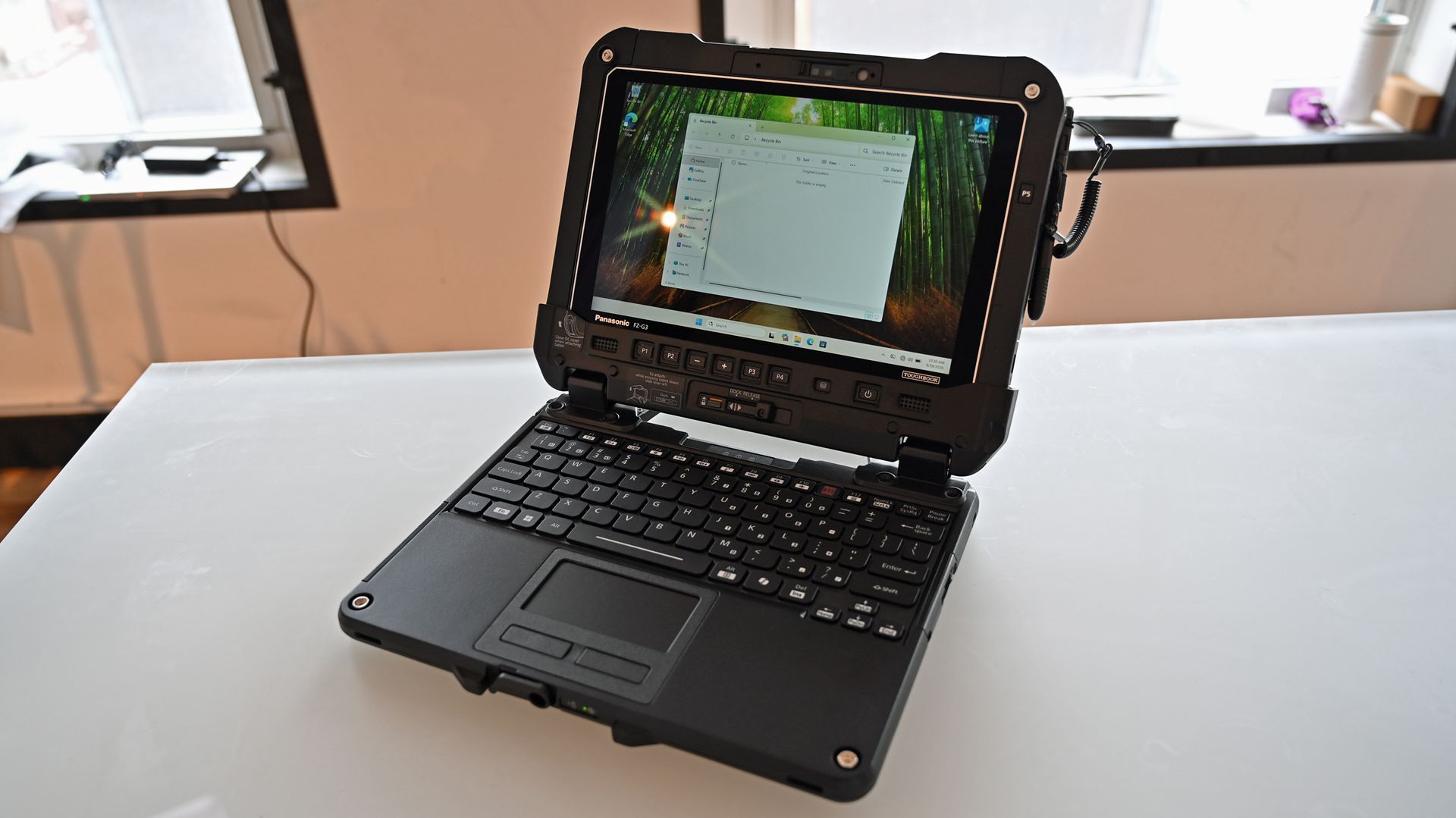
A Panasonic TOUGHBOOK G3 rugged tablet docked to a keyboard base, standing open on a white desk like a laptop.

A Panasonic TOUGHBOOK G3 rugged tablet docked to a keyboard base, standing open on a white desk like a laptop. (Image credit: Daniel Rubino)

Connectivity receives substantial improvements as well.

Compared to the older G2 generation, the G3 moves from 4G LTE options to modern 5G support, upgrades Wi‑Fi 6 to Wi‑Fi 7, and advances Bluetooth 5.1 to Bluetooth 5.4 while adding broader support for private cellular deployments.

For the people actually relying on these systems, those upgrades matter far more than benchmark scores.

A reminder that some PCs have jobs to do

A worker in a high-visibility vest typing on a Panasonic TOUGHBOOK 34 laptop inside a vehicle at a construction site.

Many outdoor professions require the ruggedness that TOUGHBOOK brings to the Windows PC space. (Image credit: Panasonic TOUGHBOOK)

The most fascinating thing about Panasonic's new TOUGHBOOKs isn't that they're rugged. We already knew that, but what's changing is their role.

Thirty years after the first TOUGHBOOK arrived, Panasonic increasingly views these systems as secure, connected, AI-capable edge computers that happen to survive conditions most laptops would never tolerate.

Whether they're helping analyze drone feeds, supporting first responders through FirstNet and private 5G networks, managing vehicle fleets, or keeping utility workers connected during outages, the TOUGHBOOK 34 and G3 demonstrate that laptops can still be specialized tools built for serious missions.

And after an afternoon spent getting hands-on with Panasonic's latest hardware, that may be the most interesting thing about them. Panasonic is building the computers that many of the people protecting, rescuing, and serving the rest of us depend on every day, and I still find that inspiring.

You can find out more about these devices from the Panasonic TOUGHBOOK website.

Click to join us on r/WindowsCentral

Join us on Reddit at r/WindowsCentral to share your insights and discuss our latest news, reviews, and more.
Shure’s latest MV6 Gen 2 microphone blends broadcast‑level sound with gamer‑friendly design

There are plenty of USB microphones aimed at gamers these days, but few come from a company with the audio credentials of Shure. For more than 100 years, Shure has built microphones for musicians, broadcasters, performers, and recording professionals, with products like the SM58 and SM7 becoming industry standards along the way. During a recent briefing with me, Shure described the new MV6 lineup as part of its effort to bring that expertise to creators who want professional-quality audio without the cost and complexity that often comes with traditional XLR gear.

That's what immediately appealed to me about the new MV6 Gen 2 ($169). I've spent the last 15 years using microphones for the Windows Central Podcast, livestreams, media appearances, and interviews. I've used plenty of microphones from Razer, HyperX, Blue, and others, but somehow this was my first extended experience with a Shure. After several weeks of testing, including an appearance on TWiT Episode 1101 where I received compliments on the audio quality afterward, I can see why the company has such a strong reputation among podcasters and broadcasters.

The MV6 Gen 2 may be marketed as a gaming microphone, but after using it, that label feels a little too narrow. This is a microphone for anyone who wants better voice quality without needing an audio interface, mixer, XLR cables, or a degree in audio engineering.

Shure had no input, nor did it see the contents of this review, prior to publication.

What's new with the Shure MV6 USB Gaming Microphone Gen 2?

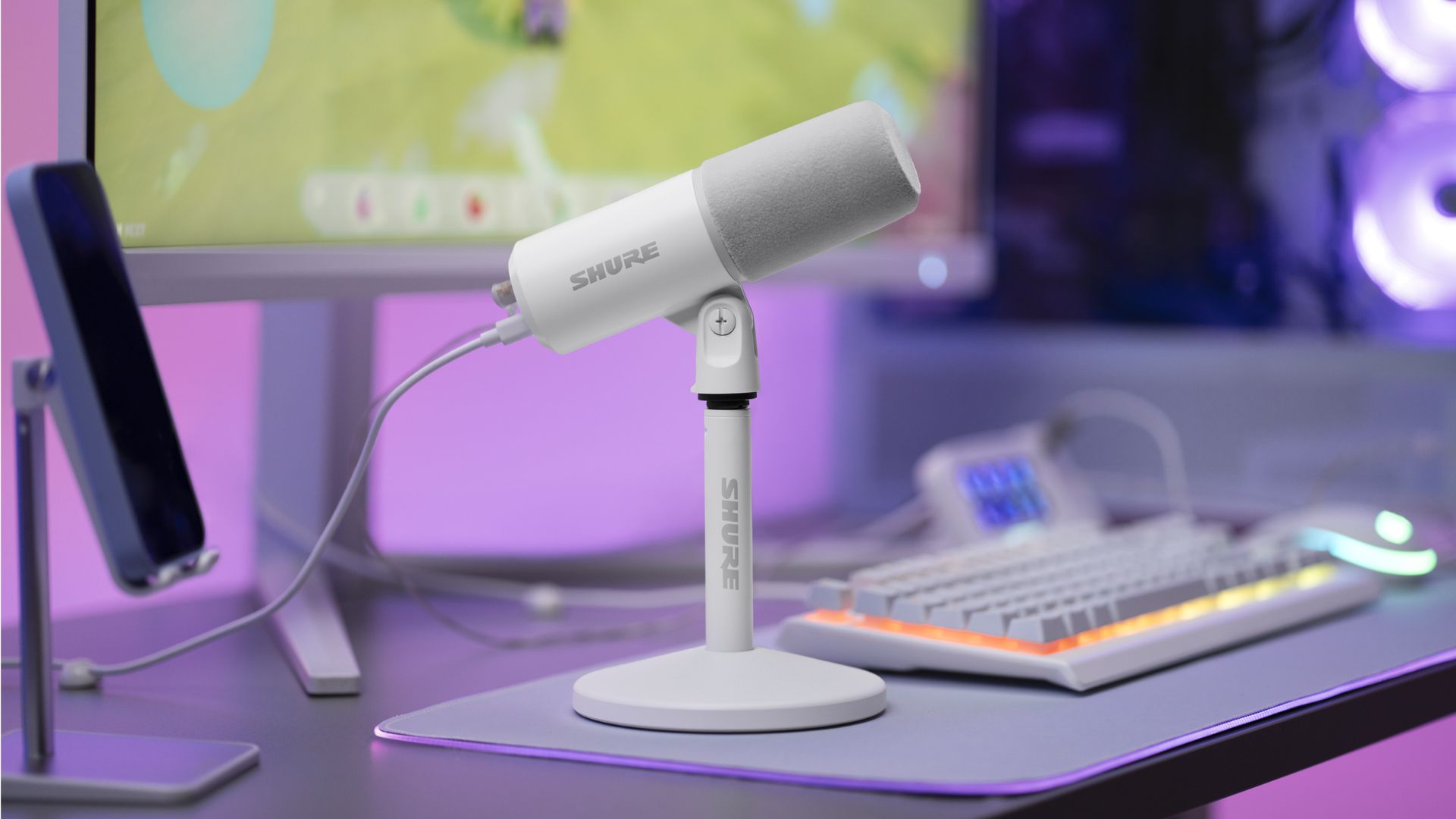
White Shure MV6 USB Gaming Microphone Gen 2 on a desktop stand at a gaming setup with a keyboard, monitor, and purple ambient lighting.

The new Shure MV6 USB Gaming Microphone Gen 2 now comes in a white option, as well. (Image credit: Shure)

I didn't review the original MV6, but most reviews of the first-generation model praised its strong audio quality, easy setup, and excellent value while noting that customization was relatively limited compared to some competitors.

Shure appears to have taken that feedback seriously.

The second-generation MV6 focuses primarily on expanding user control through software and onboard DSP processing rather than reinventing the hardware itself. The microphone still ships with Shure's "sounds great out of the box" philosophy, but users now have significantly more flexibility if they want to fine-tune their audio.

New features include:

  • Adjustable Auto Level controls with configurable target levels
  • New Adaptation Rate settings that determine how quickly gain recovers after volume spikes
  • Adjustable Real-Time Denoiser intensity
  • New Speech, Singing, and Instrument presets
  • A full 5-band EQ for advanced tuning
  • White and black color options
  • A longer included USB-C cable
  • The ability to disable the microphone's touch-sensitive mute button
  • Enhanced DSP processing and customization through the MOTIV Mix software suite

Perhaps most importantly, Shure accomplished this without turning the MV6 into a microphone that demands constant tweaking.

During my briefing, product manager T Banks repeatedly emphasized that users shouldn't need to understand gain staging, EQ curves, or audio engineering to get excellent results. The advanced controls are there if you want them, but the microphone is designed to sound great from the moment it's plugged in.

Shure MV6 USB Gaming Microphone Gen 2: Price and specifications

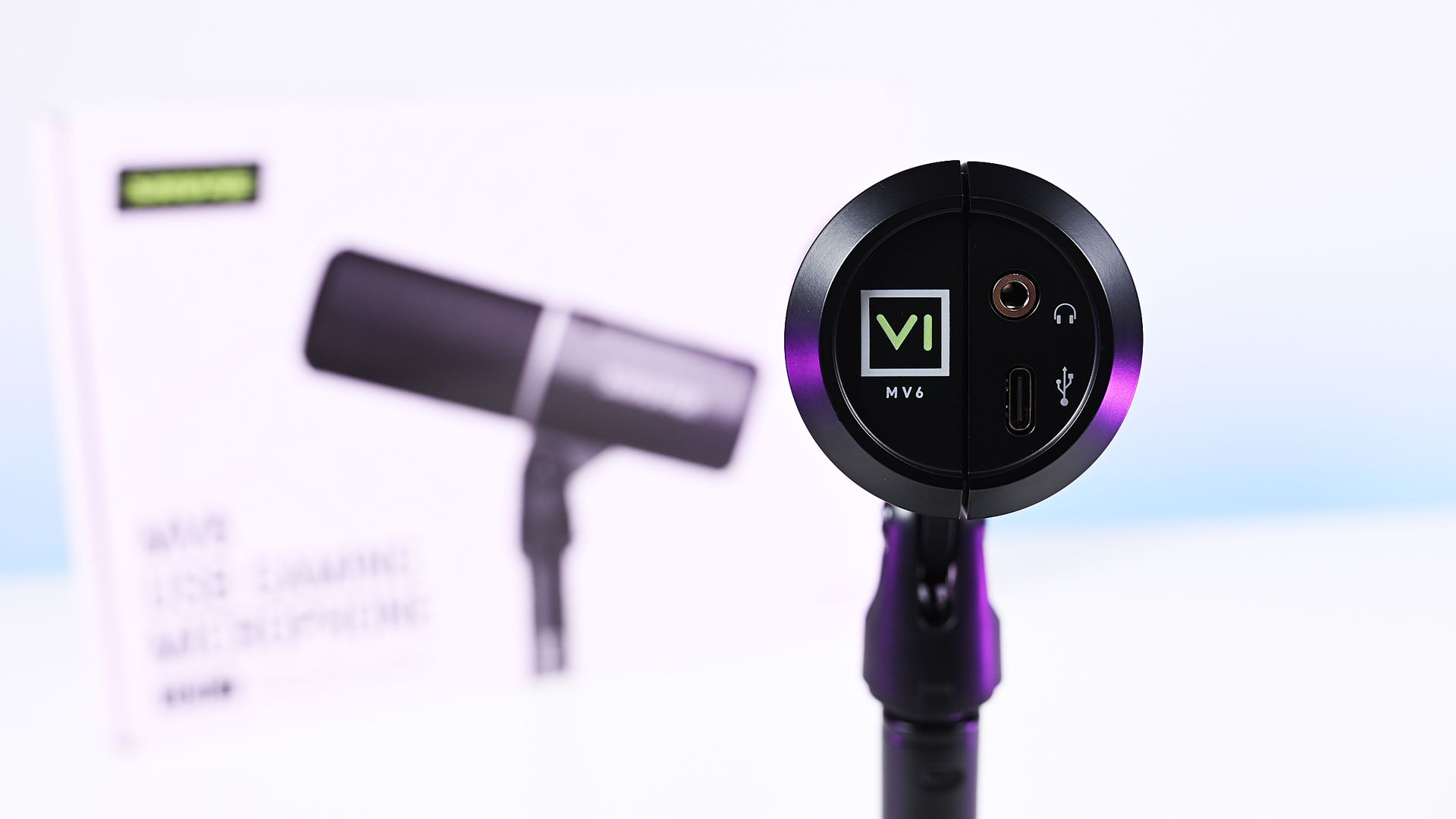
Direct bottom-up view of the Shure MV6 Gen 2 microphone displaying its 3.5mm headphone jack and USB-C port.

Direct bottom-up view of the Shure MV6 Gen 2 microphone displaying its 3.5mm headphone jack and USB-C port. (Image credit: Daniel Rubino)

At $169, the MV6 Gen 2 lands squarely in one of the most competitive segments of the USB microphone market.

That's a price bracket occupied by products like the Razer Seiren V3 Chroma 32-bit and HyperX QuadCast 2 S, both of which offer feature-rich experiences and recognizable gaming branding. The Shure takes a different approach. Instead of trying to out-RGB the competition, it leans heavily on audio quality, DSP processing, and the company's professional heritage.

On paper, the specifications are solid:

  • Dynamic cardioid microphone
  • USB-C connectivity
  • 24-bit / 48 kHz audio
  • Adjustable Auto Level processing
  • Real-Time Denoiser
  • Digital Popper Stopper
  • High-pass filter
  • 5-band EQ
  • 3.5mm monitoring jack
  • Windows, macOS, iOS, and Android support

Basically, these are all the things I want and need in a mic, and none of the extra stuff that I don't.

Shure MV6 USB Gaming Microphone Gen 2: Design and setup

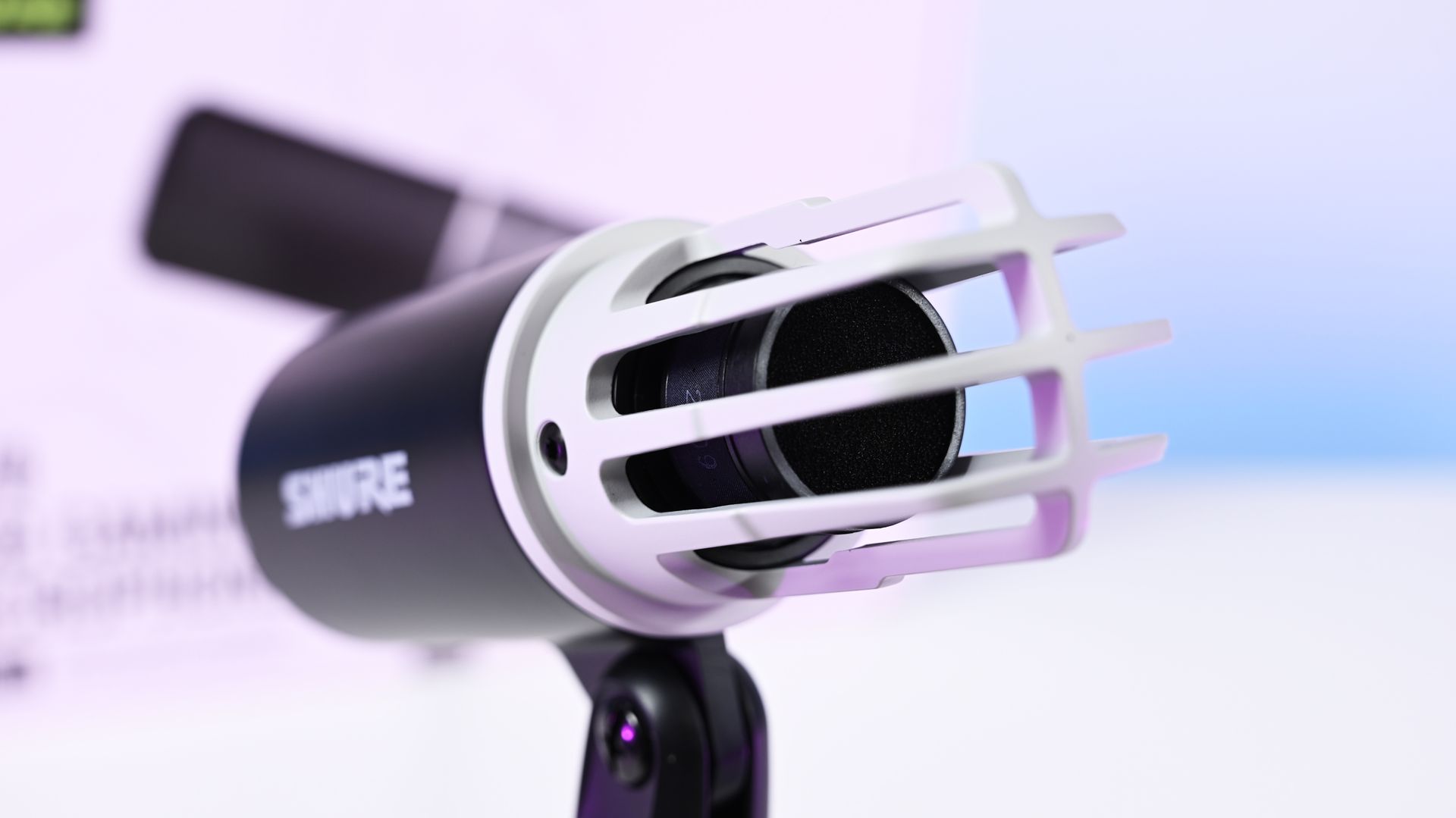
Close-up shot of the Shure MV6 Gen 2 microphone capsule with the foam windscreen off, showing the inner ribbed cage.

Close-up shot of the Shure MV6 Gen 2 microphone capsule with the foam windscreen off, showing the inner ribbed cage. (Image credit: Daniel Rubino)

The MV6 Gen 2 won't be mistaken for a gaming centerpiece.

Compared to the RGB-heavy HyperX QuadCast 2 S or the eye-catching Razer Seiren V3 Chroma, the Shure looks almost understated. The cylindrical design, compact desktop stand, and minimal branding prioritize functionality over personality.

Personally, I like that approach, but I also like glowy things.

The MV6 disappears into the background during video calls and recordings rather than demanding attention. It feels more like a professional tool than a gaming accessory.

Setup is about as painless as USB microphones get. Connect the included USB-C cable, select the device in Windows, and start talking.

One of the more interesting insights from my conversation with Shure involved the company's decision to omit XLR entirely. Shure believes many creators are paying extra for XLR connectivity (like the $249 Razer Seiren V3 Pro) they never actually use. By focusing exclusively on USB and investing heavily in onboard DSP, the company was able to keep costs lower while delivering audio quality that approaches much more complex setups.

Having owned mixers and used XLR microphones myself, I completely understand that reasoning. For most people, this approach makes more sense.

Shure MV6 USB Gaming Microphone Gen 2: MOTIV Mix software

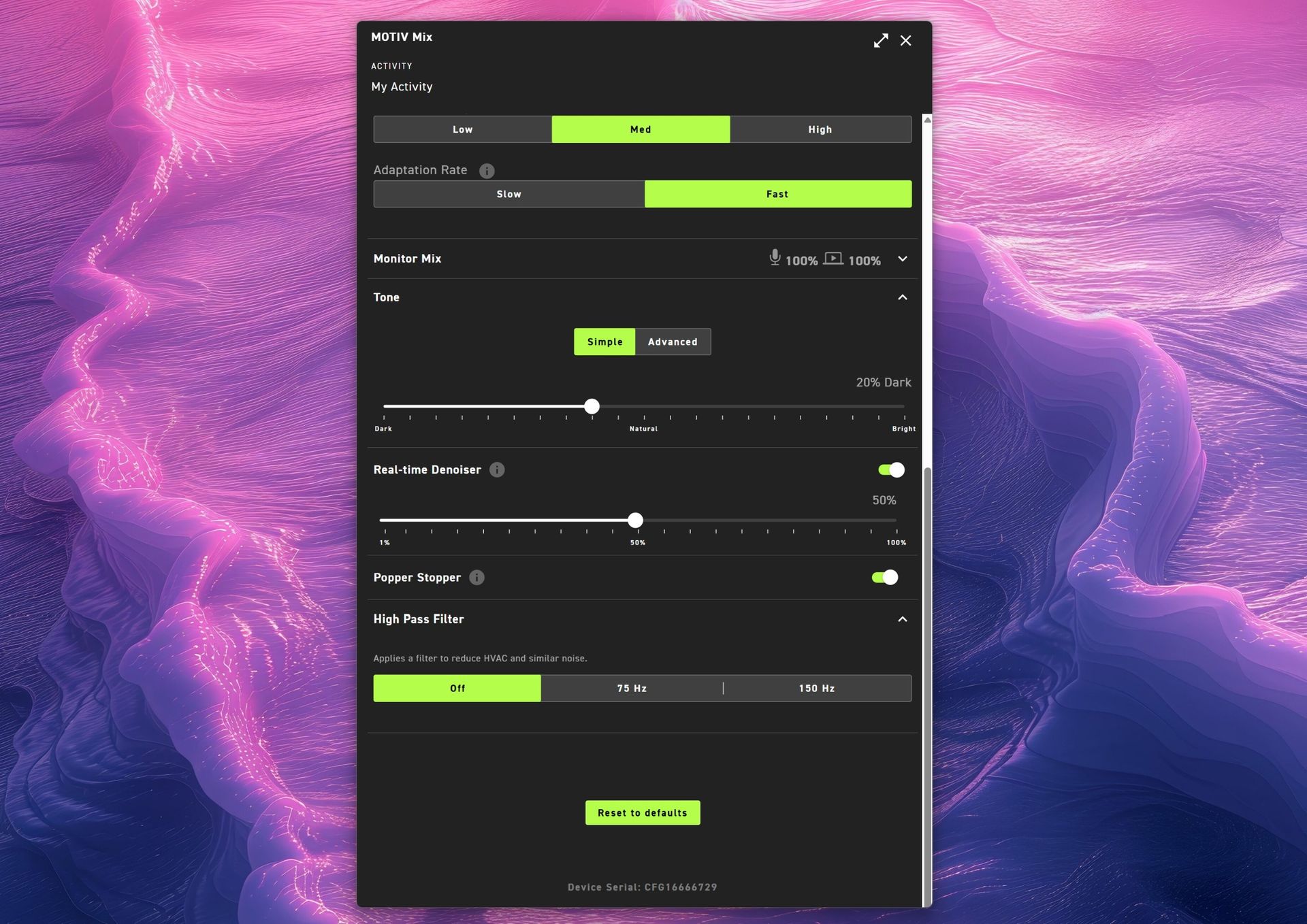
Shure MOTIV Mix app audio settings menu for MV6 G2 showing tone controls, 50% real-time denoiser, Popper Stopper toggle, high pass filter options, and a reset to defaults button.

(Image credit: Daniel Rubino)

The MOTIV Mix software is where many of the Gen 2 improvements come to life.

My first impression was admittedly amusing. The installer feels surprisingly old-school, almost like a utility from an earlier Windows era. Once installed, however, the application is refreshingly straightforward.

That's a good thing.

Companies often fall into the trap of treating audio software like a cockpit. MOTIV Mix feels more like a well-organized control panel.

One of my favorite additions is the ability to disable the microphone's touch-sensitive mute button on the side. The mute function works extremely well, maybe a little too well. I accidentally triggered it more than once while adjusting the microphone, so being able to disable it entirely turned out to be an unexpectedly useful feature.

Auto Level and Adaptation Rate

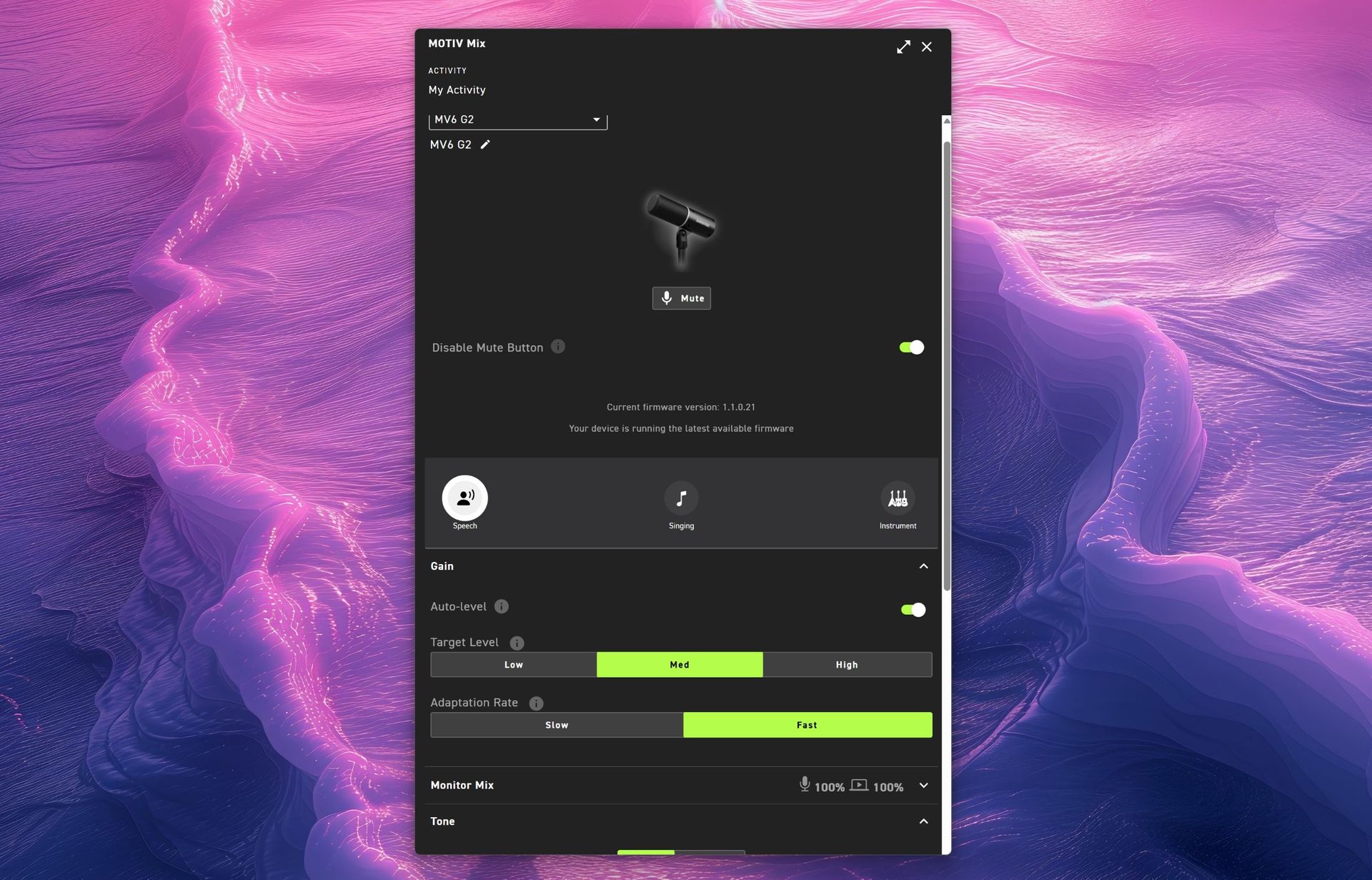
Auto Level is enabled by default and serves as Shure's answer to automatic gain control.

The new system allows users to set different output targets while also adjusting how quickly the microphone responds after loud volume spikes. According to Shure, this feature was added after feedback from gamers who found the first-generation microphone could take too long to recover after sudden loud reactions.

For streamers, podcasters, and excitable gamers, it's a genuinely useful improvement.

Monitor Mix

Monitor Mix lets users balance their own voice against system audio heard through connected headphones.

Anyone who records podcasts, livestreams, or interviews will appreciate having direct control over that monitoring experience without needing external hardware.

Shure MOTIV Mix Windows 11 app main interface for the MV6 G2 microphone showing mute, speech preset, auto-level gain toggles, target level settings, and adaptation rate.

(Image credit: Daniel Rubino)

Tone and Advanced EQ

The Tone section illustrates Shure's overall philosophy particularly well.

Users who don't want to learn EQ can simply slide between Dark, Natural, and Bright tonal profiles. Those who want deeper control can switch to a five-band EQ and manually adjust key frequencies.

It's an elegant balance between simplicity and flexibility.

Real-Time Denoiser

One of the standout Gen 2 upgrades.

The original MV6 offered denoising, but Gen 2 allows users to adjust its intensity. Whether you're recording in a quiet office or trying to overcome computer fans, HVAC systems, or general background noise, the Denoiser provides meaningful control over how aggressively the microphone cleans up your environment.

Popper Stopper and High Pass Filter

The Digital Popper Stopper is designed to reduce plosive sounds caused by hard "P" and "B" consonants. During testing, it worked well enough that I never felt compelled to add an external pop filter.

The High Pass Filter can be set to 75Hz or 150Hz, helping reduce low-frequency rumble from HVAC systems, vibrations, and other environmental noise. Combined with the denoiser, it's surprisingly effective.

Shure MV6 USB Gaming Microphone Gen 2: Audio quality

This is where the MV6 Gen 2 earns its asking price.

Throughout my testing, voices consistently sounded warm, natural, and broadcast-ready with remarkably little effort. The microphone's dynamic capsule does an excellent job focusing on the speaker while minimizing distractions from the surrounding room.

(You can listen to how it sounds above during my 3+ hour guest appearance on This Week in Tech a few weeks ago.)

More importantly, it sounds good before you open the software.

That might sound obvious, but it's becoming surprisingly rare. Many gaming microphones feel like they require software processing to reach their full potential. The MV6 Gen 2 starts from an already excellent baseline and simply gives you tools to refine it further.

That philosophy came up repeatedly during my conversation with Shure. I compared its audio approach to brands like Bose, where tuning and DSP should complement the product rather than compensate for its shortcomings. The expectation is that users plug it in and immediately sound better.

In my experience, that's exactly what happens.

Against the Razer Seiren V3 Chroma 32-bit, I generally preferred Shure's warmer, more natural vocal presentation for podcasting and spoken-word content. The Razer offers more visual flair and creator-focused effects (and the auto-tuning setup in Synapse is great), but the MV6 sounded more like a broadcast microphone.

Compared to the HyperX QuadCast 2 S, the Shure again prioritizes voice quality over spectacle. The HyperX remains one of the best-looking microphones on the market, while the MV6 feels more focused on delivering clean, professional audio.

Neither comparison is a knock against Razer or HyperX. Instead, it highlights how different Shure's priorities are. This feels like an audio company that happens to be making a gaming microphone rather than a gaming company trying to make an audio product.

Shure MV6 USB Gaming Microphone Gen 2: Competition

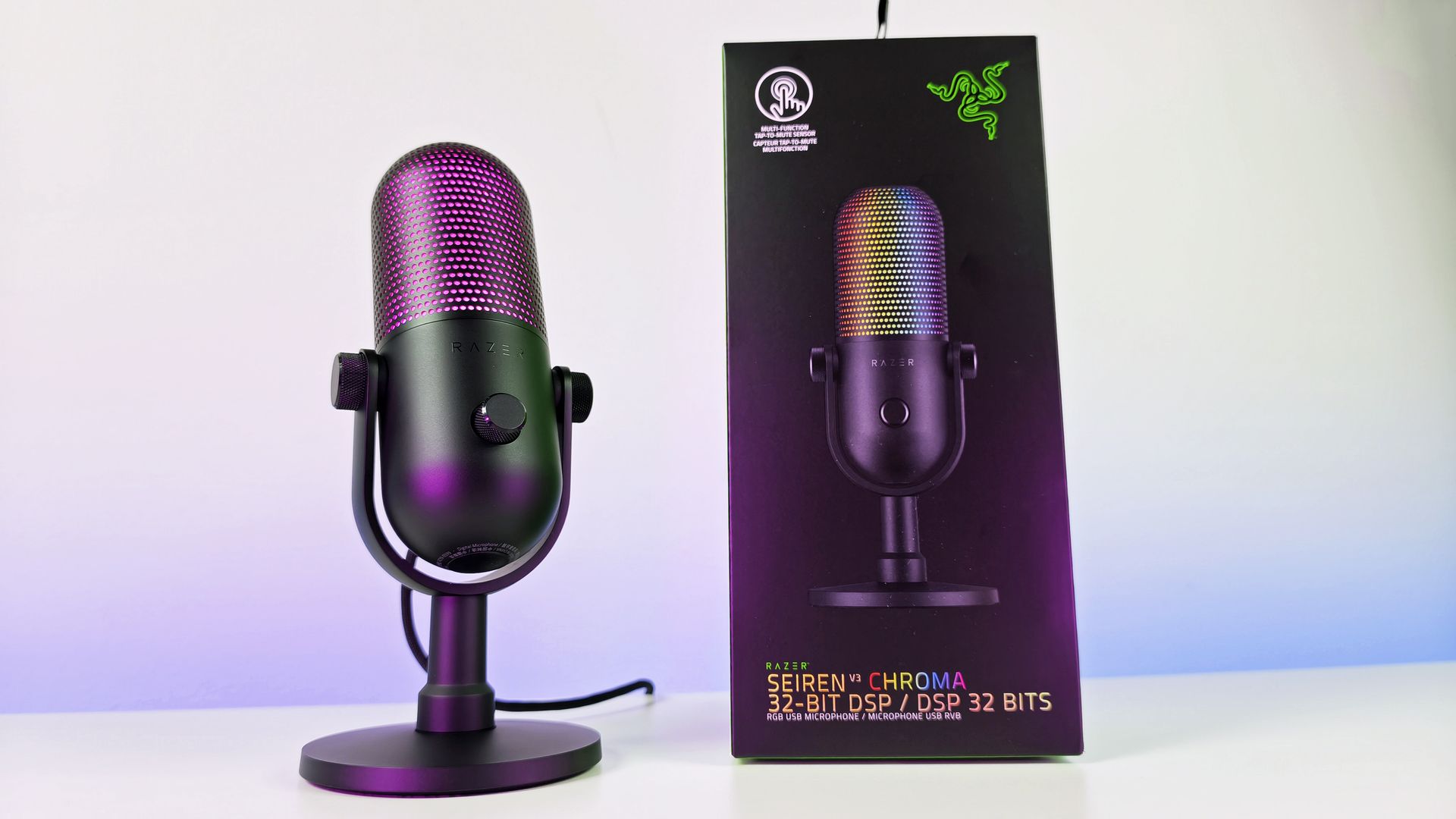
Razer Seiren V3 Chroma microphone on its stand next to its black product box on a white table.

Razer Seiren V3 Chroma microphone offers similar capabilities to the Shure MV6 Gen 2, but with a lot more typical gaming RGB flair. (Image credit: Daniel Rubino)

The biggest competition comes from the Razer Seiren V3 Chroma 32-bit and HyperX QuadCast 2 S, both of which we've reviewed and given high praise.

If RGB lighting, aesthetics, and streamer-focused visual features are top priorities, either competitor may be the better fit.

If audio quality is the top priority, the MV6 Gen 2 presents an extremely compelling argument.

Shure's competitive advantage isn't lighting, software effects, or gaming branding. It's more than 100 years of microphone experience combined with DSP technology that originated from the company's broader professional audio business.

That heritage is difficult to replicate.

Should you buy it?

✅You should buy this if ...

  • You want excellent audio without needing XLR hardware
  • You podcast, stream, create videos, or appear in meetings regularly
  • You value audio quality more than RGB lighting
  • You want useful DSP features that work automatically

❌You should not buy this if ...

  • RGB lighting and visual customization are important to you
  • You want a microphone with multiple polar patterns
  • You prefer software ecosystems as polished as Synapse or NGENUITY

Final thoughts

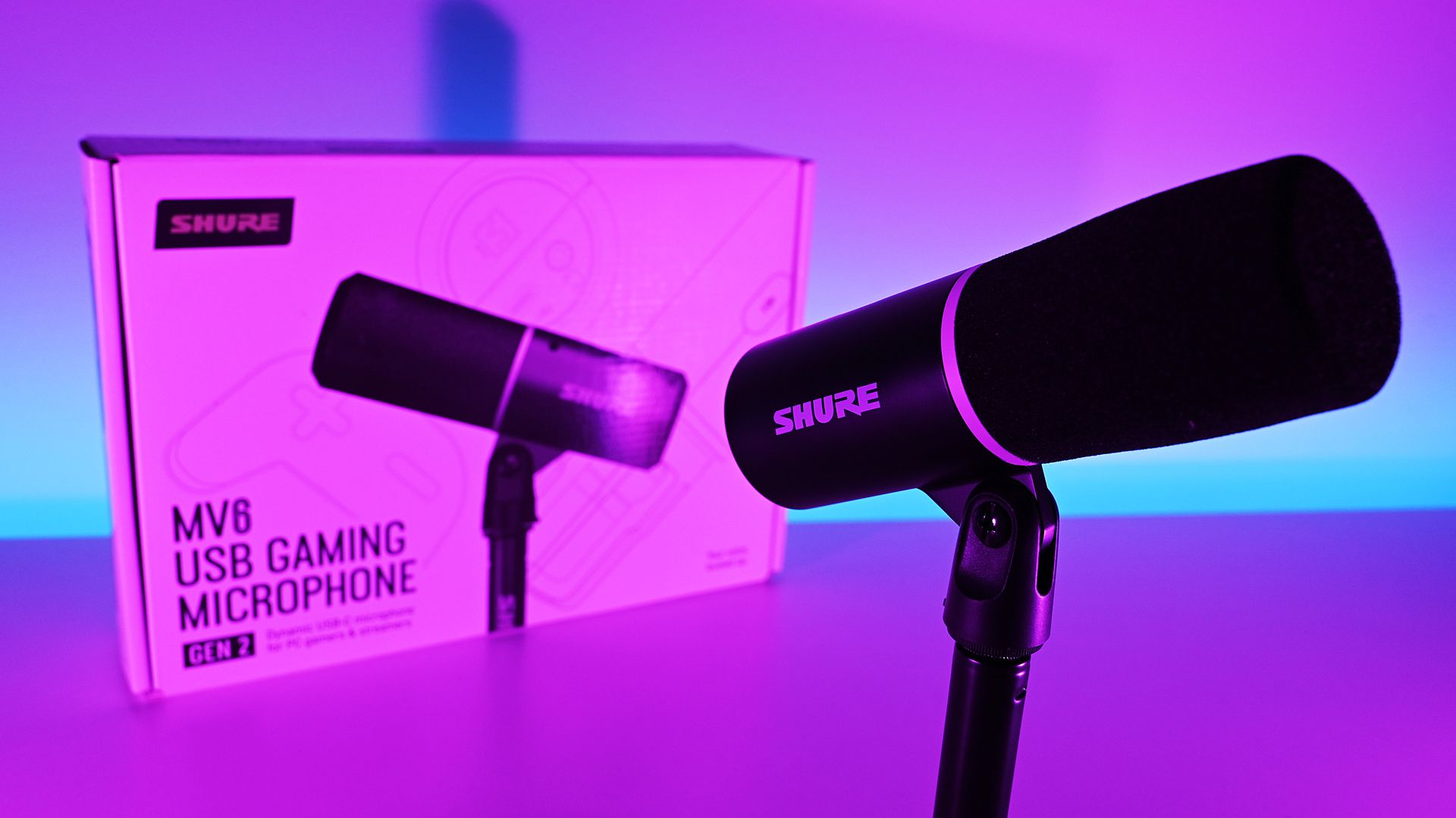
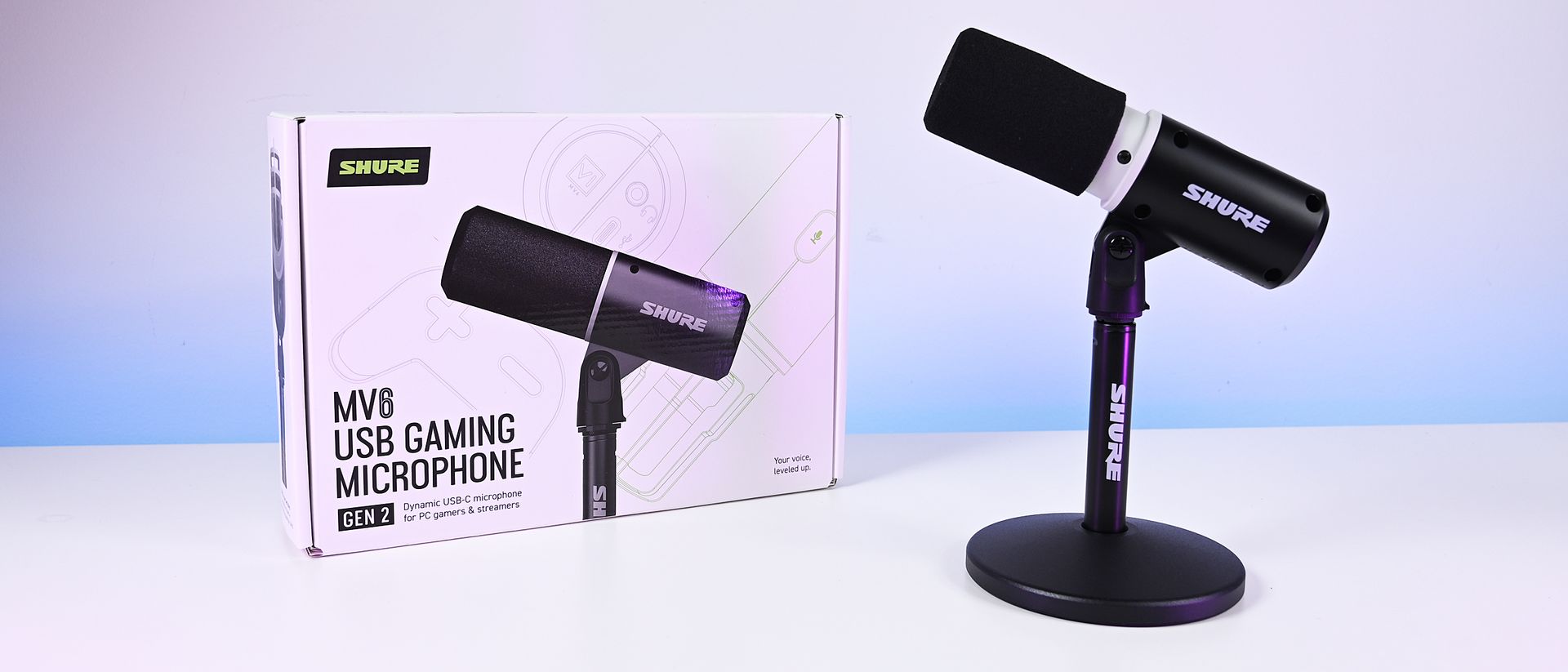
Shure MV6 Gen 2 microphone and retail box illuminated under vibrant pink and purple studio lighting.

(Image credit: Daniel Rubino)

The Shure MV6 USB Gaming Microphone Gen 2 feels less like a gaming microphone and more like a professional USB microphone that happens to be affordable enough for gamers (or anyone who just needs a good mic that's not XLR-level).

For a first-time Shure user, that's probably the biggest compliment I can give it. After years of seeing Shure microphones dominate podcasts and broadcasts, I finally understand why so many creators trust the brand. The sound quality is excellent, the setup is effortless, the DSP features are genuinely useful, and the software gives you just enough control without becoming overwhelming.

My only real criticism is that MOTIV Mix lacks some of the visual polish and ecosystem refinement found in competing software suites. Beyond that, there isn't much to complain about.

At $169, the MV6 Gen 2 delivers exactly what Shure set out to achieve: professional-grade audio that simply works.

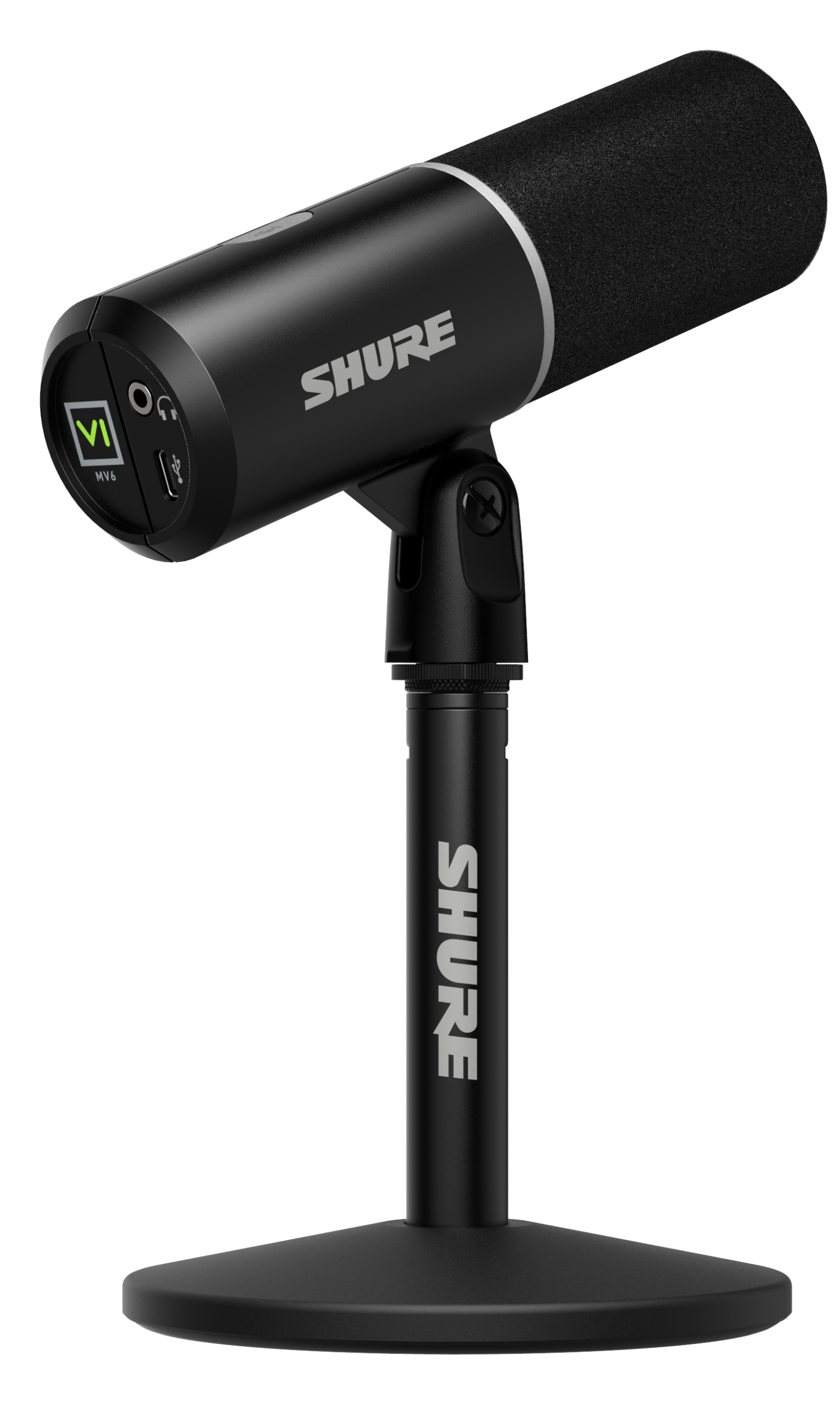
The black Shure MV6 USB Gaming Microphone Gen 2 at a 45 degree angle on its included desk stand.

Professional Grade
Shure
MV6 USB Gaming Microphone Gen 2

Engineered specifically for PC gaming, streaming, and content creation, the MV6 Gen 2 brings Shure's professional broadcast technology to more creators, including those purchasing their first dedicated microphone and looking to elevate their sound beyond a headset.

Click to join us on r/WindowsCentral

Join us on Reddit at r/WindowsCentral to share your insights and discuss our latest news, reviews, and more.
❌