 Bugged by a Bluetooth device you use not showing battery levels in Ubuntu? There is a something you can try that may get it to appear. Ubuntu, like most desktop Linux distributions Ubuntu, use Bluez as its Bluetooth stack. This powerful, open-source tech works with a wide range of bluetooth devices including mice, keyboards, gamepads, bluetooth headphones, sound bars, speakers, and so on. In most cases, Bluetooth devices “just work” in Ubuntu once you’ve paired them. Most Bluetooth devices with a battery show their battery level in Settings > Power panel (if the device is connected, obviously). But you might […]
You're reading How to Enable Bluez Experimental Features in Ubuntu, a blog post from OMG! Ubuntu. Do not reproduce elsewhere without permission.

 Connexion
 Among the many new features in Ubuntu 24.04 LTS is the ability to access your Microsoft OneDrive files through the Nautilus file manager. No 3rd-party app downloads, no dodgy scripts to run, and no paid plans to cough up for because this nifty feature is part of GNOME 46 (and available in any Linux distribution using it, not just the latest Ubuntu LTS). OneDrive file access works the same way as the (long-standing and popular) Google Drive integration: a Gvfs backend authorised through GNOME Online Accounts (via the Settings app), and then surfaced as an entry in the Nautilus sidebar. […]
 If you only started using Ubuntu sometime after 2012 then you have my apologies: this article won’t make a whole lot of sense. But if your roots with the distro reach back farther then the following curio might appeal (though that ‘might’ is, I accept, doing a lot of lifting). When I reported on the new IRC-based chat app Linux Mint is building a commenter amusingly referred to IRC adherents as “nostalgia connoisseurs”. In some ways, that label applies to me for writing this post. I am a nostalgic dweeb — sorry/not sorry! 🙈 — and the “golden era” of […]
 A new GNOME Shell extension lets you turn any app in to a picture-in-picture window on Ubuntu. You’re probably familiar with picture-in-picture mode (PiP) in web browsers as Mozilla Firefox and Google Chrome both let you to “pop-out” videos from websites like YouTube. This lets you view them in a thumbnail-size window that’s outside of the browser, floating over/on top. For online video PiP is useful. It means I can switch to a different tab but keep watching a YouTube video (or media from any supported site) or follow an online video tutorial, e.g., ‘how to do cool thing in […]
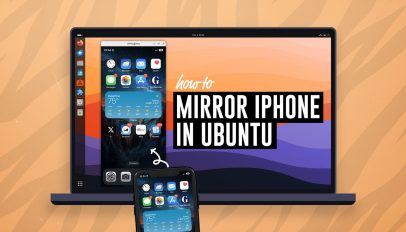 Do you want to mirror your iPhone screen on your Ubuntu desktop? There’s a free, open-source app in the Ubuntu repos that lets you do it. If you’re looking to mirror your iPhone or iPad to Ubuntu UxPlay is the easy way to do it — and it’s free, open-source software It’s called UxPlay and once you have installed it you can quickly share your iPhone (or iPad) screen to Ubuntu with audio, and you don’t have to install an app on your Apple device to use it. Whatever is shown on your Apple device screen is streamed to your […]
 Just before Christmas I was introduced to a handy script that makes it easy to install the latest Enlightenment desktop release on Ubuntu 22.04. Emphasis on latest as (I’m sure you already know) you can install the Enlightenment desktop in Ubuntu straight from the archives, i.e. no PPAs, 3rd-party repos, or scripts required. However, Ubuntu’s archive snapshots of Enlightenment are almost always of an older version. Depending on which Ubuntu version you use, that snapshot may lag behind the most recent release by several years. While there’s nothing wrong with using an older version of anything (as long as it […]
