Google’s recent ‘structural simplification’ led to 200 people across many of its core development teams, including Python, Dart, and Flutter, losing their roles. With Canonical committed to using Flutter for its own desktop apps the news of layoffs in the team responsible for building the framework has left some in the wider Ubuntu community worried about its future viability. The new Ubuntu Installer, Firmware Updater, App Center, and the (currently MIA) Desktop Security Center are all built using Flutter, which is Google’s cross-platform Web-based UI framework underpinned by the Dart programming language. And within the Ubuntu Flutter community a number […]
Canonical has published a draft release schedule for Ubuntu 24.10 ‘Oracular Oriole’. According to the timetable we should expect the final stable release of Ubuntu 24.10 to arrive on Thursday October 10, 2024. Six months of development lay ahead, with a beta release of the ‘Oracular Oriole’ set to take flight on September 19, followed by a release candidate build on October 3 to help identify extant issues. As a short-term or ‘interim’ release Ubuntu 24.10 will only get 9 months on support from its release. Short but sweet and it dovetails into the Ubuntu 25.04 release due in April […]
Canonical kernel engineer Juerg Haefliger has shared an update on Ubuntu support for the Lenovo ThinkPad X13s (Gen 1) laptop. The 13-inch Lenovo ThinkPad X13s is an ARM laptop powered by a Qualcomm Snapdragon 8cx (gen3) processor with Adreno 690 GPU, 16 GB RAM, a 256 GB SSD, and claimed ~28 battery life. It comes preloaded with Windows 11 Pro for ARM by default. Last year a quasi-official (albeit experimental) Ubuntu 23.10 install image was released for this device, spearheaded by Juerg and the engineering effort he’d made to support it. The ISO was made available to download from the […]
Fans of open-source racing game SuperTuxKart will be stoked to hear devs are busy in the pit lanes pepping the next major update — and it’ll launch this summer. SuperTuxKart 1.4 was released back in 2022 with a ton of improvements that fine-tune, fix-up, and finesse performance, gameplay, and stability. But it’s been a while since any major new features were put in the tank (so to speak). But things shift up a gear in SuperTuxKart 1.5. This summer, SuperTuxKart 1.5 gets off the starting line with a welcome clutch —no, I’m sorry about these puns— of improvements and buffs […]
Media Progress is a new GNOME Shell extension that adds a real-time progress bar to the MPRIS notification/sound control doohickey that shows in the notification area. This extension doesn’t do else bar (heh) that, but as simple enhancements go it’s a nifty one. More than a mere indicator, the progress bar the extension adds is interactive and seekable. Click anywhere in the progress bar to jump to that position (which is handy if listening to something long, like a podcast or audiobook). As of writing the Media Progress extension supports GNOME 46. To use it you will need to be […]
Linux Mint 22 will include a Matrix web client preinstalled when released later this year. The IRC-based desktop chat app Linux Mint has been building, Jargonaut, to replace Hexchat and provide real-time communication for its users, will no longer be included (the status of any future development uncertain). Why the change? “Jargonaut […] works well and does exactly what we want. Its implementation was relatively easy and I’d say it’s now 75% complete,” Linux Mint lead Clément Lefèbvre says. But he adds that “feedback about Matrix” led to the team testing it, liking it, and deciding to switch. As such, […]
It seems that the popular command-line system info tool Neofetch is dead, Jim. The Github repo for the project was archived by its main developer last week and is now read-only, a sure sign that development has well and truly ceased to be. Not that this is a shock. Development on Neofetch seemed to stall a few years back as bug reports piled up, pull requests were ignored, and the developer stop replying. The last update to Neofetch was made in 2020. I’m a big fan of Neofetch and have used it on all my installs since discovering it in […]
The Nextcloud Conference is not your average event – it’s a community meetup that brings together Nextcloud enthusiasts, contributors, developers, users and industry experts from all over the world. Once a year, this is a unique opportunity to connect with like-minded individuals, learn about the latest developments in the Nextcloud ecosystem, collaborate, discuss, contribute, code and help shape the future of Nextcloud Hub!
We are excited to officially announce this year’s Nextcloud Conference and Contributor Week!
Listen to thought-provoking talks from renowned speakers who will share their insights and visions
Panel Sessions
Engage in insightful discussions led by experts and community members on Nextcloud-related topics
Lightning Talks
Participate in lightning talks, where you have the opportunity to share your own Nextcloud projects, ideas, and success stories in a quick and dynamic format
Community Building
Engage with the vibrant Nextcloud community, share your feedback, contribute to discussions, and help shape the future of the platform
Hands-on Workshops
Participate in interactive workshops to gain practical knowledge and learn new skills related to Nextcloud development, security, and more
Networking Opportunities
Connect with fellow Nextcloud enthusiasts, developers, and users. Share your ideas, collaborate on projects, and build lasting relationships
If you’ve never attended our conference before, we invite you to check out the highlights and insights from last year’s Conference and Contributor Week. Last year’s program will give you an idea of a tentative schedule and our blogs covering day 1 and day 2 will show you more of what it’s all about!
Please stay tuned for more details about the official conference agenda, exciting speakers and more. You can also stay up to date on our social media channels, community forums and website for updates and announcements.
Contributor Week from September 16-20
As is custom, after the Nextcloud Conference weekend we continue the fun with our famous Contributor Week at the same location, MotionLab.Berlin!
From September 16-20, we invite you to join us to collaborate on Nextcloud improvements in design, functionality, stability, performance and features. It is a unique opportunity for developers to dive deep into the codebase, exchange ideas, and work closely with other Nextclouders. The atmosphere is vibrant and collaborative, fostering an environment of learning, growth, and innovation. By the end of the week, participants not only have gained invaluable experience but also made significant contributions to the Nextcloud project, helping to shape its future. Contributor Week at the Nextcloud conference is a celebration of open-source collaboration, fostering a strong sense of community and collective effort.
We share code, thoughts, inspiration, beer and knowledge, working in areas like:
Coding (PHP, JS, C++, Objective-C, Java)
Design & Front-end
Testing
Translation & Documentation
And more!
Event location the inspiring MotionLab.Berlin!
Supporting diversity in open source
Diversity strengthens a community. The Nextcloud Include initiative helps underrepresented groups to join the Nextcloud project, building an inclusive and diverse space where we collaborate and develop world-class software.
We want to support participants from underrepresented groups in Open Source to join Nextcloud Conference by sponsoring part or the whole of their transportation and accommodation costs.
Mark your calendars and get ready to join us for an unforgettable Nextcloud Conference in the inspiring MotionLab.Berlin! Together, let’s empower individuals and organizations to take control of their data in a privacy-respecting and secure manner.
We look forward to the conference and hope to see as many of you as possible for another awe-inspiring year!
Please note that the last quarter of the year is a busy one in Berlin. We try our best to avoid overlap with major events happening in the city, but there’s major events every day in Berlin so we recommend you to plan ahead, and book sooner rather than later!
A new version of the open-source music player Amarok has been released, the first major update to the Qt-based media app since 2018. Amarok 3.0 is the first stable release to use Qt 5 and KDE Frameworks 5, and work to port the music player to the the newest Qt 6 and KDE Frameworks 6 is, its devs say, soon to get underway. “Common usecases should work quite well, and in addition to fixing KF5 port related regressions reported in pre-releases, 3.0 features many bugfixes and implemented features for longstanding issues, the oldest such documented being from 2009,” devs say. […]
Mozilla devs are bringing more customisation options to the new tab page in Firefox. A number of modern web browsers, including Google Chrome, allow users to set a custom image as the backdrop for the new tab page: As the new tab page is (by default) set to show when a browser is launched and every time a new tab is opened it’s a highly visible (if often fleeting) part of users’ browser experience, making customisation a popular request. But while Mozilla Firefox offers an array of advanced features and settings that put it on a par with rival browsers […]
Want to know the official codename of Ubuntu 24.10? Although Ubuntu 24.04 LTS has only just been released the pace of development marches ever on. Ubuntu developers are already beginning to bootstrap the base on which the next short-term release of the popular Linux distribution will be built. Ubuntu 24.10 will be released in October, 2024 and, upon release, receive 9 months of updates. Of course, as we all know: every new Ubuntu release gets its own alliterative codename made up of an adjective and an animal (real or mythological). For Ubuntu 24.10 they’ve settled on “Oracular Oriole”. Cute, but […]
With Ubuntu 24.04 LTS released and a long weekend upon us you might be planning to upgrade an existing Ubuntu install to the latest version. But don’t. For one, “officially” you can’t since Ubuntu 24.04 LTS upgrades are not yet enabled, neither from Ubuntu 23.10 nor 22.04 LTS. But that doesn’t stop us folks from upgrading manually. They hear that a new version of Ubuntu is out and stable, they don’t fancy the faff of a fresh install, and they don’t want to wait for the “new version available” upgrade prompt to appear on their desktop. So they go to […]
Arriving alongside the main Ubuntu 24.04 LTS release are new versions of the official Ubuntu flavours, including Kubuntu, Xubuntu, and Ubuntu Cinnamon. What follows is a concise, top-level overview of the key new features and changes in some of the most popular Ubuntu flavours, plus the relevant downloads links to snag an ISO need should be tempted into trying a few flavors first-hand. Unless otherwise noted, all flavours share the same foundational footprint as the main release, e.g., Linux kernel, graphics drivers, tooling, etc. But some fears, like the Flutter-based OS installer and the snap-centric App Center aren’t used in […]
After 6 frenzied months of development the final stable Ubuntu 24.04 LTS release has arrived and is available for download. Ubuntu 24.04 LTS (codenamed ‘Noble Numbat’) includes a rich array of new features ranging from an enhanced desktop installer and a the latest GNOME desktop to gaming improvements and a new Linux kernel. As a long-term support release Ubuntu 24.04 LTS gets 5 years of select apps updates, security fixes, kernel upgrades, and other buffs, and a further 5 years of extended security coverage via Ubuntu Pro. Plus, enterprise customers can buy an additional 2 years of coverage to make […]
A new version of Clapper, a GTK4-based video player for Linux desktop has been released — the first major update in nearly 2 years. I first wrote about Clapper back in 2021 having been seduced over by its slick user interface (a superficial reason to like a media player, I know), its use of GStreamer, and a small but focused feature set that wasn’t trying to distract me with features I’d never need. Subsequent updates to the app refined and expanded those selling points further and player remained my preferred video player, despite the lack of any major update since […]
as we are announcing Nextcloud Hub 8 here at the Nextcloud Enterprise Day in Munich, our customers and partners are presenting their own and unique use of Nextcloud. Tens of millions of users trust Nextcloud to protect their data.
These include private users, running their own Nextcloud, or using a hosted solution from the likes of América Móvil or Deutsche Telekom. Businesses, keeping data on their own servers or hosting at one of our official partners. And the public sector, with universities, cities, governments and international organizations like Amnesty International using Nextcloud to stay safe. They maintain their own servers or host with partners like Bechtle that offers tender-free Nextcloud for the public sector in Germany.
We build Nextcloud to give you control over your data. In terms of who has access, but also what. Our world is digital, and AI is digging through all its data. It can use that for good – create fun meme, summarize your mails or help medical research. But should it operate heavy machinery or be used in the courts or HR departments?
While society finds its way through these dystopian questions, we make sure you have control. Different options, plus transparency over what AI does and how helps you make informed choices. That aligns with our core values of transparency, community and collaboration.
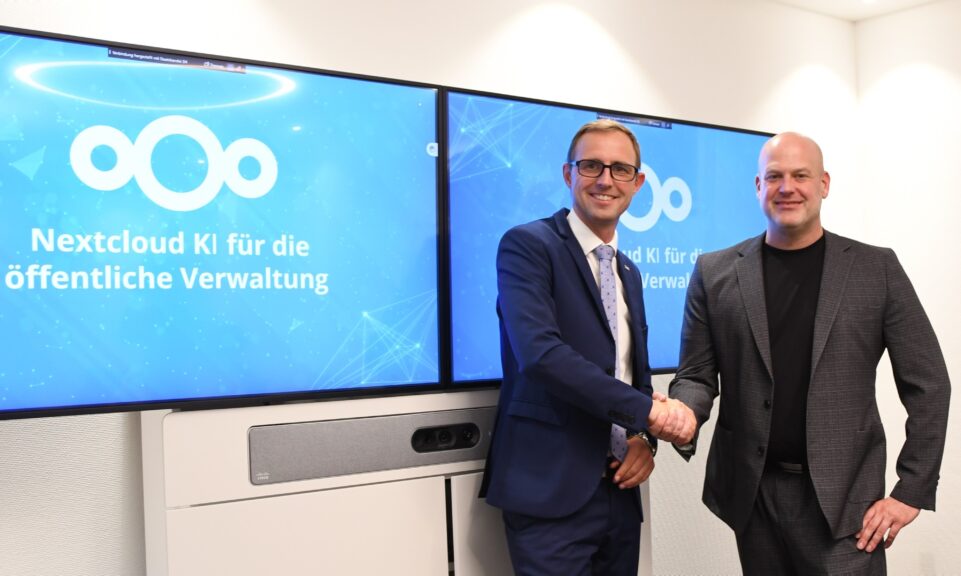
This release introduces many abilities specifically for the public sector. Some of those are AI related, developed together with public sector partners like the German state of Schleswig-Holstein, presenting here today. Others tick off important requirements like our new European accessibility certification, improved scalability or federated chat. But all of these benefit every Nextcloud user, at home, in an office or working in a cafe somewhere!
This release is faster, scales further, and gives you more control over your data than ever before. Whether you watch our release video or read the blog, we are looking forward to your feedback, and, as always, hope Nextcloud serve(r)s you well!
Greetings, Jos & the Nextcloud team
Performance is now
Nextcloud Hub is the place where everything you need to be productive comes together in a connected, user-focused platform. Working on the improvements in Nextcloud Hub 8, we set a goal to give you half of your day back so you can take a breather!
Nextcloud Assistant 2.0
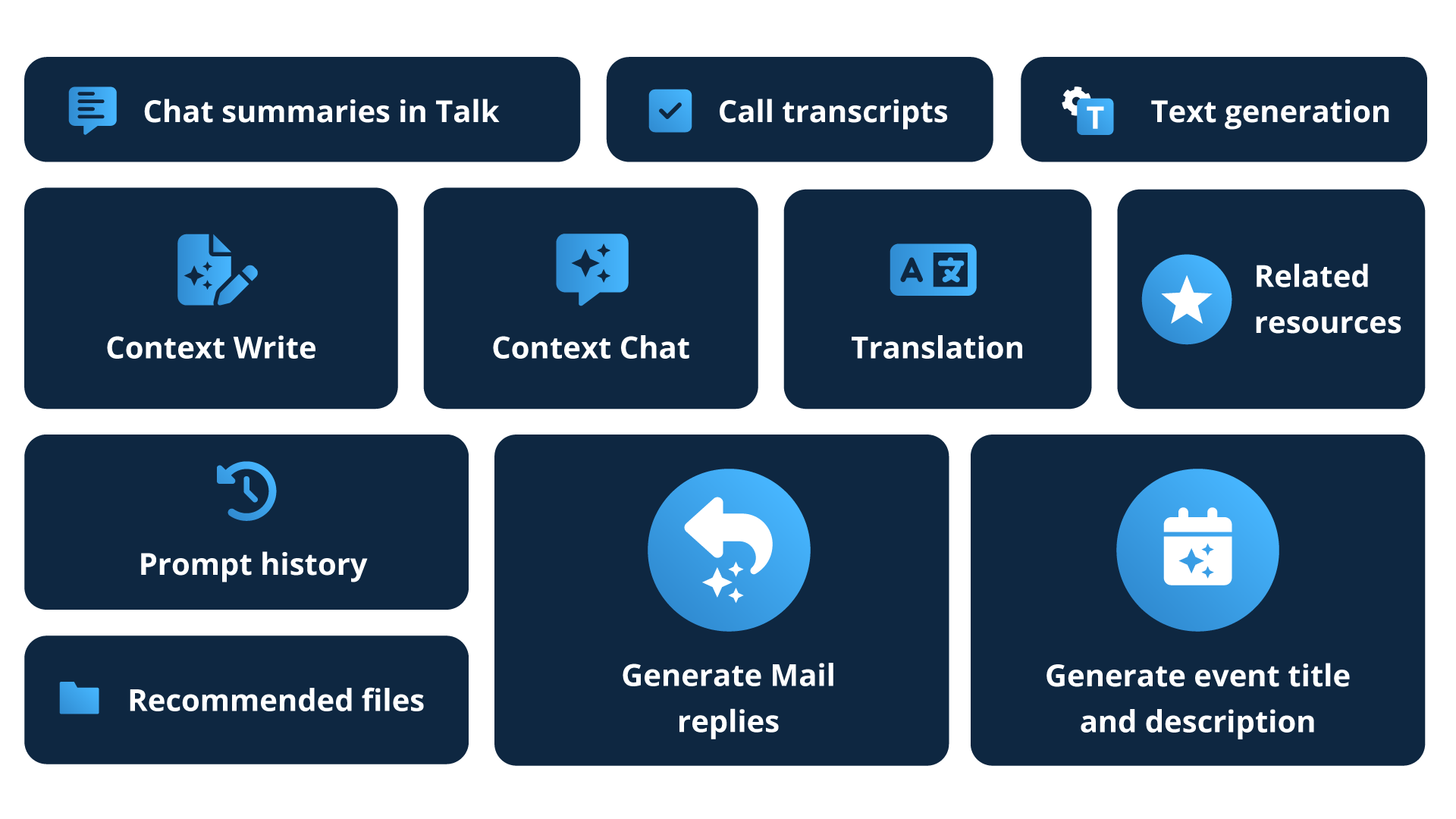
The first change comes in the introduction of the Nextcloud Assistant version 2. Context awareness mechanics introduced with Context Chat and Context Write lets the Assistant know even more about your work than you do. Worry not about privacy — Assistant is itself a part of your Hub and doesn’t send your data anywhere.
Nextcloud Teams
Shifting gears to teamwork, meet Nextcloud Teams — the next evolutionary leap for Circles. Teams arrives in Hub with the new team overview, quick access to shared resources, and a dashboard widget. And we are only getting started!
Speedy new Mail
A hefty part of your day you spend in Mail. With Hub 8 we made it faster — so you can go home earlier. The background sync is now twice as fast, the improved UI ensures comfort for a smooth morning catching-up, while replying takes less time with the addition of AI-powered suggestions.
Advanced Talk
Reaching out to users from another Hub is a breeze with federated messaging in Talk. More on Talk features, we added message editing, sparing you the delete-and-rewrite dance. Many improvements come your way in conferencing too, making presenting and group calls more comfortable and efficient.
Optimized Files
Hub 8 gets you to your files faster. Enjoy your private, clutter-free space with a Personal files section. Share downloads with confidence using one-time links. Preview and edit files linked across Hub with new interactive widgets. Discover optimized navigation for photos.
And so much more in Hub 8!
BITV 2.0 certification, incredible improvements in Tables, more automation in Forms, major performance updates in Office, and many other news are waiting for you in Hub 8. Get it now to see for yourself, or buckle up as we lead you through every new feature you need to know about.
Take Nextcloud Hub 8 for a test drive
Explore Nextcloud Hub 8 and try all of the core apps to unveil the potential of a collaboration platform trusted by tens of millions of users across the globe.
Build an efficient, sovereign, AI-powered workspace with Hub. Welcome Nextcloud Assistant 2.0, new integrations and new AI deployment mechanics.
AI features already available in Hub
Ask Assistant about your own assets
Hub 8 enables Nextcloud Assistant’s new context awareness features. One of them is Context Chat, a smart chat bot that can access your data and answer questions about your documentation, contracts, papers, reports or anything else. You can manually define the scope and even limit it to a specific folder or file for more precision.
Here you can enter your prompt.
You can optionally choose what documents should be used
And here are the results!`
And it’s not limited to Files: we developed an API that allows Assistant to look into Mail, Calendar, Talk, Deck and other apps to fetch info about important meetings, tasks received via emails and chats, and any other data from those apps. Over the coming weeks and months, we are going to gradually implement the Context Chat API across the Hub ecosystem, making Context Chat ever smarter.
Texts written your way with Context Write
Context Write is another new feature of Nextcloud Assistant powered by context awareness. It can derive context from existing files to convey their unique tone, wording, and even structure to create new texts with the data you provide. Tell the Assistant about your working experience and give it a nice CV file, and it will create a custom CV for you. Share meeting notes and ask it to write a formal report similar to your reference – done!
Generate Mail replies and automate events in Calendar
With Hub 8, we add more Assistant features to Groupware tools. Get reply suggestions based on your conversation history in Mail. Create Calendar events from emails without leaving the Mail app, automatically generate event titles and descriptions, and even an agenda. Go ahead – take an extra coffee break!
Chat summaries in Talk
Summarization of team meetings and spontaneous brainstorms in Talk chats makes it easy to get a refresher on previous discussions. The new AI Talk bot can recap your conversations, describe the discussed topics and define tasks based on chat activity. Give it a preferred time to deliver the summary, and it will send it in the chat when scheduled.
Prompt history and even more tools in Assistant
Assistant 2.0 gives you even more control. Access prompt history when you need to reuse your past prompts, and ask the Assistant to stop unfinished tasks if no longer needed. We also gave even more functionality to the Assistant, adding built-in image generation and speech to text features.
Synchronous tasks in Text
Text now supports running Nextcloud Assistant tasks in a synchronous way. If your AI provider is able to return the results fast enough, the Assistant can deliver them in the window right away. If it takes longer, you can choose to run the job on the background and get notified once it’s done.
Assistant on-the-go
Access Assistant from any device on the go to draft texts, compose mail responses and create social media messages — with Nextcloud Assistant now available in mobile clients.
Deploying AI
For these AI features to work smoothly, you will need some serious hardware. This unfortunately will not be a fun experience on your Raspberry Pi. But! Luckily, a number of businesses have started to provide AI-as-a-Service, running various open source models that Nextcloud supports in a way that you can connect to remotely. While this is great, unfortunately nearly all these companies are American-based, with a few in China. If you live in the USA, that is of course perfect – the data stays in your jurisdiction, and you have a choice of local providers. But for our users in Europe, this is less than ideal. The US jurisdiction unfortunately treats the data of European users with less than ideal respect for privacy, in no small part thanks to the CLOUD act signed into law by the former US president Donald Trump.
we have been working closely with several major European hosting companies including IONOS, OVHcloud and plusserver to integrate their upcoming AI-as-a-Service solutions. This will make them available to Nextcloud customers and users who wish to take advantage of the advanced AI functionalities in Nextcloud Hub but don’t wish to host AI services themselves.
OVHcloud is thrilled to collaborate with Nextcloud in delivering state-of-the-art Digital Sovereign AI solutions to our customers. We are aligned with Nextcloud’s commitment to offering secure, privacy-conscious AI functionalities that safeguard training data and adhere strictly to GDPR regulations. We are excited to announce that this integration will become available in Q2 2024, marking a significant milestone in our journey towards responsible AI innovation.
Germain Masse, AI Product Marketing Manager at OVHCloud
We are proud to offer Nextcloud customers a solution that complies with European data protection regulations. Reliable, trustworthy, and local AI services will be key to protecting their digital sovereignty for both the public and private sectors in Europe.
plusKI brings cutting edge, open source AI technologies in a compliant and digitally sovereign service to the German market. We are excited to work with Nextcloud to make this available to their customers as back-end to the new generation of the Nextcloud Assistant.
Christian Schmitz, Director Open Source at plusserver
Ready for mission-critical deployment
We know that AI works miracles when it comes to automation: it can make your work easier, save your time and hopefully get you back to your family and friends sooner each day. But we’re also aware of its downsides, some similar to the challenges brought about by the big tech firms, some unique to AI.
They say sunlight is the best disinfectant. We want to offer you the best of AI, but also provide transparency and choice. You’re the one who decides where and how to use AI in Nextcloud and equally how to balance its benefits with privacy, environmental impact, and more.
Building sovereign AI in collaboration with the German government
Nextcloud teamed up with the government of German state Schleswig-Holstein to build sovereign AI tools for state administration needs. This will allow the state office to amplify process automation, create value for domestic digital economy, and notably set an example for AI strategy building within public sectors in Europe and beyond.
More AI updates in Hub 8
GPU support for LLMs, Context Chat, transcribe, translate
LLM apps can run on a separate server
LLM hot-swap models
New models ready for integration: NeuralBeagle14 7B model and Smaug-72b model
More Assistant applications can run on a separate server
Improved Assistant performance in Text
External app ecosystem: added support for AI apps
Interactive widgets
No more jumping between apps. With Hub 8, we introduce the ultimate shortcut.
Edit meeting notes in a Talk chat while video conferencing, scroll through a project Deck board on a Collectives page, or add a whole interactive calendar to your planning file in Text — you name it. With interactive widgets in Hub, you can quite literally embed one app into another.
Hub 8 supports interactive widgets for files, folders, Deck boards and calendars. You can paste widgets in Talk chats, Collectives pages, Text files, and Deck card descriptions.
View and edit files
Using widgets, you and other users with access can view the linked file contents and make edits without leaving the app. To prevent accidental edits, file widgets in Talk open in view-only mode by default.
File editing in Talk with interactive widget
Embedded Calendars
Now you can embed a full calendar in many Hub apps to quickly browse events, dates, and schedules. Respecting your privacy, Nextcloud only shows the embedded calendar to users with access, while for others it will remain blank.
Integrated Deck boards
Manage tasks and deadlines anywhere in Hub. Paste a Deck board to browse the contents, open and manage the cards, and even access search and settings.
Nextcloud Office
Better team and project management in Office. Even more automated, even more connected, and even more collaborative.
Manage like a pro with Teams
Nextcloud Teams is a new step for Circles, with a redesigned team overview, a Dashboard widget, and new features to streamline team management. Browse team resources like Deck boards, Talk rooms and Collectives in the team menu. Add new items to share them in an instant. Shared files and calendars are coming soon.
Publicly share Collectives pages
Sharing knowledge with Collectives is now easier, as we take a lot of extra actions off your shoulders. Share individual Collectives pages with included sub-pages via public links. Manage all link shares via sidebar Share tab. Create multiple links with individual permissions to improve security when sharing externally.
Link Forms to sheets
Link forms to spreadsheets to automatically submit collected data to ODS, XLSX, or CSV files. Re-export, create new sheet copies and edit the linked sheets to add more columns with comments, statuses and any other data you need.
Spreadsheets: cell protection, tooltips, and improved filtering
New features in spreadsheets aim to boost security and integrity of your spreadsheets and greatly improve overall usability. Cell protection allows preventing unwanted changes in selected cells, intentional or not, and managing individual permissions for cells. When typing a function name, a tooltip will show you relevant functions to assist you in search. Filtering has been improved with the AutoFilter feature and new filtering options like Color and Condition.
Documents: layout improvements, better navigation and change tracking
Keep the layout of your documents neat with dedicated section editing, separate headers and footers for pages under one style, and support for STYLEREF fields. Browsing tracked changes is now easier thanks to popover tooltips and improved change highlights in tables.
Manage users you follow when collaborating
It’s now easier to follow and unfollow users in your documents, spreadsheets and presentations. The currently followed user is directly visible, so you always know whom you are following. Unfollowing became more convenient too: just click on the list to resume independent browsing.
More features in Office
Link handling improvements in Text and Collectives
Instant visual feedback when renaming Office files
Documents: Navigator nested sections
Documents: Tracked changes in a tooltip over changed text in Writer
Documents: Follow hyperlinks in read-only documents
Documents: Change tracking improvements in table columns and colors
Documents: Improved table handling in text documents
Presentations: Present slides in window
More than just Tables
Let’s talk about Tables, a versatile data processing app in the Hub ecosystem that elevates your workflow management. In Hub 8, we included improvements in Tables navigation and data imports, as well as introduce a complete new mechanic: no-code apps based on Tables.
Build custom Tables apps
Need a custom app in your Hub to manage a process, centrally access project data, or build a dedicated knowledge base? Now you can create custom Hub apps based on Tables, streamlining management of individual teams, projects, or processes. Aggregate and combine existing tables and views and add them as a new application to the menu bar for quick access.
Navigate your tables in a pinch
All tables are accessible from a single list that you can filter to find the most relevant items quickly. Add tables to favorites to keep them on top of the list at all times, or archive unused tables to clean your space without losing old data.
With Nextcloud Tables, we’re definitely getting to a point where we can replace traditional specialized software, (German: Fachverfahren), by storing the data structures in Nextcloud.
Sven Thomson, CIO Schleswig-Holstein
New ways to import data
Import tables from external files using the upload feature or from the right click menu from the Files app. We improved file parsing to automatically detect more items from CSV and spreadsheet files, such as dates, percentage, currency and decimals.
Transfer ownership with ease
Now users can change the owners of the tables themselves, making it easier to manage tasks without admin permissions. The setting is available in the Edit window.
Nextcloud Files
New Files, featuring your personal file management space, better navigation, and even more ways to share.
Files, your own
Getting lost in a massive amount of shared documents? Enjoy a clean space for yourself with the Personal files section to find all of your own files and folders. Accessible from the web and Nextcloud clients, your documents, drafts, photos, invoices and other items are always close at hand. Plus, we added file recommendations to help you get to recently edited files faster.
One-time links and QR-codes
Sharing is even more secure now with one-time download links. When you wish to share a download with a single user and don’t want the link passed around, check the corresponding box in the link settings. What’s more, now you can generate QR-codes on the spot to share links with ease on web pages, slides, printed materials, and more.
Pictures where you want them
In Hub 8, we added one of the most anticipated features for the Photos app: a dedicated Media folder for all your pictures. Your space no longer shows those annoying memes your colleague keeps sending over, and instead displays photos from the chosen folder. Previews also run smoothly now with ‘blur hash’ so you can scroll through your library more quickly.
Photos widget for Dashboard
While we were at it, we also created a nice Dashboard widget for Photos: it shows you a picture from the past. Good memories, we hope!
More features in Files
Unified Search in specific folders
Buffer chunked requests used by certain clients
Support for theme meta w3c standard
Public DAV endpoint v2
Nextcloud Talk
Meet an optimized Talk with much smoother team meetings, Federated chatting, new mechanics in messages including editing, Flavored Markdown and much more.
Message editing
Here’s to cleaner chat! Now you can edit messages in talk to correct typos, update information and add new lines without following up in a separate message. Edits are possible for 6 hours after the message is sent.
Federated chatting
Federated Hub becomes even more united. Now users from all teams can create group chats across federated Talk instances and use many Talk features like mentions, polls, and chat notifications. And even more to come in the future!
For federated chatting, we use the open standard Open Cloud Mesh (OCM) developed at CERN with the help of Nextcloud and other open source projects. The same standard is in use for federated file sharing. In the future, we are planning to expand this into federated Calendar sharing and other features.
Smoother team meetings
Now you can drag the speaker video to pick the best position to fit shared screen content. Current speaker is highlighted in the list for more visibility during large group calls. Call UI is greatly improved: access chat descriptions and post polls during calls, navigate chat messages without interruptions, and more.
New text styles
With Flavored Markdown now supported in Talk, you can make your messaging even more visually rich and informative. With syntax included in Flavored Markdown, you can create tables, add interactive check boxes and format text as a strikethrough.
Accepting individual users when the lobby is enabled
Caching unsent messages in the browser
Improved highlight for “Stop screenshare”
Nextcloud Groupware
In Hub 8, we focused on improving the performance of the whole Groupware bundle, delivering faster Mail with notable design adjustments, more automation and comfort in Calendar, better external compatibility, and more.
Faster, smarter, sleeker Mail
Find the right words with reply suggestions
Don’t have time to compose a well worded, professional reply? Hint: Use AI! Nextcloud Assistant in Mail now generates reply suggestions for you, so you can send a response to incoming mail based on your context in no time.
Enjoy a much faster sync
IMAP accounts without CONDSTORE extension can now sync 2x faster to enjoy a much more agile Mail experience.
Create events with automatic info
Enjoy even more automation! Now you can quickly create an event from the email thread using the More actions >> Create event action. Nextcloud Assistant will automatically pick the event title and description, and even create an agenda based on your conversation.
Save the date: Calendar improvements
Redesigned event window
We improved the event overview window and sidebar view, rendering a more comfortable layout and introducing two window modes: View mode and Edit mode.
Suggestions for free/busy times
In Nextcloud Mail, you can view the free/busy times of attendees to arrange the best time for your meeting. What if the time slot you picked doesn’t work for everybody? In Hub 8, Calendar automatically suggests the next suitable time slot on their availability and let’s you adjust the event in one click.
What’s more, in the redesigned availability window you can quickly manage the event: change the event time or add and remove the attendees.
More features in Groupware
Toggling Mail composer modal size
Message list and reading pane stacking in Mail
Editor toolbar instead of balloon editor in Mail
Full-width message list in Mail
Default calendar picker for Calendar/CalDAV backend
Primary/Secondary choosing query builder
Mail iCloud compatibility
Database cluster read/write split readiness for Calendar, Contacts, and Mail
Nextcloud ecosystem
Together with the Hub 8 release, we roll out new features for external apps, add new integrations, and amplify our whole app ecosystem with new mechanics.
Pop-up update summaries
The change log pop-up feature enables you to deliver update summaries straight to your users in a form of a notification. List new features, bug fixes and improvements and ship them in the appropriate format depending on the user’s role: admin or general user.
Discover in App Store
The new Discover section aims to create a more engaging experience for App Store users. It features curated app suggestions, themed collections, and various related content such as interviews, podcasts, and resources. To app developers, it is also an opportunity to greatly amplify visibility of their apps.
New integrations
Paperless-ngx is an open-source document management solution designed to help you organize and navigate your paperwork with a variety of complimentary features like OCR.
Transform physical documents into a digital archive
Organize and customize your library, enjoy advanced navigation
Use a variety of extra features like OCR and Tesseract
New LLMs ready for integration
NeuralBeagle14 7B
It is a 7B parameter model that uses a context window of 8k. It is compatible with different templates like chatml and Llama’s chat template. It is good at instruction following and reasoning tasks and can be used for RP and storytelling.
Smaug-72b
The Smaug-72B model is a significant advancement in open-source language model development. It is a powerful large-scale language model that excels in reasoning and math tasks.
Build apps for Nextcloud!
Whether you want to create mobile apps that connect to Nextcloud, integrate independent apps in Hub, or build dedicated apps, we’ve got you covered! You can build applications in any programming language, make use of our complete API documentation, and follow ready tutorials to get inspired.
Speaking of which, we are constantly extending our library of app tutorials, and this time we added two awesome new guides: a hello world app tutorial and a guide to using Github Codespaces as a developer environment.
New app ecosystem features
The app ecosystem update gives new liberties to app developers. With declarative syntax, now you can define custom setting screens for admins and end users. Opening opportunities for deeper integration with Nextcloud, we made it possible to inject a full user interface in Nextcloud. To aid the contributing developers in localization efforts, we also let you get help from our translator community using Transifex.
More in integrations and apps
OpenID Connect user backend: improved stability
OpenID Connect user backend: improved user migration
OpenID Connect user backend: enabled user count
OpenID Connect user backend: make the app work for non-standard providers
OpenID Connect user backend: enabled custom endpoints URLS and custom attributes
App store: mark comments as spam
External app ecosystem: added injecting a page UI
External app ecosystem: added support for AI apps
Improved app routing mechanism
Nextcloud Clients
We worked on Nextcloud clients for all platforms, adding some great features to extend functionality and improve performance.
VFS support in macOS app
With Hub 8, we are releasing a new client for macOS that has support for the Virtual File System (VFS). The new sync engine adds more agility to file browsing, presenting all of the files available on the server without downloading them and taking extra disk space. These files will only be downloaded when you need to interact with them.
Easier app updates on Windows
Great news for our Windows users: new versions of the desktop client can now be installed without user intervention in most cases, making the update process smooth without disrupting your work.
MDM in the Android app
Enterprise customers will be glad to read that the Android app now has Mobile Device Management (MDM) integrated. The feature allows you to manage the mobile devices connected to your Nextcloud and therefore greatly improve security controls.
Design improvements for iOS client
iOS client for Files received major design rework in many areas:
Cleaner navigation bar with new dropdown menu
New account switcher
Ability to show/hide the description
Optimized action sheet
Improved grid view for files
Improved icons throughout the app
Other features in clients
Nextcloud Assistant in clients
Support for client certificates
Hardcoded proxy on Android
Design improvements in iOS app
BITV 2.0 certified Nextcloud Enterprise
Nextcloud Enterprise has been awarded a German BITV 2.0 certification that is based on WCAG 2.0 benchmark. This means that the enterprise and public sector users can be confident in the accessibility standards of Nextcloud.
The platform is designed with all users’ needs in mind, suitable for people with limitations and requirements for non-standard input devices and additional measures like a screen reader.
Our work done to obtain this certification shows our commitment to offer barrier-free technology to everyone. Customers who require the certification should contact their sales representative.
New level of performance
Organizations big and small rely on Nextcloud to supercharge their collaboration. That’s why we take performance and stability very seriously. Efficient software is not only about getting things done fast and serving a large base of users, it is also about reducing energy consumption and running on diverse infrastructures without losing efficiency.
Nextcloud Hub 8 Performance keynote by Jos Poortvliet
With this release, we started working on the Database Sharding which lets you split Nextcloud database into several smaller databases and to distribute it among a few smaller servers. The basis for Database Sharding is already here, and we are planning to work on it moving forward to bring the opportunity to our users.
Another noteworthy improvement is in continuous work on the Read-After-Write behavior. Current architecture requires synchronous replication, which reduces the number of database cluster nodes to 4. In the future, we will support an unlimited number of Read nodes that are using asynchronous replication.
These efforts in boosting Nextcloud performance will allow us to accommodate up to 10x more users within a single cluster, moving the scalability of Nextcloud to a whole new level.
This, and numerous smaller but meaningful updates in the frontend make the Nextcloud experience much smoother, not only tackling the challenges of the large setups but also improving the performance for every user. After all, it’s all about giving you more time, achieved with scrutiny of every detail.
Ready to get the feel of the new Hub?
From continuous work on AI features and interface optimization, to various new shortcuts between apps and performance improvements — we tried to make Hub 8 worth your while. This is a result of the meticulous work of our growing team of engineers and designers, our contributors, and the whole of Nextcloud and its community.
Thank you for reading and sticking to the end! We took some of your time with this hefty blog, but we promise to give some of it back with Hub 8!
You can download Nextcloud Hub 8 from our installation page. Among available options, you can use a zip file or the all-in-one image for fresh installation.
Over the coming weeks, we will make it available to our home users via updater using the usual staged roll-out process. You can switch to the beta channel temporarily if you want to try the new Hub right away. Don’t forget to switch back to stable after you’ve updated to Hub 8!
Note: Nextcloud caches the results coming from our updater server, so it can take some time for the new version to show up and you likely have to refresh the page, wait a bit, then try again.
How to update: AIO users
For new Nextcloud All-in-One (AIO) users, you can install Hub 8 directly by checking the “Install Nextcloud 29” box.
We have a dedicated setup guide for AIO users. Follow the guidelines to easily set up Hub 8.
The Nextcloud Enterprise version of Hub 8 will become available soon, once we successfully run the additional testing and complete certification.
Nextcloud One: a fully managed cloud platform
Nextcloud One is a fully managed Nextcloud offering from our new partner EpikShare. It is a comprehensive service where the hosting, maintenance and management of a Nextcloud instance are fully handled.
Nextcloud One ensures strict compliance with global data protection standards, including GDPR. This platform integrates workflow management tools, such as rule-based file tagging and access controls, with auditing capabilities, ensuring data oversight and security.
Nextcloud One is hosted within the stringent, privacy-focused jurisdiction of Germany and as such provides a secure, efficient and fully managed Nextcloud environment.
Discover the power of Nextcloud One! We invite professionals who work alone or in small teams to explore how Nextcloud One can help them collaborate in a digitally sovereign, compliant way. Visit their website today and start your journey for free with a fully managed Nextcloud solution.
Nextcloud runs on community power. Users, contributors and developers who dedicate themselves to making Nextcloud better every day are the life force that drives our project. With our whole heart, we thank everyone involved in making the new Hub happen.
Anyone making the upgrade to Ubuntu 24.04 LTS from the previous LTS, Ubuntu 22.04, is in for a treat because the amount of improvements on offer is vast. In addition to the new features in Ubuntu 24.04 those upgrading from the previous LTS will also discover, experience and benefit from the myriad of features added in the Ubuntu 22.10, 23.04, and 23.10 releases. Those upgrading from the previous LTS will find 2 years worth of changes on offer in Ubuntu 24.04 — Which amounts to a LOT! In this post I run-through 20 of the biggest changes Ubuntu 24.04 LTS […]
Next time you stop by the Flathub website you will notice it’s had a bit of a revamp. The latest UI refresh lands a year after its last big redesign and builds on that look by adding new on-page features. These changes make it easier for Linux users to find the apps they are looking for and come across new software they might not have heard of. — That is unless they regularly read sites like mine, eh 😉. The Flathub homepage is now topped by a new banner slider (updated weekly) which promotes 5 apps. There’s also a new […]
Using Linux on a 64-bit ARM device and longing to use Firefox Nightly builds? Well, you’re in luck — Mozilla has finally made ARM64 Linux builds available to download. As I understand it most Linux distributions that support ARM64/AArch64 offer a native ARM version of Firefox in their repos (in Ubuntu that’s via snap) though some Linux ARM distros only offer Firefox ESR, which is a long-term support version lacking newer features. It’s not been possible to get Firefox for ARM64 directly from Mozilla itself. But that’s changing. When Mozilla launched its own APT repo bringing DEB versions of Firefox […]

 Connexion
 Google’s recent ‘structural simplification’ led to 200 people across many of its core development teams, including Python, Dart, and Flutter, losing their roles. With Canonical committed to using Flutter for its own desktop apps the news of layoffs in the team responsible for building the framework has left some in the wider Ubuntu community worried about its future viability. The new Ubuntu Installer, Firmware Updater, App Center, and the (currently MIA) Desktop Security Center are all built using Flutter, which is Google’s cross-platform Web-based UI framework underpinned by the Dart programming language. And within the Ubuntu Flutter community a number […]
 Canonical has published a draft release schedule for Ubuntu 24.10 ‘Oracular Oriole’. According to the timetable we should expect the final stable release of Ubuntu 24.10 to arrive on Thursday October 10, 2024. Six months of development lay ahead, with a beta release of the ‘Oracular Oriole’ set to take flight on September 19, followed by a release candidate build on October 3 to help identify extant issues. As a short-term or ‘interim’ release Ubuntu 24.10 will only get 9 months on support from its release. Short but sweet and it dovetails into the Ubuntu 25.04 release due in April […]
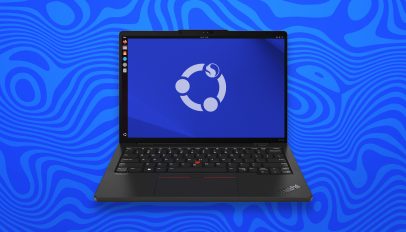 Canonical kernel engineer Juerg Haefliger has shared an update on Ubuntu support for the Lenovo ThinkPad X13s (Gen 1) laptop. The 13-inch Lenovo ThinkPad X13s is an ARM laptop powered by a Qualcomm Snapdragon 8cx (gen3) processor with Adreno 690 GPU, 16 GB RAM, a 256 GB SSD, and claimed ~28 battery life. It comes preloaded with Windows 11 Pro for ARM by default. Last year a quasi-official (albeit experimental) Ubuntu 23.10 install image was released for this device, spearheaded by Juerg and the engineering effort he’d made to support it. The ISO was made available to download from the […]
 Fans of open-source racing game SuperTuxKart will be stoked to hear devs are busy in the pit lanes pepping the next major update — and it’ll launch this summer. SuperTuxKart 1.4 was released back in 2022 with a ton of improvements that fine-tune, fix-up, and finesse performance, gameplay, and stability. But it’s been a while since any major new features were put in the tank (so to speak). But things shift up a gear in SuperTuxKart 1.5. This summer, SuperTuxKart 1.5 gets off the starting line with a welcome clutch —no, I’m sorry about these puns— of improvements and buffs […]
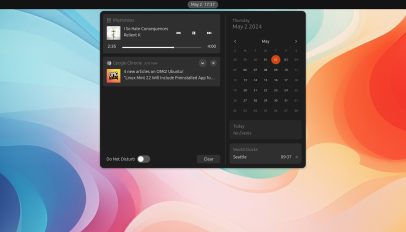 Media Progress is a new GNOME Shell extension that adds a real-time progress bar to the MPRIS notification/sound control doohickey that shows in the notification area. This extension doesn’t do else bar (heh) that, but as simple enhancements go it’s a nifty one. More than a mere indicator, the progress bar the extension adds is interactive and seekable. Click anywhere in the progress bar to jump to that position (which is handy if listening to something long, like a podcast or audiobook). As of writing the Media Progress extension supports GNOME 46. To use it you will need to be […]
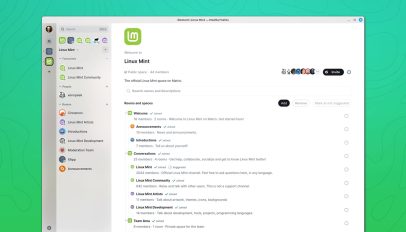 Linux Mint 22 will include a Matrix web client preinstalled when released later this year. The IRC-based desktop chat app Linux Mint has been building, Jargonaut, to replace Hexchat and provide real-time communication for its users, will no longer be included (the status of any future development uncertain). Why the change? “Jargonaut […] works well and does exactly what we want. Its implementation was relatively easy and I’d say it’s now 75% complete,” Linux Mint lead Clément Lefèbvre says. But he adds that “feedback about Matrix” led to the team testing it, liking it, and deciding to switch. As such, […]
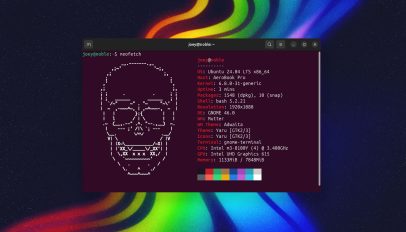 It seems that the popular command-line system info tool Neofetch is dead, Jim. The Github repo for the project was archived by its main developer last week and is now read-only, a sure sign that development has well and truly ceased to be. Not that this is a shock. Development on Neofetch seemed to stall a few years back as bug reports piled up, pull requests were ignored, and the developer stop replying. The last update to Neofetch was made in 2020. I’m a big fan of Neofetch and have used it on all my installs since discovering it in […]


 Inspiring Keynotes
 Panel Sessions
 Lightning Talks
 Community Building
 Hands-on Workshops
 Networking Opportunities

 the inspiring MotionLab.Berlin!



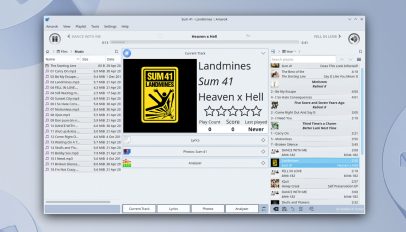 A new version of the open-source music player Amarok has been released, the first major update to the Qt-based media app since 2018. Amarok 3.0 is the first stable release to use Qt 5 and KDE Frameworks 5, and work to port the music player to the the newest Qt 6 and KDE Frameworks 6 is, its devs say, soon to get underway. “Common usecases should work quite well, and in addition to fixing KF5 port related regressions reported in pre-releases, 3.0 features many bugfixes and implemented features for longstanding issues, the oldest such documented being from 2009,” devs say. […]
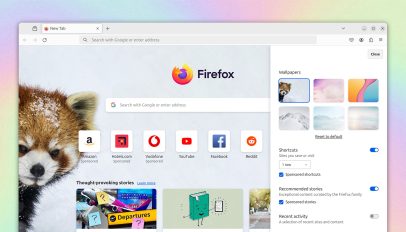 Mozilla devs are bringing more customisation options to the new tab page in Firefox. A number of modern web browsers, including Google Chrome, allow users to set a custom image as the backdrop for the new tab page: As the new tab page is (by default) set to show when a browser is launched and every time a new tab is opened it’s a highly visible (if often fleeting) part of users’ browser experience, making customisation a popular request. But while Mozilla Firefox offers an array of advanced features and settings that put it on a par with rival browsers […]
 Want to know the official codename of Ubuntu 24.10? Although Ubuntu 24.04 LTS has only just been released the pace of development marches ever on. Ubuntu developers are already beginning to bootstrap the base on which the next short-term release of the popular Linux distribution will be built. Ubuntu 24.10 will be released in October, 2024 and, upon release, receive 9 months of updates. Of course, as we all know: every new Ubuntu release gets its own alliterative codename made up of an adjective and an animal (real or mythological). For Ubuntu 24.10 they’ve settled on “Oracular Oriole”. Cute, but […]
 With Ubuntu 24.04 LTS released and a long weekend upon us you might be planning to upgrade an existing Ubuntu install to the latest version. But don’t. For one, “officially” you can’t since Ubuntu 24.04 LTS upgrades are not yet enabled, neither from Ubuntu 23.10 nor 22.04 LTS. But that doesn’t stop us folks from upgrading manually. They hear that a new version of Ubuntu is out and stable, they don’t fancy the faff of a fresh install, and they don’t want to wait for the “new version available” upgrade prompt to appear on their desktop. So they go to […]
 Arriving alongside the main Ubuntu 24.04 LTS release are new versions of the official Ubuntu flavours, including Kubuntu, Xubuntu, and Ubuntu Cinnamon. What follows is a concise, top-level overview of the key new features and changes in some of the most popular Ubuntu flavours, plus the relevant downloads links to snag an ISO need should be tempted into trying a few flavors first-hand. Unless otherwise noted, all flavours share the same foundational footprint as the main release, e.g., Linux kernel, graphics drivers, tooling, etc. But some fears, like the Flutter-based OS installer and the snap-centric App Center aren’t used in […]
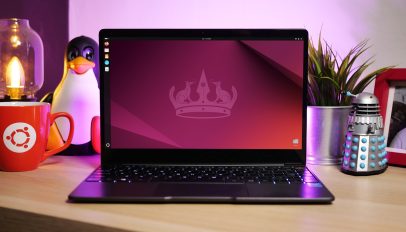 After 6 frenzied months of development the final stable Ubuntu 24.04 LTS release has arrived and is available for download. Ubuntu 24.04 LTS (codenamed ‘Noble Numbat’) includes a rich array of new features ranging from an enhanced desktop installer and a the latest GNOME desktop to gaming improvements and a new Linux kernel. As a long-term support release Ubuntu 24.04 LTS gets 5 years of select apps updates, security fixes, kernel upgrades, and other buffs, and a further 5 years of extended security coverage via Ubuntu Pro. Plus, enterprise customers can buy an additional 2 years of coverage to make […]
 A new version of Clapper, a GTK4-based video player for Linux desktop has been released — the first major update in nearly 2 years. I first wrote about Clapper back in 2021 having been seduced over by its slick user interface (a superficial reason to like a media player, I know), its use of GStreamer, and a small but focused feature set that wasn’t trying to distract me with features I’d never need. Subsequent updates to the app refined and expanded those selling points further and player remained my preferred video player, despite the lack of any major update since […]










 Anyone making the upgrade to Ubuntu 24.04 LTS from the previous LTS, Ubuntu 22.04, is in for a treat because the amount of improvements on offer is vast. In addition to the new features in Ubuntu 24.04 those upgrading from the previous LTS will also discover, experience and benefit from the myriad of features added in the Ubuntu 22.10, 23.04, and 23.10 releases. Those upgrading from the previous LTS will find 2 years worth of changes on offer in Ubuntu 24.04 — Which amounts to a LOT! In this post I run-through 20 of the biggest changes Ubuntu 24.04 LTS […]
 Next time you stop by the Flathub website you will notice it’s had a bit of a revamp. The latest UI refresh lands a year after its last big redesign and builds on that look by adding new on-page features. These changes make it easier for Linux users to find the apps they are looking for and come across new software they might not have heard of. — That is unless they regularly read sites like mine, eh 😉. The Flathub homepage is now topped by a new banner slider (updated weekly) which promotes 5 apps. There’s also a new […]
 Using Linux on a 64-bit ARM device and longing to use Firefox Nightly builds? Well, you’re in luck — Mozilla has finally made ARM64 Linux builds available to download. As I understand it most Linux distributions that support ARM64/AArch64 offer a native ARM version of Firefox in their repos (in Ubuntu that’s via snap) though some Linux ARM distros only offer Firefox ESR, which is a long-term support version lacking newer features. It’s not been possible to get Firefox for ARM64 directly from Mozilla itself. But that’s changing. When Mozilla launched its own APT repo bringing DEB versions of Firefox […]