
 Connexion
Amarok 3.0 Released, Ported to Qt5/KDE Frameworks 5
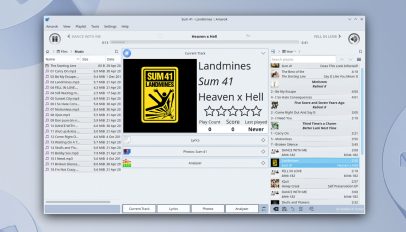 A new version of the open-source music player Amarok has been released, the first major update to the Qt-based media app since 2018. Amarok 3.0 is the first stable release to use Qt 5 and KDE Frameworks 5, and work to port the music player to the the newest Qt 6 and KDE Frameworks 6 is, its devs say, soon to get underway. “Common usecases should work quite well, and in addition to fixing KF5 port related regressions reported in pre-releases, 3.0 features many bugfixes and implemented features for longstanding issues, the oldest such documented being from 2009,” devs say. […]
You're reading Amarok 3.0 Released, Ported to Qt5/KDE Frameworks 5, a blog post from OMG! Ubuntu. Do not reproduce elsewhere without permission.
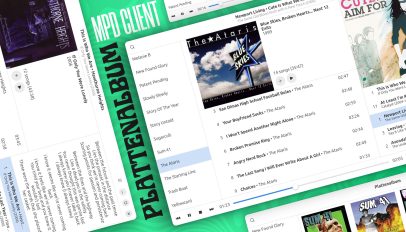 This week I came across Plattenalbum, a modern GTK4/libadwaita frontend for the Music Player Daemon (MPD) built in Python. MPD remains a popular way to make music stored on a server or a computer available on other devices, with capable, user-friendly frontend clients for mobile and desktop devices a crucial element. And Plattenalbum looks a solid choice. Note: this is not a “why you should use MPD” article or a guide to installing MPD on Ubuntu. MPD isn’t an ‘everyone’ solution. If you need/only want to play music files actually on your device then a regular Linux music app such as […]
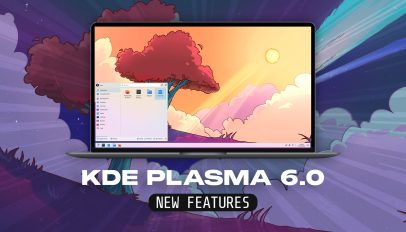 KDE Plasma 6 has arrived. The first stable release in an all-new series of the phenomenally popular Linux desktop environment is now available to download. KDE Plasma 6 improves security, performance, usability, and hardware support Naturally, a major milestone like this one includes a deluge of changes, enhancements, and shiny new features, the best of which I look at in this post. But I want to touch on the “intangible” changes too. KDE Plasma 6.0 upgrades its underlying application framework, Qt, to a major new version, and fully embraces the Wayland display server. “These under-the-hood upgrades benefit Plasma’s security, efficiency, […]
 Linux developers have a new toy to play with, Warp. Warp is a (currently) closed-source terminal emulator built using the Rust programming language. It offers hardware acceleration, integrated AI, collaborative capabilities, and uses a “block” based approach to group commands and output that help set it apart from traditional console-based tools. Plus, when it comes to text input Warp functions more like an IDE or text editor by offering filtering and selections, cursor positioning (including multiple cursors), auto-completion, syntax highlighting, and more besides — the following video gives a good overview: Previously a Mac-only app, Warp is now available for […]
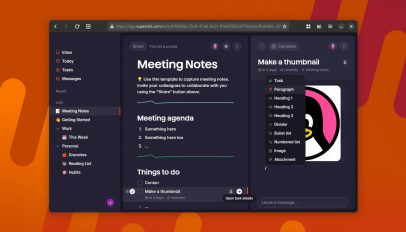 Remember Wunderlist? It was a highly popular and well-made cloud-based to-do/task app that was free to use on all major mobile and desktop platforms, including Linux, until Microsoft acquired it and eventually shut it down. Well, now it’s back — sort of. The creators of Wunderlist have launched a brand-new to-do app called Superlist, positioning it as a superior spiritual successor to its esteemed predecessor. Superlist boasts a clean, streamlined design, a easy-to-master feature set, and a liberal pricing structure allowing free, personal usage “forever.” Indeed, Superlist’s “free for individuals forever” plan offers: Which is more than I’d ever need. […]
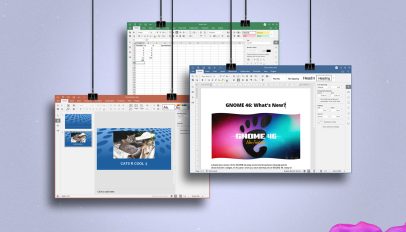 Lots of new features, er feature in the latest update to ONLYOFFICE, the open-source productivity suite for Windows, macOS, and Linux. ONLYOFFICE 8.0 introduces RTL support, albeit as an opt-in, beta feature. When enabled it enables RTL text in the UI and support for bidirectional text input in text documents and presentations — though devs stress it’s partial support with known limitations. Plenty of PDF improvements are provided in this update. This version makes it possible to encrypt regular PDFs with passwords to prevent unauthorised access, and create fillable PDF forms (which can’t encrypted) from editable DOCXF templates. The Presentation app […]
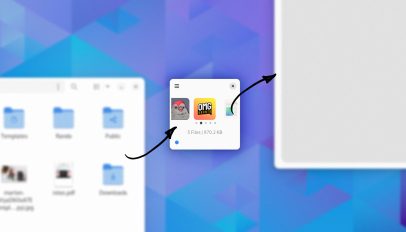 If you’re looking for a way to more efficient way copy files on Linux be sure to check out new GTK/libadwaita app Collector. Collector functions as a temporary holding space on which you drag and drop files, paste clipboard contents and web links to images (e.g., Google Images), etc. You can take your time gathering content, and preview and edit your ‘stash’ as you go. When ready, you just drag all items out with a single click to drop them elsewhere. You could drop them to a folder on your file system, on to an app (if it supports opening […]