Vue lecture

Il y a de nouveaux articles disponibles, cliquez pour rafraîchir la page.

Faizul "Piju" 9M2PJU: Unlocking the Power of Ubuntu Pro: A Comprehensive Guide

In the ever-evolving landscape of operating systems, Ubuntu stands out as a beacon of stability, security, and versatility. Its open-source nature and robust community support have made it a favorite among developers, sysadmins, and casual users alike. But what if you could supercharge your Ubuntu experience even further? Enter Ubuntu Pro.

What is Ubuntu Pro?

Ubuntu Pro is a premium version of Ubuntu designed specifically for business and enterprise environments. It combines all the features of the standard Ubuntu distribution with additional security, compliance, and support features tailored for professional use.

Activating Ubuntu Pro

Activating Ubuntu Pro is a straightforward process that begins with obtaining a subscription from Canonical, the company behind Ubuntu. Once you have a subscription, you can activate Ubuntu Pro on your system by following these steps:

  1. Purchase a Subscription: Visit the Ubuntu Pro page on the Canonical website and choose a subscription plan that suits your needs.
  2. Register Your System: After purchasing a subscription, you’ll receive a registration token. Use this token to register your system with Canonical’s Ubuntu Advantage service.
  3. Activate Ubuntu Pro: Once your system is registered, you can activate Ubuntu Pro by running a simple command in the terminal. This command will download and apply the necessary packages to upgrade your system to Ubuntu Pro.
  4. Enjoy the Benefits: With Ubuntu Pro activated, you’ll have access to a range of additional features and services that enhance the security, compliance, and support capabilities of your Ubuntu environment.

Advantages of Ubuntu Pro

  1. Enhanced Security: Ubuntu Pro includes advanced security features such as Kernel Livepatch, which allows you to apply critical kernel patches without rebooting, and Extended Security Maintenance (ESM), which provides ongoing security updates for end-of-life Ubuntu releases.
  2. Compliance and Certification: For businesses operating in regulated industries, Ubuntu Pro offers compliance certifications such as FIPS, HIPAA, and PCI DSS, ensuring that your Ubuntu environment meets the necessary security standards.
  3. Enterprise Support: Ubuntu Pro subscribers receive prioritized support from Canonical’s team of experts, with guaranteed response times and access to exclusive support resources.
  4. Livepatch Service: Ubuntu Pro includes access to Canonical’s Livepatch service, which enables you to apply critical kernel patches without restarting your system, ensuring maximum uptime and security.
  5. Landscape Management: Ubuntu Pro subscribers gain access to Canonical’s Landscape management tool, allowing for centralized management and monitoring of Ubuntu systems across your organization.

Conclusion

Ubuntu Pro represents the next evolution of the Ubuntu operating system, offering enterprise-grade security, compliance, and support features to businesses and organizations of all sizes. By activating Ubuntu Pro, you can unlock a host of benefits that enhance the stability, security, and manageability of your Ubuntu environment. Whether you’re a small startup or a multinational corporation, Ubuntu Pro has something to offer, making it the ideal choice for mission-critical workloads and demanding enterprise environments.

The post Unlocking the Power of Ubuntu Pro: A Comprehensive Guide appeared first on 9M2PJU - Malaysian Ham Radio Operator by 9M2PJU.

Faizul "Piju" 9M2PJU: Keeping Your System Secure with KernelCare: A Comprehensive Guide for Ubuntu Users

In today’s digital landscape, security is paramount, especially for those managing servers and critical infrastructure. Vulnerabilities in the Linux kernel can pose significant risks to system integrity and data security. Fortunately, solutions like KernelCare offer a proactive approach to kernel security, ensuring that your systems remain protected without the need for disruptive reboots. In this article, we’ll delve into what KernelCare is, how it works, and its compatibility with Ubuntu.

Understanding KernelCare

KernelCare is a live patching service designed to provide automated kernel updates without rebooting. Developed by CloudLinux, KernelCare addresses critical vulnerabilities in the Linux kernel by delivering timely and secure patches directly to running systems. This continuous patching process helps minimize downtime, enhance system security, and streamline maintenance tasks for administrators.

How KernelCare Works

Traditional kernel updates typically require rebooting the system to apply changes fully. However, KernelCare employs a different approach known as live patching. Instead of restarting the system, KernelCare applies patches to the running kernel dynamically, ensuring that security updates take effect immediately without disrupting services or causing downtime.

Under the hood, KernelCare utilizes a combination of kernel modules and patching mechanisms to apply changes seamlessly. When a security patch becomes available, KernelCare’s infrastructure automatically detects the vulnerable systems and deploys the necessary patches in real-time. This automated process simplifies the task of keeping your systems secure, allowing administrators to focus on other critical aspects of system management.

Compatibility with Ubuntu

Ubuntu is one of the most popular Linux distributions, favored by both individuals and organizations for its user-friendly interface and robust performance. Fortunately, KernelCare offers full compatibility with Ubuntu, making it an ideal choice for securing Ubuntu-based servers and workstations.

Whether you’re running Ubuntu Server or Ubuntu Desktop, KernelCare seamlessly integrates with your existing environment, delivering critical kernel updates without disruption. The KernelCare agent is lightweight and easy to install, requiring minimal configuration to get started. Once installed, KernelCare operates silently in the background, ensuring that your Ubuntu systems remain protected against emerging threats and vulnerabilities.

Benefits of Using KernelCare with Ubuntu

  1. Enhanced Security: By applying security patches in real-time, KernelCare helps mitigate the risk of exploitation and unauthorized access to your Ubuntu systems.
  2. Improved Uptime: KernelCare eliminates the need for frequent reboots, allowing you to maintain high availability and minimize service interruptions.
  3. Simplified Maintenance: With automated patching, KernelCare reduces the administrative overhead associated with manual kernel updates, freeing up time for other tasks.
  4. Compatibility: Whether you’re running Ubuntu LTS releases or the latest versions, KernelCare ensures compatibility across different Ubuntu variants, including Server and Desktop editions.

Getting Started with KernelCare on Ubuntu

  1. Installation: To install KernelCare on Ubuntu, simply download and run the installation script provided by CloudLinux. The process is straightforward and typically requires just a few commands in the terminal.
  2. Activation: After installation, activate KernelCare by obtaining a license key from CloudLinux. This key allows you to receive updates and access KernelCare’s patching infrastructure.
  3. Monitoring: Keep an eye on KernelCare’s dashboard to monitor patching activity and ensure that your Ubuntu systems are up to date with the latest security patches.
  4. Customization: Tailor KernelCare’s settings to meet your specific requirements, such as scheduling patching intervals or excluding certain kernels from updates.

Conclusion

In an age where cyber threats are constantly evolving, proactive measures like KernelCare are essential for safeguarding your Ubuntu systems against potential vulnerabilities. By embracing live patching technology, you can fortify your infrastructure, minimize downtime, and maintain a secure environment for your applications and data. With KernelCare’s compatibility and ease of use, Ubuntu users can rest assured knowing that their systems are protected around the clock, without the hassle of frequent reboots or manual intervention.

The post Keeping Your System Secure with KernelCare: A Comprehensive Guide for Ubuntu Users appeared first on 9M2PJU - Malaysian Ham Radio Operator by 9M2PJU.

Ubuntu Blog: Meet our federal team at Space Tech Expo USA

We’re excited to announce our participation in Space Tech Expo 2024, which will take place from May 14 to 15 in Long Beach, California. As our collaboration with Space agencies strengthens, we’re looking forward to meeting our partners and customers on-site to discuss the critical topics for 2024: cybersecurity, artificial intelligence, and open-source innovation.

AI/ML Solutions in Space 

Space organizations invest heavily in AI, aiming to make interstellar travel successful. Agencies kickstart initiatives with different use cases in mind, such as mission planning, autonomous decision-making, resource optimization, and space debris control looking for tooling that enables them to run AI at scale. 

Unlocking real-time space tracking with AI/ML supercomputing

Just recently we worked with the University of Tasmania and Firmus to unlock real-time space tracking with AI/ML supercomputing. 

The University of Tasmania (UTAS) is among the leading providers of space tracking in the southern hemisphere.  The number of new satellites entering the Earth’s orbit is increasing at a near-exponential rate, exceeding 10% growth per year as of 2022, so the university’s work is critical. However, traditional CPU-based data processing had led to a bottleneck that prevented comprehensive, real-time object monitoring. 

What UTAS needed was a modernised infrastructure that could support its immense data processing requirements without drastically inflating costs. The university’s solution was to migrate its space tracking software to Supercloud – a cost-effective and highly sustainable supercomputing platform from Firmus, built using Canonical OpenStack and Canonical Kubernetes, and capable of supporting the most data-intensive AI/ML workloads. 

With Firmus supercomputing based on Canonical infrastructure, UTAS has successfully solved its data processing bottleneck. It has also positioned itself to be able to take advantage of additional MLOps tooling, such as Charmed Kubeflow, that can run on top of Canonical Kubernetes to further simplify AI/ML workflows.

“The UTAS project will help fill the global shortfall in space tracking coverage, and will improve the safety of orbital infrastructure and secure the future of space missions. We are pleased to play our part by contributing Firmus compute resources to support much needed real-time space tracking”. — Peter Blain, Director of Product & AI, Firmus

Explore the case study here. 

To provide the most complete AI solutions to Space agencies, we’ve partnered with the leading hardware, silicon and cloud providers, such as NVIDIA, DELL, AWS, Google Cloud, HPE, Intel, Azure and more. 

Sending the artwork to the International Space Station 

 In 2022, we teamed up with Lonestar to send artwork to the ISS. The artwork is part of a global STEAM initiative and a groundbreaking, immutable data storage, edge processing demonstration currently running aboard the International Space Station (ISS) and led by stealth start-up Lonestar, open-source leader Canonical, and leading space mission integrator Redwire Corporation, a leader in space infrastructure for the next generation space economy. 

Read the full story here. 

Cybersecurity with Ubuntu Pro

Open source technology has been used in space technology for years and it is no surprise that cybersecurity is a key concern for the industry. With our commitment towards securing open source, last year, we announced the general availability of Ubuntu Pro subscription.

It secures an organisation’s Linux estate from OS to the application level. Pro is available on-prem, in the cloud and air-gapped environments, automating security patching, auditing, access management and compliance. Ubuntu Pro delivers FIPS compliance and automation for security standards such as DISA’s Ubuntu STIG, and CIS hardening via the Ubuntu Security Guide (USG).

One of the growing concerns for 2024 is application security. Many open-source packages for applications and toolchains exist in a space with no guarantee or SLA for security patching. With Ubuntu Pro, we secure over 23,000 + open source applications.

If the topic sounds interesting to you, schedule a meeting with our Federal Director Kelley Riggs, for an in-person discussion at Space Tech Expo. 

Google’s Flutter Team Layoffs Leave Ubuntu Devs in a Flap

Flutter and Ubuntu logosGoogle’s recent ‘structural simplification’ led to 200 people across many of its core development teams, including Python, Dart, and Flutter, losing their roles. With Canonical committed to using Flutter for its own desktop apps the news of layoffs in the team responsible for building the framework has left some in the wider Ubuntu community worried about its future viability. The new Ubuntu Installer, Firmware Updater, App Center, and the (currently MIA) Desktop Security Center are all built using Flutter, which is Google’s cross-platform Web-based UI framework underpinned by the Dart programming language. And within the Ubuntu Flutter community a number […]

You're reading Google’s Flutter Team Layoffs Leave Ubuntu Devs in a Flap, a blog post from OMG! Ubuntu. Do not reproduce elsewhere without permission.

Meet our federal team at Space Tech Expo USA

We’re excited to announce our participation in Space Tech Expo 2024, which will take place from May 14 to 15 in Long Beach, California. As our collaboration with Space agencies strengthens, we’re looking forward to meeting our partners and customers on-site to discuss the critical topics for 2024: cybersecurity, artificial intelligence, and open-source innovation.

AI/ML Solutions in Space 

Space organizations invest heavily in AI, aiming to make interstellar travel successful. Agencies kickstart initiatives with different use cases in mind, such as mission planning, autonomous decision-making, resource optimization, and space debris control looking for tooling that enables them to run AI at scale. 

Unlocking real-time space tracking with AI/ML supercomputing

Just recently we worked with the University of Tasmania and Firmus to unlock real-time space tracking with AI/ML supercomputing. 

The University of Tasmania (UTAS) is among the leading providers of space tracking in the southern hemisphere.  The number of new satellites entering the Earth’s orbit is increasing at a near-exponential rate, exceeding 10% growth per year as of 2022, so the university’s work is critical. However, traditional CPU-based data processing had led to a bottleneck that prevented comprehensive, real-time object monitoring. 

What UTAS needed was a modernised infrastructure that could support its immense data processing requirements without drastically inflating costs. The university’s solution was to migrate its space tracking software to Supercloud – a cost-effective and highly sustainable supercomputing platform from Firmus, built using Canonical OpenStack and Canonical Kubernetes, and capable of supporting the most data-intensive AI/ML workloads. 

With Firmus supercomputing based on Canonical infrastructure, UTAS has successfully solved its data processing bottleneck. It has also positioned itself to be able to take advantage of additional MLOps tooling, such as Charmed Kubeflow, that can run on top of Canonical Kubernetes to further simplify AI/ML workflows.

“The UTAS project will help fill the global shortfall in space tracking coverage, and will improve the safety of orbital infrastructure and secure the future of space missions. We are pleased to play our part by contributing Firmus compute resources to support much needed real-time space tracking”. — Peter Blain, Director of Product & AI, Firmus

Explore the case study here. 

To provide the most complete AI solutions to Space agencies, we’ve partnered with the leading hardware, silicon and cloud providers, such as NVIDIA, DELL, AWS, Google Cloud, HPE, Intel, Azure and more. 

Sending the artwork to the International Space Station 

 In 2022, we teamed up with Lonestar to send artwork to the ISS. The artwork is part of a global STEAM initiative and a groundbreaking, immutable data storage, edge processing demonstration currently running aboard the International Space Station (ISS) and led by stealth start-up Lonestar, open-source leader Canonical, and leading space mission integrator Redwire Corporation, a leader in space infrastructure for the next generation space economy. 

Read the full story here. 

Cybersecurity with Ubuntu Pro

Open source technology has been used in space technology for years and it is no surprise that cybersecurity is a key concern for the industry. With our commitment towards securing open source, last year, we announced the general availability of Ubuntu Pro subscription.

It secures an organisation’s Linux estate from OS to the application level. Pro is available on-prem, in the cloud and air-gapped environments, automating security patching, auditing, access management and compliance. Ubuntu Pro delivers FIPS compliance and automation for security standards such as DISA’s Ubuntu STIG, and CIS hardening via the Ubuntu Security Guide (USG).

One of the growing concerns for 2024 is application security. Many open-source packages for applications and toolchains exist in a space with no guarantee or SLA for security patching. With Ubuntu Pro, we secure over 23,000 + open source applications.

If the topic sounds interesting to you, schedule a meeting with our Federal Director Kelley Riggs, for an in-person discussion at Space Tech Expo. 

The Fridge: Ubuntu Weekly Newsletter Issue 838

Welcome to the Ubuntu Weekly Newsletter, Issue 838 for the week of April 28 – May 4, 2024. The full version of this issue is available here.

In this issue we cover:

  • Welcome New Members and Developers
  • Ubuntu Stats
  • Hot in Support
  • UbuCon Asia 2024 CFP Closed, Registration now open!
  • Come to SeaGL November 8th & 9th, 2024
  • UbuCon Korea 2024 – Call for proposals
  • Ubuntu 24.04 InstallFest + Workshop in Busan is successfully completed!
  • LoCo Events
  • Ubuntu 24.04 and .NET
  • `needrestart` changes in Ubuntu 24.04: service restarts
  • Multipass version 1.14.0 RC1
  • Call for GNOME Asia 2024 Location Proposals
  • Ubuntu Cloud News
  • Canonical News
  • In the Press
  • In the Blogosphere
  • Other Articles of Interest
  • Featured Audio and Video
  • Meeting Reports
  • Upcoming Meetings and Events
  • Updates and Security for Ubuntu 20.04, 22.04, 23.10, and 24.04
  • And much more!

The Ubuntu Weekly Newsletter is brought to you by:

  • Krytarik Raido
  • Bashing-om
  • Chris Guiver
  • Wild Man
  • And many others

If you have a story idea for the Weekly Newsletter, join the Ubuntu News Team mailing list and submit it. Ideas can also be added to the wiki!

.

Ubuntu 24.10 Release Date Set for October 10, 2024

Canonical has published a draft release schedule for Ubuntu 24.10 ‘Oracular Oriole’. According to the timetable we should expect the final stable release of Ubuntu 24.10 to arrive on Thursday October 10, 2024. Six months of development lay ahead, with a beta release of the ‘Oracular Oriole’ set to take flight on September 19, followed by a release candidate build on October 3 to help identify extant issues. As a short-term or ‘interim’ release Ubuntu 24.10 will only get 9 months on support from its release. Short but sweet and it dovetails into the Ubuntu 25.04 release due in April […]
You're reading Ubuntu 24.10 Release Date Set for October 10, 2024, a blog post from OMG! Ubuntu. Do not reproduce elsewhere without permission.

Faizul "Piju" 9M2PJU: Exploring Ubuntu Core for IoT and Embedded Systems: A Comprehensive Guide

In the rapidly evolving landscape of Internet of Things (IoT) and embedded systems, choosing the right operating system is crucial for ensuring efficiency, security, and scalability. Ubuntu Core, a minimalistic and secure version of Ubuntu, has emerged as a compelling choice for powering IoT devices and embedded systems. In this comprehensive guide, we’ll delve into the fundamentals of Ubuntu Core, explore its applications in IoT and embedded systems, and provide insights on how to get started with development, along with hardware recommendations.

Understanding Ubuntu Core:

Ubuntu Core is a lightweight, container-based operating system designed specifically for IoT devices and embedded systems. It is built on the same foundation as Ubuntu, leveraging its reliability, security, and extensive package ecosystem while offering a streamlined and efficient platform tailored for resource-constrained environments.

Key Features of Ubuntu Core:

  • Transactionally Updated: Ubuntu Core employs a transactional update mechanism, ensuring seamless and reliable updates without risking system stability or security.
  • Snap Packages: Applications on Ubuntu Core are packaged as snaps, providing isolation, security, and effortless installation across a wide range of devices.
  • Security-First Approach: Security is a top priority in Ubuntu Core, with features like secure boot, app confinement, and automatic security updates, safeguarding devices against cyber threats.

Applications of Ubuntu Core in IoT and Embedded Systems:

1. Industrial IoT:

Ubuntu Core powers a variety of industrial IoT applications, including remote monitoring, predictive maintenance, and process automation. Its reliability, security, and support for industry-standard protocols make it an ideal choice for connecting and managing industrial devices and equipment.

2. Smart Home:

In the realm of smart homes, Ubuntu Core serves as the foundation for smart appliances, home automation systems, and connected devices. Its modular architecture and support for IoT standards enable seamless integration with a wide range of smart home devices, ensuring interoperability and ease of management.

3. Edge Computing:

Edge computing is revolutionizing data processing and analytics by bringing computation closer to the data source. Ubuntu Core enables efficient edge computing deployments, powering edge gateways, edge servers, and edge devices that process and analyze data in real-time, reducing latency and bandwidth requirements.

Getting Started with Ubuntu Core Development:

1. Setting Up Ubuntu Core:

  • Visit the official Ubuntu Core website (https://ubuntu.com/core) to download the latest version.
  • Follow the installation instructions to deploy Ubuntu Core on your target device or virtual machine.

2. Developing Snaps:

  • Install the Snapcraft tool to create and publish snaps.
  • Refer to the Snapcraft documentation for guidelines on snap development, including packaging, confinement, and dependencies.

3. Testing and Deployment:

  • Utilize the Ubuntu Core device emulator for testing snaps and simulating device behavior.
  • Deploy snaps to production devices using the Snap Store or custom channels for controlled rollouts and updates.

Hardware Recommendations for Ubuntu Core:

1. Raspberry Pi:

  • Raspberry Pi boards are popular choices for Ubuntu Core development due to their affordability, versatility, and widespread community support.

2. Intel NUC:

  • Intel NUC (Next Unit of Computing) devices offer higher performance and scalability, making them suitable for more demanding IoT and embedded applications.

3. Qualcomm Snapdragon:

  • Qualcomm Snapdragon platforms provide integrated solutions for IoT and embedded systems, featuring powerful processors and robust connectivity options.

Conclusion:

Ubuntu Core empowers developers to build secure, reliable, and scalable IoT and embedded systems with ease. Whether it’s industrial IoT, smart home, or edge computing, Ubuntu Core provides a solid foundation for realizing innovative solutions in a wide range of domains. By leveraging its features and ecosystem, developers can accelerate development cycles, minimize time to market, and deliver compelling experiences in the evolving landscape of connected devices.

The post Exploring Ubuntu Core for IoT and Embedded Systems: A Comprehensive Guide appeared first on 9M2PJU - Malaysian Ham Radio Operator by 9M2PJU.

Faizul "Piju" 9M2PJU: Ubuntu: The Preferred Operating System for OpenPilot Testing

In the realm of autonomous driving, the choice of operating system plays a pivotal role in the reliability, security, and performance of the underlying software. OpenPilot, the open-source driving agent developed by Comma.ai, relies on Ubuntu as its preferred operating system for testing and development. Let’s explore why Ubuntu is the go-to choice for OpenPilot:

Stability and Reliability:

Ubuntu’s reputation for stability and reliability makes it an ideal platform for the rigorous testing required in autonomous driving development. With regular updates and LTS (Long-Term Support) versions, Ubuntu provides a consistent performance environment crucial for testing complex algorithms and ensuring system stability during extended testing periods.

Security:

Security is paramount in autonomous vehicle systems where the integrity of data and control systems is critical. Ubuntu’s robust security measures, including frequent security updates and a vigilant community, fortify the operating system against potential vulnerabilities. This safeguards sensitive data and ensures the reliability of OpenPilot’s control mechanisms, instilling confidence in its ability to protect human life.

Flexibility and Customization:

OpenPilot testing often demands specialized configurations and dependencies. Ubuntu’s open-source nature allows for extensive customization, enabling developers to tailor the operating system to meet the specific requirements of their testing environments. Whether integrating new sensors or optimizing performance, Ubuntu’s flexibility facilitates seamless adaptation to evolving testing needs.

Community Support:

Ubuntu benefits from a vast and active community of developers and enthusiasts who contribute to its ongoing development and support. This vibrant ecosystem provides invaluable resources, ranging from troubleshooting guides to software repositories, ensuring that OpenPilot developers have access to assistance and solutions whenever needed. The collective expertise of the Ubuntu community accelerates development efforts and enhances the reliability of OpenPilot testing environments.

Real-World Simulation and Testing:

Ubuntu’s stability and performance are essential for executing real-world simulation scenarios, providing accurate data and insights into OpenPilot’s behavior under diverse conditions. From individual development setups to large-scale simulation clusters, Ubuntu’s scalability enables OpenPilot developers to scale their testing environments efficiently. This scalability ensures comprehensive testing and validation of autonomous driving algorithms, paving the way for safe and reliable deployment.

Conclusion:

OpenPilot’s choice of Ubuntu as its preferred operating system underscores the importance of stability, security, flexibility, and community support in autonomous driving development. By leveraging Ubuntu’s robust platform, OpenPilot can conduct rigorous testing and validation with confidence, contributing to the advancement of autonomous vehicle technology and ensuring the safety of future transportation systems.

The post Ubuntu: The Preferred Operating System for OpenPilot Testing appeared first on 9M2PJU - Malaysian Ham Radio Operator by 9M2PJU.

Ubuntu Blog: From sales development to product: Adrian’s career progression at Canonical

Career progression is crucial to employee engagement and retention. Canonical encourages employees to develop their own  personal development journeys,  giving them the chance to apply internally for roles they are passionate about even if they come from different backgrounds.  We have many great examples. Today we will be featuring the story of Adrian Matei.

<noscript> <img alt="" height="1600" src="https://res.cloudinary.com/canonical/image/fetch/f_auto,q_auto,fl_sanitize,c_fill,w_1283,h_1600/https://ubuntu.com/wp-content/uploads/0082/image.jpeg" width="1283" /> </noscript>

Adrian is a Product Manager here at Canonical, leading the strategy of our Managed Solutions offering. His team ensures that customers receive managed services that are in tune with market expectations and effectively support business goals. We asked Adrian more about his story with Canonical and how his career progressed. 

Adrian’s career journey with Canonical

When did you start with Canonical and what was your original role?

I joined Canonical in the summer of 2022, as a Sales Development Representative for the French markets. It was my first venture into sales development, which I wanted to undertake because of my natural extraversion and my love for the French language. 

What did you switch to and when?

I switched to Product Management in July 2023, so just over a year after joining. 

What was the reason behind that?

I’ve got a background in business management for the tech sector, and so I’m naturally curious about ways in which IT products can be improved to become more competitive. I had been in touch with my predecessor – whom I salute in case he’s reading this – and I found his role fascinating: managing not a standalone product, but a complex commercial and technical set of protocols that bring Canonical’s entire portfolio to customers. 

Because of my background and interests, I had developed fruitful relationships with several other Product Managers, who encouraged me to apply. Apply I did, excitedly.  With a bit of luck and a lot of work, I got the role.  And I could not be happier, because while I did enjoy sales, product management comes more naturally to me, and gives me a significantly more profound sense of impact and satisfaction. 

What was the process and how long did it take? 

The process was thorough due to the high specialization required by product management within our company, but this allowed me to get to know the team better. Product Management is at the core of Canonical’s identity. Our team of Product Managers brings together a set of very talented individuals, and it’s a demanding discipline which requires thought-leadership, an analytical mindset, solid stakeholder management and a strategic outlook. Therefore, in order to verify my technical and commercial eligibility for this team, multiple people had to interview me. 

Ihad to prepare presentations, conduct market research, and ultimately form an initial hypothesis about where the product should go with my guidance. Understandably it took some time to transition into the team. 

Do you advise readers to consider a career at Canonical? 

Absolutely! Canonical to me is a lovely workplace. It’s filled with very passionate people, and there’s always something new to learn and do. In terms of benefits and work/life balance, it’s perfect for me, because I enjoy both the flexibility of a remote company and the many opportunities to travel (I really love our sprints all over the world). It’s also very stimulating and at times intense. As someone motivated by impact, Canonical gives me the feeling that I’m doing something important. I think the opportunities are endless here. 

Join the team 

Career progression is an area that Canonical puts a lot of attention to and Adrian’s story is evidence of that. In the next article of this series, we’ll explore another story. In the meantime, browse current openings to find the most interesting role for you and apply. Remember, it doesn’t have to be your last role at Canonical 🙂  

From sales development to product: Adrian’s career progression at Canonical

Career progression is crucial to employee engagement and retention. Canonical encourages employees to develop their own  personal development journeys,  giving them the chance to apply internally for roles they are passionate about even if they come from different backgrounds.  We have many great examples. Today we will be featuring the story of Adrian Matei.

Adrian is a Product Manager here at Canonical, leading the strategy of our Managed Solutions offering. His team ensures that customers receive managed services that are in tune with market expectations and effectively support business goals. We asked Adrian more about his story with Canonical and how his career progressed. 

Adrian’s career journey with Canonical

When did you start with Canonical and what was your original role?

I joined Canonical in the summer of 2022, as a Sales Development Representative for the French markets. It was my first venture into sales development, which I wanted to undertake because of my natural extraversion and my love for the French language. 

What did you switch to and when?

I switched to Product Management in July 2023, so just over a year after joining. 

What was the reason behind that?

I’ve got a background in business management for the tech sector, and so I’m naturally curious about ways in which IT products can be improved to become more competitive. I had been in touch with my predecessor – whom I salute in case he’s reading this – and I found his role fascinating: managing not a standalone product, but a complex commercial and technical set of protocols that bring Canonical’s entire portfolio to customers. 

Because of my background and interests, I had developed fruitful relationships with several other Product Managers, who encouraged me to apply. Apply I did, excitedly.  With a bit of luck and a lot of work, I got the role.  And I could not be happier, because while I did enjoy sales, product management comes more naturally to me, and gives me a significantly more profound sense of impact and satisfaction. 

What was the process and how long did it take? 

The process was thorough due to the high specialization required by product management within our company, but this allowed me to get to know the team better. Product Management is at the core of Canonical’s identity. Our team of Product Managers brings together a set of very talented individuals, and it’s a demanding discipline which requires thought-leadership, an analytical mindset, solid stakeholder management and a strategic outlook. Therefore, in order to verify my technical and commercial eligibility for this team, multiple people had to interview me. 

Ihad to prepare presentations, conduct market research, and ultimately form an initial hypothesis about where the product should go with my guidance. Understandably it took some time to transition into the team. 

Do you advise readers to consider a career at Canonical? 

Absolutely! Canonical to me is a lovely workplace. It’s filled with very passionate people, and there’s always something new to learn and do. In terms of benefits and work/life balance, it’s perfect for me, because I enjoy both the flexibility of a remote company and the many opportunities to travel (I really love our sprints all over the world). It’s also very stimulating and at times intense. As someone motivated by impact, Canonical gives me the feeling that I’m doing something important. I think the opportunities are endless here. 

Join the team 

Career progression is an area that Canonical puts a lot of attention to and Adrian’s story is evidence of that. In the next article of this series, we’ll explore another story. In the meantime, browse current openings to find the most interesting role for you and apply. Remember, it doesn’t have to be your last role at Canonical 🙂  

Ubuntu 24.04 Support WIP for Lenovo ThinkPad X13s Laptop

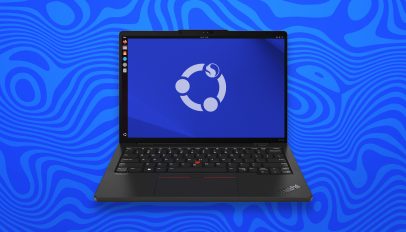
Canonical kernel engineer Juerg Haefliger has shared an update on Ubuntu support for the Lenovo ThinkPad X13s (Gen 1) laptop. The 13-inch Lenovo ThinkPad X13s is an ARM laptop powered by a Qualcomm Snapdragon 8cx (gen3) processor with Adreno 690 GPU, 16 GB RAM, a 256 GB SSD, and claimed ~28 battery life. It comes preloaded with Windows 11 Pro for ARM by default. Last year a quasi-official (albeit experimental) Ubuntu 23.10 install image was released for this device, spearheaded by Juerg and the engineering effort he’d made to support it. The ISO was made available to download from the […]
You're reading Ubuntu 24.04 Support WIP for Lenovo ThinkPad X13s Laptop, a blog post from OMG! Ubuntu. Do not reproduce elsewhere without permission.

Faizul "Piju" 9M2PJU: Empower Your Cybersecurity Journey with Linux: Why Ubuntu is the Perfect Starting Point

In the ever-evolving landscape of cybersecurity, staying ahead of potential threats is paramount. With the proliferation of digital technologies and the increasing interconnectedness of our world, the need for robust cybersecurity measures has never been more pressing. And in this digital battleground, one platform stands out as a powerful ally: Linux.

Linux, with its open-source nature and inherent security features, has long been favored by cybersecurity professionals and enthusiasts alike. Among the myriad of Linux distributions available, Ubuntu shines as an excellent choice for those looking to dive into the world of cybersecurity. But why Ubuntu, and how does it contribute to empowering cybersecurity efforts?

Ubuntu: The Gateway to Linux

Ubuntu, known for its user-friendly interface and extensive community support, serves as the perfect gateway to the world of Linux. Whether you’re a seasoned cybersecurity expert or a novice eager to learn, Ubuntu’s accessibility makes it an ideal starting point. Its intuitive design and vast repository of software packages make it easy to get started, even for those with limited technical expertise.

Building Your Arsenal: Penetration Testing and Beyond

While specialized penetration testing Linux distributions exist, such as Kali Linux, there’s immense value in learning how to tailor your own cybersecurity toolkit using Ubuntu. By understanding the underlying principles of Linux and its ecosystem, you gain the flexibility to customize your environment to suit your specific needs.

With Ubuntu as your foundation, you can explore a plethora of cybersecurity tools and techniques, ranging from network scanning and vulnerability assessment to intrusion detection and digital forensics. Whether you’re delving into ethical hacking, threat hunting, or incident response, Ubuntu provides the framework upon which you can build your expertise.

The Power of Linux in Cybersecurity

In today’s cybersecurity landscape, proficiency in Linux is no longer merely advantageous—it’s essential. Many of the most powerful and widely-used cybersecurity tools are developed specifically for Linux environments. From industry-standard tools like Wireshark and Nmap to specialized frameworks like Metasploit and Snort, Linux serves as the platform of choice for cybersecurity professionals worldwide.

Moreover, Linux’s robust security features, including granular access controls, robust privilege separation, and mandatory access controls, make it inherently more secure than many other operating systems. By mastering Linux, you not only gain access to a vast array of cybersecurity tools but also develop a deeper understanding of core security principles.

Conclusion: Empowering Your Cybersecurity Journey

In the realm of cybersecurity, knowledge is power. And when it comes to mastering the tools and techniques necessary to safeguard digital assets and mitigate cyber threats, Linux reigns supreme. Ubuntu, with its user-friendly interface and extensive support, provides the perfect entry point for aspiring cybersecurity professionals to explore the world of Linux.

By harnessing the power of Linux, you not only equip yourself with the tools needed to defend against cyber threats but also gain invaluable insights into the inner workings of digital security. So, whether you’re just starting your cybersecurity journey or seeking to expand your skill set, embrace Linux, empower yourself, and fortify your defenses in the ever-escalating battle against cyber adversaries.

The post Empower Your Cybersecurity Journey with Linux: Why Ubuntu is the Perfect Starting Point appeared first on 9M2PJU - Malaysian Ham Radio Operator by 9M2PJU.

Faizul "Piju" 9M2PJU: Embrace Ubuntu: A Financially Savvy Guide to Ditching Microsoft Windows and Prioritizing Security, Privacy, and Savings

In an era where digital empowerment and financial prudence are increasingly intertwined, the decision to transition from Microsoft Windows to Ubuntu Linux and open-source alternatives isn’t just about embracing a new operating system; it’s about making a strategic choice for your wallet, your digital security, and your privacy. In this blog post, we’ll explore how you can seamlessly replace Microsoft Windows and its top applications with Ubuntu Linux and open-source alternatives while reaping significant financial benefits and enhancing your security and privacy.

Understanding the Financial Impact

The financial implications of operating systems and software choices extend far beyond the upfront costs of licenses and subscriptions. Hidden expenses such as upgrade fees, maintenance costs, and vendor lock-in can quickly add up, draining resources and limiting financial flexibility. By migrating to Ubuntu Linux and open-source applications, individuals and organizations can unlock a myriad of financial advantages while prioritizing security and privacy:

  1. Cost Savings: Ubuntu Linux is free to download, install, and use, offering a compelling alternative to the costly licensing fees associated with Microsoft Windows. Moreover, open-source applications typically come with no upfront costs, enabling significant savings over time.
  2. Reduced Hardware Requirements: Ubuntu Linux and many open-source applications are optimized for performance and efficiency, meaning they can run smoothly on older or less powerful hardware. This can extend the lifespan of existing devices, postponing the need for costly hardware upgrades.
  3. No Vendor Lock-In: Proprietary software often comes with vendor lock-in, making it difficult and expensive to switch to alternative solutions. Ubuntu Linux and open-source applications, on the other hand, offer vendor-neutral platforms, giving users greater freedom and flexibility to choose the tools that best suit their needs without fear of being trapped in a closed ecosystem.
  4. Lower Maintenance Costs: Ubuntu Linux and open-source applications are known for their stability, security, and ease of maintenance. With a vibrant community of developers and users actively contributing to their improvement, these software solutions often require fewer updates, patches, and troubleshooting efforts, reducing IT support costs in the long run.

Prioritizing Security and Privacy

Beyond financial considerations, Ubuntu Linux and open-source alternatives offer robust security and privacy features that can help individuals and organizations safeguard their digital assets and personal information:

  1. Built-in Security Features: Ubuntu Linux is renowned for its strong security architecture, including built-in firewall, disk encryption, and secure boot capabilities. Additionally, the open-source nature of the platform allows for continuous security audits and rapid response to vulnerabilities, minimizing the risk of cyber attacks and data breaches.
  2. Privacy by Design: Unlike proprietary software, which often comes bundled with hidden trackers and data collection mechanisms, open-source applications prioritize user privacy and transparency. By using open-source alternatives for email clients, web browsers, and communication tools, individuals can regain control over their digital footprint and protect their personal information from unauthorized access and surveillance.
  3. Community Support and Transparency: The open-source community values transparency, accountability, and collaboration, creating a fertile ground for security research, knowledge sharing, and best practices. Users can leverage community forums, security mailing lists, and bug bounty programs to stay informed about emerging threats and implement effective countermeasures to mitigate risks.

Transitioning to Ubuntu Linux and Open-Source Alternatives

Making the switch from Microsoft Windows and proprietary software to Ubuntu Linux and open-source alternatives may seem daunting at first, but with proper planning and guidance, the transition can be smooth and rewarding. Here’s a step-by-step guide to help you get started:

  1. Evaluate Your Needs: Identify the essential applications and workflows that are critical to your productivity and operations. Research open-source alternatives for each proprietary software you currently use, keeping in mind compatibility, feature parity, and user experience.
  2. Test Compatibility: Before making the full transition, test Ubuntu Linux and open-source applications in a controlled environment to ensure compatibility with your hardware and workflows. Many open-source solutions offer live CDs or virtual machine images for easy testing.
  3. Plan the Migration: Develop a comprehensive migration plan outlining the steps, timelines, and resources required to transition from Microsoft Windows to Ubuntu Linux and open-source applications. Consider factors such as data migration, user training, and technical support to minimize disruptions during the transition period.
  4. Provide Training and Support: Invest in user training and technical support to help your team adapt to the new operating system and software environment. Leverage online tutorials, documentation, and community forums to empower users with the knowledge and skills they need to thrive on Ubuntu Linux.
  5. Monitor and Optimize: Continuously monitor the performance, security, and user satisfaction metrics after the migration to Ubuntu Linux and open-source applications. Solicit feedback from users and stakeholders to identify areas for improvement and optimization, ensuring a seamless transition and maximum ROI.

Conclusion: Empowerment Through Financial Prudence, Security, and Privacy

The decision to replace Microsoft Windows and its top applications with Ubuntu Linux and open-source alternatives isn’t just about embracing a new operating system; it’s about making a strategic choice for your financial well-being, your digital security, and your privacy. By leveraging the cost savings, flexibility, and performance advantages of Ubuntu Linux and open-source software, individuals and organizations can unlock a world of possibilities while safeguarding their financial future and protecting their digital assets. Let us embark on this journey together and embrace the transformative power of open source for a more prosperous, secure, and private digital future.

The post Embrace Ubuntu: A Financially Savvy Guide to Ditching Microsoft Windows and Prioritizing Security, Privacy, and Savings appeared first on 9M2PJU - Malaysian Ham Radio Operator by 9M2PJU.

Faizul "Piju" 9M2PJU: Navigating the Landscape: Windows and Linux in the Desktop Operating System Arena

In the realm of desktop and laptop operating systems, two giants have long been vying for dominance: Microsoft Windows and Linux. Today, let’s delve into the landscape of these operating systems, understanding their significance, limitations, and the ongoing debate over their roles in the enterprise sphere.

Windows: A Pillar of the Desktop Experience

Microsoft Windows, for decades, has been synonymous with personal computing. Its user-friendly interface, extensive software compatibility, and widespread adoption in the corporate world have solidified its position as the go-to choice for many users. Windows offers a plethora of features tailored to both casual users and enterprise environments, making it a versatile platform for various tasks and industries.

However, Windows is not without its drawbacks. Chief among these are its licensing costs, susceptibility to malware and viruses, and occasional instability issues. Despite these shortcomings, its familiarity, support for a vast array of hardware and software, and robust enterprise solutions have kept it firmly entrenched in the corporate ecosystem.

The Linux Conundrum: Bridging the Gap

On the other side of the spectrum lies Linux, an open-source marvel renowned for its stability, security, and customizability. Linux distributions (distros) such as Ubuntu, Fedora, and CentOS have garnered a loyal following among enthusiasts and developers alike. With its robust command-line interface, package management systems, and vast repository of free software, Linux offers a compelling alternative to Windows.

So, why hasn’t Linux made significant inroads into the enterprise desktop market? One major hurdle is the lack of standardized support and compatibility with proprietary software and hardware. Many enterprise applications and peripherals are designed primarily for Windows, leading to compatibility issues when attempting to migrate to Linux.

The Road to Linux Desktop Success

For Linux to gain traction in the enterprise desktop arena, several key steps must be taken:

  1. Improved Compatibility: Efforts to enhance compatibility with proprietary software and hardware drivers are paramount. While strides have been made in this area, continued collaboration between the Linux community and hardware/software vendors is essential.
  2. Streamlined User Experience: While Linux offers unparalleled customization options, it can be overwhelming for novice users. Simplifying the user interface and enhancing user experience (UX) can make Linux more approachable for a broader audience.
  3. Enterprise Support: Offering robust enterprise support packages, akin to those provided by Microsoft, can instill confidence in businesses looking to adopt Linux on a larger scale. This includes dedicated technical support, long-term stability assurances, and comprehensive training resources.
  4. Advocacy and Education: Increasing awareness about the benefits of Linux, both in terms of cost savings and security advantages, is crucial. Educating IT professionals and decision-makers about the potential of Linux in enterprise environments can help dispel misconceptions and drive adoption.

The Open Source Advantage and Proprietary Roadblocks

One of Linux’s greatest strengths lies in its open-source nature, fostering collaboration and innovation within the community. However, the reliance on proprietary drivers for certain hardware components poses a significant challenge. While many hardware manufacturers provide Linux drivers, some remain reluctant due to concerns over intellectual property and market share.

Overcoming these barriers requires a concerted effort from both the Linux community and hardware vendors. Embracing open standards, fostering dialogue, and incentivizing the development of open-source drivers can pave the way for greater Linux adoption without compromising on performance or functionality.

In Conclusion: Embracing Diversity in the Desktop Landscape

In the ever-evolving landscape of desktop operating systems, diversity is key. While Windows remains the dominant force in the enterprise realm, Linux continues to carve out its niche, driven by its commitment to openness, security, and innovation.

By addressing compatibility challenges, enhancing the user experience, and fostering collaboration between stakeholders, Linux has the potential to emerge as a formidable contender in the enterprise desktop market. As we navigate the complexities of modern computing, embracing the strengths of both Windows and Linux can pave the way for a more resilient, adaptable, and inclusive future.

The post Navigating the Landscape: Windows and Linux in the Desktop Operating System Arena appeared first on 9M2PJU - Malaysian Ham Radio Operator by 9M2PJU.

Stuart Langridge: The Pastry Box Project archaeology

Many years ago (2012!) I was invited to be part of "The Pastry Box Project", which described itself thus:

Each year, The Pastry Box Project gathers 30 people who are each influential in their field and asks them to share thoughts regarding what they do. Those thoughts are then published every day throughout the year at a rate of one per day, starting January 1st and ending December 31st.

It was interesting. Sadly, it's dropped off the web (as has its curator, Alex Duloz, as far as I can tell), but thankfully the Wayback Machine comes to the rescue once again.1 I was quietly proud of some of the things I wrote there (and I was recently asked for a reference to a thing I said which the questioner couldn't find, which is what made me realise that the site's not around any more), so I thought I'd republish the stuff I wrote there, here, for ease of finding. This was all written in 2012, and the world has moved on in a few ways since then, a dozen years ago at time of writing, but... I think I'd still stand by most of this stuff. The posts are still at archive.org and you can get to and read other people's posts from there too, some of which are really good and worth your time. But here are mine, so I don't lose them again.

Tuesday, 18 December 2012

My daughter’s got a smartphone, because, well, everyone has. It has GPS on it, because, well, every one does. What this means is that she will never understand the concept of being lost.

Think about that for a second. She won’t ever even know what it means to be lost.

Every argument I have in the pub now goes for about ten minutes before someone says, right, we’ve spent long enough arguing now, someone look up the correct answer on Wikipedia. My daughter won’t ever understand the concept of not having a bit of information available, of being confused about a matter of fact.

A while back, it was decreed that telephone directories are not subject to copyright, that a list of phone numbers is “information alone without a minimum of original creativity” and therefore held no right of ownership.

What instant access to information has provided us is a world where all the simple matters of fact are now yours; free for the asking. Putting data on the internet is not a skill; it is drudgery, a mechanical task for robots. Ask yourself: why do you buy technical books? It’s not for the information inside: there is no tech book anywhere which actually reveals something which isn’t on the web already. It’s about the voice; about the way it’s written; about how interesting it is. And that is a skill. Matters of fact are not interesting — they’re useful, right enough, but not interesting. Making those facts available to everyone frees up authors, creators, makers to do authorial creative things. You don’t have to spend all your time collating stuff any more: now you can be Leonardo da Vinci all the time. Be beautiful. Appreciate the people who do things well, rather than just those who manage to do things at all. Prefer those people who make you laugh, or make you think, or make you throw your laptop out of a window with annoyance: who give you a strong reaction to their writing, or their speaking, or their work. Because information wanting to be free is what creates a world of creators. Next time someone wants to build a wall around their little garden, ask yourself: is what you’re paying for, with your time or your money or your personal information, something creative and wonderful? Or are they just mechanically collating information? I hope to spend 2013 enjoying the work of people who do something more than that.

Wednesday, 31 October 2012

Not everyone who works with technology loves technology. No, really, it’s true! Most of the people out there building stuff with web tech don’t attend conferences, don’t talk about WebGL in the pub, don’t write a blog with CSS3 “experiments” in it, don’t like what they do. It’s a job: come in at 9, go home at 5, don’t think about HTML outside those hours. Apparently 90% of the stuff in the universe is “dark matter”: undetectable, doesn’t interact with other matter, can’t be seen even with a really big telescope. Our “dark matter developers”, who aren’t part of the community, who barely even know that the community exists… how are we to help them? You can write all the A List Apart articles you like but dark matter developers don’t read it. And so everyone’s intranet is horrid and Internet-Explorer-specific and so the IE team have to maintain backwards compatibility with that and that hurts the web. What can we do to reach this huge group of people? Everyone’s written a book about web technologies, and books help, but books are dying. We want to get the word out about all the amazing things that are now possible to everyone: do we know how? Do we even have to care? The theory is that this stuff will “trickle down”, but that doesn’t work for economics: I’m not sure it works for @-moz-keyframes either.

Monday, 8 October 2012

The web moves really fast. How many times have you googled for a tutorial on or an example of something and found that the results, written six months or a year or two years ago, no longer work? The syntax has changed, or there’s a better way now, or it never worked right to begin with. You’ll hear people bemoaning this: trying to stop the web moving so quickly in order that knowledge about it doesn’t go out of date. But that ship’s sailed. This is the world we’ve built: it moves fast, and we have to just hat up and deal with it. So, how? How can we make sure that old and wrong advice doesn’t get found? It’s a difficult question, and I don’t think anyone’s seriously trying to answer it. We should try and think of a way.

Tuesday, 18 September 2012

Software isn’t always a solution to problems. If you’re a developer, everything generally looks like a nail: a nail which is solved by making a new bit of code. I’ve got half-finished mobile apps done for tracking my running with GPS, for telling me when to switch between running and walking, and… I’m still fat, because I’m writing software instead of going running. One of the big ideas behind computers was to automate repetitive and boring tasks, certainly, which means that it should work like this: identify a thing that needs doing, do it for a while, think “hm, a computer could do this more easily”, write a bit of software to do it. However, there’s too much premature optimisation going on, so it actually looks like this: identify a thing that needs doing, think “hm, I’m sure a computer would be able to do this more easily”, write a bit of software to do it. See the difference? If the software never gets finished, then in the first approach the thing still gets done. Don’t always reach for the keyboard: sometimes it’s better to reach for Post-It notes, or your running shoes.

Saturday, 18 August 2012

Changing the world is within your grasp.

This is not necessarily a good thing.

If you go around and talk to normal people, it becomes clear that, weirdly, they don’t ever imagine how to get ten million dollars. They don’t think about new ways to redesign a saucepan or the buttons in their car. They don’t contemplate why sending a parcel is slow and how it could be a slicker process. They don’t think about ways to change the world.

I find it hard to talk to someone who doesn’t think like that.

To an engineer, the world is a toy box full of sub-optimized and feature-poor toys, as Scott Adams once put it. To a designer, the world is full of bad design. And to both, it is not only possible but at a high level obvious how to (a) fix it (b) for everyone (c) and make a few million out of doing so.

At first, this seems a blessing: you can see how the world could be better! And make it happen!

Then it’s a curse. Those normal people I mentioned? Short of winning the lottery or Great Uncle Brewster dying, there’s no possibility of becoming a multi-millionaire, and so they’re not thinking about it. Doors that have a handle on them but say “Push” are not a source of distress. Wrong kerning in signs is not like sandpaper on their nerves.

The curse of being able to change the world is… the frustration that you have so far failed to do so.

Perhaps there is a Zen thing here. Some people have managed it. Maybe you have. So the world is better, and that’s a good thing all by itself, right?

Friday, 27 July 2012

The best systems are built by people who can accept that no-one will ever know how hard it was to do, and who therefore don’t seek validation by explaining to everyone how hard it was to do.

Tuesday, 12 June 2012

The most poisonous idea in the world is when you’re told that something which achieved success through lots of hard work actually got there just because it was excellent.

Friday, 18 May 2012

Ever notice how the things you slave over and work crushingly hard on get less attention, sometimes, than the amusing things you threw together in a couple of evenings?

I can't decide whether this is a good thing or not.

Thursday, 5 April 2012

It's OK to not want to build websites for everybody and every browser. Making something which is super-dynamic in Chrome 18 and also works excellently in w3m is jolly hard work, and a lot of the time you might well be justified in thinking it's not worth it. If your site stats, or your belief, or your prediction of the market's direction, or your favourite pundit tell you that the best use of your time is to only support browsers with querySelector, or only support browsers with JavaScript, or only support WebKit, or only support iOS Safari, then that's a reasonable decision to make; don't let anyone else tell you what your relationship with your users and customers and clients is, because you know better than them.

Just don't confuse what you're doing with supporting "the web". State your assumptions up front. Own your decisions, and be prepared to back them up, for your project. If you're building something which doesn't work in IE6, that requires JavaScript, that requires mobile WebKit, that requires Opera Mobile, then you are letting some people down. That's OK; you've decided to do that. But your view's no more valid than theirs, for a project you didn't build. Make your decisions, and state what the axioms you worked from were, and then everyone else can judge whether what you care about is what they care about. Just don't push your view as being what everyone else should do, and we'll all be fine.

Sunday, 18 March 2012

Publish and be damned, said the Duke of Wellington; these days, in between starting wars in France and being sick of everyone repeating the jokes about his name from Blackadder, he’d probably say that we should publish or be damned. If you’re anything like me, you’ve got folders full of little experiments that you never got around to finishing or that didn’t pan out. Put ’em up somewhere. These things are useful.

Twitter, autobiographies, collections of letters from authors, all these have shown us that the minutiae can be as fascinating as carefully curated and sieved and measured writings, and who knows what you’ll inspire the next person to do from the germ of one of your ideas?

Monday, 27 February 2012

There's a lot to think about when you're building something on the web. Is it accessible? How do I handle translations of the text? Is the design OK on a 320px-wide screen? On a 2320px-wide screen? Does it work in IE8? In Android 4.0? In Opera Mini? Have I minimized the number of HTTP requests my page requires? Is my JavaScript minified? Are my images responsive? Is Google Analytics hooked up properly? AdSense? Am I handling Unicode text properly? Avoiding CSRF? XSS? Have I encoded my videos correctly? Crushed my pngs? Made a print stylesheet?

We've come a long way since:

<HEADER>
<TITLE>The World Wide Web project</TITLE>
<NEXTID N="55">
</HEADER>
<BODY>
<H1>World Wide Web</H1>The WorldWideWeb (W3) is a wide-area<A
NAME=0 HREF="WhatIs.html">
hypermedia</A> information retrieval
initiative aiming to give universal
access to a large universe of documents.

Look at http://html5boilerplate.com/—a base level page which helps you to cover some (nowhere near all) of the above list of things to care about (and the rest of the things you need to care about too, which are the other 90% of the list). A year in development, 900 sets of changes and evolutions from the initial version, seven separate files. That's not over-engineering; that's what you need to know to build things these days.

The important point is: one of the skills in our game is knowing what you don't need to do right now but still leaving the door open for you to do it later. If you become the next Facebook then you will have to care about all these things; initially you may not. You don't have to build them all on day one: that is over-engineering. But you, designer, developer, translator, evangelist, web person, do have to understand what they all mean. And you do have to be able to layer them on later without having to tear everything up and start again. Feel guilty that you're not addressing all this stuff in the first release if necessary, but you should feel a lot guiltier if you didn't think of some of it.

Wednesday, 18 January 2012

Don't be creative. Be a creator. No one ever looks back and wishes that they'd given the world less stuff.

  1. Also, the writing is all archived at Github!

Faizul "Piju" 9M2PJU: Navigating Operating Systems in Military Operations: Ubuntu vs. Microsoft Windows

Introduction:

In contemporary military operations, the integration of computer technology has become indispensable. From tactical planning to logistical management and cybersecurity, the reliance on advanced computing systems is pervasive. With the pivotal role of operating systems in these endeavors, the choice between Ubuntu and Microsoft Windows for military purposes warrants thorough examination.

In this blog post, we embark on a comparative journey, evaluating Ubuntu’s potential to supplant Microsoft Windows in military contexts. Through an analysis of strengths, weaknesses, and practical considerations, we aim to discern whether Ubuntu stands as a viable alternative for military computing needs. However, before delving into this comparison, let’s first explore the current landscape of computer utilization in military operations.

The Current Landscape:

Modern military operations are increasingly reliant on computer technology across various domains:

1. Command and Control Systems:
Command centers leverage sophisticated computing systems for real-time situational awareness, decision-making, and coordination of military assets. These systems require robust and secure operating environments to ensure seamless execution of mission-critical tasks.

2. Communications and Information Management:
Communication networks facilitate the exchange of vital information among military personnel, units, and allied forces. Integrated information management systems help in organizing, analyzing, and disseminating intelligence data, enhancing operational effectiveness.

3. Cybersecurity and Defensive Measures:
With the rise of cyber threats, military organizations prioritize cybersecurity measures to safeguard sensitive information and critical infrastructure. Secure operating systems are crucial components of comprehensive defense strategies, offering protection against cyber attacks and data breaches.

4. Training and Simulation:
Simulation platforms powered by advanced computing technology provide realistic training environments for military personnel. These systems simulate various scenarios, enabling soldiers to hone their skills, test strategies, and prepare for diverse operational challenges.

5. Logistics and Supply Chain Management:
Efficient logistical operations are essential for sustaining military missions. Computerized systems streamline inventory management, transportation logistics, and supply chain operations, optimizing resource allocation and ensuring timely support to deployed forces.

In this dynamic landscape, the choice of operating system profoundly influences the efficacy, security, and cost-efficiency of military operations. Now, let’s delve into the comparison between Ubuntu and Microsoft Windows, evaluating their respective suitability for military purposes.

The Good:

Ubuntu’s Open-Source Advantage: Ubuntu’s open-source nature is a significant advantage, particularly in security-sensitive environments like the military. Its source code is freely available, allowing for extensive scrutiny and rapid development of security patches. This transparency reduces the risk of hidden vulnerabilities and backdoors, crucial for safeguarding sensitive military data and systems.

Stability and Reliability: Ubuntu is renowned for its stability and reliability. Its robust architecture and regular updates ensure that military operations can proceed without interruption due to system failures or crashes. In mission-critical situations, this reliability is paramount, making Ubuntu a compelling choice for military deployments.

Cost-Effectiveness: One of Ubuntu’s most appealing aspects is its cost-effectiveness. Being open-source, it eliminates licensing fees, which can amount to significant savings, especially when deploying across a large number of systems. For military budgets under scrutiny, this financial advantage can free up resources for other critical areas.

Customization and Flexibility: Ubuntu offers unparalleled customization and flexibility. Military organizations can tailor the operating system to meet their specific requirements, whether it’s optimizing performance for specialized hardware or integrating proprietary software solutions. This adaptability ensures that Ubuntu can seamlessly integrate into existing military infrastructure and workflows.

The Bad:

Compatibility Challenges: While Ubuntu boasts compatibility with a wide range of hardware and software, it may still face challenges when interfacing with legacy systems or specialized military equipment. Compatibility issues could hinder interoperability and integration efforts, potentially disrupting operations or requiring costly workarounds.

Learning Curve: Transitioning from Windows to Ubuntu may pose a learning curve for military personnel accustomed to the Windows environment. Training and re-skilling efforts may be necessary to ensure smooth adoption, which could incur additional time and resources.

Limited Gaming Support: Though not directly related to military operations, it’s worth noting that Ubuntu’s gaming support lags behind Windows. While this may not be a critical factor for most military applications, it could impact morale and downtime activities for personnel stationed in remote locations.

Vendor Support Variability: While Ubuntu benefits from a vibrant community and commercial support options, the level of vendor support may vary compared to Windows. For critical issues or specialized requirements, the availability and responsiveness of support services could influence the feasibility of deploying Ubuntu in military contexts.

Conclusion:

In conclusion, Ubuntu presents a compelling alternative to Microsoft Windows for military purposes, offering advantages in security, stability, cost-effectiveness, and flexibility. However, it’s essential to weigh these benefits against potential challenges such as compatibility issues, learning curves, and variability in vendor support. Ultimately, the decision to adopt Ubuntu in military operations should be based on a thorough assessment of specific requirements, risks, and available resources. With careful planning and strategic implementation, Ubuntu has the potential to serve as a robust and secure operating system for military organizations worldwide.

https://www.linkedin.com/pulse/why-indias-defence-ministry-replacing-microsoft-windows-ubuntu-based

https://weareconker.com/blog/the-top-rugged-linux-tablets

The post Navigating Operating Systems in Military Operations: Ubuntu vs. Microsoft Windows appeared first on 9M2PJU - Malaysian Ham Radio Operator by 9M2PJU.

Faizul "Piju" 9M2PJU: Ubuntu 24.04 and the Ubuntu Malaysia Release Party

In the ever-evolving landscape of open-source software, Ubuntu continues to shine as a beacon of innovation, collaboration, and user-centric development. As we anticipate the arrival of Ubuntu 24.04, the excitement within the global tech community is palpable, especially among the passionate members of the Ubuntu Malaysia local community. Released in April 2024, Ubuntu 24.04 promises a plethora of enhancements, features, and improvements aimed at delivering an exceptional computing experience to users worldwide.

Ubuntu 24.04: A Glimpse into the Future
The release of Ubuntu 24.04 heralds a new era of innovation and progress in the Ubuntu ecosystem. Anticipated features and improvements include:

  1. Cutting-Edge Performance: With optimizations and refinements across the system, Ubuntu 24.04 is expected to offer unparalleled performance, ensuring smoother operation and enhanced responsiveness for users.
  2. Streamlined User Experience: Building upon the intuitive GNOME desktop environment, Ubuntu 24.04 will introduce user interface enhancements aimed at improving usability and accessibility, making it easier than ever for users to navigate and interact with their systems.
  3. Enhanced Security: Security remains a top priority for Ubuntu, and the 24.04 release will introduce robust security measures and protocols to safeguard users’ data and privacy in an increasingly interconnected world.
  4. Updated Software Stack: Ubuntu 24.04 will ship with the latest versions of essential software packages, ensuring that users have access to the most up-to-date features, performance improvements, and security patches.
  5. Continued Commitment to Accessibility: Ubuntu remains dedicated to ensuring that its operating system is accessible to users of all abilities. The 24.04 release will further this commitment with enhancements to accessibility features and usability.

Save the Date: Ubuntu Malaysia Release Party 2024

As the release of Ubuntu 24.04 draws near, the Ubuntu Malaysia local community is gearing up to celebrate this momentous occasion with a grand release party. While the specific date for the event is yet to be announced, excitement is building within the community as members eagerly anticipate the opportunity to come together and celebrate their shared passion for open-source software.

The Ubuntu Malaysia Release Party 2024 promises to be an unforgettable event, featuring a range of activities and festivities for attendees to enjoy. From live demos and workshops showcasing the new features of Ubuntu 24.04 to engaging discussions on topics such as open-source advocacy, Linux adoption, and community building, there will be something for everyone to participate in and enjoy.


As we eagerly await the arrival of Ubuntu 24.04 and the announcement of the Ubuntu Malaysia Release Party date, now is the perfect time to mark your calendars and join us in celebrating the spirit of innovation, collaboration, and community that defines Ubuntu and the open-source movement as a whole. Stay tuned for further updates, and let’s come together to embrace the future of computing with Ubuntu 24.04!

Piju 9M2PJU

The post Ubuntu 24.04 and the Ubuntu Malaysia Release Party appeared first on 9M2PJU - Malaysian Ham Radio Operator by 9M2PJU.

Colin Watson: Playing with rich

One of the things I do as a side project for Freexian is to work on various bits of business automation: accounting tools, programs to help contributors report their hours, invoicing, that kind of thing. While it’s not quite my usual beat, this makes quite a good side project as the tools involved are mostly rather sensible and easy to deal with (Python, git, ledger, that sort of thing) and it’s the kind of thing where I can dip into it for a day or so a week and feel like I’m making useful contributions. The logic can be quite complex, but there’s very little friction in the tools themselves.

A recent case where I did run into some friction in the tools was with some commands that need to present small amounts of tabular data on the terminal, using OSC 8 hyperlinks if the terminal supports them: think customer-related information with some links to issues. One of my colleagues had previously done this using a hack on top of texttable, which was perfectly fine as far as it went. However, now I wanted to be able to add multiple links in a single table cell in some cases, and that was really going to stretch the limits of that approach: working out the width of the displayed text in the cell was going to take an annoying amount of bookkeeping.

I started looking around to see whether any other approaches might be easier, without too much effort (remember that “a day or so a week” bit above). ansiwrap looked somewhat promising, but it isn’t currently packaged in Debian, and it would have still left me with the problem of figuring out how to integrate it into texttable, which looked like it would be quite complicated. Then I remembered that I’d heard good things about rich, and thought I’d take a look.

rich turned out to be exactly what I wanted. Instead of something like this based on the texttable hack above:

import shutil
from pyxian.texttable import UrlTable

termsize = shutil.get_terminal_size((80, 25))
table = UrlTable(max_width=termsize.columns)
table.set_deco(UrlTable.HEADER)
table.set_cols_align(["l"])
table.set_cols_dtype(["u"])
table.add_row(["Issue"])
table.add_row([(issue_url, f"#{issue_id}")]
print(table.draw())

… now I can do this instead:

import rich
from rich import box
from rich.table import Table

table = Table(box=box.SIMPLE)
table.add_column("Issue")
table.add_row(f"[link={issue_url}]#{issue_id}[/link]")
rich.print(table)

While this is a little shorter, the real bonus is that I can now just put multiple [link] tags in a single string, and it all just works. No ceremony. In fact, once the relevant bits of code passed type-checking (since the real code is a bit more complex than the samples above), it worked first time. It’s a pleasure to work with a library like that.

It looks like I’ve only barely scratched the surface of rich, but I expect I’ll reach for it more often now.

❌